


Raspberry Pi AI HAT+ 2
Building on the success of the original AI HAT+, it accelerates both vision models and selected Large Language Models (LLMs) and Vision-Language Models (VLMs).The Raspberry Pi AI HAT+ 2 is an add-on board based on the Hailo-10H AI accelerator that brings generative AI capability to Raspberry Pi 5. With 8GB of dedicated on-board RAM, the AI HAT+ 2 is ideal for running large language models (LLMs) and vision-language models (VLMs) locally, leaving the host Raspberry Pi 5 free to handle other tasks. The AI HAT+ 2 delivers reliable, low-latency, accelerated generative AI at the edge, making it the perfect choice for applications including offline process control, secure data analysis, facilities management, and robotics.
The AI HAT+ 2 delivers 40 tera-operations per second (TOPS) of INT4 inferencing performance, with computer vision performance equivalent to the 26 TOPS AI HAT+. A set of sample models is provided by Hailo; users can also train custom models to suit their application, such as speech to text, translation, or visual scene analysis.
Like the original Raspberry Pi AI HAT+, the AI HAT+ 2 communicates using Raspberry Pi 5’s PCI Express interface. When the host Raspberry Pi 5 is running an up-to-date Raspberry Pi OS image, it automatically detects the on‑board Hailo accelerator and makes it available for AI computing tasks. The built-in rpicam‑apps camera applications in Raspberry Pi OS natively support the AI module, automatically using the accelerator to run compatible post-processing tasks.
All of the software for compatible generative AI models can be found in Hailo’s applications GitHub repo.
Key features
- Hailo 10H neural network accelerator
- Onboard 8GB LPDDR4X-4267 SDRAM
- Similar performance for vision models as 26TOPS AI HAT+
- Accelerates selected LLMs and VLMs
What's in the box?
1 x Raspberry Pi AI HAT+ 2
We have recently released a book about Raspberry Pi AI.
Resources
- AI HAT+ 2 documentation
- AI HAT+ 2 product brief
- Launch blog post
- AI HAT+ 2 Product Information Portal (PIP)
- Hailo applications GitHub repo
*While the heatsink supplied is optional, users running benchmarks or very intensive AI workloads are advised to install it to prevent thermal throttling.
1. Remove the backing paper from the underside of the product.
2. Make sure your Raspberry Pi AI HAT+ 2 is powered off. Position the heatsink carefully in the correct space on the AI HAT+ 2, making sure not to hit any of the connectors.
3. Align the two white push pins with the two dedicated heatsink holes.
4. When correctly positioned, press evenly on the tops of the two push pins simultaneously until they click, indicating that they are clipped onto the board.
5. We recommend that the heatsink is not removed once it is fitted to the Raspberry Pi AI HAT+ 2. Removal of the heatsink will cause the push pins and thermal pads to degrade and is likely to lead to product damage.
6. Ensure the push pins are undamaged and securely clipped onto the AI HAT+ 2 before use.
- Availability: 34 In Stock
- Model: RPi AI HAT+ 2
-
Brand:


-
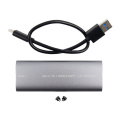 USB 3.1 to M.2 Dual Protocol (NVMe/NGFF) B+M Key with USB-C Cable
R429.90 Inc VAT
USB 3.1 to M.2 Dual Protocol (NVMe/NGFF) B+M Key with USB-C Cable
R429.90 Inc VAT -
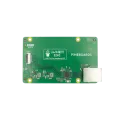 Pineboards HatNET! 2.5G (2.5 Gigabit Ethernet) for Raspberry Pi 5
R881.07 Inc VAT R1,035.00
Pineboards HatNET! 2.5G (2.5 Gigabit Ethernet) for Raspberry Pi 5
R881.07 Inc VAT R1,035.00
