
Generic2


Great for learning feedback events when you are just getting started, and looks good enough to implement in all projects.
Specifications
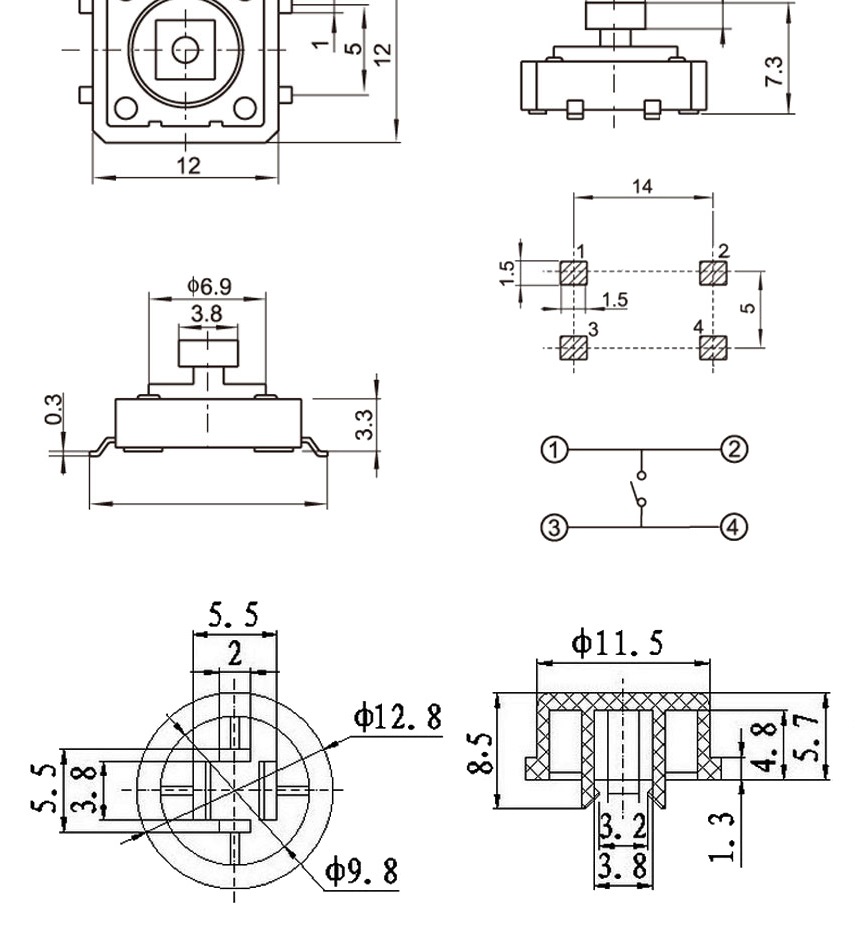
- 12 x 12 x 7.3mm push buttons with caps
- 5 colours
- Red, black, white, blue and yellow
What's in the box?
25 x Tactile Push Button Switches
25 x Caps(Red black white blue yellow) Each color 5pcs
Resources
Read the Docs

What's in the box?
1 x Green 12x12mm button module
1 x Red 12x12mm button module
1 x Yellow 12x12mm button module
1 x Blue 12x12mm button module
1 x Black 12x12mm button module
BME280 is a high-precision, small-volume, low-energy pressure sensor that can be used in mobile devices. Its performance is excellent, the absolute accuracy can be as low as 0.2Pa, and the power consumption is very low, only 2.7uA. The BMP280 uses a powerful 8-pin ceramic leadless chip in a thin carrier (LCC) package, which can be directly connected to various microprocessors through I2C and SPI buses.
Features
- Pressure range: 300~1100hPa (altitude 9000m~-500m) Power supply voltage: 1.71V~3.6V
- LCC8 Package: Lead-Free Ceramic Carrier Package (LCC)
- High precision: 0.06hPa (0.5m) resolution in low power mode, 0.2Pa (1.7cm) resolution in high linear mode temperature output
- 12C interface, SPI interface temperature compensation
- Temperature compensation
- Size: 1.5cmx 1.15cm
- Low power consumption: 2.7uA
- No external clock circuit required
Typical application
- GPS precise navigation (dead reckoning, upper and lower bridge detection, etc.) indoor and outdoor navigation
- Monitoring weather forecast for leisure, sports and health care
- Vertical Speed Indication (Rise/Sink Speed) Fan Power Control
Specifications
- Supply Voltage: 1.8 - 5V DC
- Interface: I2C (up to 3.4MHz), SPI (up to 10 MHz)
Operational Range:
- Temperature: -40 to +85°C
- Humidity: 0-100%
- Pressure: 300-1100 hPa
Resolution:
- Temperature: 0.01°C
- Humidity: 0.008%
- Pressure: 0.18Pa
Accuracy:
- Temperature: +-1°C
- Humidity: +-3%
- Pressure: +-1Pa
I2C address
- SDO LOW : 0x76
- SDO HIGH: 0x77
What's in the box?
1 x bme280 sensor
1 x header
Resources
The Raspberry Pi Foundation Project

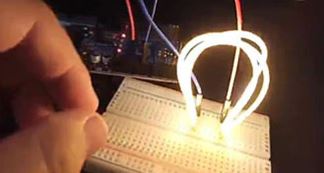
Example using the white LED filament on a breadboard
Specifications
CRI:≥80
Voltage : DC3V
Current : 100mA
Lumen:80lm/W
Colour : As per Product Name
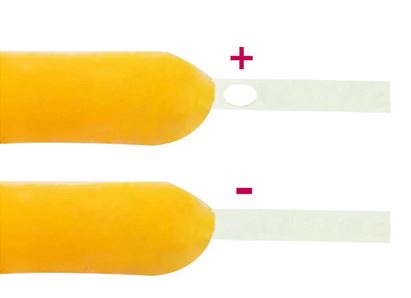
Length = 300mm=290mm+5mm positive interface +5mm negative interface
What's in the box?
1 x 300mm LED filament
You might also need...
If you do not already have a power supply you can use one of the below in order to power your LED
3V 2xAA Transparent Battery Box with Crocodile Clips and Switch
OR
3V 2xAA Black Battery Box with Crocodile Clips and Switch
You will find our selection of batteries here
Q&A
1. Does the LED flexible filament need a heatsink?
The LED filament does not need a heatsink. The LED uses a current of ≤10mA, and does not require heat dissipation.
2. Can the LED flexible filament be powered with an 18650 battery (DC3.7V)?
No, the LED filament voltage is standard DC3V.
If you use DC3.7V, the voltage is too high and the filament temperature will be very high, which will burn out the lamp beads.
3. Where is the LED flexible filament used?
Generally used in light bulbs, DIY hand-made toys, DIY decoration designs and home projects.
4. Can the flexible LED filament bend 90 degrees?
No. Maximum bending angle of LED filament≥30°
5. Can the flexible LED filament be freely cut to length?
No. If it is cut, it will not light up.
6. Can the length of the LED flexible filament be customized according to customer requirements?
No. The length is fixed.
7. Can LED flexible filament work in water?
No. But you can DIY by yourself and put the LED filament in a sealed transparent plastic tube to make it work in water.
8. What is the CRI of the LED flexible filament?
CRI≥80
9.What is the maximum current of the 130mm and 300mm LED flexible filaments?
130mm and 300mm maximum current must be ≤100mA
10. How do I light up the LED flexible filament?
Connect two AA batteries in series = 3V to light up the filament. Or use a 3V button battery CR2032. You will find what you need in our battery and enclosure collections.

A key point is that BMP280 is compatible with two digital interfaces, I2C and SPI. This digital barometer has some interesting applications. By measuring the absolute pressure of the environment and converting this into altitude. you will have a reliable sensor for determining the height of your robot, plane or projectile. This sensor is capable of achieving an accuracy of 1m, with noise of only 17cm in ultra-high resolution. The device will operate at only 0.3uA meaning low current draw for battery powered applications.
Specifications
- 1.8V to 3.6V Supply Voltage
- Low power consumption - 0.5uA at 1Hz
- I2C interface
- Max I2C Speed: 3.5 MHz
- Very low noise - up to 0.02hPa (17cm)
- Fully calibrated
- Pressure Range: 300hPa to 1100hPa ( 9000m to -500m)
- Weight: 1.18g
- Size: 21mm x 18mm
What's in the box?
1 x BMP280 Digital Barometric Pressure Sensor Board Module
1 x Male to Male 4 pin header
Resources
Using the BMP280 with Raspberry Pi
Add an ear to your project with this well-designed electret microphone amplifier. This fully assembled and tested board comes with a 20-20KHz electret microphone soldered on. For the amplification, we use the Maxim MAX4466, an op-amp specifically designed for this delicate task! The amplifier has excellent power supply noise rejection, so this amplifier sounds really good and isn't nearly as noisy or scratchy as other mic amp breakouts we've tried!
This breakout is best used for projects such as voice changers, audio recording and audio-reactive projects that use FFT. On the back, we include a small trimmer pot to adjust the gain. You can set the gain from 25x to 125x. That's down to be about 200mVpp (for normal speaking volume about 6" away) which is good for attaching to something that expects 'line level' input without clipping, or up to about 1Vpp, ideal for reading from a microcontroller ADC. The output is rail-to-rail so if the sounds gets loud, the output can go up to 5Vpp!
What's in the box?
1 x GY-MAX4466 Electret Microphone Amplifier Module
Resources
Using it is simple
Connect GND to ground, VCC to 2.4-5VDC.
For the best performance, use the "quietest" supply available (on an for Arduino, this would be the 3.3V supply). The audio waveform will come out of the OUT pin. The output will have a DC bias of VCC/2 so when its perfectly quiet, the voltage will be a steady VCC/2 volts (it is DC coupled). If the audio equipment you're using requires AC coupled audio, place a 100uF capacitor between the output pin and the input of your device. If you're connecting to an audio amplifier that has differential inputs or includes decoupling capacitors, the 100uF cap is not required. The output pin is not designed to drive speakers or anything but the smallest in-ear headphones- you'll need an audio amplifier (such as 3.7W stereo amp) if you want to connect the amp directly to speakers. If you're connecting to a microcontroller pin, you don't need an amplifier or decoupling capacitor - connect the OUT pin directly to the microcontroller ADC pin. For audio-reactive projects, we suggest using an FFT driver library which can take the audio input and 'translate' it into frequencies.
The VL53L0X V2 time-of-flight range-finding sensor is a new generation of laser ranging modules. The VL53L0X is a Time of Flight distance sensor like no other you've used! The sensor contains a very tiny invisible laser source and a matching sensor. The VL53L0X can detect the "time of flight", or how long the light has taken to bounce back to the sensor. Since it uses a very narrow light source, it is good for determining the distance of only the surface directly in front of it. Unlike sonars that bounce ultrasonic waves, the 'cone' of sensing is very narrow. Unlike IR distance sensors that try to measure the amount of light bounced, the VL53L0x is much more precise and doesn't have linearity problems or 'double imaging' where you can't tell if an object is very far or very close.
The VL53L0X can handle about 50mm to 1200mm of range distance, yes, that is 1.2 meters :)
The sensor is small and easy to use in any robotics or interactive project. Since it needs 2.8V power and logic we put the little fellow on a breakout board with a regulator and level shifting. You can use it with any 3-5V power or logic microcontroller with no worries. Each order comes with a small piece of header pin. Solder the header onto your breakout board with your iron and some solder and wire it up for instant distance-sensing success!
Communicating to the sensor is done over I2C with an API written by ST, so it's not too hard to port it to your favorite microcontroller. We've written a wrapper library for Arduino so you can use it with any of your Arduino-compatible boards.
- Working voltage: 3 ~ 5V
- Interface/Communication method: IIC or I2C
- Measurement absolute distance: 2m
- Typical measurement distance: 1.2m
- Dimension: 25mm x 12.8mm
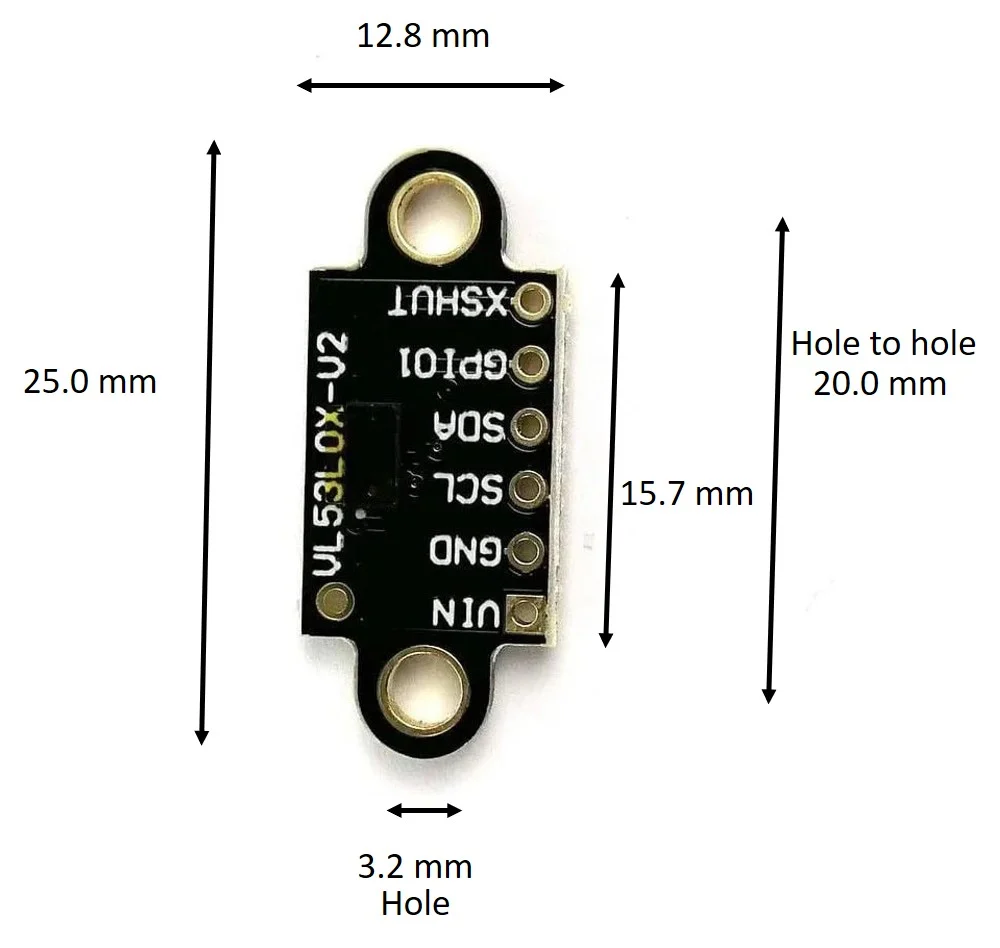
1 x VL53L0X V2 Laser ToF Distance Sensor Module
1 x 10-way header pin

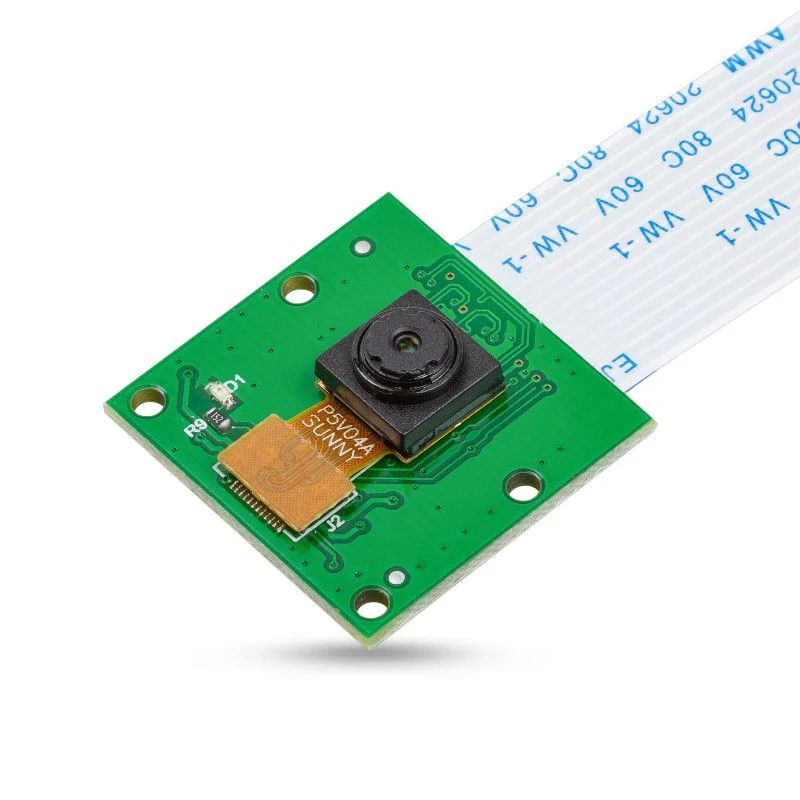
This is the most affordable camera module available in the market! It is custom-designed to be used with Raspberry Pi single-board computers.
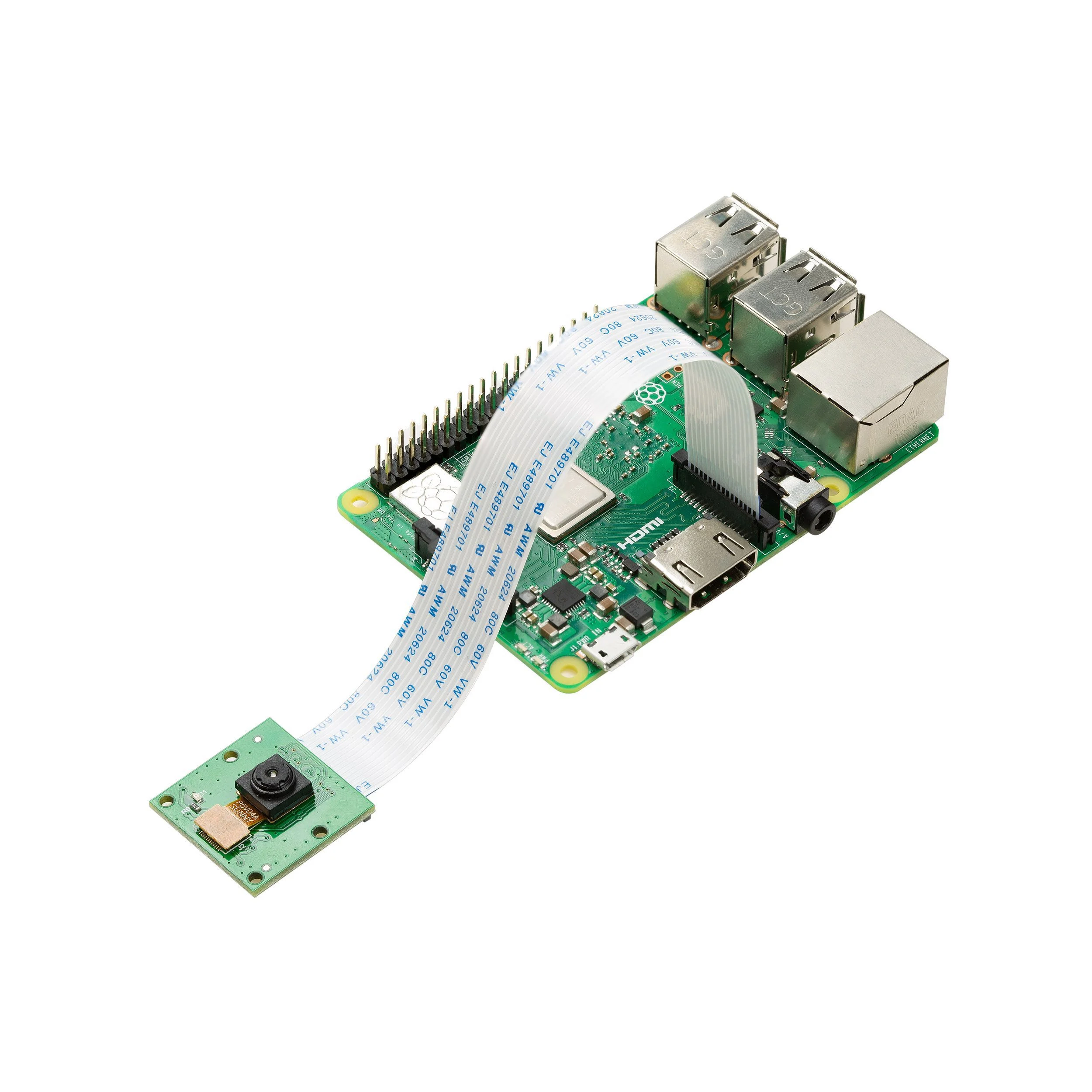
In the example above the camera is connected to a Raspberry Pi 3(Raspberry Pi is not included)
This camera module is compatible with:
The board itself is tiny, at around 25mm x 20mm x 9mm. It also weighs just over 3 grams, making it perfect for mobile or other applications where size and weight are important. The camera is connected to the CPU on the Raspberry Pi via the CSI bus. This bus travels along the cable (FFC - Flexible Flat Cable) that attaches the camera board to the Pi.
The sensor itself has a native resolution of 5 megapixels and has a fixed focus lens onboard. In terms of still images, the camera is capable of 2592 x 1944 pixel static images and also supports 1080p @ 30fps, 720p @ 60fps, and 640x480p 60/90 video.
Specifications
- Sensor: Omnivision OV5647 sensor
- Sensor Size: 1/4” (OV5647)
- Resolution: 5MP 2592×1944
- Video:
- 1080p 30 fps
- 720p 60fps
- 480p 90fps
- Field of View (FOV): 54°(H), 41°(V)
- Focus Type: Fixed Focus
- Focus Length: 3.60mm
- Focus Distance: 1 m to infinity
- Full-frame SLR lens Equivalent: 35 mm
- Peak Current: 300mA
- Dimension: 25mm x 24mm
What's in the box?
1 x 5MP Camera Module
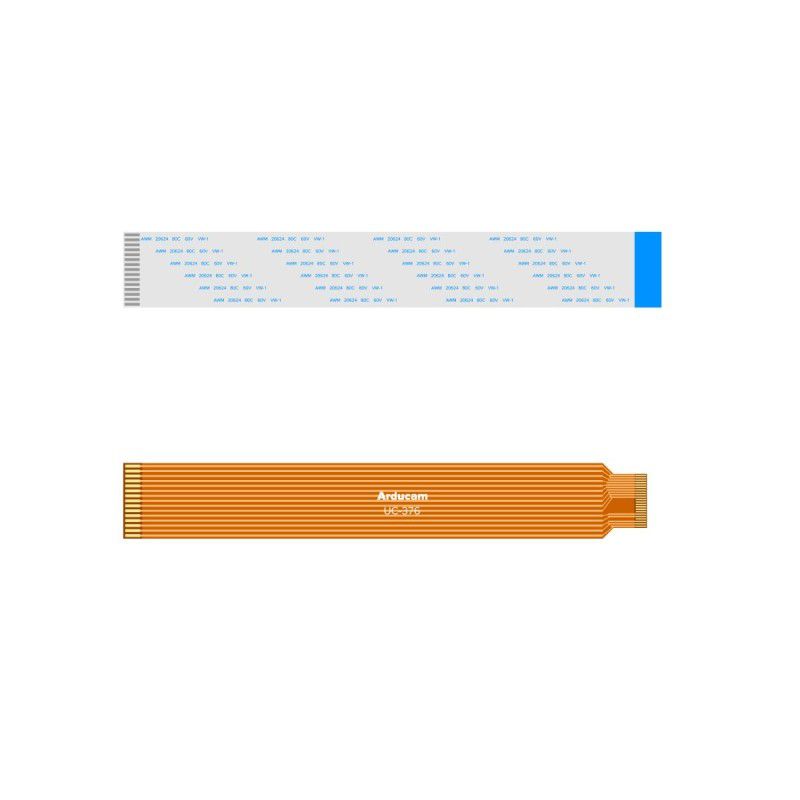
1 x 15cm 15-15pin FPC cable for Raspberry Pi 2,3,4
1 x 15cm 15-22pin FPC cable for Raspberry Pi 5 and Zero series
Resources
- User Guide
- How to use Arducam OV5647 Camera Module for Raspberry Pi
- Troubleshooting Arducam OV5647 Cameras for Raspberry Pi
- Raspberry Pi Zero W and Pi Camera Application - Use OpenCV
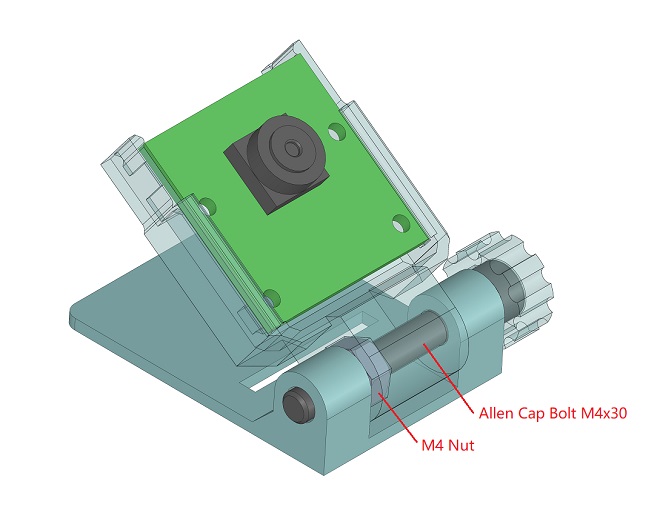
- 3D printable Adjustable Holder - CAD files
- 3D printable Adjustable Holder - Printable Files (3D printer files)

The Maker-Friendly Zipper Case, a great way for keeping tech accessories and small essentials safe and organized. Crafted from nylon with a polyester internal lining, this pouch provides excellent protection against scratches and impacts, ensuring your items remain secure.
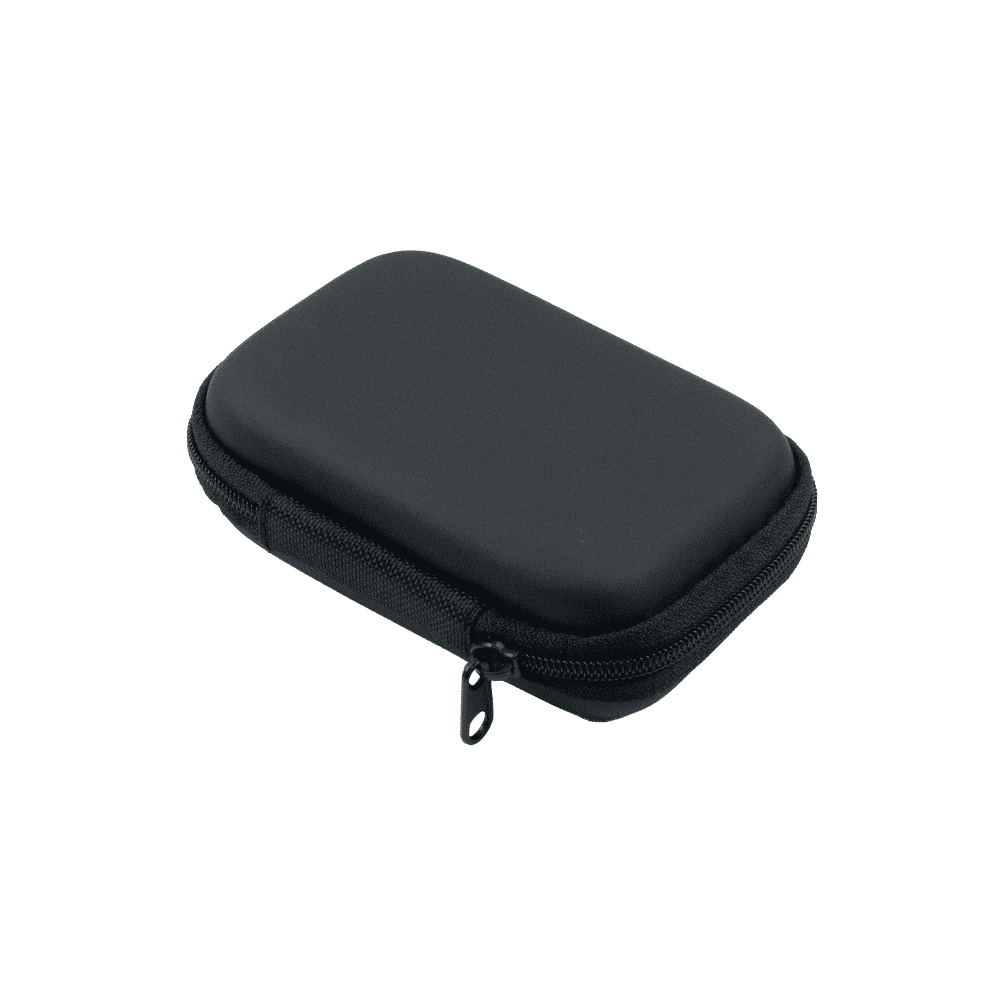
Whether it’s charging cables or microcontrollers, the case keeps everything in place, so you can focus on your day without worrying about your gear. Compact and lightweight, this case is designed for convenience. It is perfect for slipping into your bag without adding bulk. Ideal for daily use, whether you’re traveling, or simply organizing your workspace, the Maker-Friendly Zipper Case is the best choice.
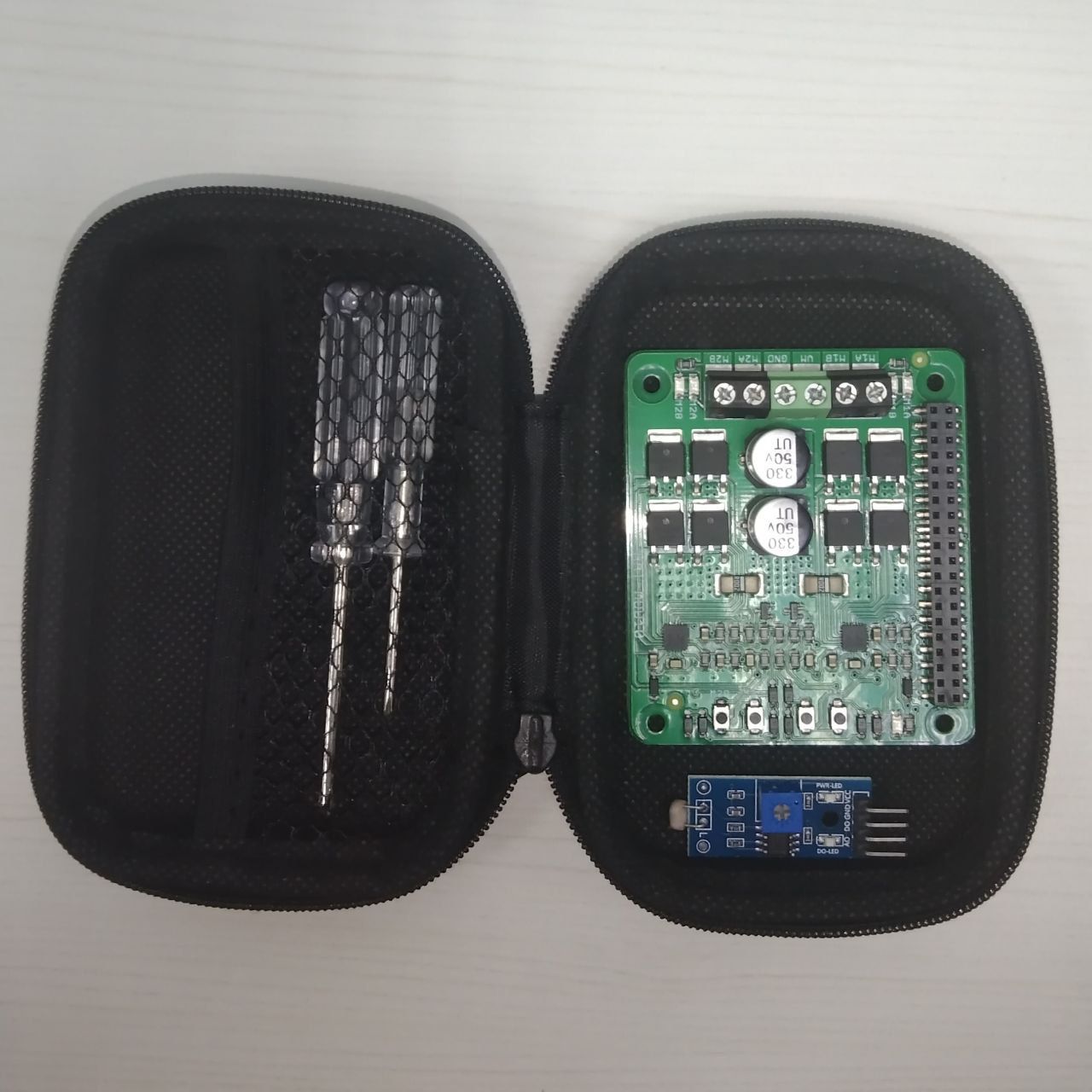
- Durable Material: Constructed from high-quality nylon, this case is designed to withstand daily wear and tear while keeping your items safe.
- Protective Lining: The internal polyester lining provides added protection against scratches and damage, ensuring your electronics stay in pristine condition.
- Compact Design: Its small and sleek profile makes it easy to carry, fitting perfectly into backpacks for on-the-go convenience.
- Versatile Storage: Ideal for organizing small items such as charging cables, microcontrollers, or other accessories, making it a great travel companion.
- Stylish Appearance: The minimalist design adds a touch of sophistication, making it suitable for both personal and professional settings.
Specifications
- Material: Nylon
- Internal Lining: Polyester
- Case size (L x W x H): 11.50 x 8.20 x 2.50 cm
What's in the box?
1 x Maker-Friendly Zipper Case

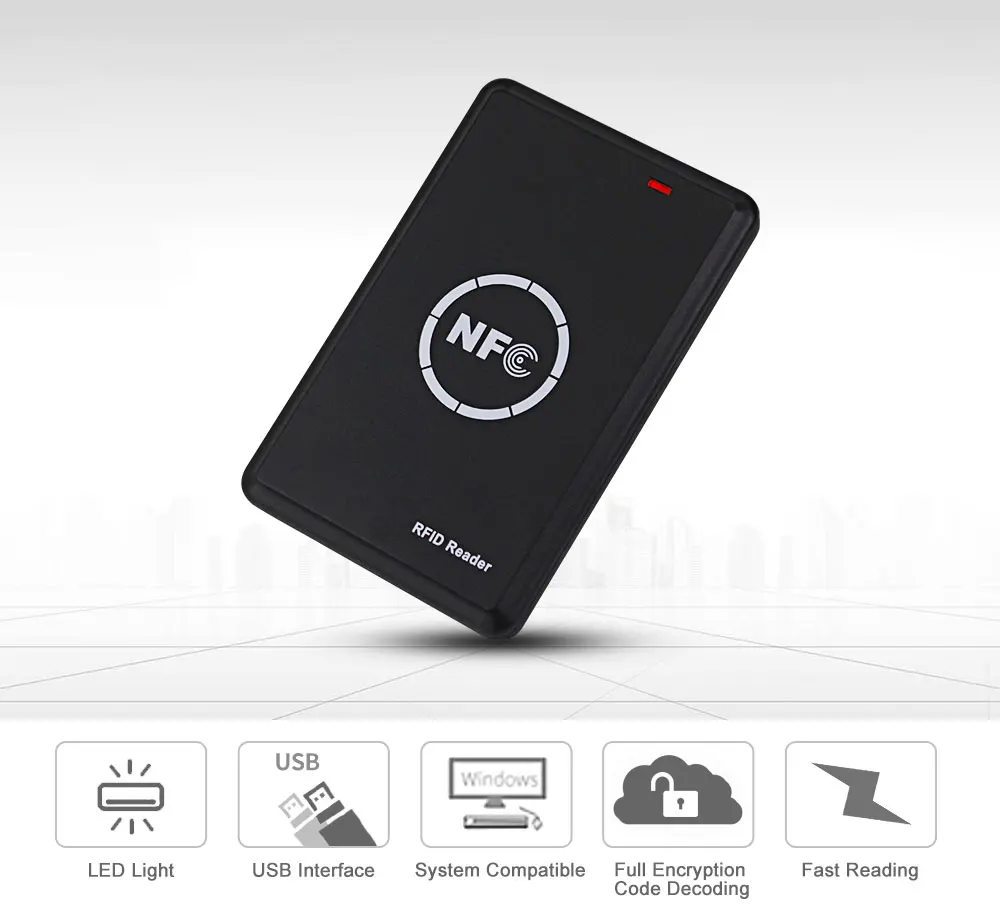
Product Features
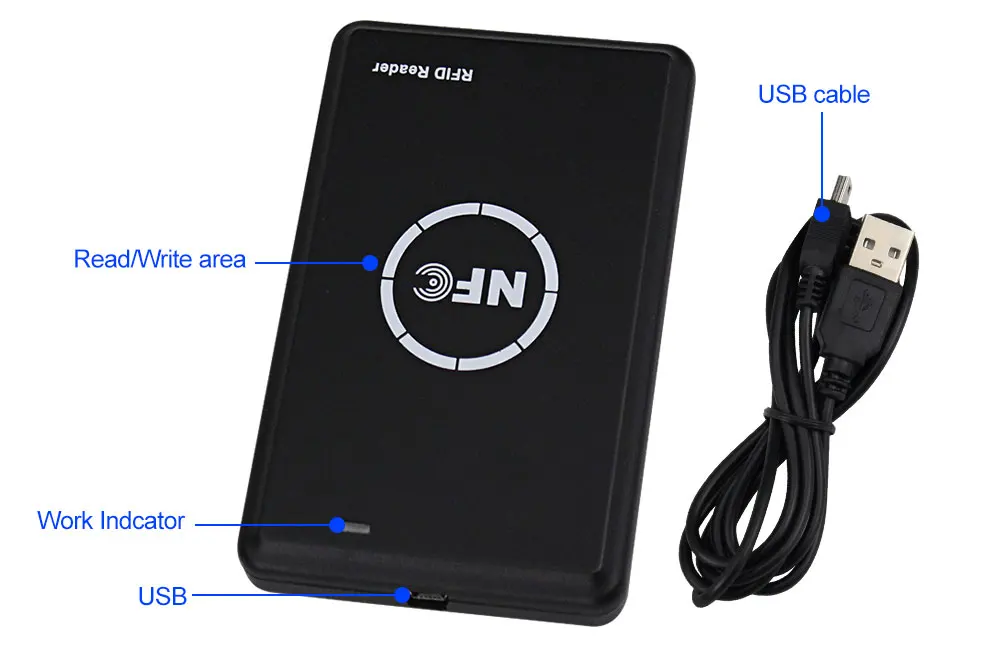
1) Compliant with CCID
2) Compliant with PC/SC
3) Support IC/ID dual frequency replication
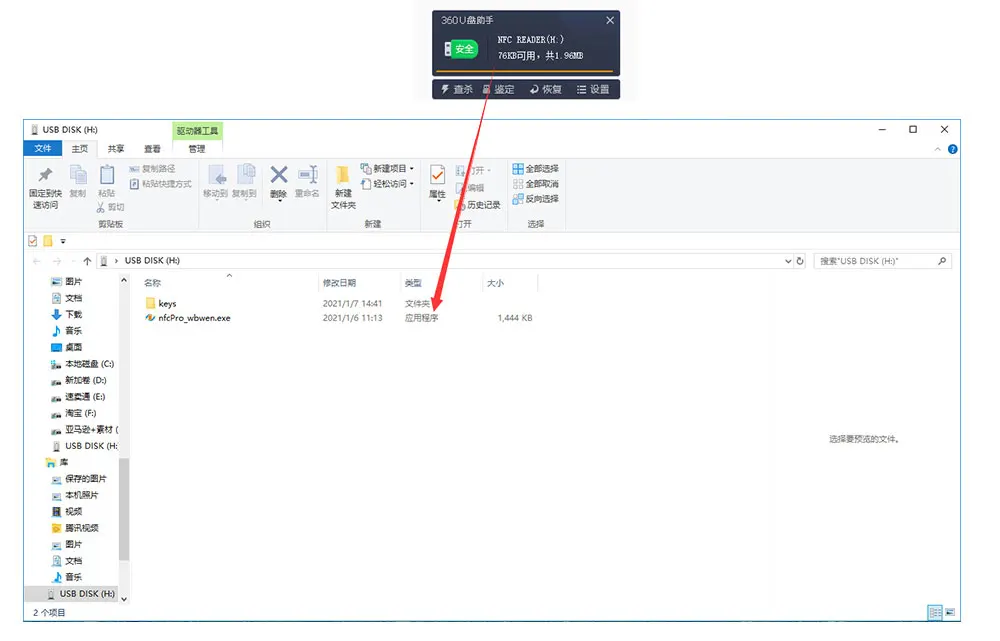
4) Driver-free, no need to download software installation
5) When connect the RFID Reader to the computer with the USB cable, then can find the software.
6) Support ID125K, 8800, 5200, 4305, 5577, 8265 card.
7) Support UID FUID CUID UFUID IC semi-encrypted card, IC full encryption card.
8) Has USB full speed interface
9) Two-color LED light prompt (red light is standby, green is working)
10) Built-in buzzer "beep" sound reminder
- Dimensions: 108 (L) X 68 (W) X 12 mm (H)
- Interface: USB full speed
- Working Voltage: 5 V DC
- Working current: 200mA
- Standby current: 50mA
- Normal current: 100mA
- Working frequency: 125KHz / 13.56 MHz
- Smart card support: for 125KHz ID type: EM4100, TK4100, 8800, 5200, EM4305, T5577, 8265 etc.
- For 13.56MHz IC type: UID FUID CUID UFUID IC Half-encryption, IC Full-encryption etc.
- Supported operating systems: SupportWindows computer. Not support Linux, Mac.
How to use the card reader?
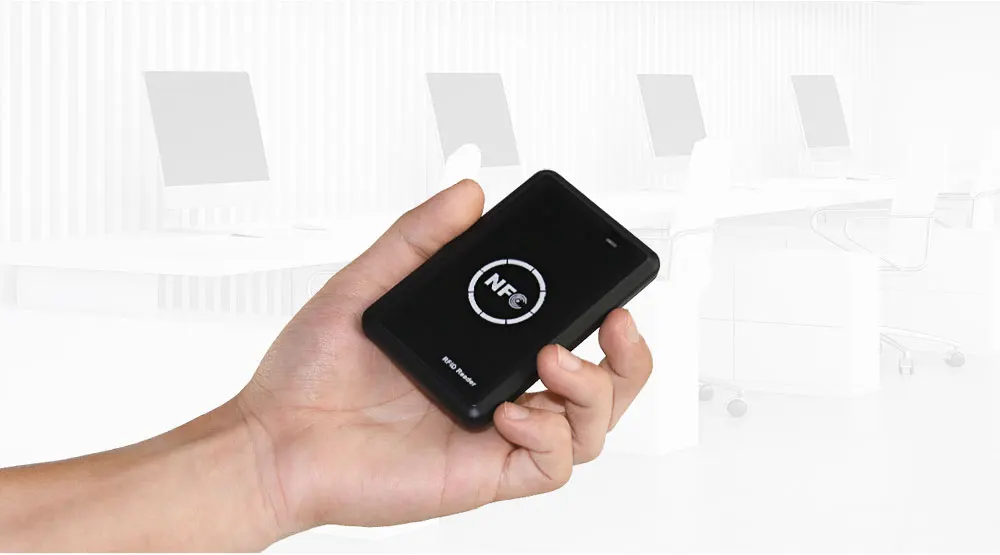
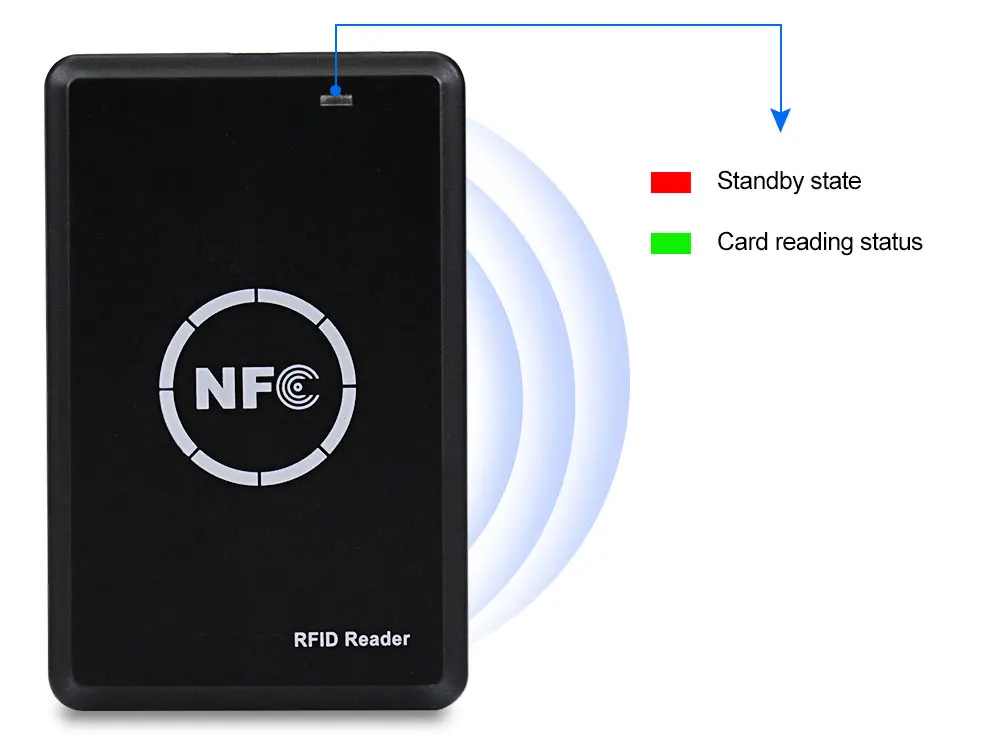
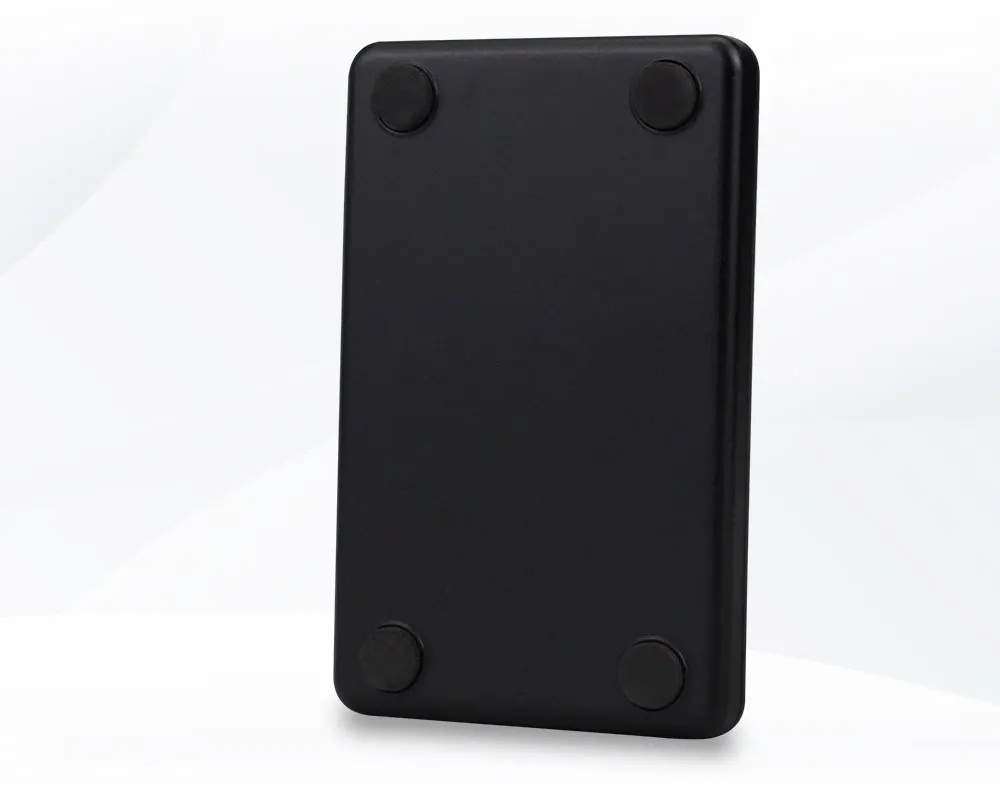
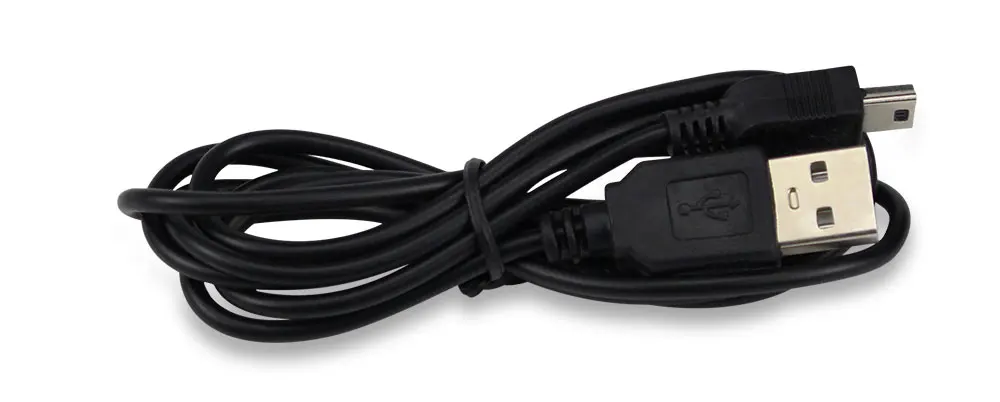
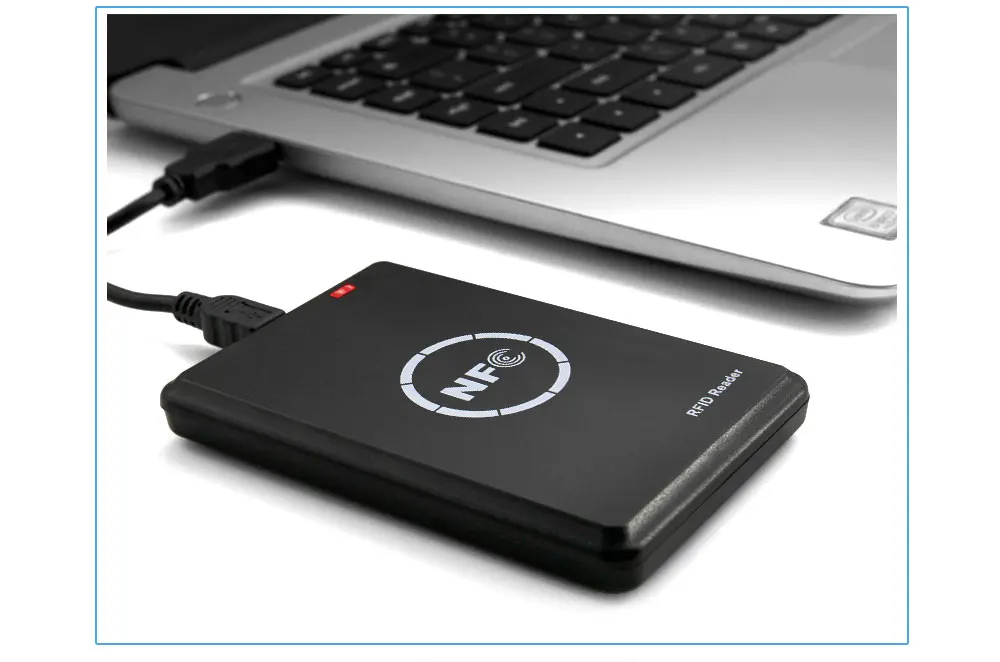

What's in the box?
1 x RFID Copier Duplicator
Support
Where can i download the software?
You can download the software via this link: http://www.nsccn.com/download/soft/nfc/nfcPro_wbw.exe

Rocker Switches house a button for operation that can be pressed on either end like a seesaw to connect or disconnect an electrical circuit. They are often used as ON/OFF/ON switches on the main power supplies for electronic devices.
Features
- Rating: 3A 250V
- Mounting hole: 20mm
- Poles: SPDT
- Terminal: 3-Pin(ON-OFF-ON)
- Contact resistance: ≤30mΩ
- Insulation resistance: ≥100MΩ at 500V DC
- Dielectric strength: 1500V AC for 1 minute
- Operating temperature: -25°C - 85°C
- Electrical life: 10000 cycles
- Colour: red
What's in the box?
1 x Mini round red rocker switch
Resources
Introduction to Buttons and Switches
Types of buttons and switches

Rocker Switches house a button for operation that can be pressed on either end like a seesaw to connect or disconnect an electrical circuit. They are often used as ON/OFF/ON switches on the main power supplies for electronic devices.
Features
- Rating: 3A 250V
- Mounting hole: 20mm
- Poles: SPDT
- Terminal: 3-Pin(ON-OFF-ON)
- Contact resistance: ≤30mΩ
- Insulation resistance: ≥100MΩ at 500V DC
- Dielectric strength: 1500V AC for 1 minute
- Operating temperature: -25°C - 85°C
- Electrical life: 10000 cycles
- Colour: black
What's in the box?
1 x Mini round black rocker switch
Resources
Introduction to Buttons and Switches
Types of buttons and switches

ATmega328 is commonly used in many projects and autonomous systems where a simple, low-powered, low-cost micro-controller is needed.
The Arduino Compatible Nano V3 development board is a microcontroller board based on the Arduino Nano
Specifications
- Microcontroller Atmel ATmega328P
- Operating Voltage (logic level): 5V
- Input Voltage (recommended): 7V ~ 12V
- Input Voltage (limits): 6V ~ 20 V
- Digital I/O Pins: 14 (of which 6 provide PWM output)
- Analog Input Pins: 8
- DC Current per I/O Pin: 40mA
- Flash Memory: 32KB (ATmega328) (of which 2 KB used by bootloader)
- SRAM: 2KB (ATmega328)
- EEPROM: 1KB (ATmega328)
- Clock Speed: 16MHz
What's in the box?
1 x Arduino Compatible Improved Version Nano V3.0
Resources:
Getting started with Arduino products
Premium Passive Cooling Case for Raspberry Pi 5 – Matte Black Aluminium
Upgrade your Raspberry Pi 5 setup with the ultimate blend of silent performance and rugged protection. Designed specifically for the high-power requirements of the Pi 5, this Black Anodised Aluminium Case transforms the entire enclosure into a massive, efficient heatsink.
Forget about fan noise or mechanical failure. This passive cooling solution uses precision-engineered internal thermal columns to pull heat directly away from the CPU, RAM, and Power Management IC (PMIC), ensuring your Pi 5 stays cool even under heavy computational loads.
Why Choose Passive Cooling?
- 100% Silent Operation: Ideal for home media centres (Kodi/LibreELEC), recording studios, or bedroom labs where fan whirring is a distraction.
- Zero Maintenance: With no moving parts, there’s no fan to clog with dust or fail over time—perfect for remote IoT deployments or industrial "set-and-forget" projects.
- Superior Durability: The sandblasted aluminium alloy provides a "tank-like" shell that protects your board against drops, static, and everyday wear and tear.
Key Features
- Precision CNC Cutouts: Provides unhindered access to all dual micro-HDMI ports, USB 3.0/2.0 ports, Ethernet, and the new PCIe FPC connector.
- Integrated Power Button: Includes a tactile extension so you can use the Pi 5’s new onboard power button without opening the case.
- Warning: Case might interfere with Wi-Fi and Bluetooth signals.
Technical Specifications
- Material: High-grade Anodised Aluminium Alloy
- Colour: Matte Black
- Cooling Type: Passive (Conductive Thermal Heat Dissipation)
- Compatibility: Raspberry Pi 5 all variants
- Dimensions: ~91mm x 64mm x 32mm
What's in the box?
1 x Top & Bottom Aluminium Shells
1 x High-Conductivity Thermal Pad Set (Pre-sized for Pi 5 components)
1 x Bolt pack
1 x Allen Key for quick assembly
Pro Tip for PiShop Customers: Passive cooling is excellent for standard desktop use and media streaming. However, if you plan on heavy 24/7 video encoding or extreme overclocking, consider our Active Cooler for maximum thermal headroom.
Specifications
- Chip: WS2812B (built-in LED)
- LED: 5050 package RGB full-color highlight
- Voltage: 5V
- Port: digital
Main features
●The IC control circuit and the LED point light source share a power supply.
The control circuit and the RGB chip are integrated in a 5050 package component to form a complete externally controlled pixel point.
·Built-in signal shaping circuit, any pixel point receives the signal and then outputs it after waveform shaping, ensuring that the line waveform distortion will not accumulate.
●Built-in power-on reset and power-off reset circuits.
●The three primary colors of each pixel point can achieve 256 levels of brightness display, and complete the full-color display of 16777216 colors.
●Port scanning frequency 2KHz/S
Serial cascade interface, which can complete data reception and decoding through a signal line,
·No need to add any circuit when the transmission distance between any two points does not exceed 5 meters.
●When the refresh rate is 30 frames/second, the number of cascades is not less than 1024
Main application areas
●LED full-color luminous character light string, LED full-color soft light bar hard light bar, LED guardrail.
●LED point light source, LED pixel screen, LED special-shaped screen, various electronic products, electrical equipment marquee.
What's in the box?
1 x WS2812 LED 5050 RGB 8x8 LED Matrix board

Proximity switch, also known as non-contact proximity switch, is the ideal electronic switch sensor. Used for detecting metal in proximity. It does not require any contact or pressure. It will accurately reflect the position of a moving mechanism. The proximity switch is easy to install, adjustable, and suitable for harsh environments.
Specifications
- Model : LJ12A3-4-Z/BX
- Operating Voltage : DC 6-36V
- Output Type : NPN
- Output Status : Normally Open
- Detection object : metal objects
- Detection distance : 4 mm
- Output Current : 300 mA
- Response Frequency : 0.5KH
- Working temperature : Temperature range -30 ° to 60 °
- Dimensions : 12 mm screw diameter
- Cable length : about 115 cm
- Material : Metal and plastic
What's in the box?
1 x LJ12A3-4-Z/BX NPN Sensor Detection Switch
Resources
Brown - Live
Blue - Ground
Black - Signal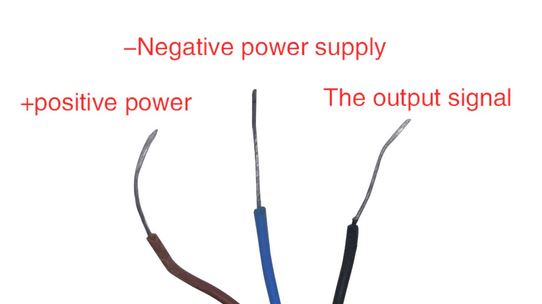
Note: This logic level shifter breakout comes with loose headers. You will have to solder them yourself.
If you have ever tried to connect a 3.3V device to a 5V system, you know what a challenge it can be! The logic level converter is a small device that safely steps down 5V signals to 3.3V AND steps up 3.3V to 5V at the same time. Each level converter can convert 4 pins on the high side to 4 pins on the low side, with power supply pins on each side.
The usage of the level converter is very straightforward. The board needs to be powered from the two voltage sources (high voltage and low voltage) that your system is using. High voltage (5V for example) to the "HV" pin, low voltage (3.3V for example) to "LV", and ground from the system to the "GND" pin.
This module requires you to supply it with power from both the higher voltage level and the lower voltage level. Connect the higher voltage source to pin "HV" and its ground to pin "GND" near the "HV" pin. Also, connect the lower voltage source to pin "LV" and its ground to pin "GND" near the "LV" pin.
For example, if you were connecting your Arduino (5V signals) to an ESP8266 (3.3V signals), you would connect the "HV" pin on the module to the 5V supply pin on your Arduino and the "GND" pin near the "HV" pin to the "GND" pin on your Arduino. Then, you would connect the "LV" pin on the module to the 3.3V power source that is supplying power to the ESP8266 and connect the "GND" pin near the "LV" pin to the 3.3V power supply's ground. You would then connect the signal pin from your Arduino to one of the signal pins on this module (for example, pin "HV1"), and then you would connect the desired signal pin on the ESP8266 to the corresponding pin on this module ("LV1" if the higher voltage signal is connected to "HV1").
These are 4 Channel devices (works great for I2C or SPI) and will work with all microcontrollers, Arduino, Raspberry Pi, Intel Edison, etc. Use this module to connect two devices of different digital voltage levels. For example: connecting an Arduino (5V device) to an ESP8266 (3.3V device).
The logic level converter comes complete with loose header pins and can be used directly on a breadboard.
- Convert 4 pins on the high side to 4 pins on the low side or vice versa
- With 2 rows, 6 pins per row
- No. of channels: 4
- Power from two voltage sources (high and low); high voltage goes to the HV pin and low voltage to the LV pin
- Mutual transform between 3.3V and 5V
- Digital Logic only, NOT Analog voltage.
- Useful for IIC Protocol communication
- Compatible with Arduino, PIC, Raspberry Pi, etc
- Breadboard Compatible
- Pinout labeled on modules
- Dimensions (excluding pins): 15.2mm (0.6") length x 12.7mm (0.5") width x 2.5mm (0.1") height
- Weight: 1.2g (0.04oz)
What's in the box?
1 x 4-Channel Logic Level Shifter
This Black Aluminium case is designed to passively cool and protect your Raspberry Pi Zero 2 W and Zero 2 WH
Features
- Colour: Matte Black
- Material: Aluminum Alloy
- Use for Raspberry Pi Zero 2 W and Zero 2 WH
What's in the box?
1 x 2 parts Black case for RPi Zero W
1 x Screw set with thermal pads
The LD2410C is a high-sensitivity 24GHz millimeter-wave (mmWave) radar module designed for advanced human presence detection. Unlike traditional PIR sensors that only detect movement, this FMCW (Frequency-Modulated Continuous Wave) radar can sense the tiny chest movements of a stationary person (breathing), making it the ultimate solution for "smart room" occupancy.
Why choose mmWave over PIR?
- Stationary Presence: Detects sitting, standing, and even lying down. Your lights will never turn off while you're reading or watching TV again.
- Environmental Immunity: Not affected by temperature, light, smoke, or humidity.
- Invisible Installation: The radar can penetrate plastic shells and glass, allowing it to be hidden inside a project box or behind a thin wall for a clean aesthetic.
Key Features
- Long-Range Sensing: High-precision detection up to 5–6 meters.
- Wide Coverage: Broad ±60° detection angle ensures full room coverage.
- Smart Tuning (Bluetooth & Serial): Easily configure "Gate" sensitivity, distance zones, and delay times via the HLKRadarTool App (iOS/Android) or a serial debugging tool.
- Fine-Grained Zones: Divide the sensing range into intervals and shield interference from objects outside the target area (e.g., a fan or a window).
- Compact Design: Ultra-small footprint (16mm x 22mm) for easy integration.
- Wide Voltage Support: Reliable performance with a 5V to 12V power supply.
Technical Specifications
- Operating Frequency: 24GHz (ISM Band)
- Detection Type: Motion, Micro-motion (Breathing), and Stationary Presence
- Voltage: 5V – 12V (Average current ~80mA)
- Output: High/Low GPIO (3.3V Logic) and UART Serial (256,000 baud)
- Mounting: Supports Ceiling or Wall mounting
- Regulations: FCC and CE compliant
Ideal Applications
Smart Lighting: Energy-saving control for homes and offices.
AIoT Wake-up: Automatically wake up advertising screens or tablets when a person approaches.
Safety & Security: Detect intruders or prevent UV lamps from turning on while people are present.
Smart Appliances: Power down TVs or Aircons when a room is truly unoccupied.
What's in the box?
1 x LD2410C Human Presence Sensor Module (Bluetooth Enabled)
Resources
Pro-Tip for Home Assistant Users: This module is fully compatible with ESPHome. By connecting the TX/RX pins to an ESP32, you can bring real-time distance and occupancy data directly into your dashboard with no complex coding required.
To use the LD2410C with a Raspberry Pi (like the Pi 4 or Pi 5), you have two main ways to set it up: a Simple Digital method (Quick & Easy) or a UART Serial method (Advanced Data).
1. The Hardware Hookup (Wiring)
The LD2410C has 5 pins. You only need 3 of them for basic operation.
| LD2410C Pin | Raspberry Pi Pin | Description |
| VCC | Pin 2 or 4 (5V) | Power (Supports 5V - 12V) |
| GND | Pin 6 (GND) | Ground |
| OUT | Pin 7 (GPIO 4) | Digital Output (High when presence detected) |
| TX | Pin 10 (GPIO 15 / RXD) | UART Transmit (For advanced data) |
| RX | Pin 8 (GPIO 14 / TXD) | UART Receive (For advanced data) |
Method A: Simple Digital Setup (The Easiest Way)
The OUT pin on the sensor behaves like a traditional PIR sensor. It goes HIGH (3.3V) when it detects a person and LOW when the room is empty.
Python Code (Digital):
from gpiozero import DigitalInputDevice
from signal import pause

# LD2410C OUT pin connected to GPIO 4
sensor = DigitalInputDevice(4)

def person_detected():
    print("Presence Detected! (Stationary or Moving)")

def room_empty():
    print("Room is now empty.")

sensor.when_activated = person_detected
sensor.when_deactivated = room_empty

pause()
Method B: UART Serial Setup (For Distance & Zones)
If you want to know how far away the person is or differentiate between "moving" and "stationary" targets, you must use the UART pins.
1. Enable Serial on your Pi:
- Run
sudo raspi-config. - Go to Interface Options > Serial Port.
- Select No for "login shell" and Yes for "serial port hardware".
- Reboot.
2. Python Library:
The easiest way to handle the complex radar data is using the aio-ld2410 library.
pip install aio-ld24103. Python Code (UART):
import asyncio
from aio_ld2410 import LD2410

async def main():
    # /dev/ttyAMA0 is the default hardware serial port on Pi
    async with LD2410('/dev/ttyAMA0') as device:
        print("Connected to LD2410C")
        async for report in device.get_reports():
            print(f"Target: {report.target_state}")
            print(f"Moving Distance: {report.moving_target_distance}cm")
            print(f"Static Distance: {report.static_target_distance}cm")

asyncio.run(main())
Important Tips for Raspberry Pi Users:
- Power: While the Pi can power the module from its 5V pins, the LD2410C can draw up to 80-100mA. Ensure your Pi power supply is reliable (especially on the Pi 5).
- Bluetooth Conflicts: The LD2410C has Bluetooth. You can use the HLKRadarTool app on your phone to calibrate the sensor while it is still connected to the Pi. This is the best way to set your sensitivity "Gates" without writing a single line of config code.
- Logic Levels: The LD2410C uses 3.3V Logic for its TX/RX and OUT pins, which is perfectly safe for the Raspberry Pi's GPIO pins.
Diffused LEDs shine through a semi-transparent cover, absorbing the light and bouncing it through in different directions. Instead of seeing the individual LED light up, the whole bulb shines instead, giving a more uniform light spread over a greater area.
There are 5 colours of 5MM LEDs included. Red, Green, Yellow, Blue and White 200Pcs each with a total of 1000Pcs
Working current: 20 (mA)
Working voltage:
- Red: 2.0V-2.2V
- Yellow: 1.9V-2.1V
- Blue: 2.8V-3.0V
- Green: 3.0V-3.2V
- White: 3.2V-3.4V
What's in the box?
1000 x 5MM LED Diode
Resources