
Special Offers


While millions of us enjoy nothing more than spending hours racking up high scores on our favourite video games, too few are exposed to an even more gratifying way to spend time — making them.
This book teaches Python and Pygame development, helping you to understand the games you play and create almost anything your imagination can come up with. As you work your way up to creating your own shoot-‘em-up game, you’ll learn how to: - Create shapes and paths - Move sprites and detect collisions - Handle keyboard, mouse, and gamepad input
- Add sound and music - Simulate physics and forces Although this book isn’t aimed at complete programming beginners, it isn’t too advanced either. If you’ve written programs in Python (or a similar programming language) and can perform basic administrative tasks — such as creating files and navigating your computer’s file system — without too much difficulty, then you’re ready to get started. Tested to run on the latest Raspberry Pi hardware and operating system, the games and instructions in this book will also work on Windows, macOS, or Linux.
What's in the box?
1 x book

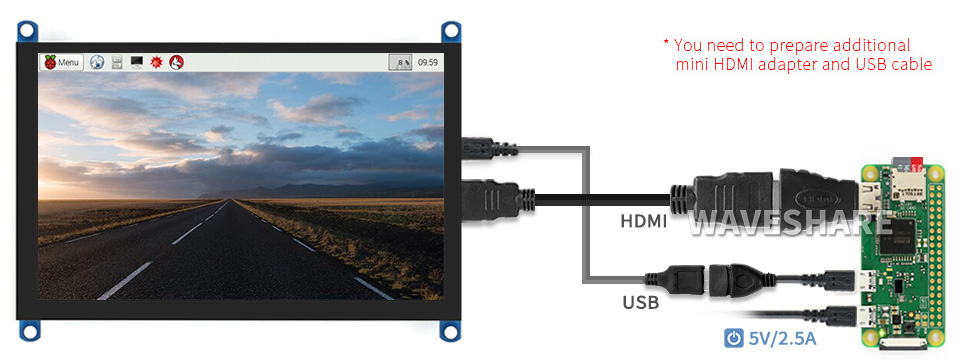
Additional HDMI Cable Required: Raspberry Pi Zero 2 W / Zero W / Zero
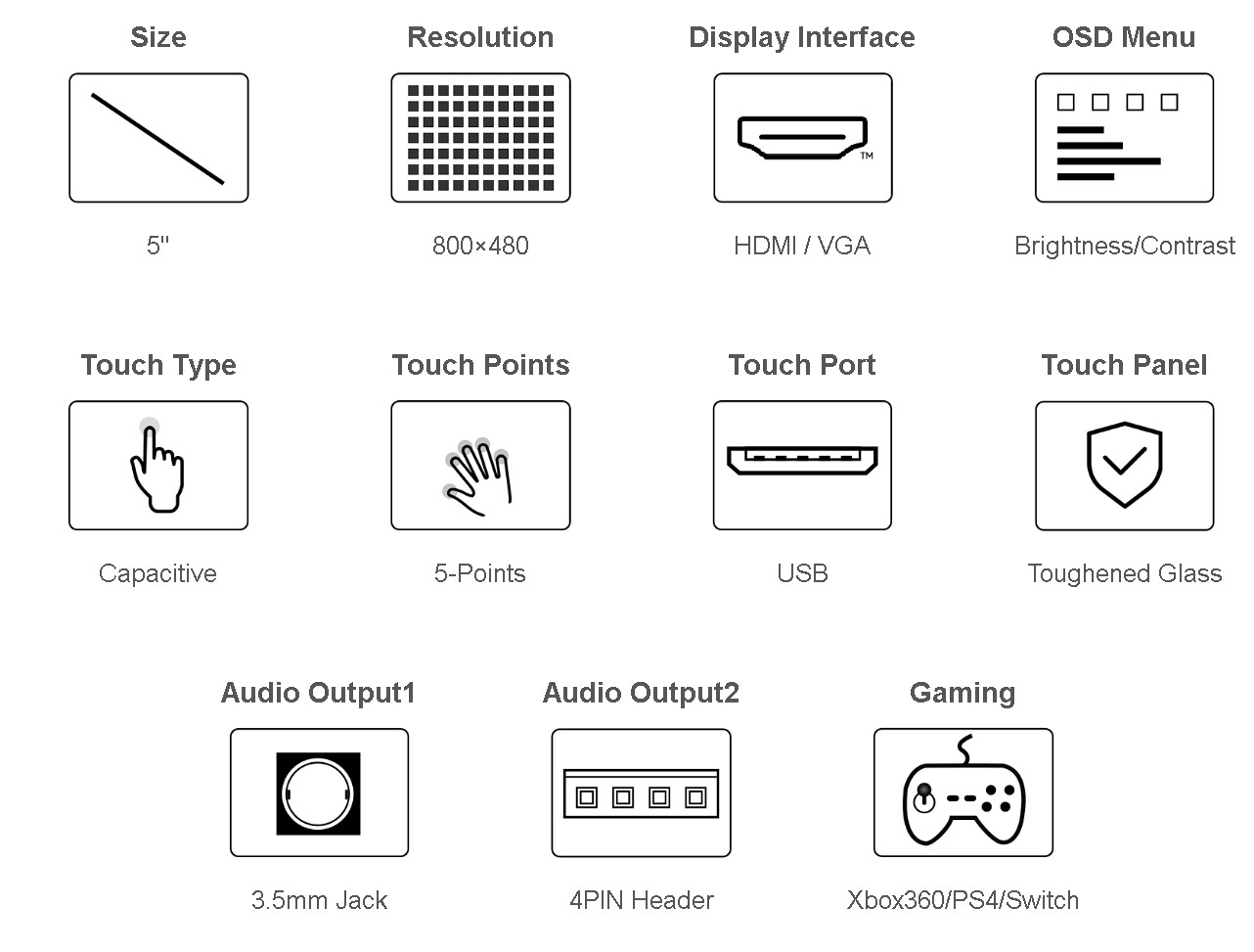
Driver Provided: supports Raspbian / Ubuntu / Kali / Retropie
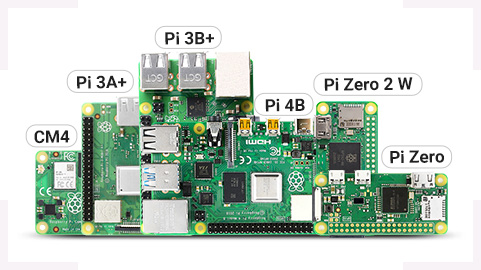
Supports All versions of Raspberry Pi
Working With Raspberry Pi
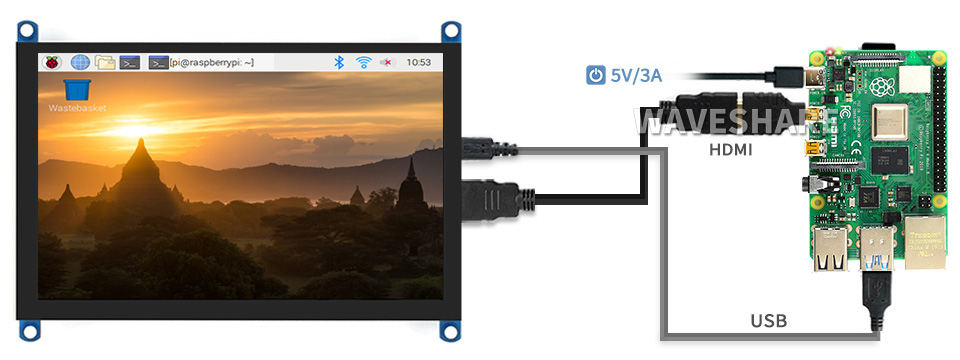
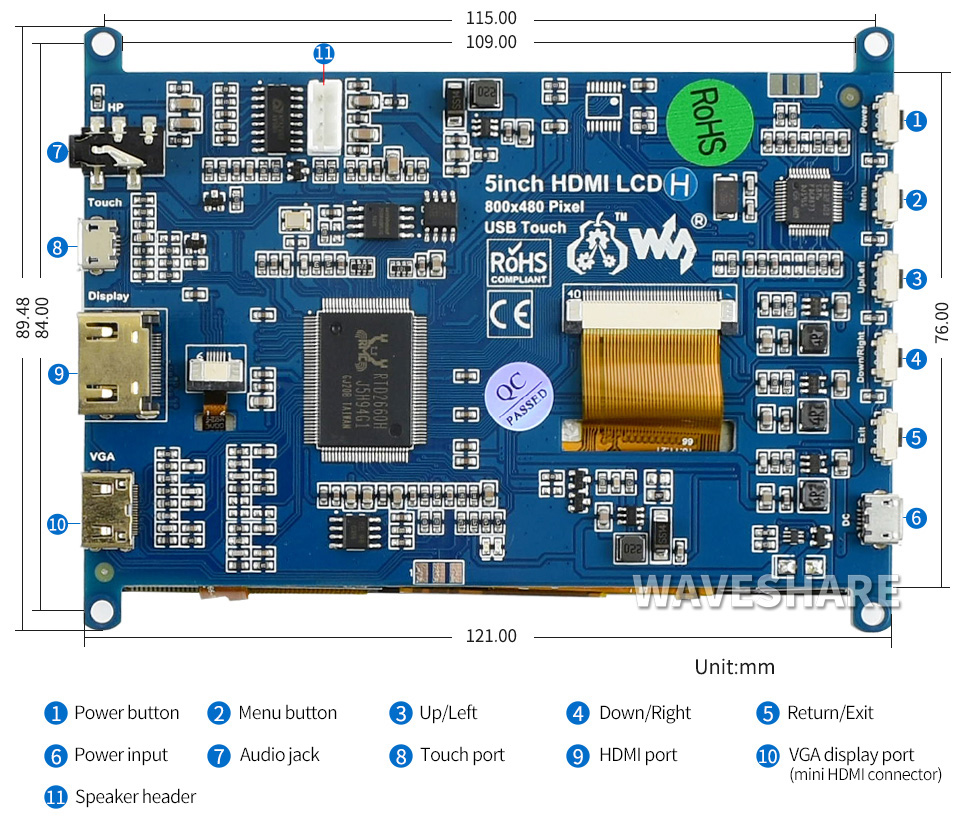
1 x HDMI cable
1 x HDMI to Micro HDMI Adapter
1 x USB type A plug to micro B plug cable
1 x RPi screws pack (4pcs)
Resources
Wiki: 5inch_HDMI_LCD_(H)
The VolkanoX Define Series HDMI Extender 40m is designed to extend your HDMI signal over longer distances while maintaining ultra-high-definition quality. Perfect for home theaters, gaming setups, or conference rooms, this extender boosts your HDMI signal, allowing you to extend 1080p signals up to 40 meters and 4K @ 30Hz up to 25 meters. It supports multi-channel audio, ensuring you get the full audiovisual experience without any signal loss. No external power supply is needed, making installation easy and hassle-free. For even longer distances, an additional extender can push the range up to 80 meters (1080p) or 50 meters (4K), making it a versatile solution for any setup.
Features and Benefits:
- Extends HDMI cable length by boosting the signal
- Supports up to 4K resolution and multi-channel audio
- No external power supply required
- Extendable range: up to 80 meters for 1080p and 50 meters for 4K with an additional extender
Specifications
- Input: HDMI up to 4K
- Output: HDMI up to 4K
- Range Extension:
- 1080p: up to 40 meters
- 4K @ 30Hz: up to 25 meters
What's in the box?
1x VolkanoX Define series HDMI Extender 40m

Switched 2-way Top and Bottom Loader Euro Socket Adapter White SWD-72002-WT
Features
- Safetyshutters Included
Specifications
- Socket: 2x Euro
- Voltage: 250V
- Type: Non Surge
What's in the box?
1 x Switched 2 Way Adapter top and bottom loader white
The SmartiPi Touch Pro 3 is a premium enclosure designed for the Raspberry Pi Touch Display 2 and is compatible with Raspberry Pi 5, 4, and 3 boards (display and Raspberry Pi not included).
This large version provides space for HATs or custom components, while both include a dedicated mounting point for a Raspberry Pi Camera (V2 or V3, including wide-angle versions) beneath the screen.
For Raspberry Pi 5 users running Raspberry Pi OS, the case includes a side-mounted switch that connects to the Pi’s power control header. USB and Ethernet ports are accessible from the side of the case, with HDMI, audio, and power ports available at the rear. A micro SD card extender routes the card slot to the top of the case for easy access.
Other features include a weighted base with tilt adjustment, 75mm VESA mount points, punch-out port covers for all supported Raspberry Pi models, and a removable side panel for easier access to HATs or connectors.
Important Notes
- Raspberry Pi and Touch Display 2 not included
- A separate USB-C power supply is required (not included)
Features
- Your Touch Display 2 is powered by the Raspberry Pi GPIO as usual (extended GPIO pins are required if using a HAT)
- The power, HDMI, and audio jack on the Raspberry Pi are accessible on the back of the case
- A removable panel near the Raspberry Pi ports allows the flexibility of accessing HAT boards and connectors
- The included microSD extender allows access to the microSD card at the top of the case
- 75mm VESA mount points on the back of the case
- Weighted base
- Punch out USB/Ethernet covers for Raspberry Pi 3,4, and 5
- Mounting point for Raspberry Pi camera V2 and V3 (wide-angle and standard lens)
- Back panel on the back cover can be cut out with a utility knife (allows for customisation if desired)
- Front adhesive label to cover the camera hole
- Tilting display
- Side button to actuate the on/off microswitch on Raspberry Pi 5
- Secondary set of interior mounting points for a development board, HAT, or alternative Raspberry Pi position
- Cooling fan is not included
What's in the box?
1x SmartiPi Touch Pro 3
Resources

Tired of useful gadgets? Meet the Useless Box! Flip the switch, and a tiny mechanism pops out to flip it right back off. It's perfectly pointless, delightfully disruptive, and guaranteed to spark a smile (or a chuckle of confusion). The ideal desk toy for those who appreciate the absurd.
What's in the box?
1 x Mini useless box Black

Tired of useful gadgets? Meet the Useless Box! Flip the switch, and a tiny mechanism pops out to flip it right back off. It's perfectly pointless, delightfully disruptive, and guaranteed to spark a smile (or a chuckle of confusion). The ideal desk toy for those who appreciate the absurd.
What's in the box?
1 x Mini useless box Black

Creality's Ender 3 series has become a legend in the 3D printing community, known for offering top-notch quality at beginner-friendly prices. The original Ender 3 was a game-changer, making 3D printing accessible for hobbyists on a budget. Now, the industry has evolved, and features once considered premium are becoming standard. This focus on user convenience is fantastic news for anyone starting their 3D printing journey!
Many beginners find the initial learning curve a bit steep. Creality, however, is dedicated to making 3D printing approachable for everyone. Their goal? Minimize the hassle and keep your wallet happy. Enter the Ender 3 V3 SE, the latest addition to their lineup, designed to be the perfect entry point for any aspiring 3D maker.
The Ender 3 V3 SE packs a bunch of automation into a budget-friendly package, making it ideal for anyone starting their 3D printing adventure. This printer boasts a standard build volume of 220 x 220 x 250mm and combines the advanced features of the Ender 3 S1 series, like the Sprite direct drive extruder and auto-leveling, with the robust design of the CR-6 SE. Plus, the hotend assembly includes a strain sensor, meaning your Ender 3 V3 SE truly auto-levels itself, eliminating the need for manual Z-offset adjustments. Here at DIYElectronics, we're passionate about bringing fantastic 3D printers to South Africa and fostering a thriving Maker Community. We believe the Ender 3 V3 SE strikes the perfect balance between convenience and print quality, making it ideal for beginners and a valuable addition to any 3D printing enthusiast's arsenal.
What's in the box?
1 x Creality Ender 3V3SE 3D printer 220x220d250
1 x Creality CR-PLA White and Black Combo
1 x Nozzle Cleaning 3Pc Wire Brush Set
1 x Nozzle Cleaning Stainless Steel Needles 0.4mm 5pcs
1 x 3D Printer Heat Block and Nozzle Wrench (5 in 1 )
1 x Diagonal electronic cutting pliers thin mouth

This DIY case requires assembly. You will need a small precision flathead screwdriver.
- 40PIN GPIO
- DSI/CSI Interfaces
- Wall mounting holes
- Airflow Vents On The Top And Front
- Easy To Pull & Plug TF Card On The Bottom
- Clear 3mm Acrylic Panels to protect your Raspberry Pi 4.
What's in the box?
1 x PI4 Acrylic Case A acrylic parts(remove the protection film)
1 x Nonskid rubber pad (4PCS)
1 x Screwdriver
1 x Screws and standoffs pack
You may also want to grab a 30mm fan and 30mm grill cover. You will also need four M3x16 screws with M3 nuts to mount the fan.
Resources
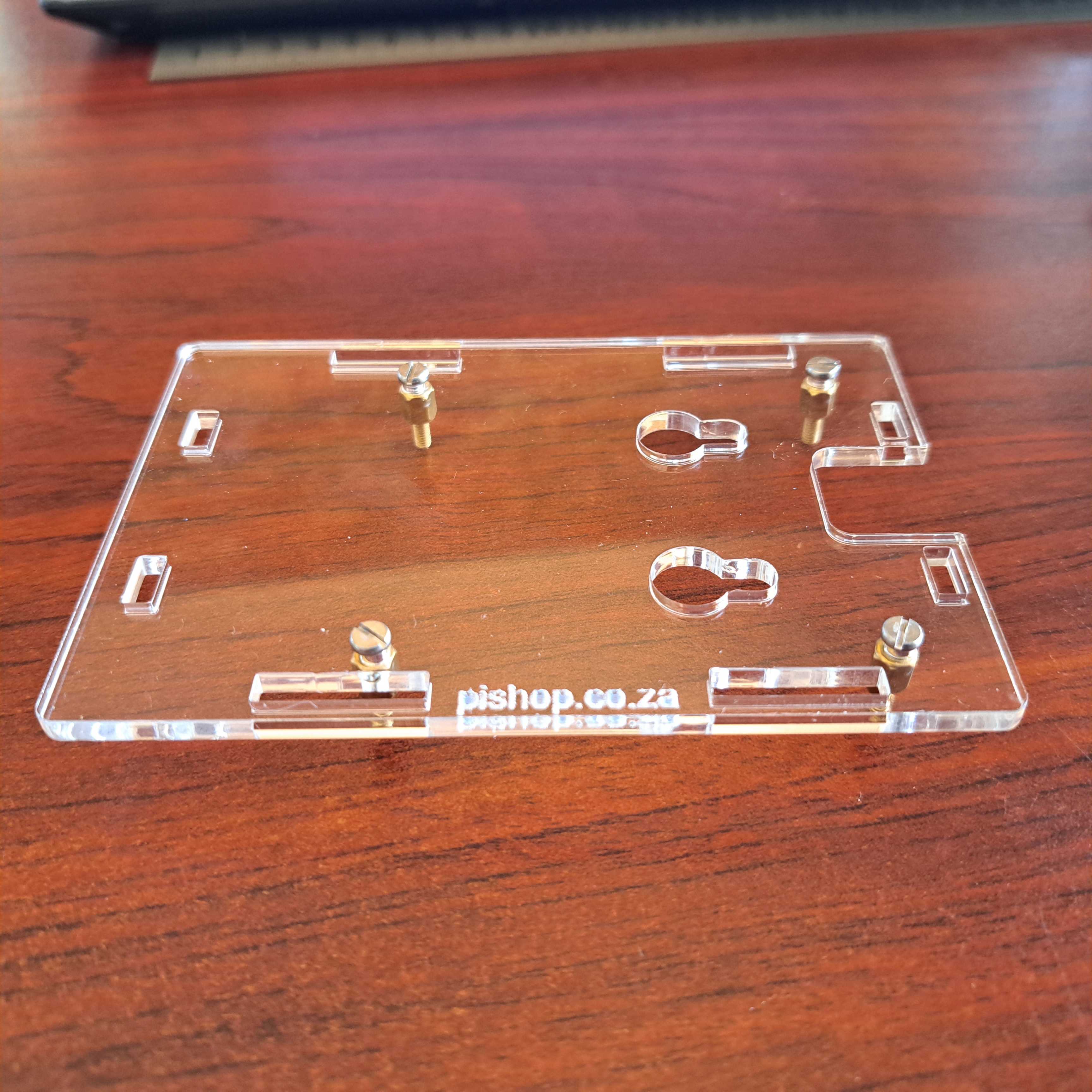
The Case Consists Of 6 Layers Of Acrylic Panels. Install According To The Following Steps
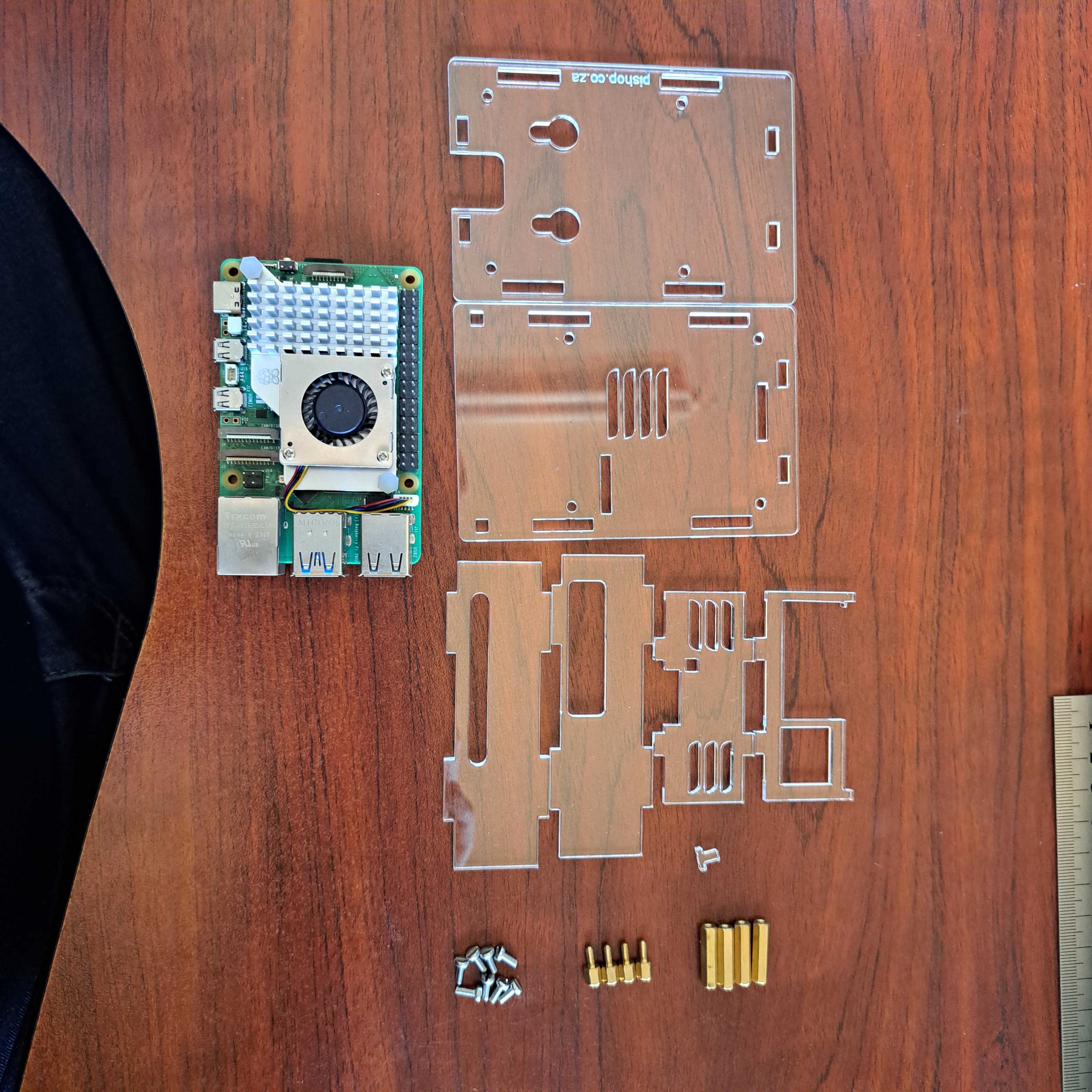
1. Install the active cooler on the Raspberry Pi 5.
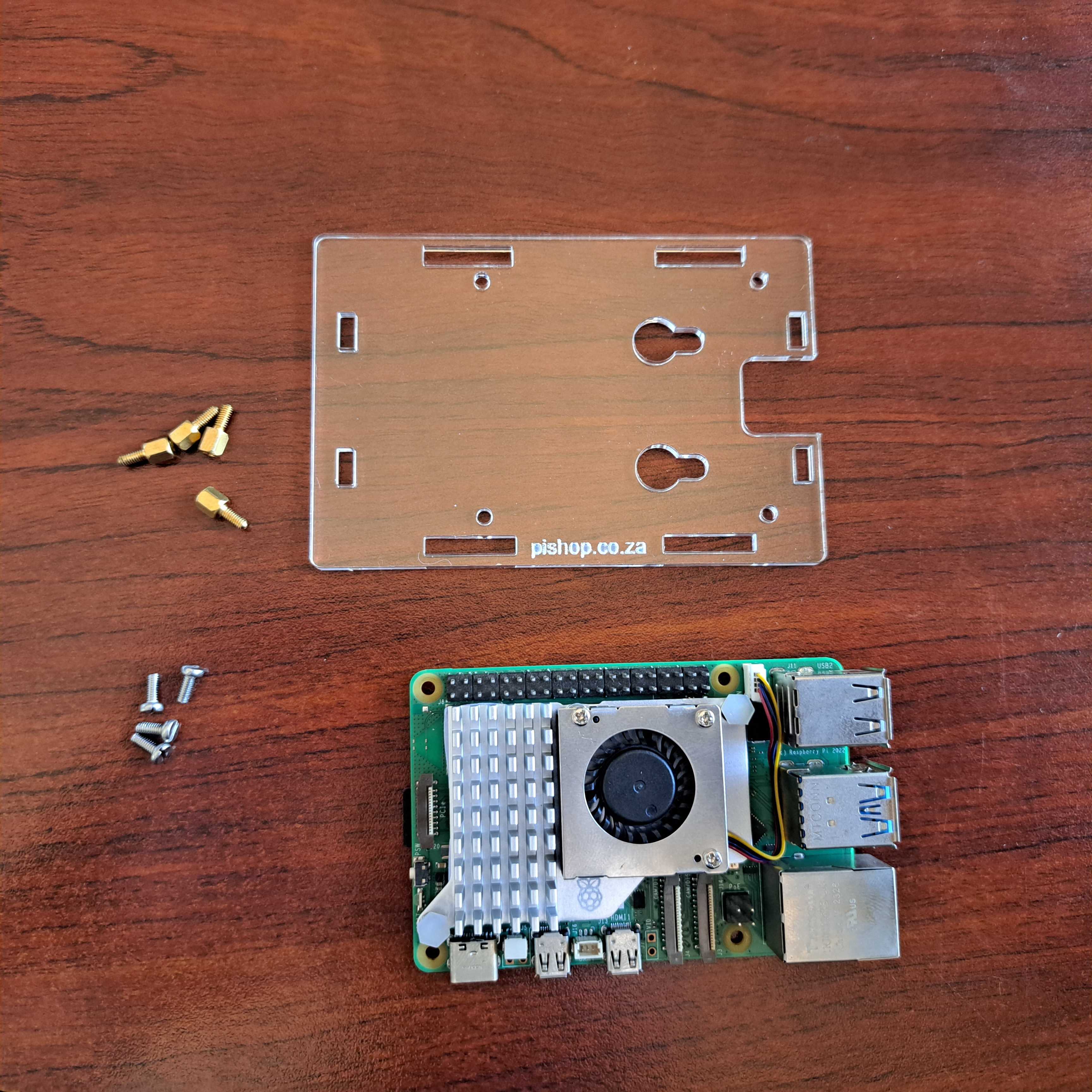
2. Install the short standoffs and screws onto the 1st acrylic panel, please pay attention to the orientation.
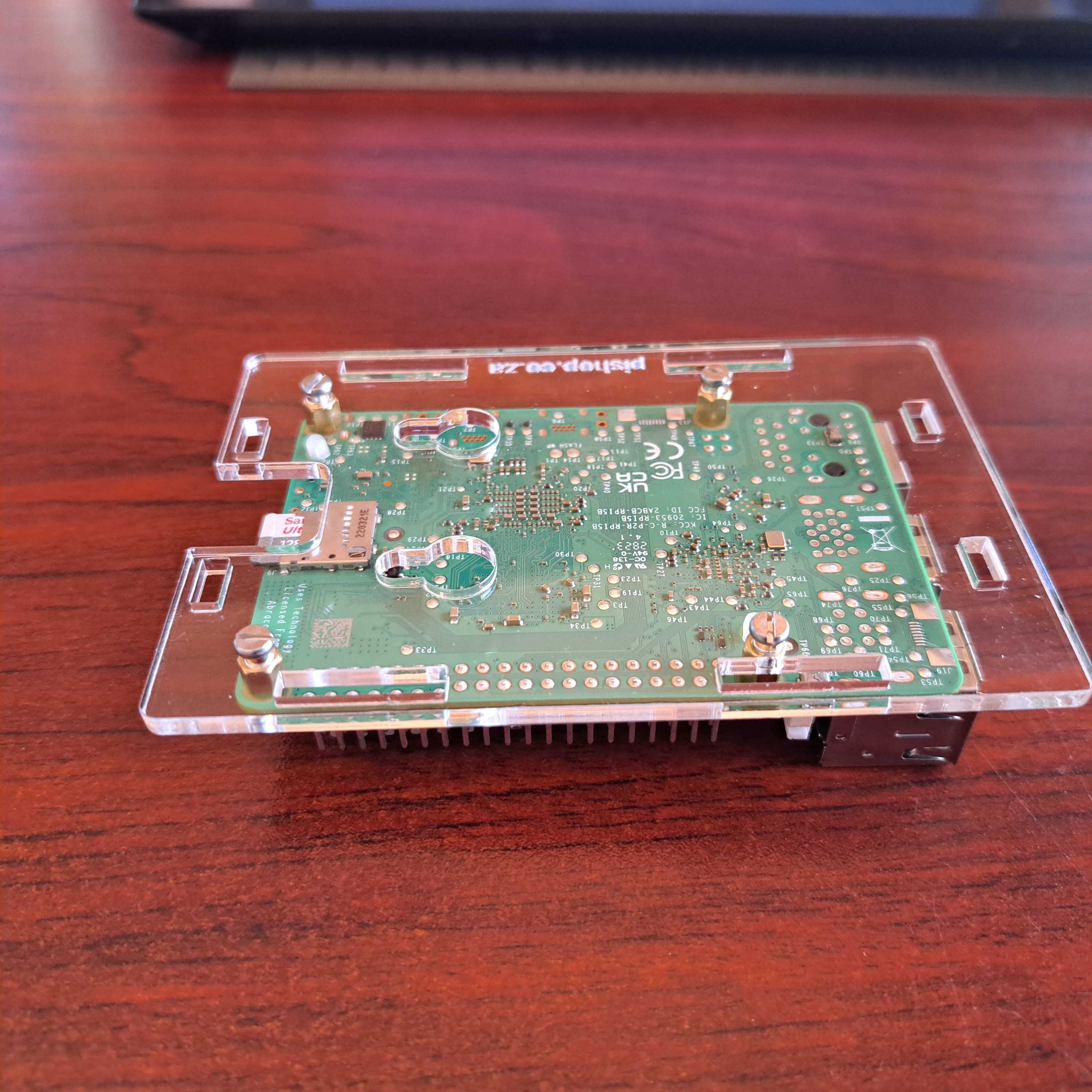
3. Install the long female to female standoffs on the RPi board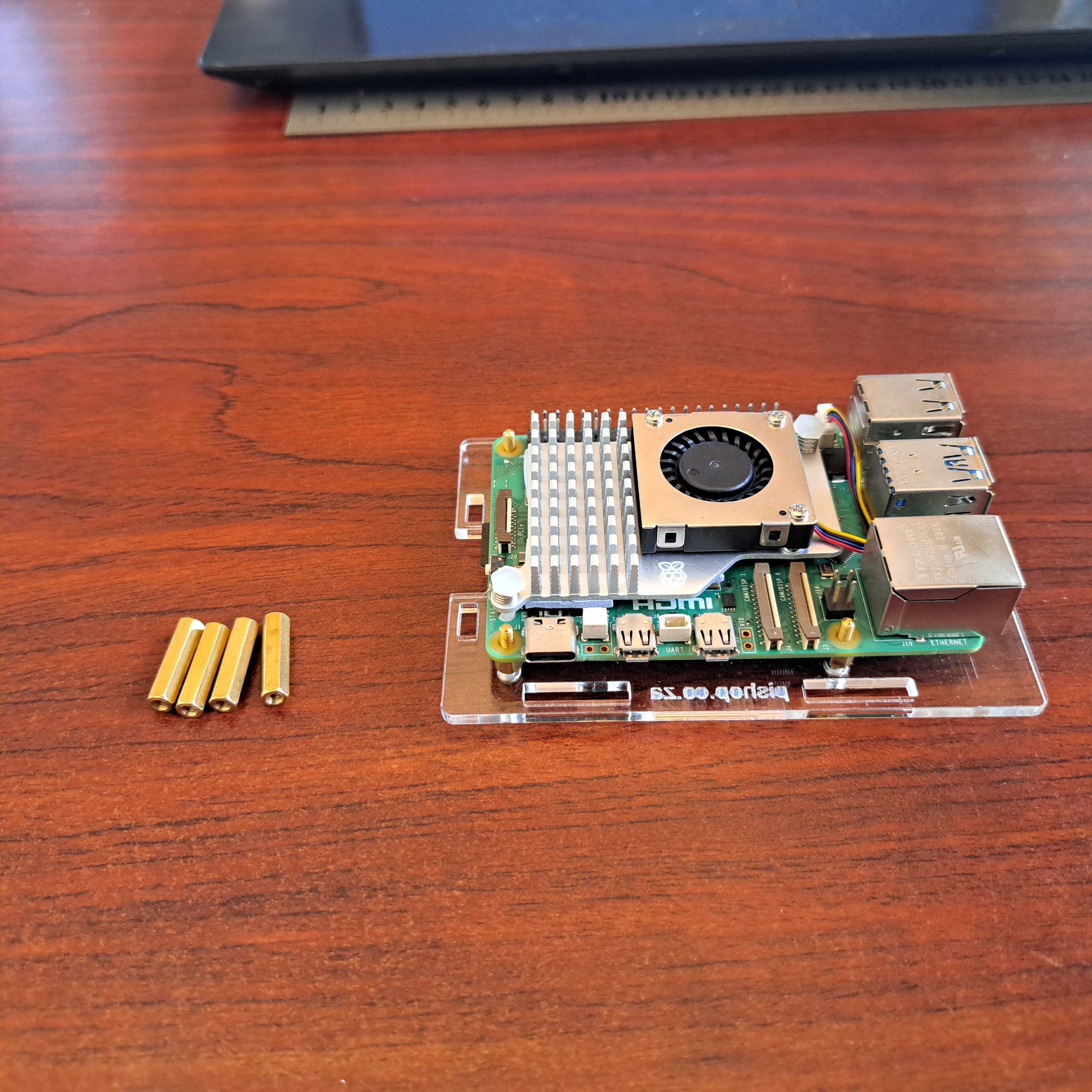
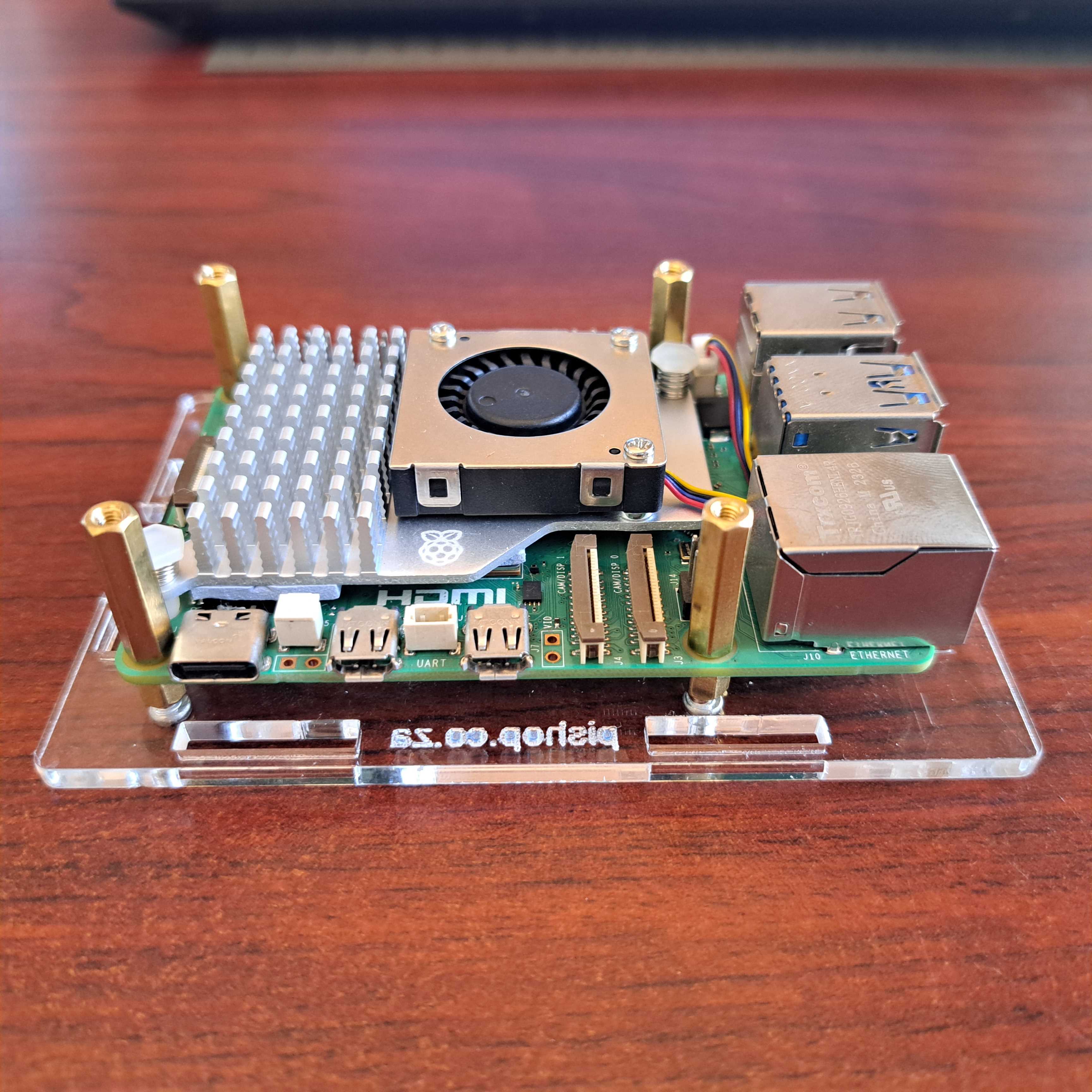
4. Install the 4 acrylic panel to the sides of the Raspberry Pi 5.
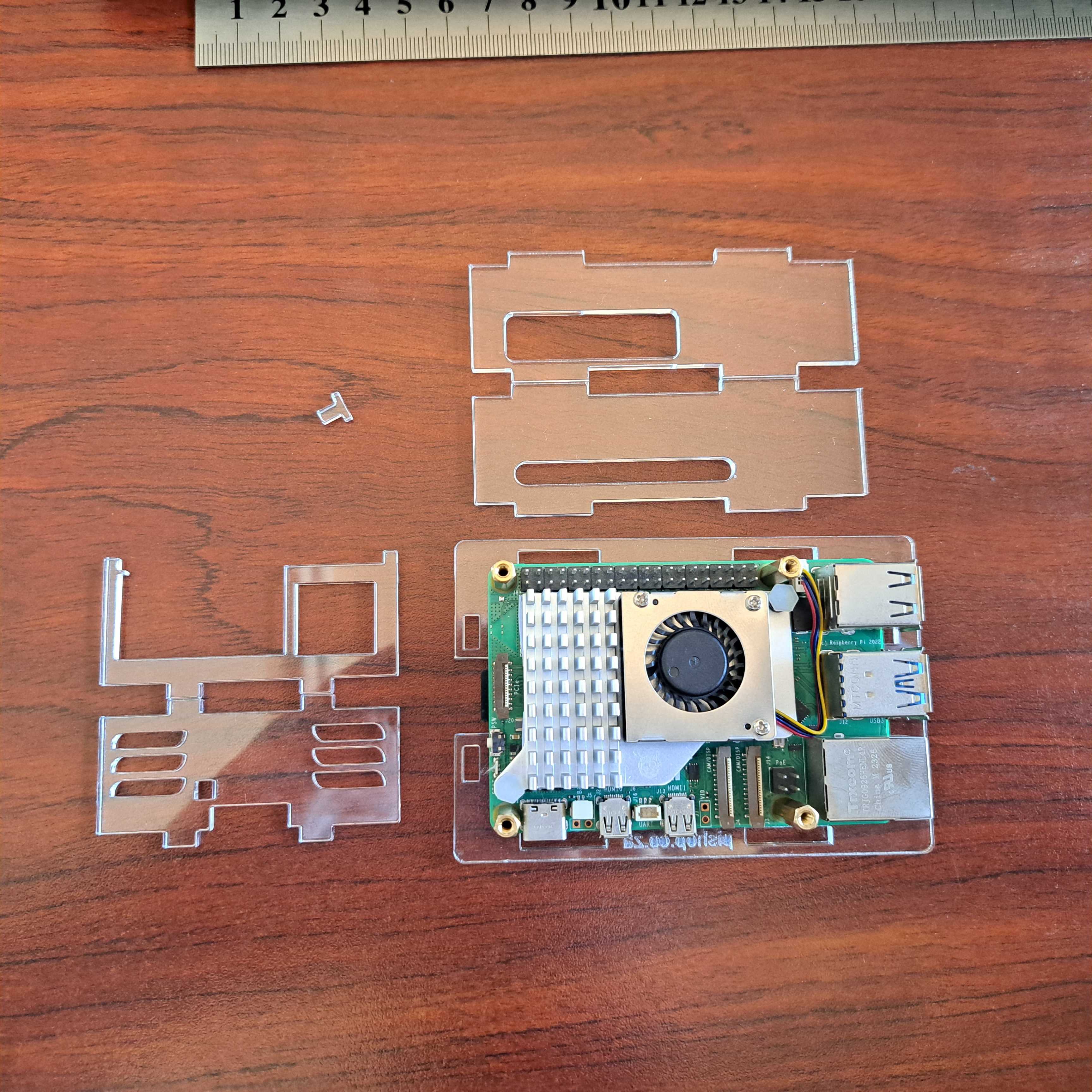
Don't forget to install the little power button first.
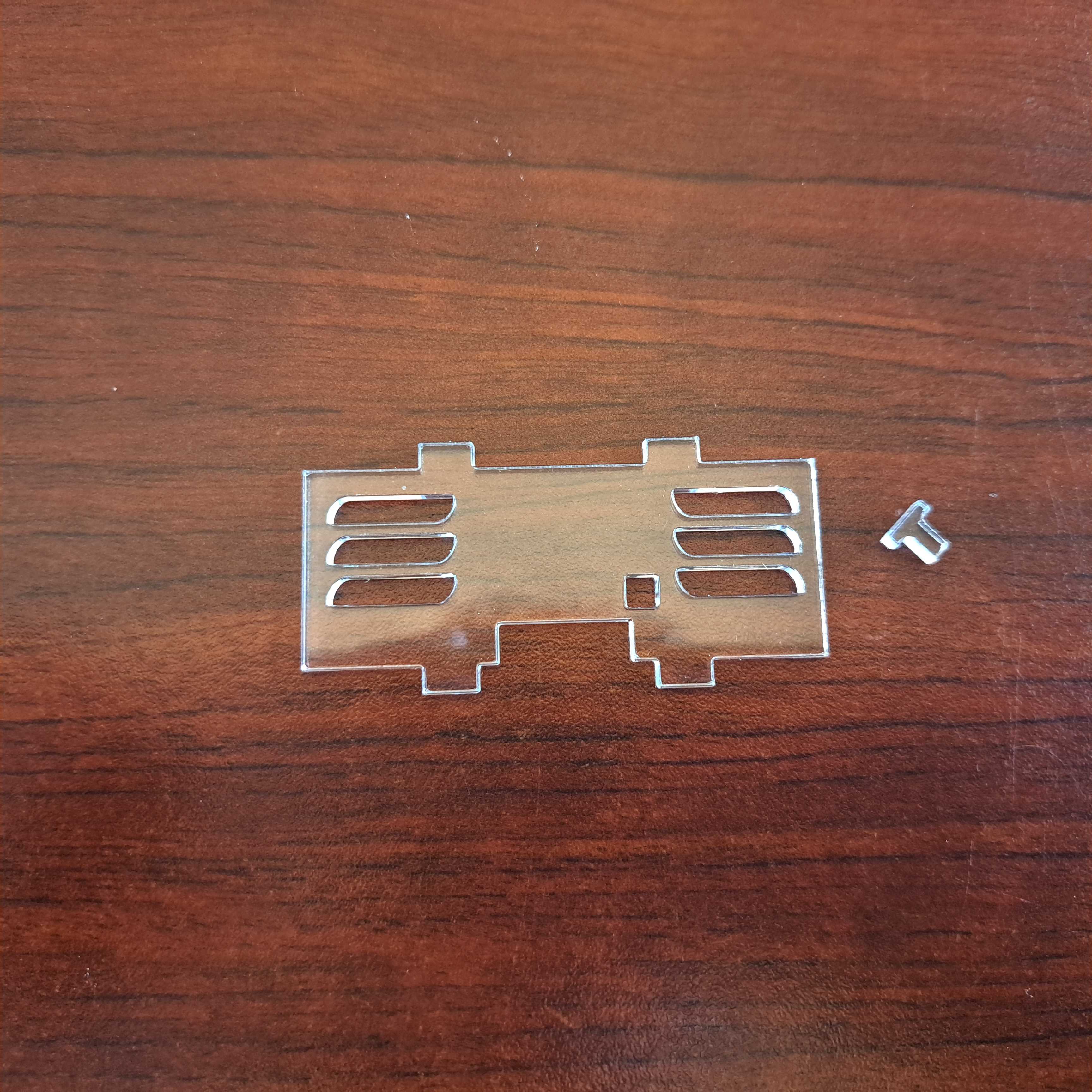
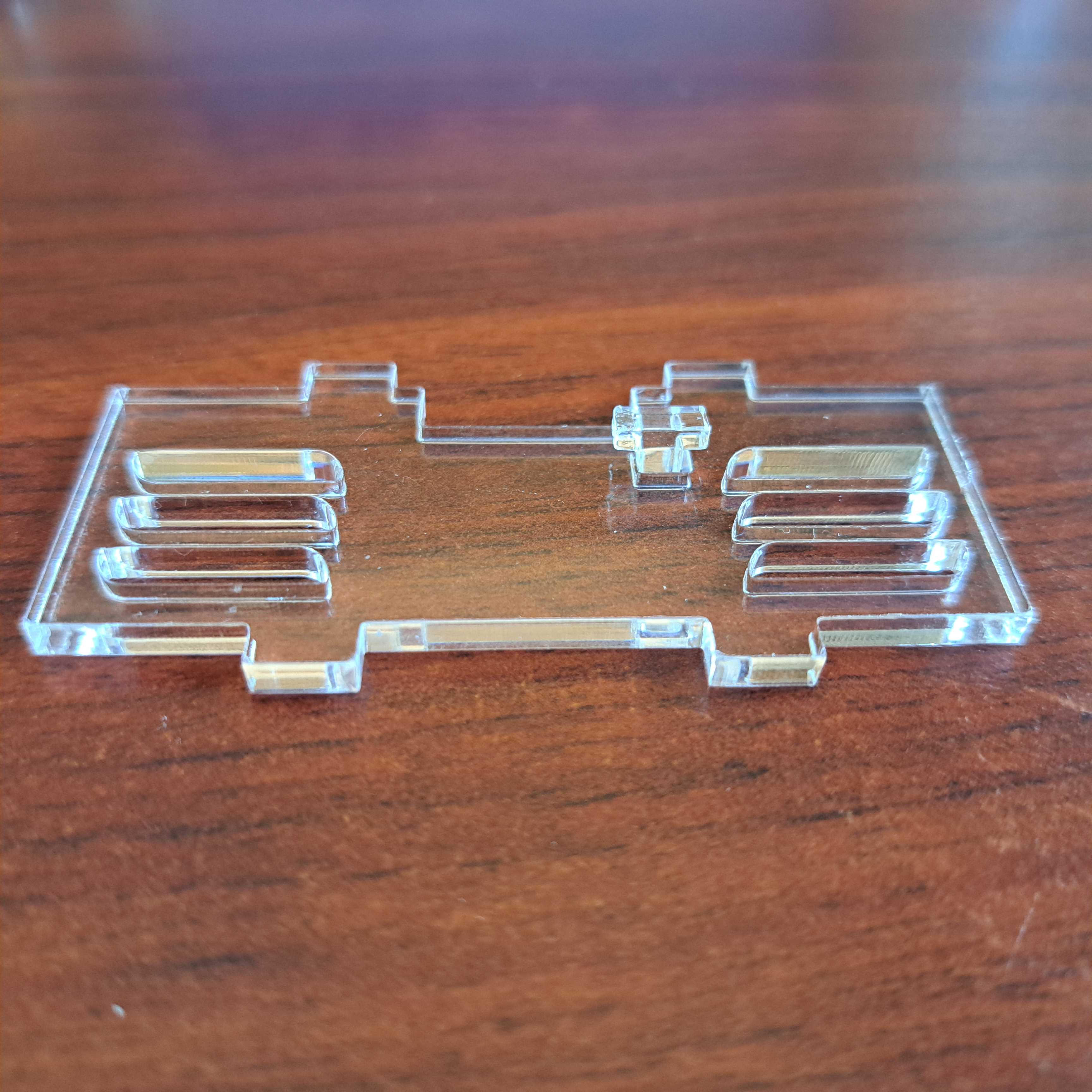
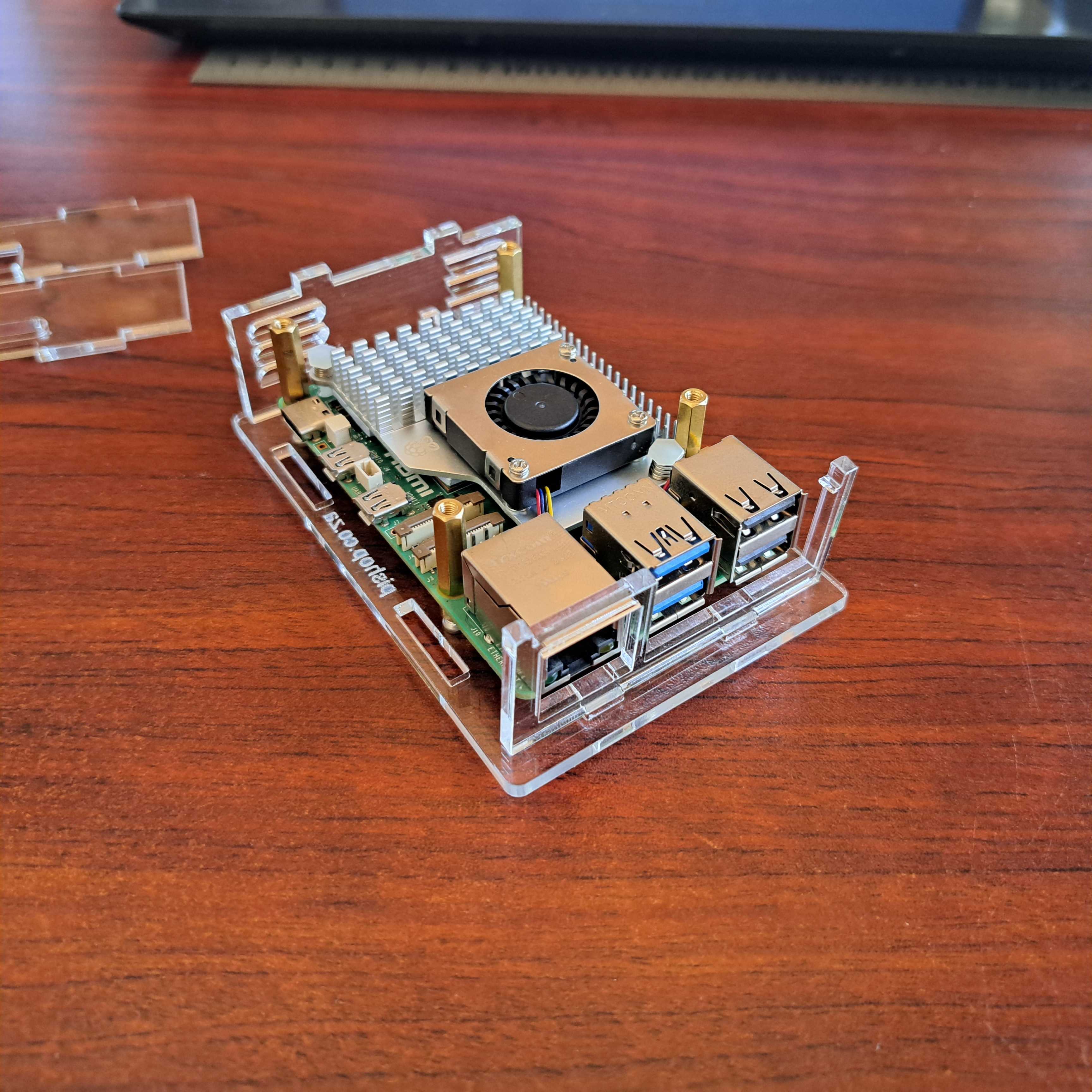
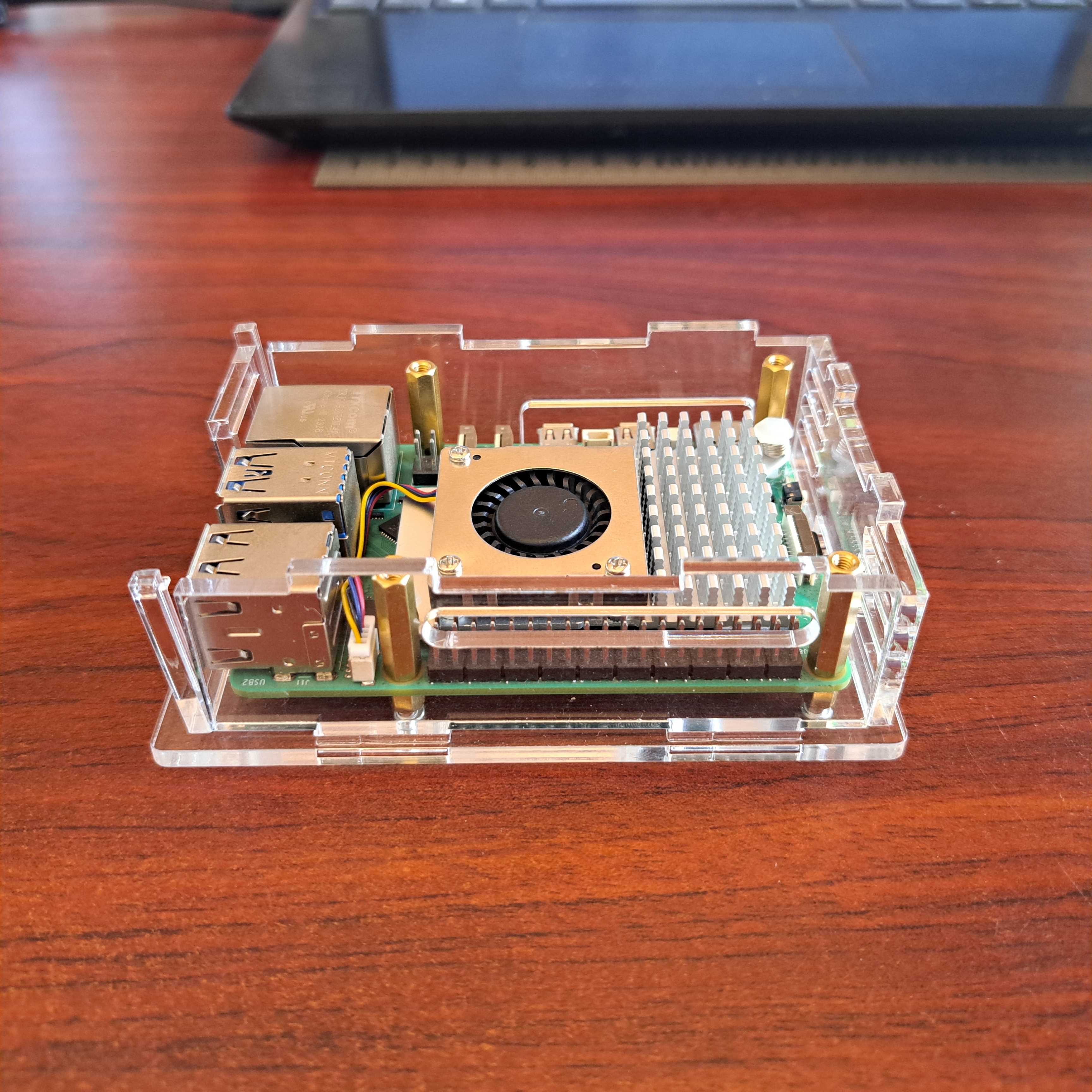
5. Install the top plate. This is where all the bits come together. You might experience a bit of difficulty aligning all the plates. A bit of pressure on the top plate helps to get all to pop into place.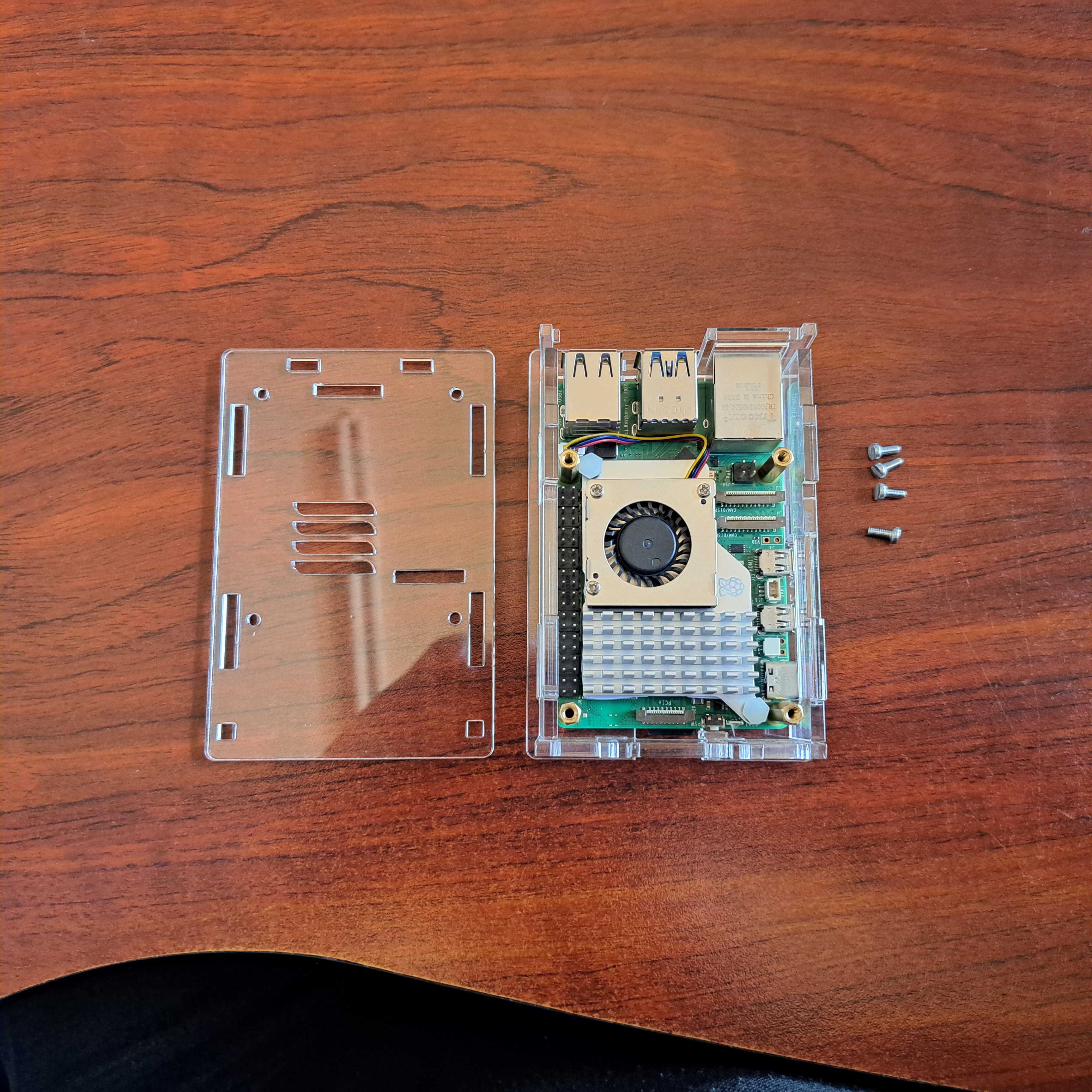
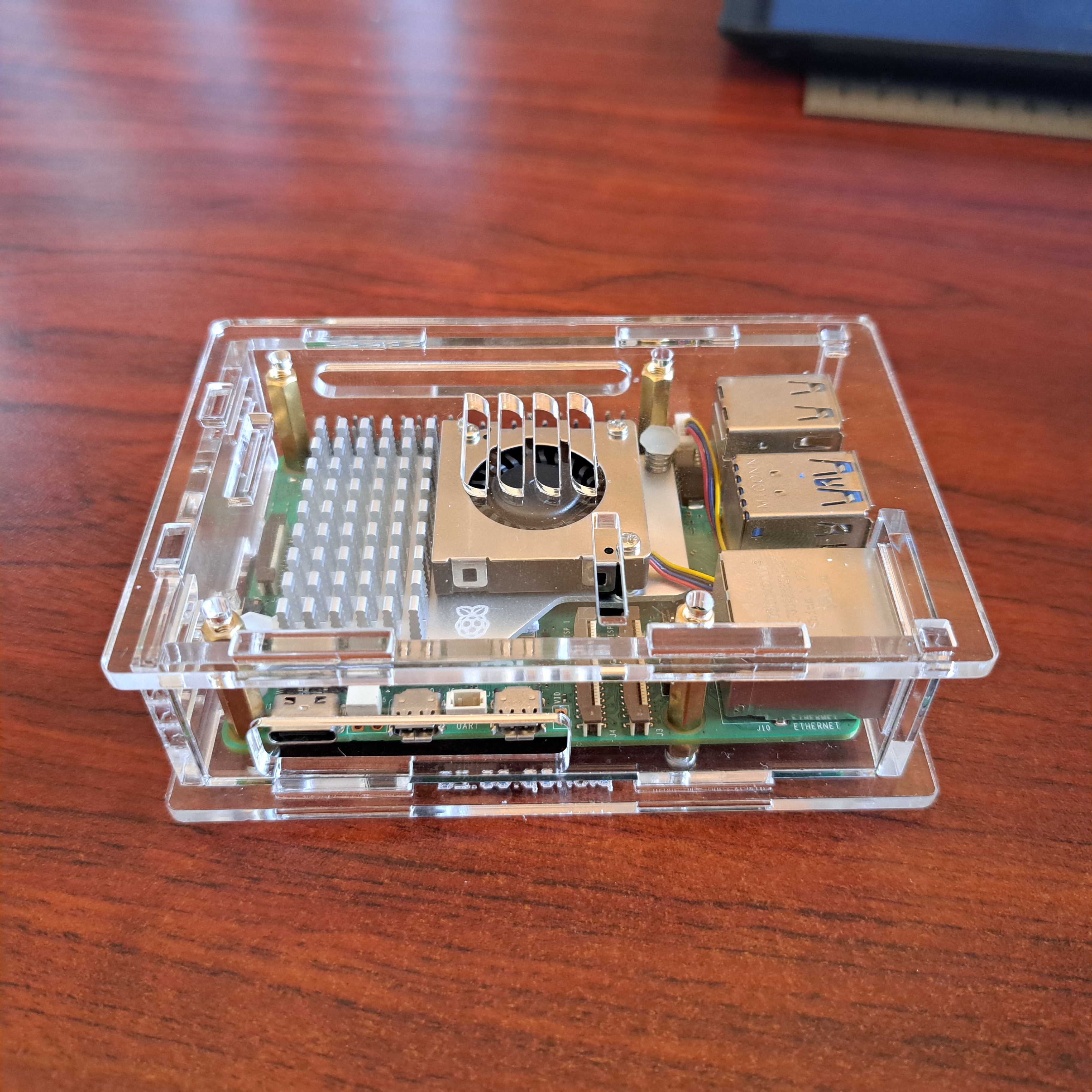
6. Insert the top 4 screws that holds it all together. You don't have to use force to tighten them.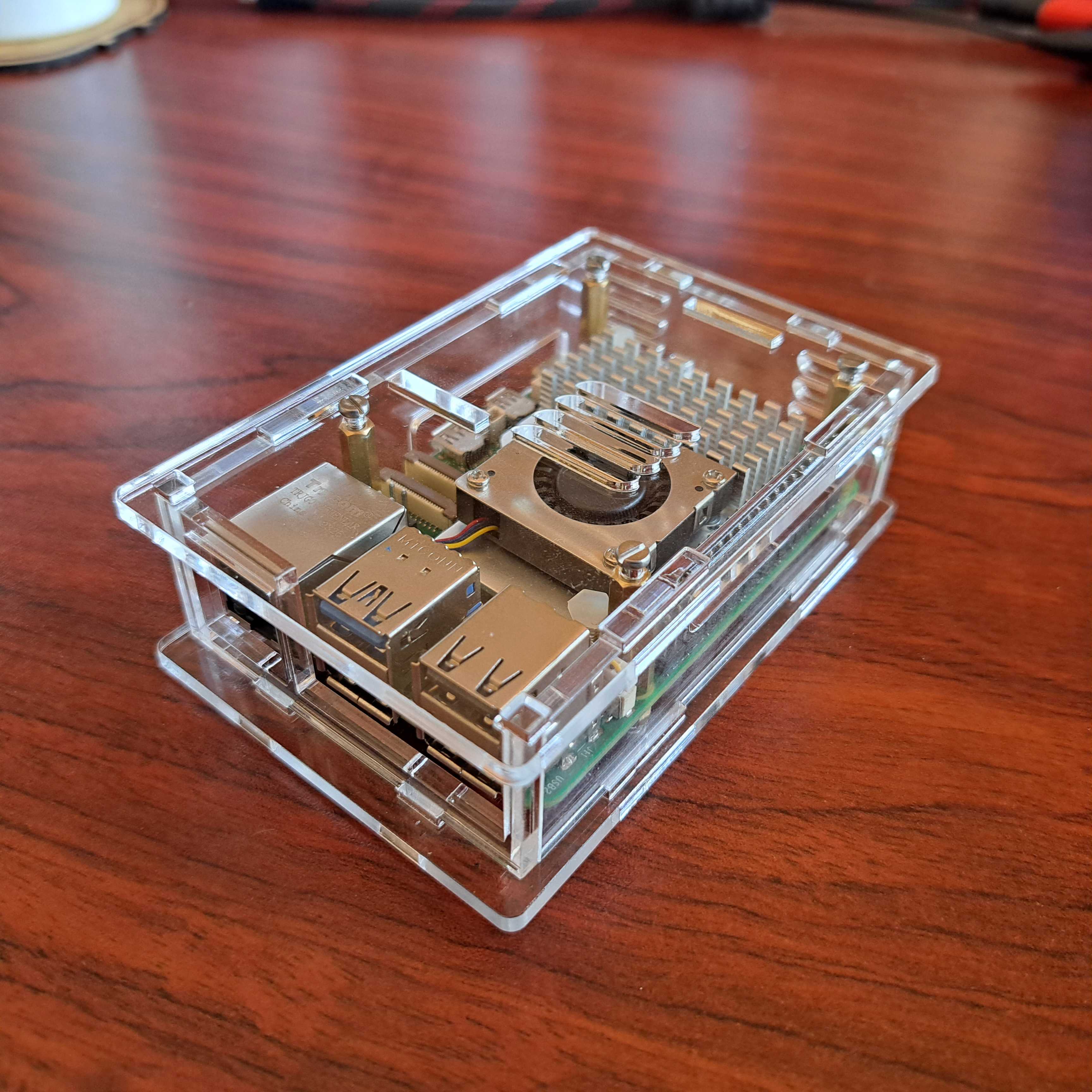
Building on the success of the base Raspberry Pi 500, Raspberry Pi 500+ replaces the membrane keyboard with a high-quality mechanical keyboard with individually addressable RGB LEDs and replaceable keys; increases the system memory from 8GB to 16GB; and bundles a 256GB SSD pre-loaded with the latest version of Raspberry Pi OS.
Key features include:
- 2.4GHz quad-core, 64-bit Arm Cortex-A76 CPU, with 512KB L2 caches and a 2MB shared L3 cache
- VideoCore VII GPU
- 16GB LPDDR4X-4267 SDRAM
- 2.4 GHz and 5.0 GHz 802.11ac Wi-Fi
- Bluetooth 5.0 / Bluetooth Low Energy (BLE)
- 256GB SSD pre-loaded with Raspberry Pi OS
- Micro SD card slot, with support for high-speed SDR104 mode and the command queuing extension
- 2 × USB 3.0 ports, supporting simultaneous 5Gbps operation
- 1 × USB 2.0 port
- Gigabit Ethernet
- Dual micro-HDMI ports
- 78-, 79- or 83-key (depending on regional variant) mechanical keyboard
- 40-pin GPIO header
- Kensington lock
- 5V/5A DC power – via separate USB-C power supply
- Power button on the keyboard
What's in the box?
1 x Raspberry Pi 5001 unit only
You might also need...
The Raspberry Pi 500+ comes without the below items. Have a look at what else you still need to get going.
- a USB type C power supply available in white or black
- a micro HDMI cable or HDMI adapter
- a mouse in red or black
- a display monitor in red/white or black
Resources
If you have, you'll need a pack of these Mini-Magnet Feet. Adafruit got these specifically for their RGB LED Matrices, which no longer include mounting equipment. At 16.6mm long, these magnet-screws slot perfectly into the panel mounting holes.
Works with any RGB matrices with 3mm mounting bosses
Note: This pack is just the four mini-magnet feet. RGB matrix panel is not included, but we carry many options!
What's in the box?
4 x Magnetic thumb Screws

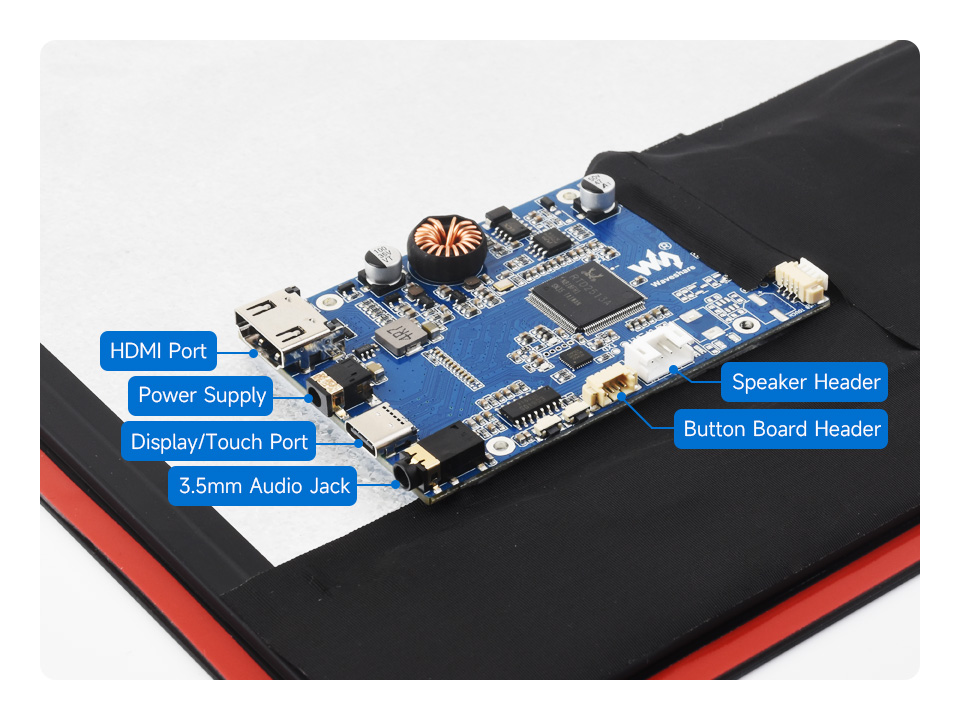
Commercial Quality, Suitable For Commercial IoT Displays, and Smart Home, etc.


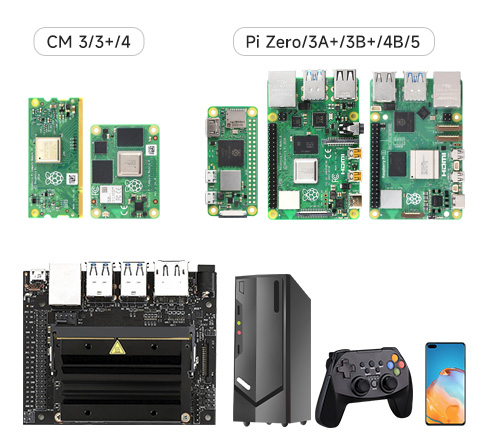
Supports Ubuntu / Kali / WIN10 IoT, single point touch, driver free
Supports Retropie, driver free
Supports all versions of Raspberry Pi
Working with Raspberry Pi 5
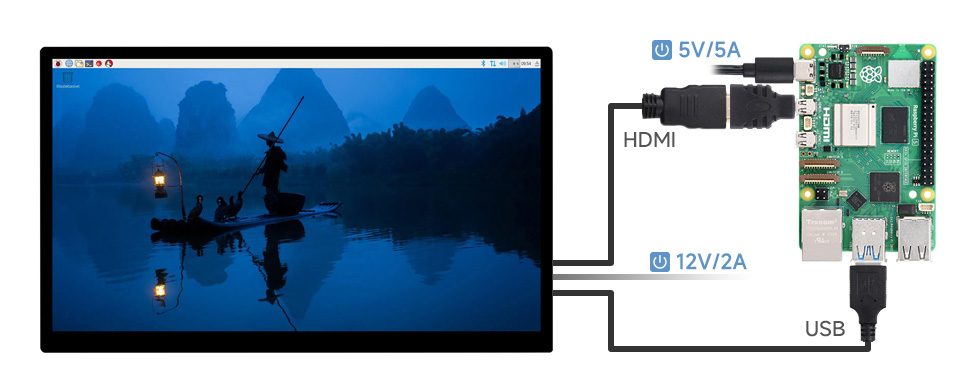
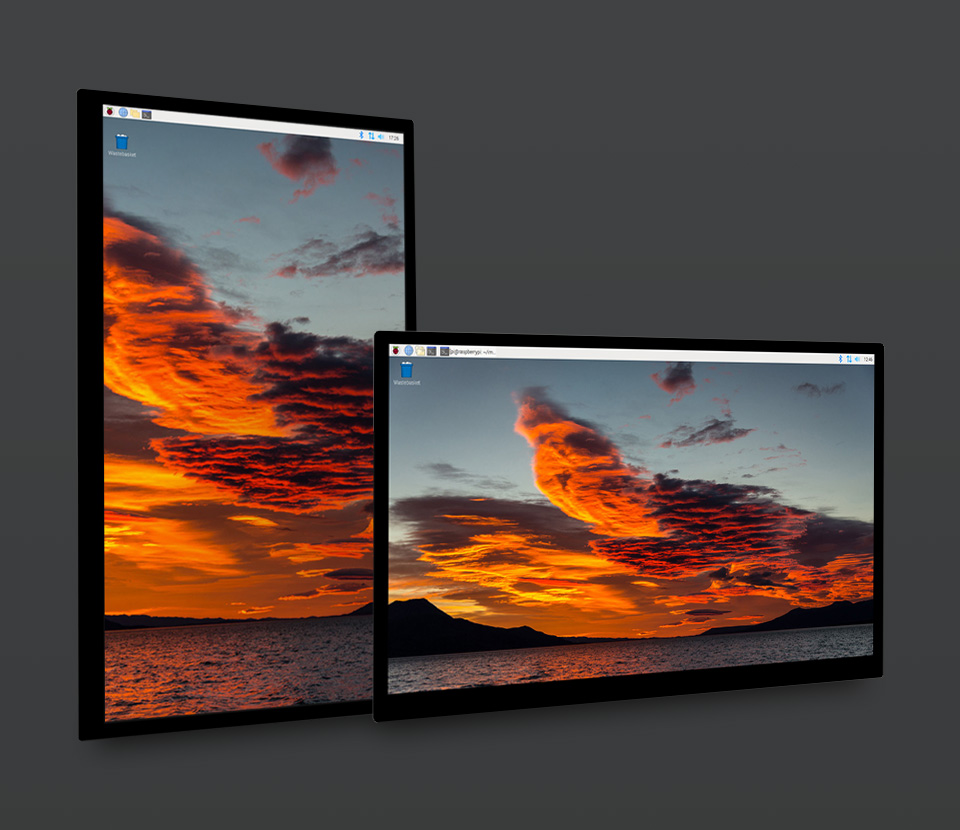
The display orientation is landscape by default, 1920x1080 resolution (H×V).
Change the software config for portrait display
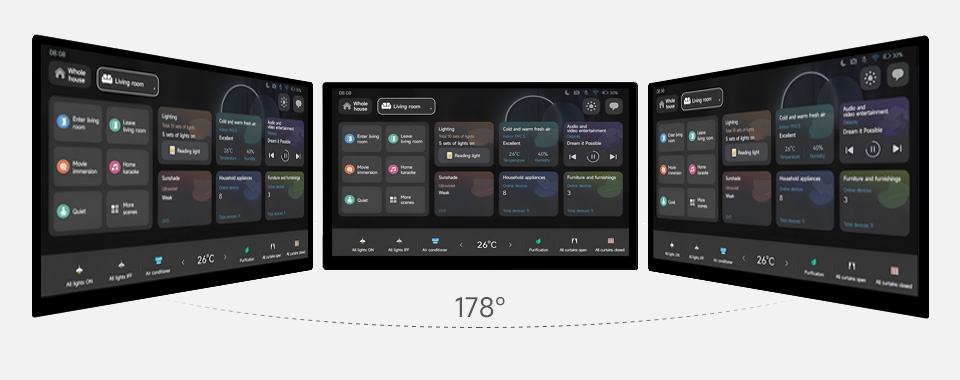
Excellent Display & Color Performance
Wide viewing angle up to 178°, color gamut up to 72% NTSC
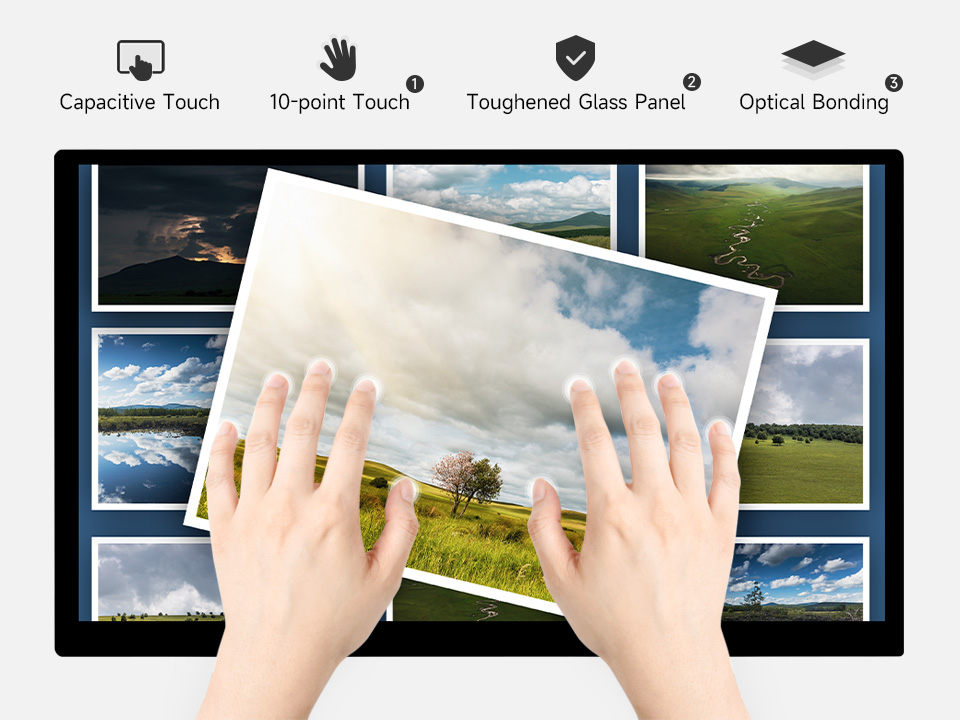
- up to 10-point touch, depending on the operating system
- up to 6H hardness toughened glass panel
- Optical bonding, display well and dustproof

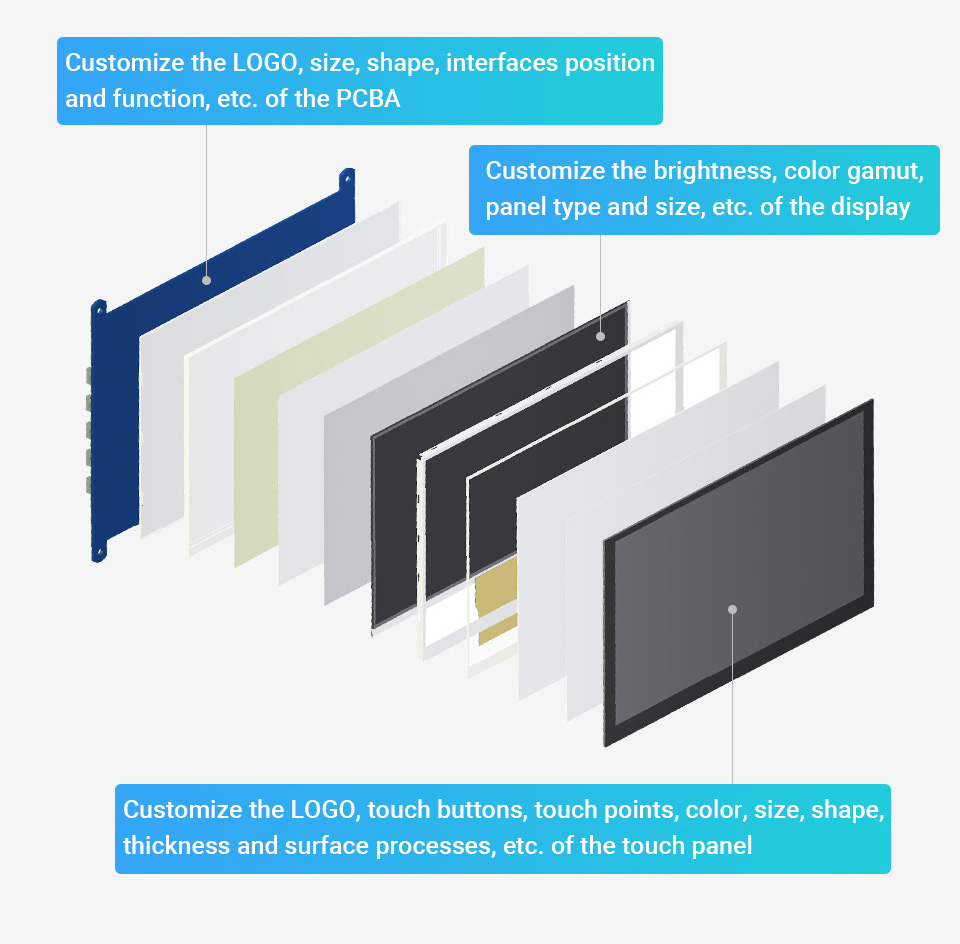
Support the following ways to customize the touch screen display in bulk order
Introduce your child to the foundations of computer coding and teach them the skills to take on their future, now.
Prepare children to be the problem-solvers, inventors, engineers, scientists, and technologists of tomorrow by equipping them with the foundational skills they’ll need, today. Through accessible, fun, and engaging activities that are also completely screen-free, Unplugged Tots helps teachers and parents introduce computational thinking skills to children as young as 2½, giving them a head start in the world of technology.
This book:
- Features 100% screen-free activities — no computer, tablet, or mobile phone needed
- Requires no prior technical knowledge
- Facilitates learning through structured play
- Helps you teach pre-computer coding skills to children aged 2½ to 8 years
Code is the fundamental building block of all computer programs — those sets of instructions that power everything from the World Wide Web to your car. Its importance has been recognised by governments all over the world, and programming has been added to countries' school curricula accordingly.
This book will help you teach the core concepts behind coding to preschool-aged children (and have fun while doing it!). Just like learning an additional language, the process of learning digital skills has numerous benefits for children (as well as parents, teachers, and caregivers), including improved communication, greater confidence, and perhaps the most important skill of all: the ability to learn from failure.
The activities in Unplugged Tots are designed for children aged 2½ to 8 to enjoy, with help from an adult; the book does not define age ranges for the activities, as children have different abilities, interests, and attention spans. The activities are scaffolded, meaning every child can start with the basics and follow the fun as they progress to other levels. Each chapter also includes tips to simplify and extend the activities, enabling Unplugged Tots to grow with the child!
What's in the box?
1 x Unplugged Tots book

- Joystick Size: Approx. 95x60x100mm
- Encoder Board Size: Approx. 85x35mm
- USB Cable Length: Approx. 1.8m
- Colour: one set Red and one set Black
We have tested this unit on Raspberry Pi using Retropie and a Windows 7 PC using MAME.
What's in the box?
This kit contains two sets of the following:
1 x Encoder Board
1 x USB Cable
1 x 5 pin Cable for Joystick
1 x 5 Pin Joystick
8 x 30mm Push Buttons
2 x 24mm Push Buttons
10 x Cables for Buttons
Resources
Get Retropie on the Raspberry Pi
ThePiHut setup guide

2048 individual RGB LEDs, 4mm pitch
supports Raspberry Pi and Arduino.
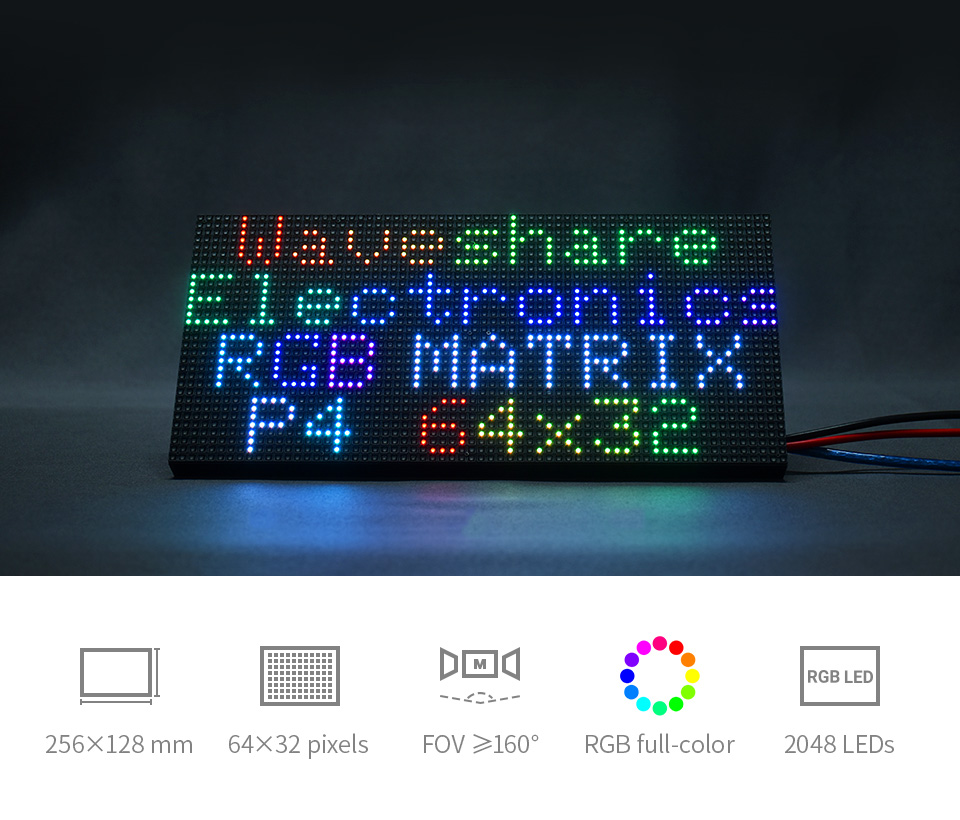
- 2048 individual RGB LEDs, full-color display, adjustable brightness
- 64×32 pixels, 4mm pitch, allows displaying text, colorful image, or animation
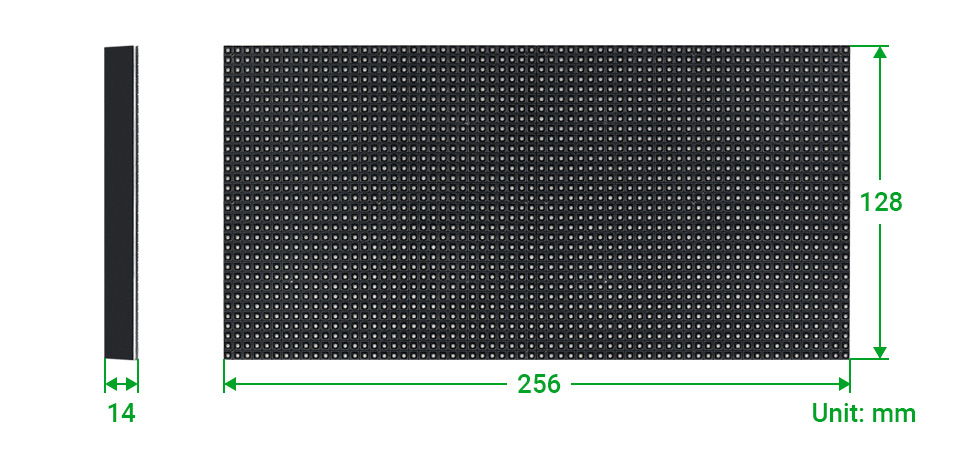
- 256×128mm dimensions, moderate size, suitable for DIY desktop display or wall mount display
- Onboard two HUB75 header, one for controller data input, one for output, chain support
- Provides open source development resources and tutorials, for use with Raspberry Pi, Arduino, and so on
| Dimensions | 256mm × 128mm |
|---|---|
| Pixels | 64×32=2048 DOTS |
| Pitch | 4mm |
| Pixel form | 1R1G1B |
| Viewing angle | ≥160° |
| Control type | synchronization |
| Driving | 1/16 scan |
| Header | HUB75 |
| Power supply | 5V / 4A (VH4 header input) |
| Power | ≤20W |
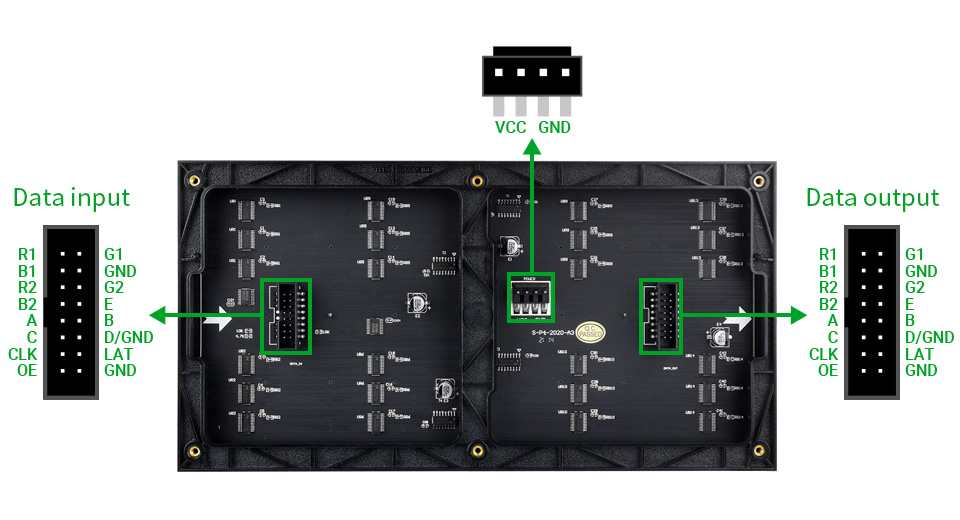
PCB silkscreen and layout may have small differences from batch to batch, but the hardware interface and software are compatible.
| Pin | Description | Pin | Description |
|---|---|---|---|
| VCC | 5V power input | GND | Ground |
| R1 | R higher bit data | R2 | R lower bit data |
| G1 | G higher bit data | G2 | G lower bit data |
| B1 | B higher bit data | B2 | B lower bit data |
| A | A line selection | B | B line selection |
| C | C line selection | D | D line selection |
| E | E line selection | CLK | clock input |
| LAT/STB | latch pin | OE | output enable |
Multi LED matrix panel can be chained together to build a larger panel
via HUB75 input/output header

1 x RGB-Matrix-P4-64x32 LED matrix and accessories
1 x Power supply terminal adapter
1 x 16P cable~30cm

Charge two devices at once with the Pro Bass On The Go Dual USB Wall Adapter. With a universal 110-240V AC input and dual 5V DC outputs, it delivers a total of 12W power, making it ideal for your USB-powered projects at home or on the go. Compact, efficient, and travel-ready
Perfect for static projects that can be set up near a mains outlet
What's in the box?
1 x USB charger wall adapter

- Quick and economical.
- Straight through configuration.
- This coupler allows two ethernet cables with RJ45 connectors to be connected together so that the signal will pass straight through.
- It is a cheap and simple way to extend network cables and is ideal for moving networked computers without uprooting existing cables.
- Single Size: Approx.34x21x16mm
What's in the box?
1 x RJ45 Straight Through Ethernet LAN Cable coupler
Cables are not included
The Smart Tuya Wi-Fi Light Bulb integrates easily into your Google home, controlled by the feature rich Google assistant from your mobile phone, innovating your home to Life Made Easy by controlling your home with your voice commands. All devices complement each other and do require mobile phone voice control or Google Mini.
This Affordable Plug and Play Smart Bulb enables voice control over you light bulb, controlled via the Google Home app on your Mobile phone. This Q Bulb is the easiest entry into Smart Home Automation. The Smart Wi-Fi colour changing light bulb integrates easily into your Google home, controlled by the feature rich Google assistant from your mobile phone, innovating your home to Life Made Easy by controlling your home with your voice commands. All devices complement each other but do require mobile phone voice control. You are able to add any other accessories within the Q range to expand into more advanced sets. It’s Fully upgradable with no investment loss, easy integration and the widest range of products available. It does not require an electrician, simply follow a simple step by step guide.
Features
- Voice Controlled
- Smart Wi-Fi colour changing
- Full Ambient colour
- Dimmable
- Scheduling and timer control
- NO hub required (2.4G Wi-Fi Required)*
- Please note this product uses the the Smart Life (Tuya) application.
What's in the box?
1 x Smart Tuya WiFi Bulb Full Colour Light
LiPo Amigo is a stamp sized board with a USB-C connector on one end and a JST-PH connector at the other so you can plug in a LiPo or LiIon battery. Betwixt the two, you can find a perky red LED that will light up to tell you when battery charging is happening. Simples!
LiPo Amigo Pro is a bit larger and has some additional tricks up its sleeves. It's got two JST-PH connectors so you can charge your battery and power your device at the same time (and switch seamlessly between USB and battery power). It also has a power on/off button and extra built in battery protection.
Both are compatible with any LiPo, LiIon or high capacity LiIon batteries (batteries are sold separately).
Features
- MCP73831 charger with 200mA* charging current (datasheet)
- USB-C connector for power
- 2 pin JST-PH connector for plugging in a LiPo/LiIon battery
- Charge LED
- XB6096I2S battery protector (datasheet) (Pro only)
- Additional 2 pin JST-PH connector for powering an up to 4.2V tolerant device** (Pro only)
- Power on/off button and associated LED (Pro only)
- Comes fully assembled.
- LiPo Amigo Pro schematic
- LiPo Amigo Pro dimensional drawing
Obligatory Lipo Warnings
LiPo and LiIon batteries can be dangerous if not treated with respect! You should only use LiPo Amigo boards to charge 3.7V LiPo or LiIon batteries, and you should make sure that any project involving LiPos is sufficiently protected from being dented, bent, punctured or crushed.
We recommend only using LiPo batteries that have own internal protection against overcharge, over discharge and short circuits (all the ones we sell do).
If you're using a battery bought from elsewhere, double check that the polarity of the wires matches the markings on our board (red to + and black to -) before you plug it in! Some battery manufacturers attach the JST connector the other way up.
Notes
- Measurements: LiPo Amigo - 26 x 21 x 7 mm, LiPo Amigo Pro- 36 x 23 x 7 mm (LxWxH, including connectors)
- * The pads on the back labelled FAST CHARGE can be bridged with solder to allow charging at up to 500mA (instead of the default 200mA). Don't do this if you're using an unprotected battery.
- The battery protection IC on LiPo Amigo Pro limits charge and discharge to about 1A. The pads marked NO PROTECT can be bridged to disable this (no protec, only attac). Only do this if you're using a battery with its own protection that can handle the higher discharge current. We wouldn't recommend trying to draw more than 2A from the battery, as this is the max rating of the JST-PH connectors.
- ** You should only use the DEVICE connector on LiPo Amigo Pro for powering devices that can handle 4.2V - that's the maximum potential voltage that can be supplied by a fully charged LiPo. Don't plug in things like micro:bits that can't deal with LiPo voltages!
- The DEVICE connector draws its current from the attached LiPo so it will only provide power if a battery is plugged in. There's no boost circuitry on board, so it won't power Raspberry Pi computers or other devices that need 5V.
- For connecting your device to LiPo Amigo Pro, we'd suggest using this double-ended JST-PH cable.
- Because we hate leaving unused space on our PCBs, we've broken out a bunch of other headers that you might find it useful to solder things up to.
- The LED headers can be used to connect up an external LED to show charging or on/off status - useful if you're building your battery charger into an enclosure.
- The SW headers can be used to add an external momentary on/off switch to enable and disable the power output of LiPo Amigo Pro. The battery will still charge when the power output is turned off.
- VBAT is the battery + pin (the same as the positive pin on the BAT JST connector)
- VDEV is the device + pin (the same as the positive pin on the DEVICE JST connector.
What's in the box?
1 x LiPo Amigo Pro
LCD Digital Multimeter AC/DC 750/1000V Handheld multimeter for voltmeter, ammeter Ohm tester meter with probes.
Specifications
- DC voltage: 200m - 2000m - 20 - 200 - 500V
- AC Voltege: 200 - 500V
- DC current: 2000u - 20m - 200m - 10A
- Resistance: 200 - 2000 - 20k - 200k - 2000k ohm
- Temperature: -20 ~ 1000??/span>
- Diode test: Yes
- On-off and buzzer function: Yes
- Max. display: 1999
- Battery: 9V 6F22 battery ( Not included )
What's in the box ?
1 x Digital Multimeter
2 x Probe Cables
2 x batteries