
Cytron Technologies


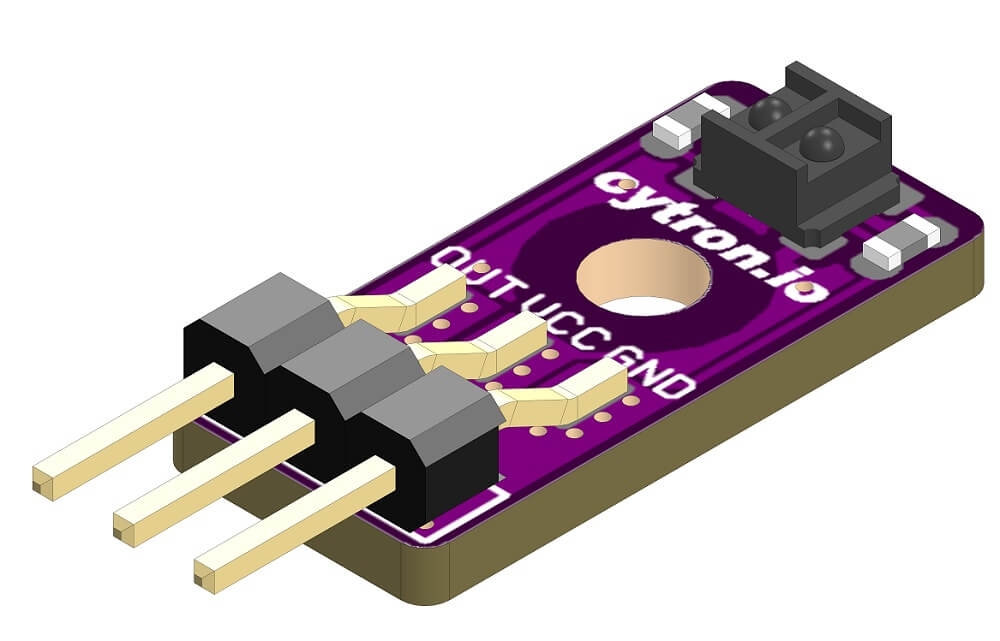
Maker Reflect is a tiny reflectance sensor that consists of an infrared (IR) LED that transmits IR light onto a surface and a phototransistor measures how much light is reflected back. The output is in analog voltage - The more IR light is sensed by the phototransistor, the lower the voltage.
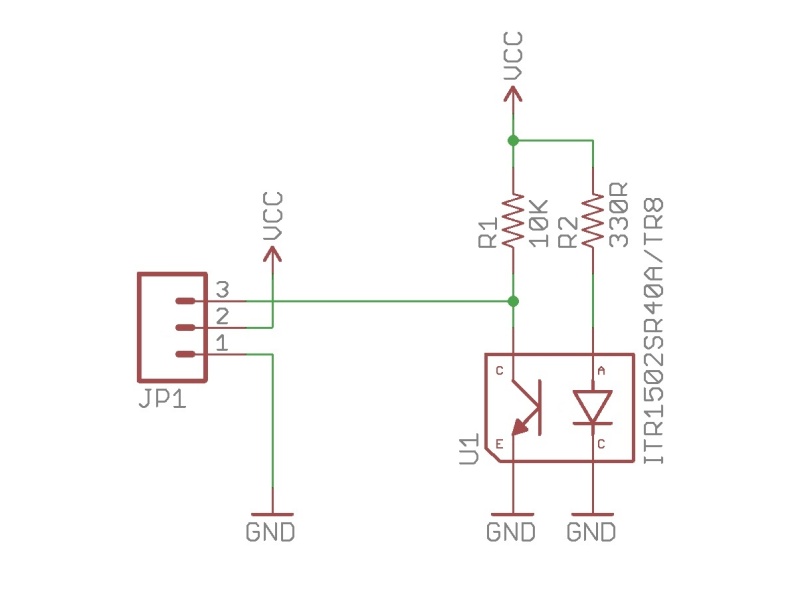
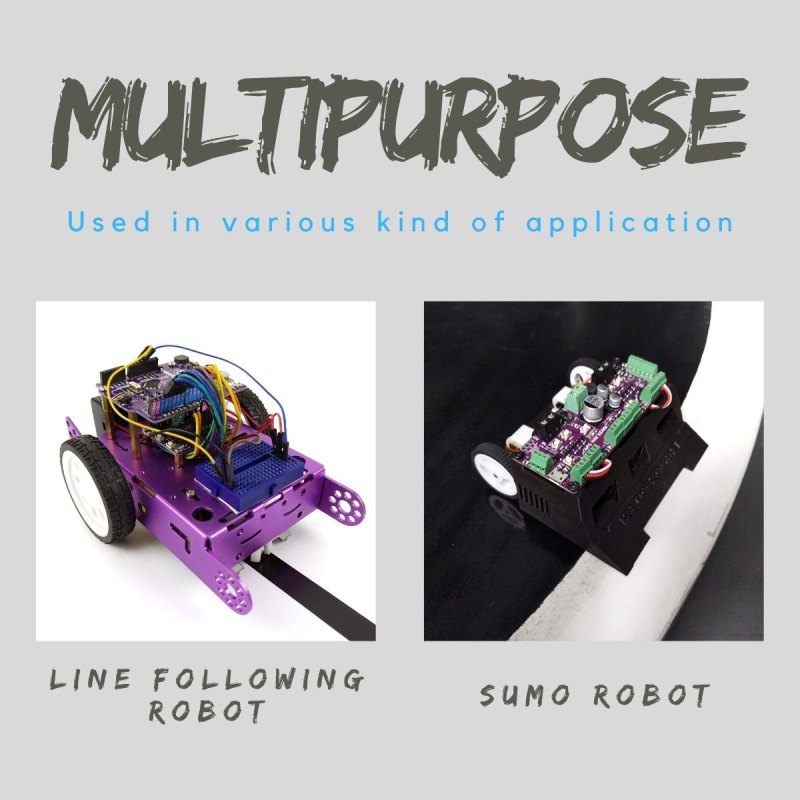
Typically this sensor is used in line following robot as the white surfaces reflect more IR than black surfaces. However, it is not limited to line follower, there are much more application which can utilize the Maker Reflect. Eg.: Edge/Border sensor in Sumo robot, wall sensor in maze solving robot, short-distance object detector (presence sensor), a sensor for rotary wheel encoder...etc.
Measuring only (L)18.1mm x (W)8.4mm x (H)4.2mm (Exclude the header pin), this tiny sensor can be easily fitted in the tightest space available on your robot. We purposely designed the sensor so that the mounting hole is at the center so that the sensor can be at the front-most position. This is especially important in the Sumo robot.
Features:
- Operating Voltage: 3.3V and 5V Compatible
- Sensing Distance (Height): 1mm to 40mm (Vcc = 5V, Black line on a white surface)
- Output: Analog Voltage (White surface = lower voltage)
Example Application: Line Following Robot, Sumo Robot, Wall Following Robot, Short Distance Object Sensing, Sensor for Printed Rotary Wheel Encoder.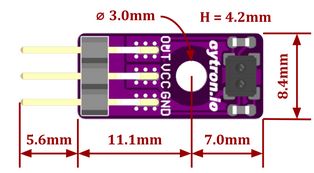
Documents:
What's in the box?
1 x MAKER-REFLECT

100% cotton Unisex T-shirt from the Cytron for every maker that loves making stuff. Simple yet comfortable!
Comes in black color with the slogan of TRUST ME I'M A MAKER
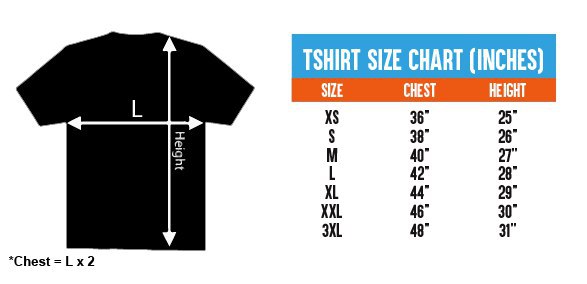
There are several sizes of this T-shirt to accommodate everyone :) Please choose the preferred size next to the main photo. It is Unisex T-shirt so it is suitable for both male and female maker :)
- XS (Extra Small) Size
- S (Small) Size
- L (Large) Size
- M (Medium) Size
- XL (Extra Large) Size
- XXL (Double Extra Large) Size
- XXXL (Triple Extra Large) Size
Features:
- Coming from makers to makers :)
- 100% cotton, super comfortable
- The black color with:
- Front: Slogan: TRUST ME I'M A MAKER
- Back: Cytron Logo
- Available Sizes:
- Extra Small (XS):
- 36" or 91.44cm for the Chest (Chest = 2 x L)
- 25" or 63.5cm for Height
- Small (S):
- 38" or 96.52cm for the Chest (Chest = 2 x L)
- 26" or 66.04cm for Height
- Medium (M):
- 40" or 101.6cm for the Chest (Chest = 2 x L)
- 27" or 68.58cm for Height
- Large (L):
- 42" or 106.68cm for the Chest (Chest = 2 x L)
- 28" or 71.12cm for Height
- Extra Large (XL):
- 44" or 111.76cm for the Chest (Chest = 2 x L)
- 29" or 73.66cm for Height
- Double Extra Large (XXL):
- 46" or 116.84 cm for the Chest (Chest = 2 x L)
- 30" or 76.2 cm for Height
- Triple Extra Large (XXXL):
- 48" or 121.92 cm for the Chest (Chest = 2 x L)
- 31" or 78.74 cm for Height
- Extra Small (XS):
What's in the box?
1 x Trust Me T-Shirt - Black (Chosen Size)
Looking for a solution to introduce robotics and coding to your kids? Get this kit for them (or yourself!) to build this cute micro:bit robot car. Zip zip Zoom!
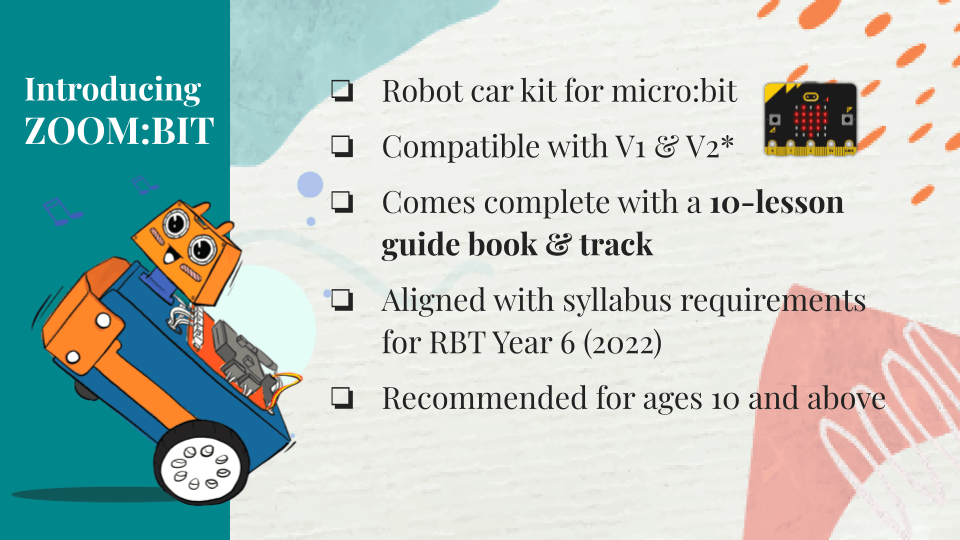
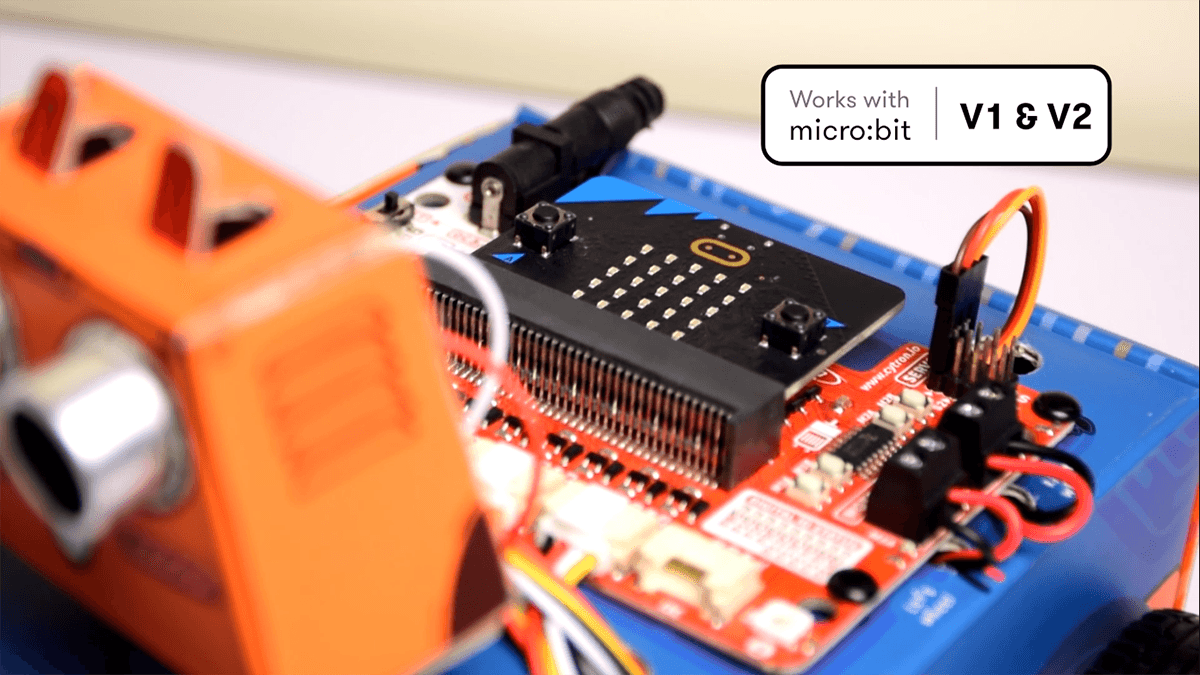
This kit comes with a step-by-step building guide written in simple language and a generous dose of graphics to help young learners to follow along. Download a PDF copy of the book here for FREE. If you prefer video tutorials, visit our Youtube playlist here.
Follow the detailed & illustrated instructions to build your own robot and explore programming basics in a fun and engaging manner.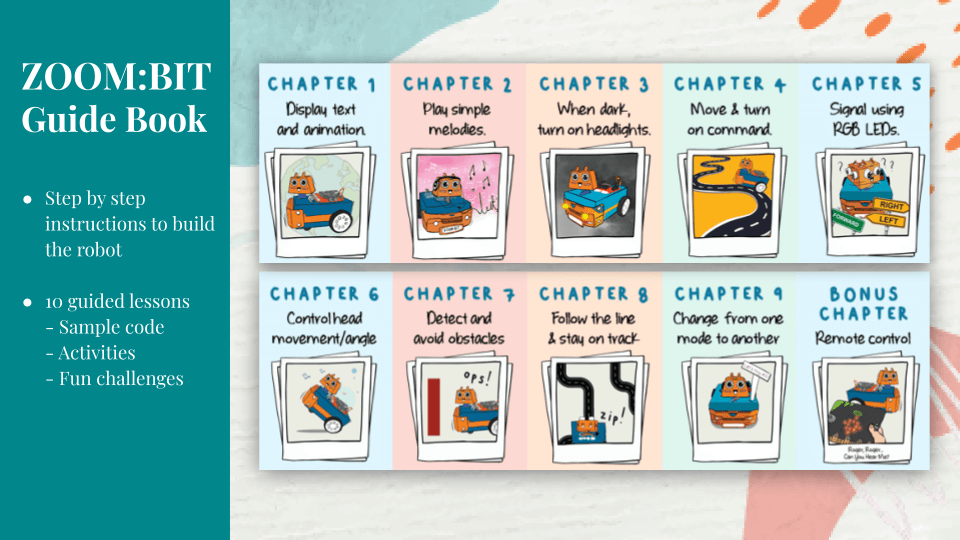
You can easily program ZOOM:BIT using open-sourced Microsoft MakeCode Editor. Just add ZOOM:BIT Extension and you’re good to go. If you’re a beginner, you can start with the Block programming mode; simply drag, drop and snap the coding blocks together. For more advanced users, you can easily switch into JavaScript or Python mode on MakeCode Editor for text-based programming.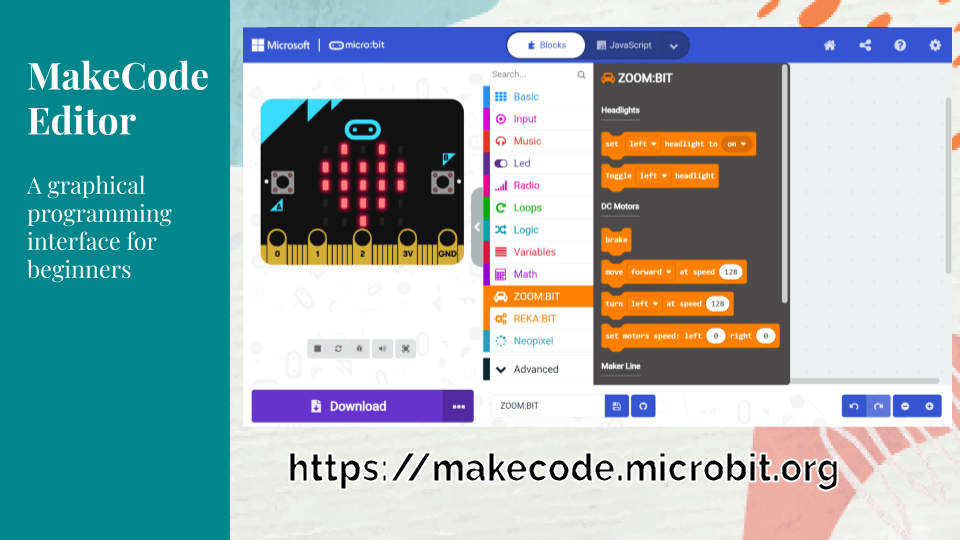
New to coding? Don’t worry. This kit comes with a 10-lesson guide book, complete with sample code and helpful tips. You can also access additional resources from ZOOM:BIT Online Resource Hub. Join Telegram ZOOM:BIT Community for technical support and the latest updates.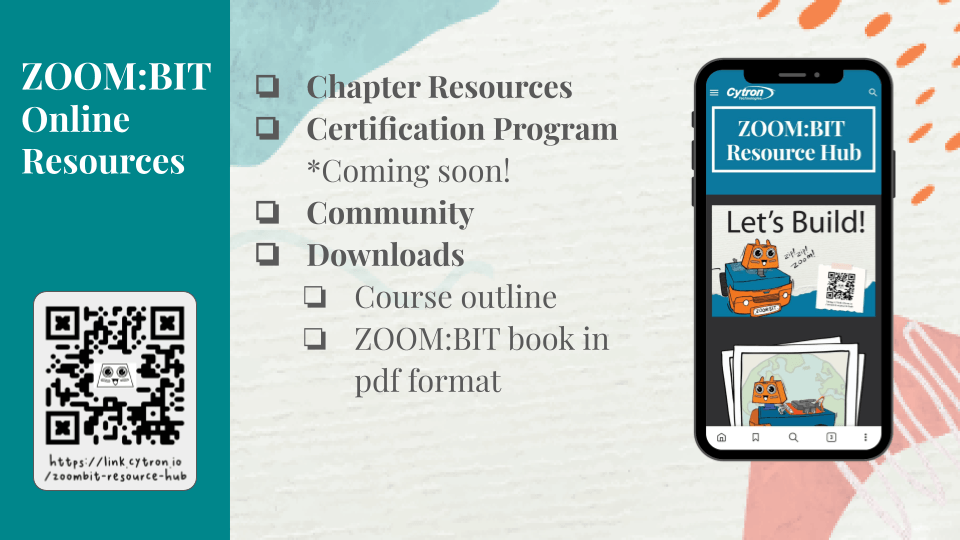
Features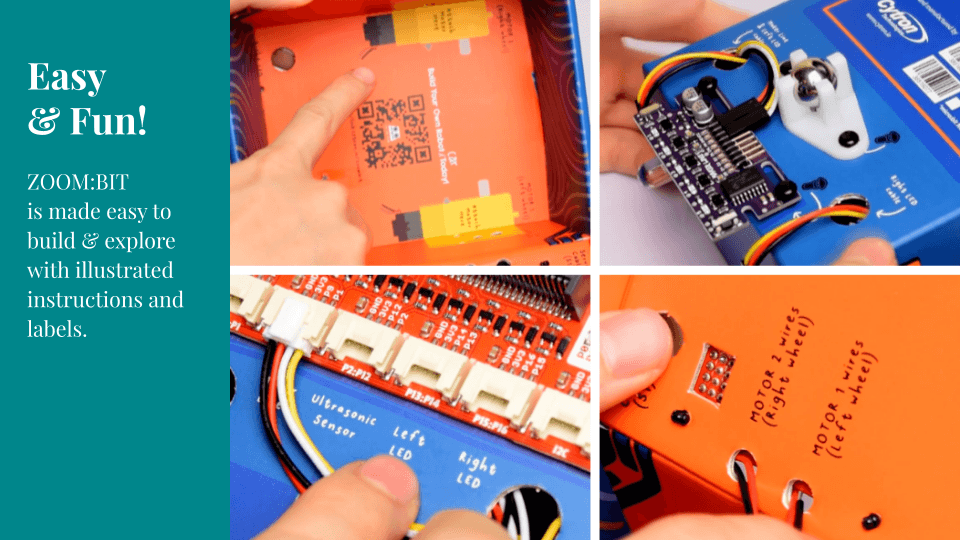
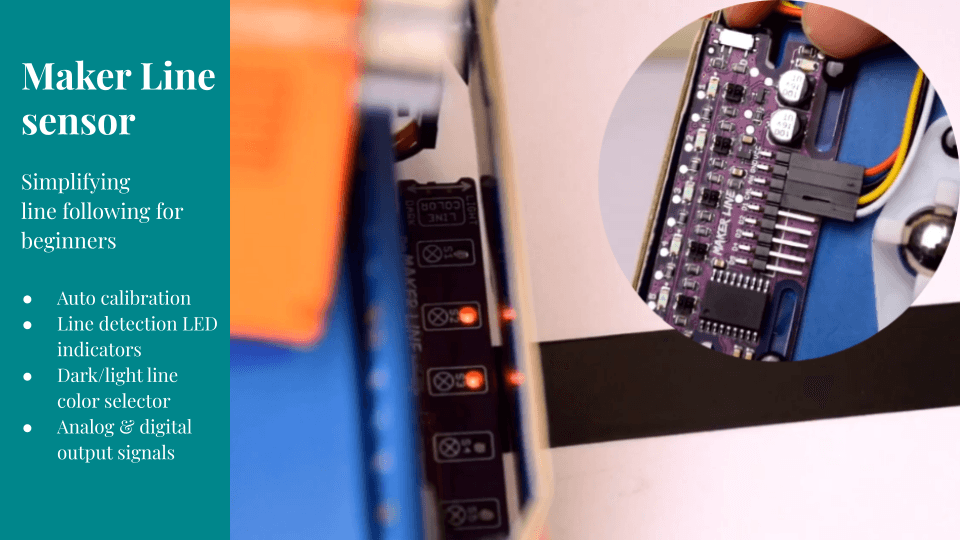
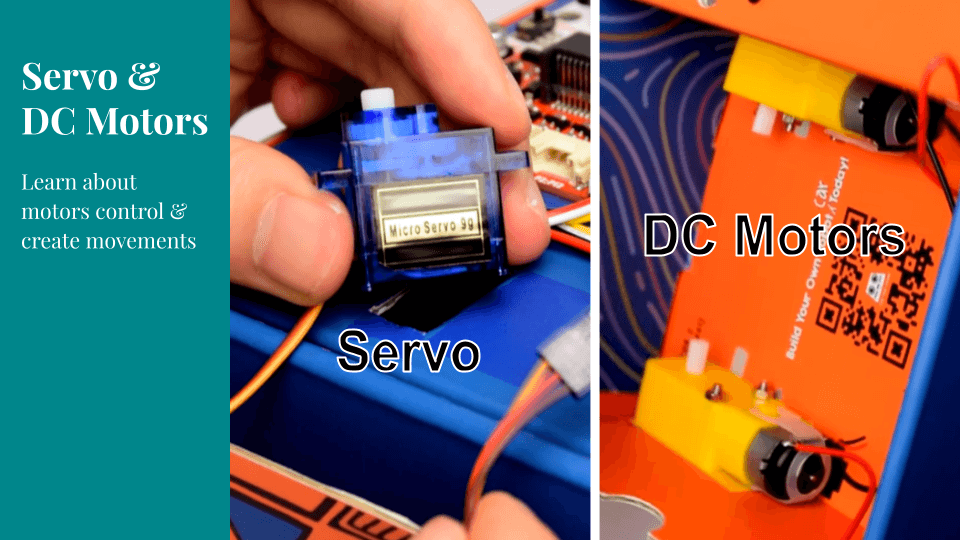
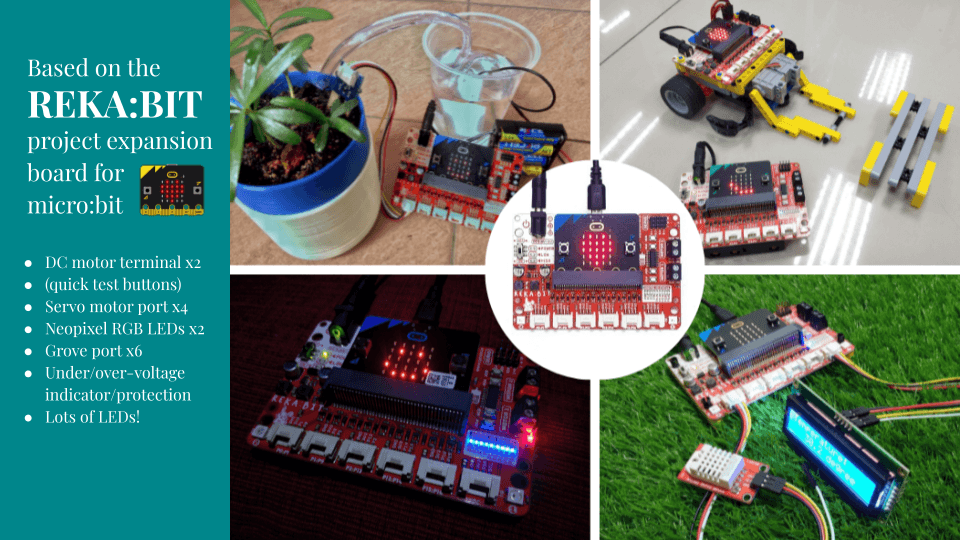
Bonus for ZOOM:BIT fans. If you are a Telegram user, grab ZOOM:BIT's sticker pack here: https://t.me/addstickers/itsZoombit. Have fun~
Every kit comes with all the materials needed (except the micro:bit board) to complete ZOOM:BIT Robot Car, as well as a printed guide book with detailed instructions and a line following track.
What's in the box?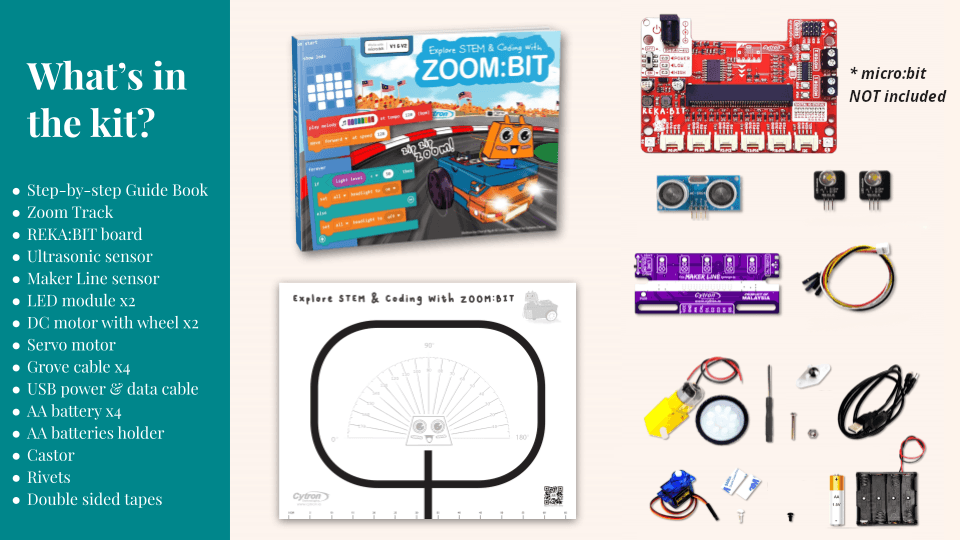
1 x micro:bit board Note: This product does NOT include a micro:bit board.
1 x REKA:BIT expansion board
1 x USB power and data cable1 x 9+1 lessons quick start guide book
1 x Zoom track
1 x Maker Line sensor
1 x Ultrasonic sensor
2 x 10mm LED module
2 x DC motor with wheel
1 x Micro servo motor
4 x Grove to female header cable
1 x 4xAA battery holder with DC plug
4 x AA battery
1 x Castor
1 x Mini screwdriver
Rivets
Double-sided tape

This beginner-friendly micro:bit kit is specially designed to encourage kids to explore STEAM and learn coding.
You can easily program EDU:BIT using open-sourced Microsoft MakeCode Editor. Just add EDU:BIT MakeCode Extension and you’re good to go. If you’re a beginner, you can start with the block programming mode; simply drag, drop and snap the coding blocks together. For more advanced users, you can easily switch into JavaScript or Python mode on MakeCode Editor for text-based programming.
New to coding? Don’t worry. This kit comes with a booklet covering 10+1 hands-on coding lessons, which have been creatively structured to introduce programming basics in a fun and engaging manner. Each chapter features a classic childhood game such as Rock Paper Scissors, Snakes and Ladders, Twister, and Simon Says. Follow the step-by-step guide to build the games and then have fun playing with your friends! *Game accessories are provided in this kit.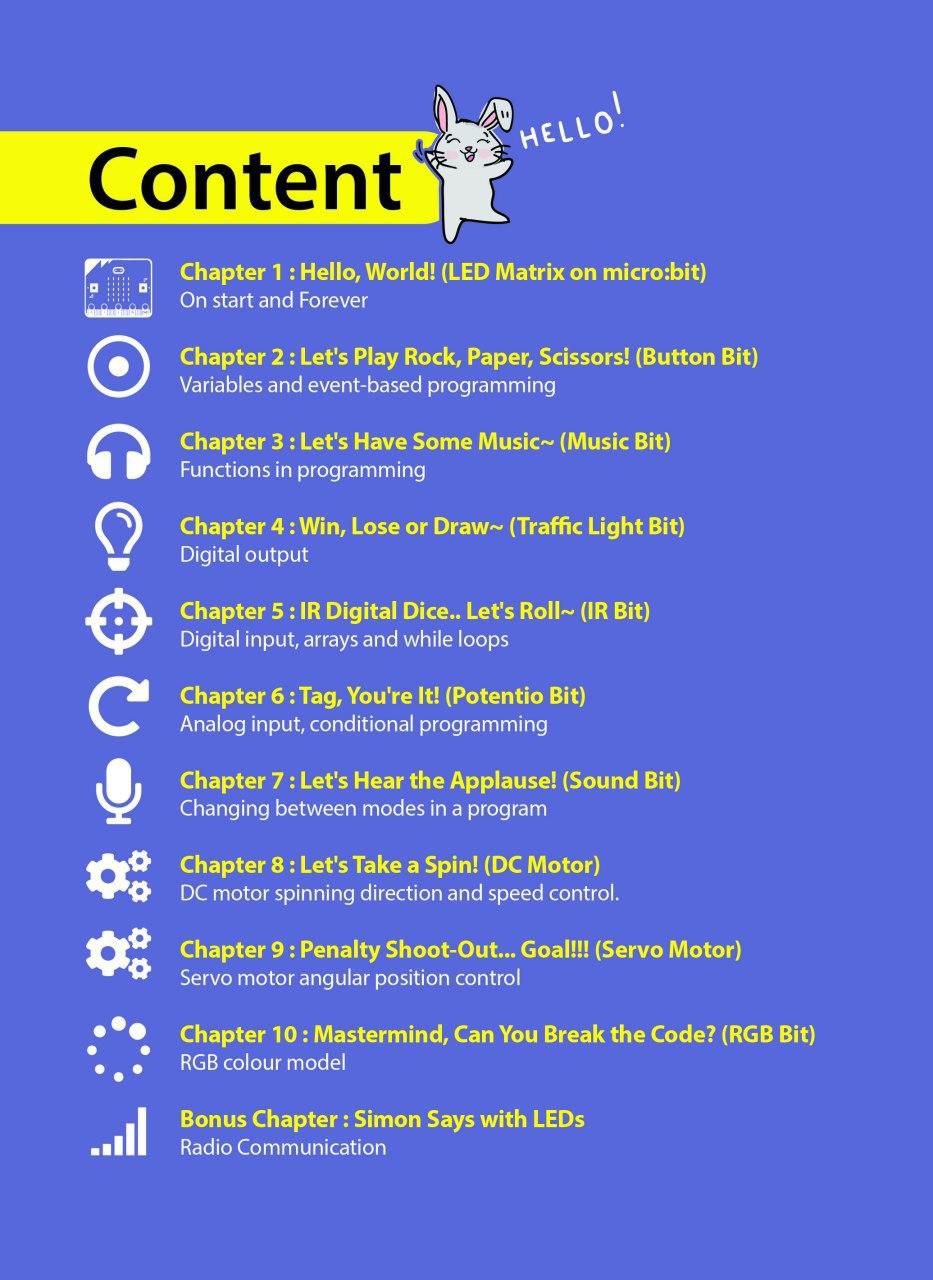
At the end of each chapter, there is a challenge which requires you to apply what you’ve learned to build a useful application for your classroom. Give it a try and if you’re stuck, we’re always here to help you. You can go to our online Resource Hub for sample codes and extra resources.
SPECIAL FEATURES
Start having fun with EDU:BIT right out of the box. Start coding right away and see your board lights up and plays melody with the press of a button. No wiring required when used as a training kit.
Cannot control servo motor and play music at the same time on your micro:bit? Servo motor refuses to move correctly? Worry no more! EDU:BIT takes care of these issues with its dedicated controller and power supply. It can even support up to 3 servo motors and 2 DC motors to actuate any creative projects you will build.
Each feature and its associated micro:bit IO pin is clearly labeled on the board for easy reference. In addition, indicator LEDs are built in on EDU:BIT to ease troubleshooting for both digital and analog IO pins.
Ready to build your own projects? You can break off the modules on EDU:BIT board for more flexibility in your project design. Plug-and-play cables are provided for you to connect the broken off Bits to the main board.
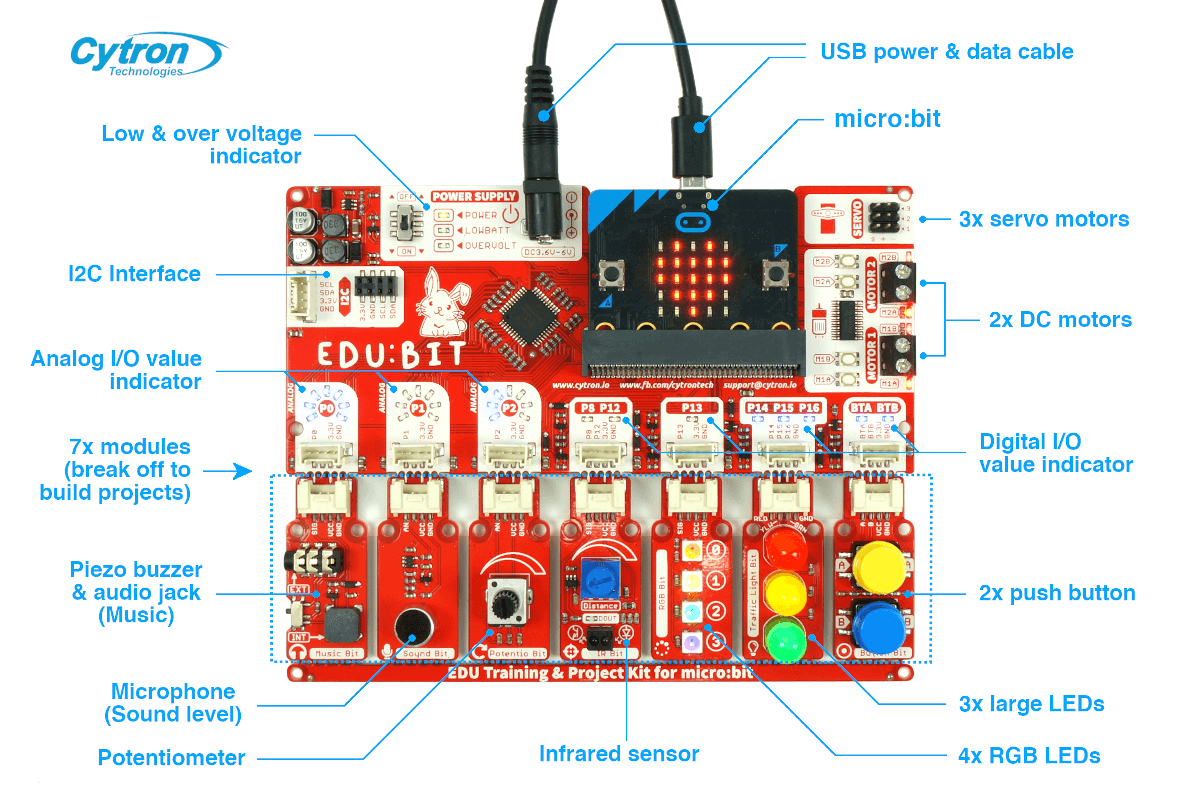
EDU:BIT Specifications
- 1x Piezo buzzer with audio jack
- 1x Sound sensor
- 1x Potentiometer
- 1x IR sensor
- 4x Programmable RGB LEDs
- 3x Big LEDs (traffic light module - red, yellow green)
- 2x Push buttons
- 3x ports for servo motors
- 2x ports for DC motors
- 1x port for I2C Interface (3.3V)
- Dimension: 157.50 mm x 124.50 mm x 19.00 mm
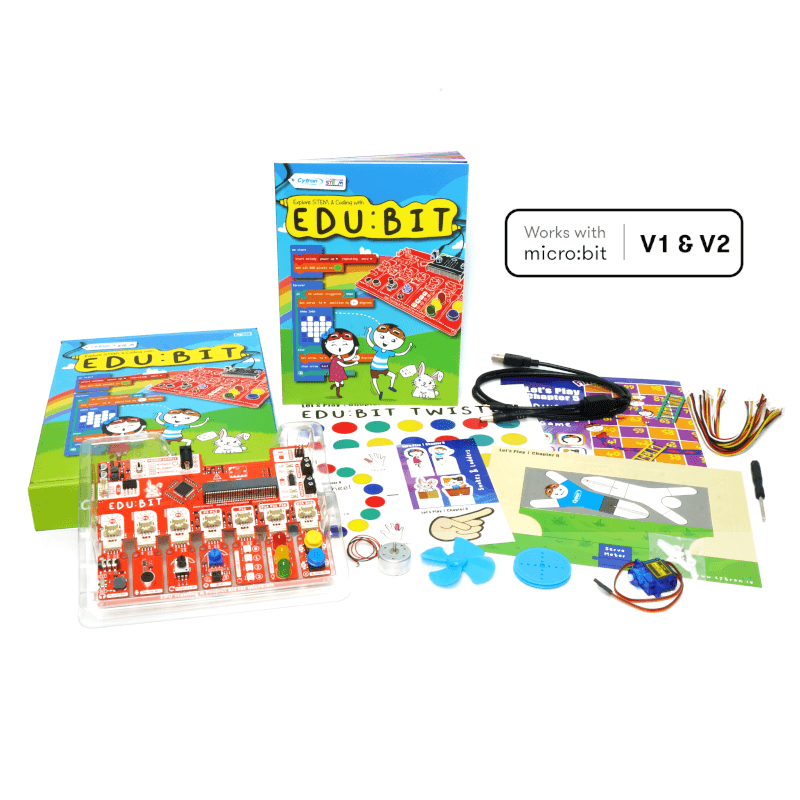
1 x Step-by-step Guide Book
1 x USB power and data cable
2 x Game maps
2 x Game accessories
7 x Grove cables
1 x Servo motor
1 x DC motor
1 x Pulley wheel
1 x Fan blade
You will also need a battery holder and some batteries
- EDU:BIT Resource Hub (with sample codes and extra resources)
- EDU:BIT Out-of-the-box Demo Code
- micro:bit Getting Started Guide (by microbit.org)
- MakeCode Online Editor
- MakeCode Offline Editor
- EDU:BIT Schematic, PCB Layout and PIC16F1937 Co-Processor Source Code
- MicroPython library for EDU:BIT
Visit our Blog for demo videos and more!

Note: Not suitable for children under 4 years old!
Note: Download the softcopy instruction manual (English) here.
The solar panel is meant for OUTDOOR actual sunlight, indoor lighting will NOT generate sufficient energy to drive the car.
It's time to make your own toy! Better yet, a solar-powered wooden car! Get this kit to keep your kids occupied with hands-on activities while enjoying the "robot" moving around that is powered by green energy, renewable energy - Solar Power. This DIY kit is simple enough to be built by 4 years old children, with parent's help. And children 6 years old and above can build it by themself! Let them explore solar power and how it can help to save the earth by utilizing it! You can also let your kids understand how solar panel works and electric motor works. Awesome! 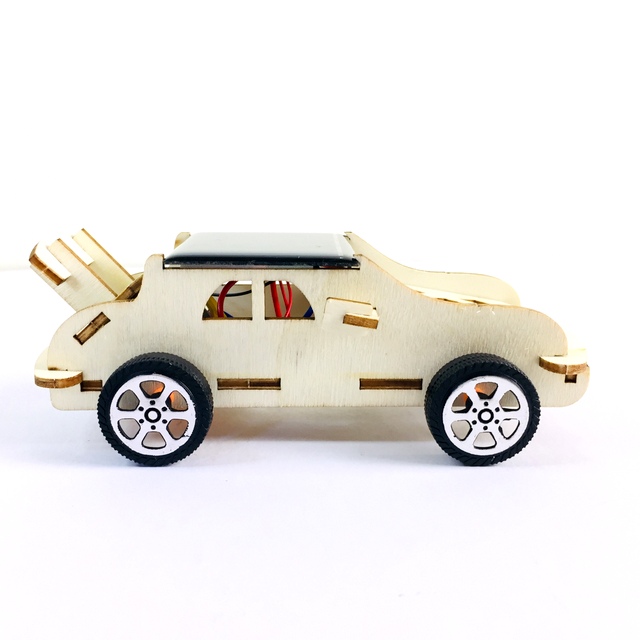
- Do It Yourself Solar Powered Wooden Car STEM Kit
- Simple and yet educational
- Suitable for age 4 years old and above
- Come with everything needed to assemble as a solar-powered moving car.
- No soldering is needed
- Moveable car
- Learn about renewable energy, solar power, electric motor :)
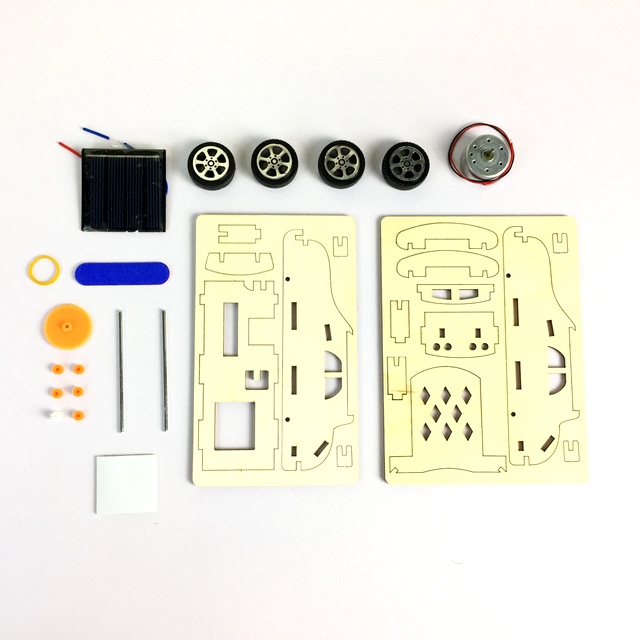
What's in the box?
1 x Solar Panel
4 x Plastic wheels for the car
1 x Small DC Motor
1 x small plastic gear
1 x Rubber band
2 x small iron rod as the shaft for wheel
Some double-sided tape
Sanding filer

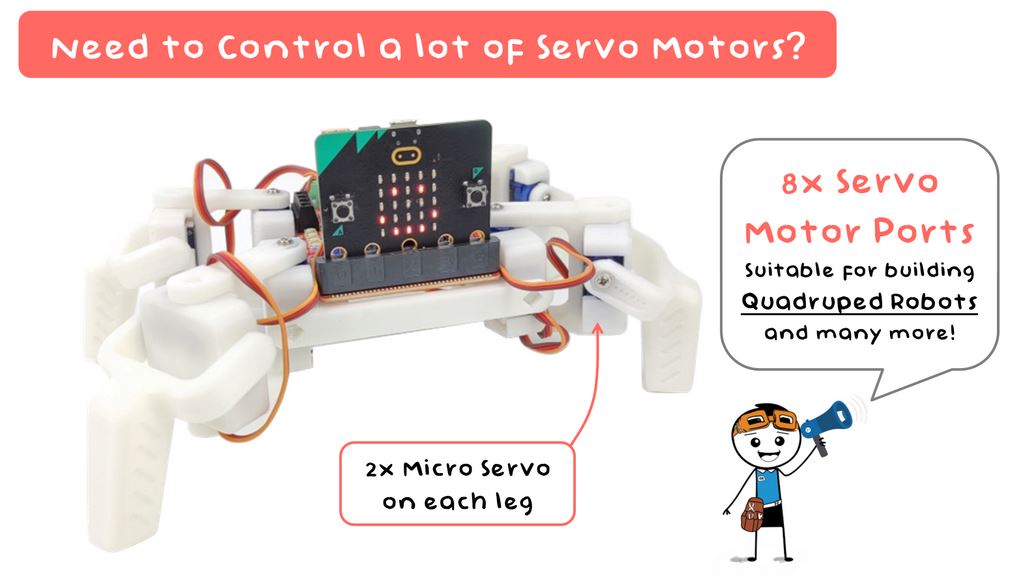
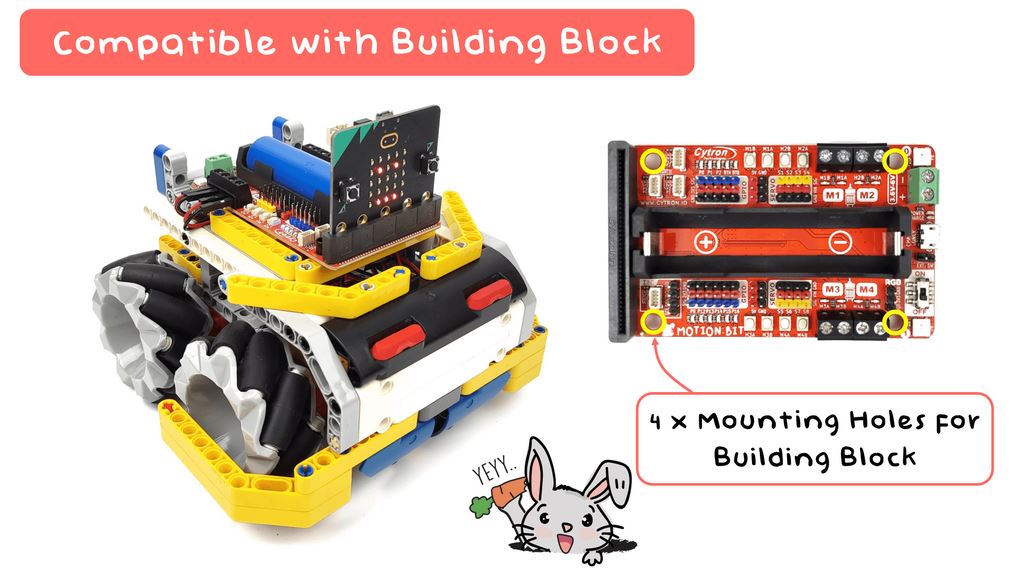
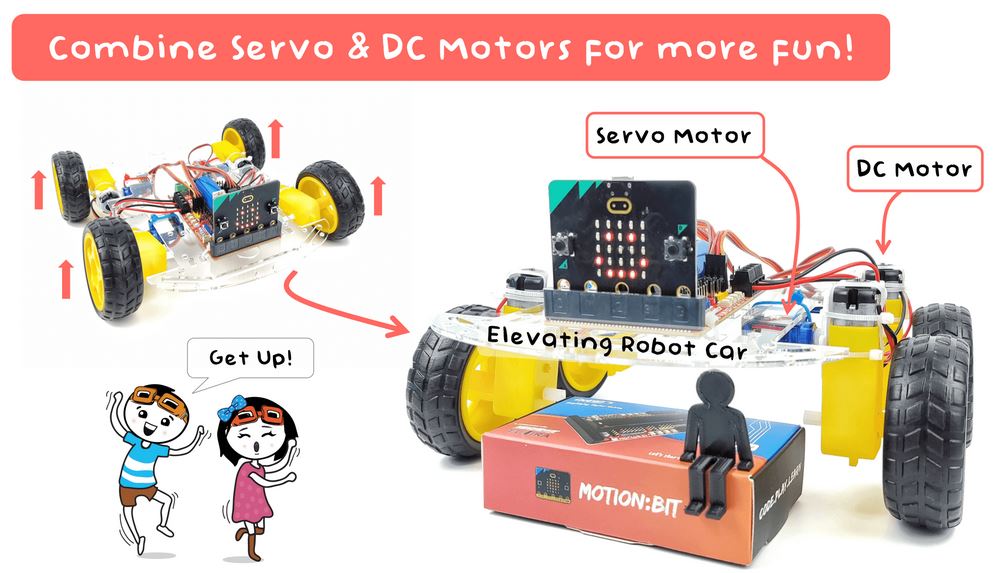
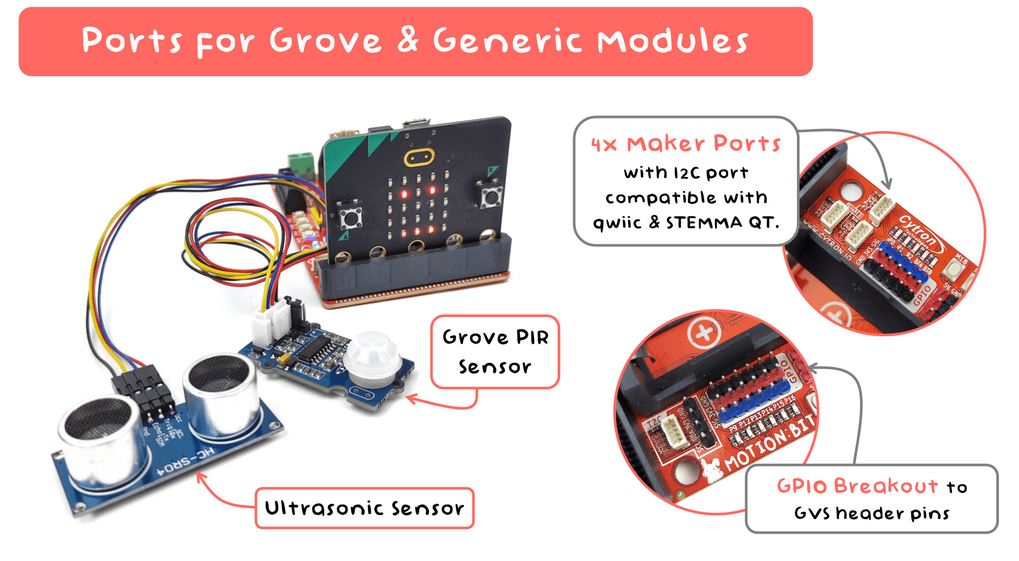
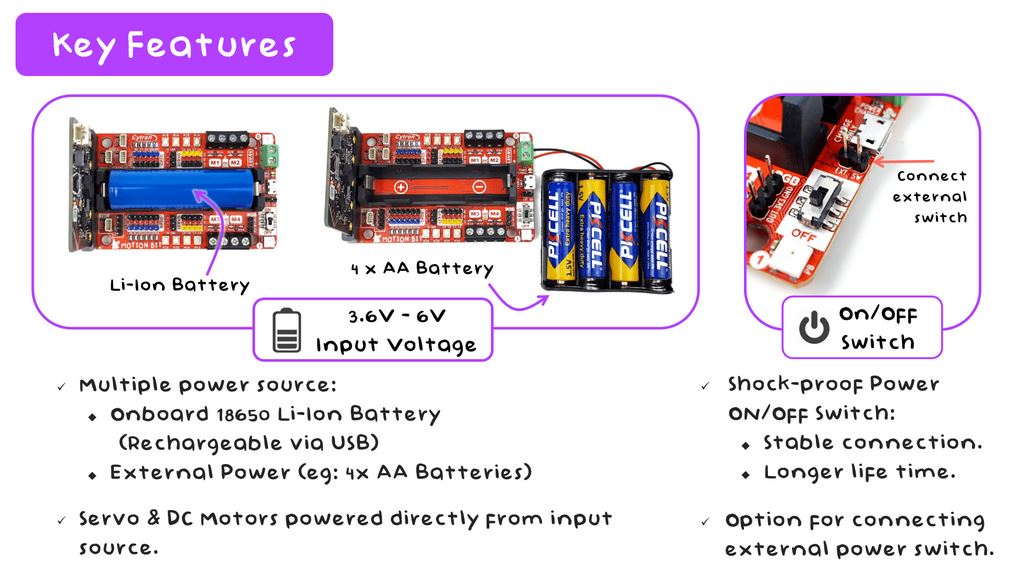
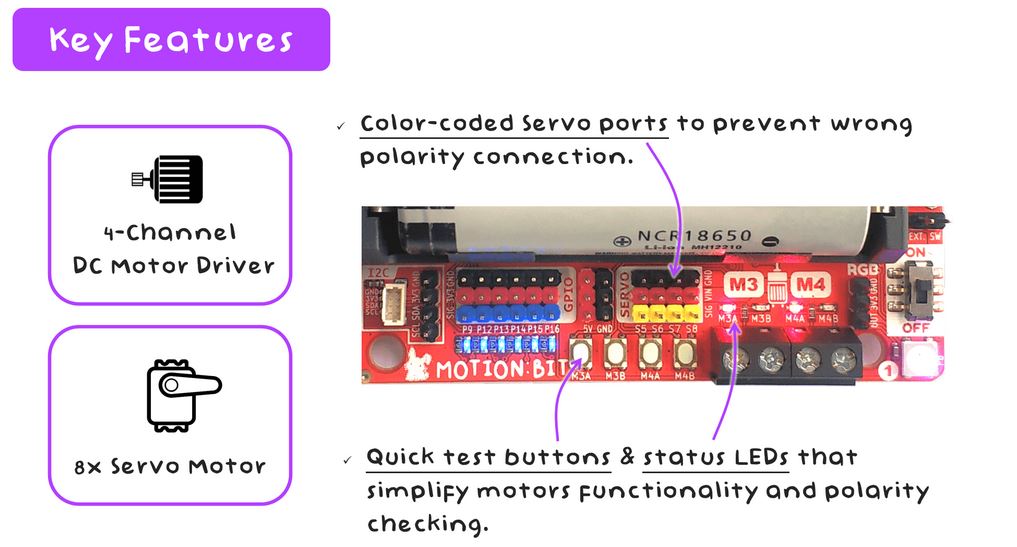
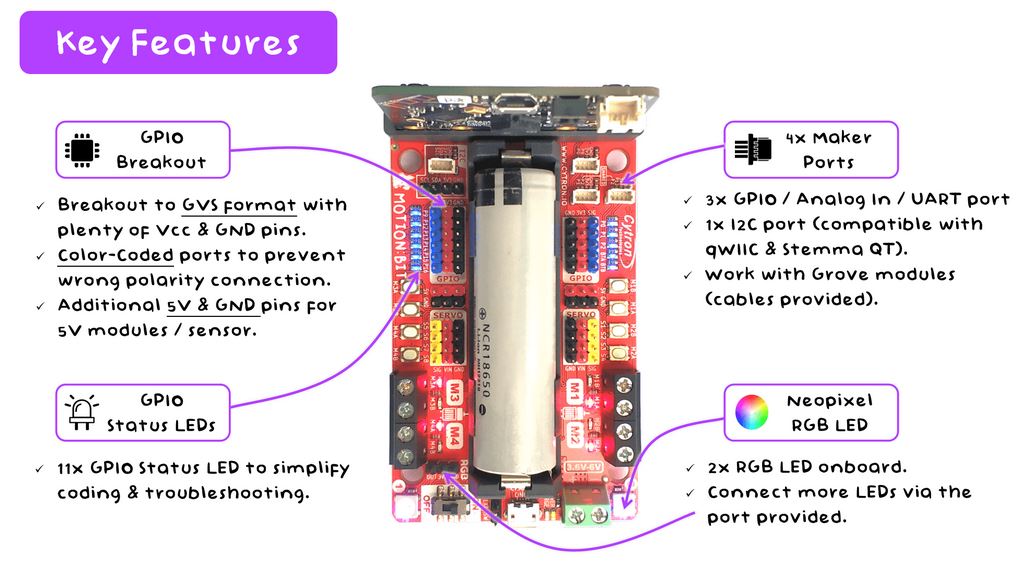
Looking for a suitable micro:bit expansion board to build a robot with DC Motors and Servo Motors?
Introducing the new member to our family - MOTION:BIT.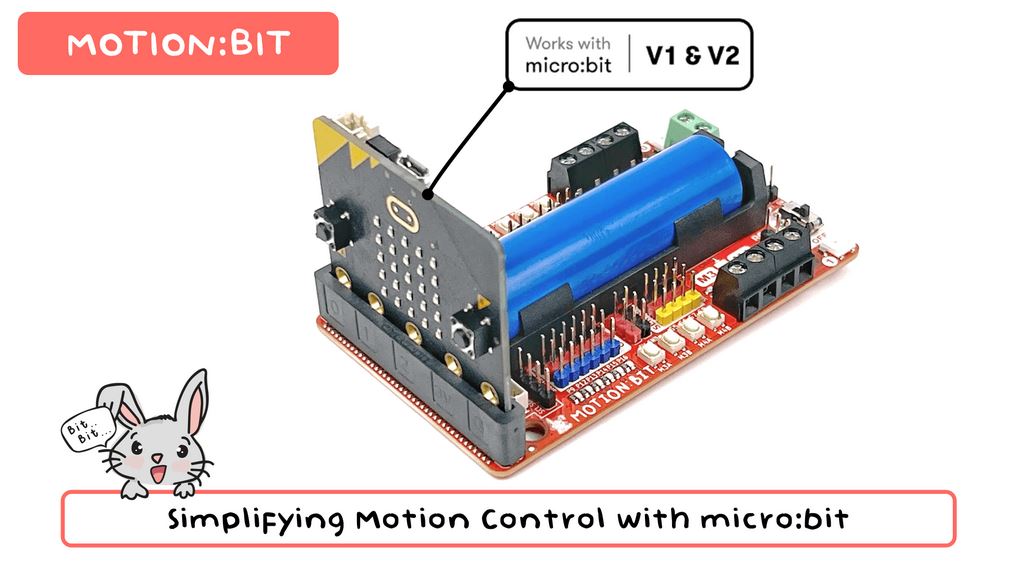
This is a brainchild of makerspace.UTHM & Cytron Technologies, in collaboration with ISOBOT and Elvira Systems.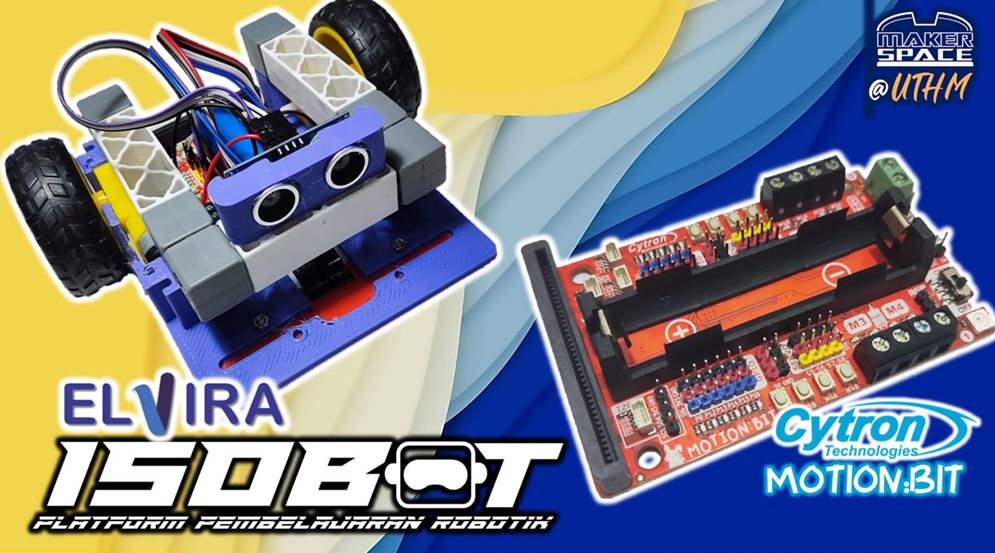
Program your MOTION:BIT with Microsoft MakeCode Editor graphical programming interface. Just install MOTION:BIT MakeCode Extension and you may start to code your projects. If you’re a beginner, you can start with the block programming mode; simply drag, drop & snap the coding blocks together. For more advanced users, you can easily switch into JavaScript or Python mode on MakeCode Editor for text-based programming.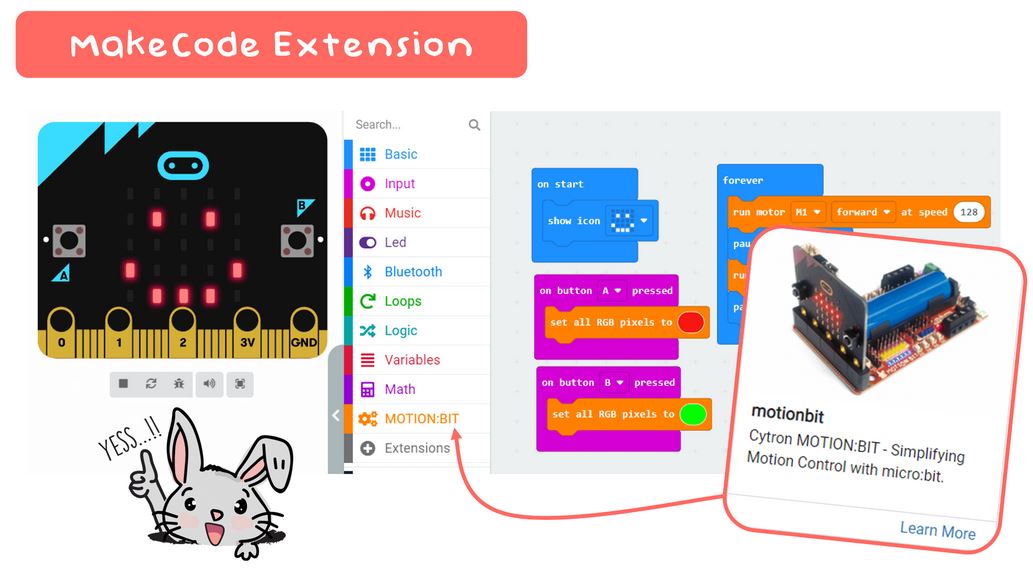
Get your own MOTION:BIT and have fun building your special projects now!
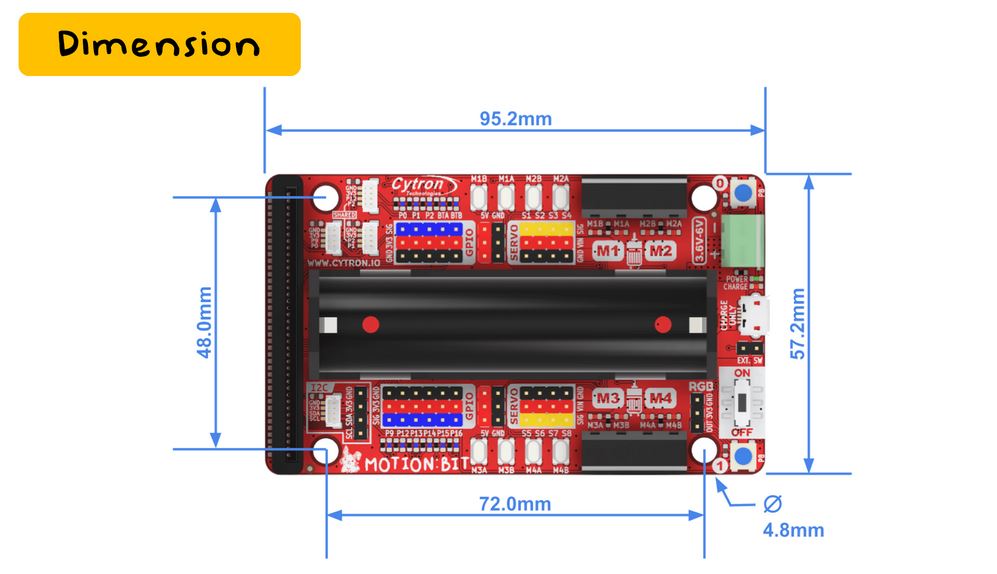
Board Layout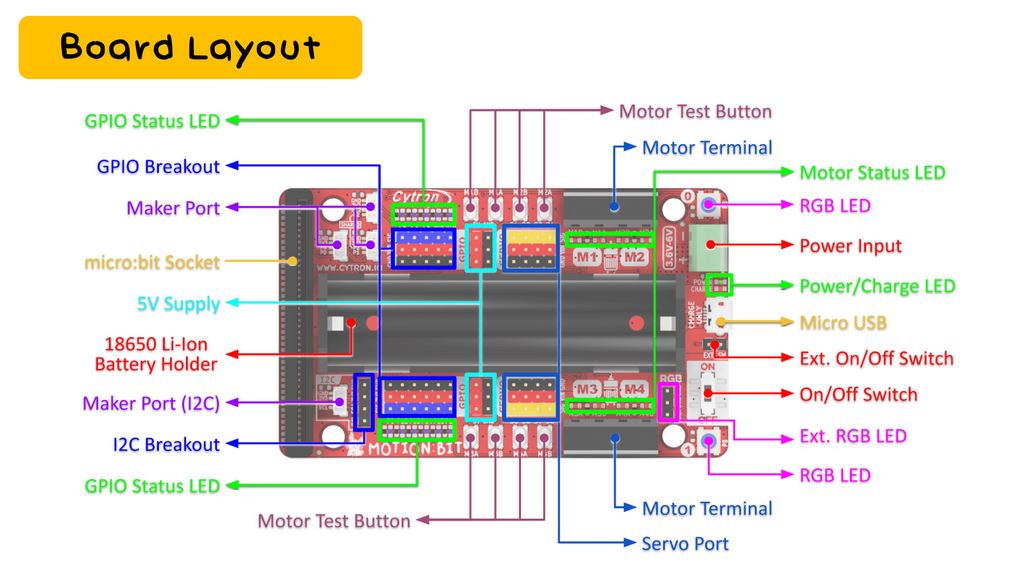
|
|
What's in the box?
1 x MOTION:BIT
1 x Tiny Phillips Screwdriver
3 x Grove to JST-SH(qwiic) Cable
4 x Silicone Bumper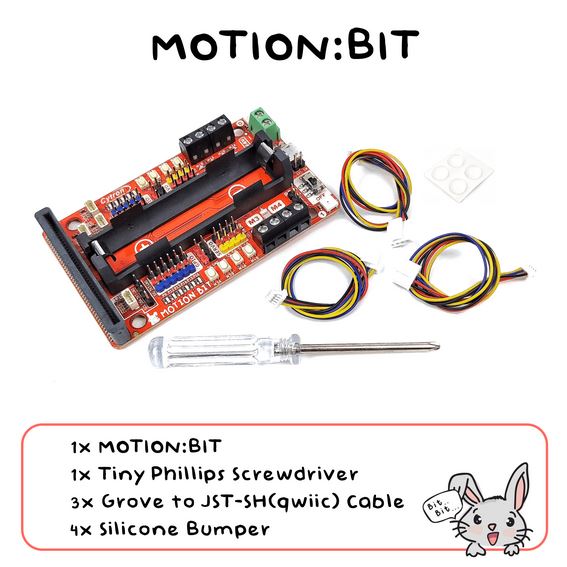
You might also need....
You'll find our battery selection here
Looking for a suitable micro:bit?
and a USB cable

Looking for a suitable micro:bit expansion board to build a robot with DC Motors and Servo Motors?
Introducing the new member to our family - MOTION:BIT.
This is a brainchild of makerspace.UTHM & Cytron Technologies, in collaboration with ISOBOT and Elvira Systems.
Program your MOTION:BIT with Microsoft MakeCode Editor graphical programming interface. Just install MOTION:BIT MakeCode Extension and you may start to code your projects. If you’re a beginner, you can start with the block programming mode; simply drag, drop & snap the coding blocks together. For more advanced users, you can easily switch into JavaScript or Python mode on MakeCode Editor for text-based programming.
Get your own MOTION:BIT and have fun building your special projects now!
Board Layout
|
|
What's in the box?
1 x MOTION:BIT
1 x Tiny Phillips Screwdriver
3 x Grove to JST-SH(qwiic) Cable
4 x Silicone Bumper
1 x micro:bit V2.2
1 x USB micro B cable black
You might also need....
You'll find our battery selection here

Your new best friend in crafting imaginative projects. Designed to integrate effortlessly with the Raspberry Pi Pico and Pico W, it’s equipped with a 2-channel DC motor driver, 4 servo motor ports, and 7 Grove I/O connectors. Whether you're designing a WiFi-controlled robot car or building a smart IoT project system, Robo Pico is here to make it an enjoyable journey.
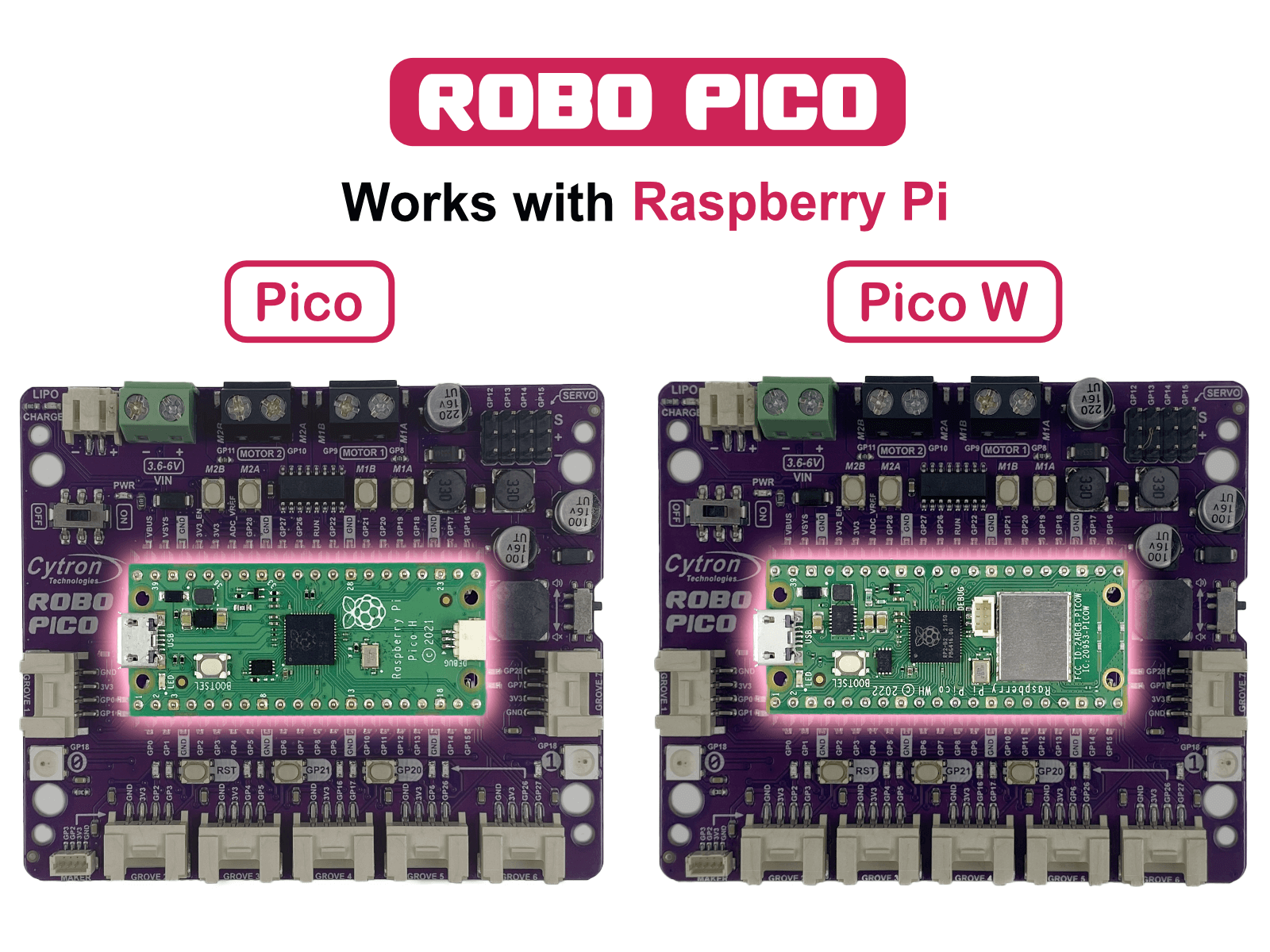
Works with Raspberry Pi Pico and Pico WThe Robo Pico doesn't just use any controller - it leverages the power of the Raspberry Pi Pico and Pico W. The Raspberry Pi Foundation's robust controllers are ready to take your projects to the next level. Whether you're an experienced maker or a curious beginner, you'll appreciate the versatility they offer.
Unleash Your Creative Potential with Exciting Features
The Robo Pico goes beyond being just a board; it becomes a blank canvas for your imaginative masterpieces. With its dual-channel DC motor driver, 4 servo motor ports, 7 Grove ports, a Maker port, two RGB LED NeoPixels, and a piezo buzzer, it offers a limitless playground of possibilities. Picture the mesmerizing light spectacles you can craft, the precise motions you can orchestrate, the distinct sounds you can generate, and the groundbreaking Internet of Things (IoT) projects you can bring to life!
Connections Made Simple
No more stumbling around with tricky wiring or setups. Connections are simple with Robo Pico. All GPIO pins are thoughtfully arranged at the edge through the Grove and Maker ports, which skips the need for soldering and enables quicker connection of any Qwiic, STEMMA QT, or Grove I2C device. Meanwhile, all Raspberry Pi Pico or Pico W pins can be accessed via two 20-way pin headers. With Robo Pico, you only need to press a single button to reset the microcontroller, eliminating the hassle of plugging and unplugging the USB cable repeatedly.
Power Up The Way You Like
There are three ways to supply power to the Robo Pico - via the Raspberry Pi Pico / Pico W USB (5V) socket, with a single-cell LiPo/Li-Ion battery, or through the VIN (3.6–6V) terminals. However, only one power source is needed to power up both controller board and motors at a time. The power supply from all these power sources can all be controlled with the power on/off switch onboard.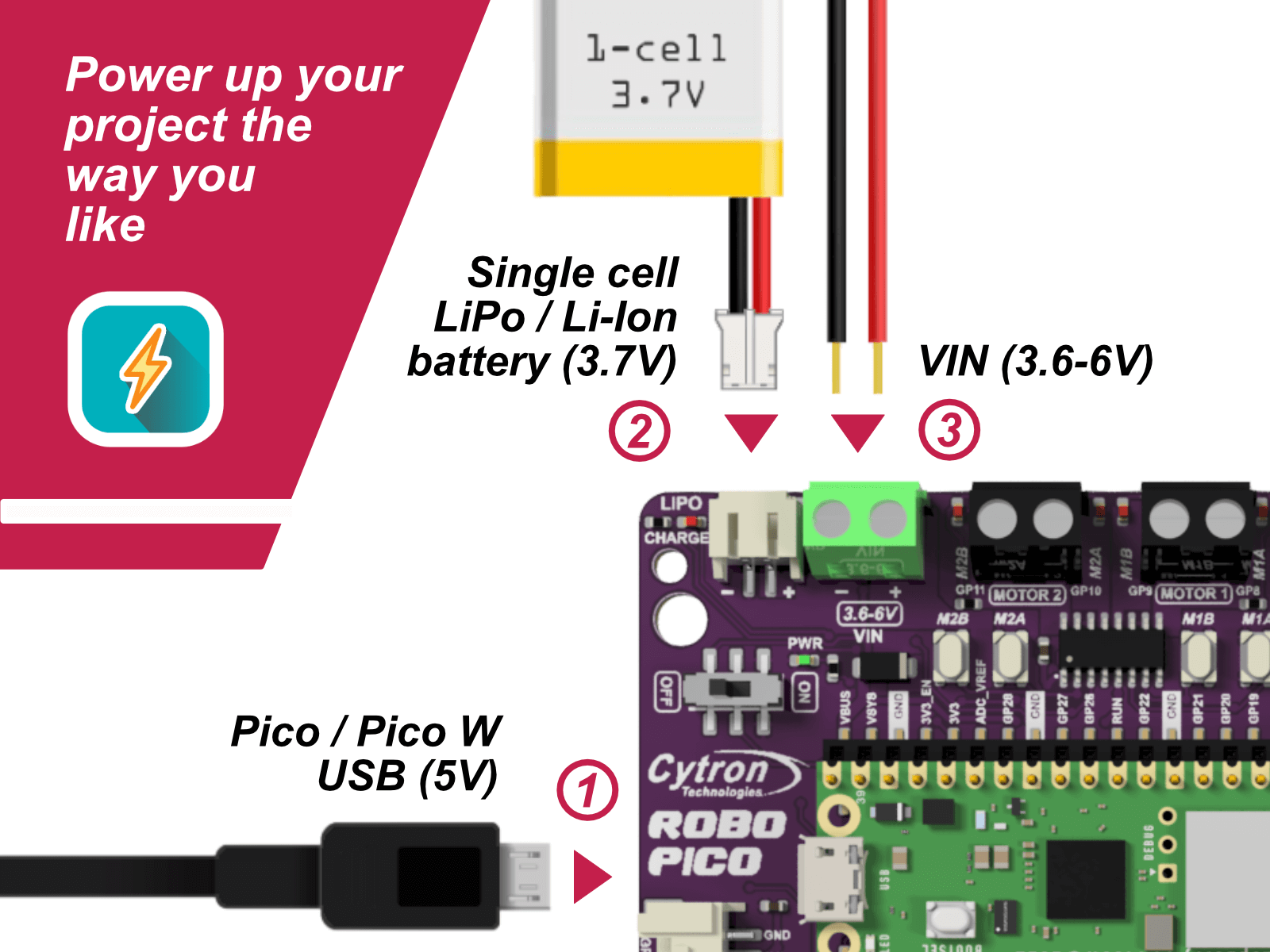
What's on the Board?
|
|
What's in the box?
1 x Robo Pico: Simplifying Robotics for Raspberry Pi Pico / Pico W (not included)
You can add a Pico WH to your order here
- Robo Pico Datasheet
- Robo Pico Getting Started Guide using CircuitPython (Cytron Tutorial Site)
- Robo Pico Getting Started Guide using CircuitPython (Github)
- 3D CAD
- Official Raspberry Pi Pico Page
- Getting started with Raspberry Pi Pico
- Raspberry Pi Pico Datasheet (pdf)
- Raspberry Pi Pico W Datasheet (pdf)
- Raspberry Pi Pico Python SDK
- Raspberry Pi Pico C/C++ SDK

This is a Raspberry Pi HDMI to CSI-2 Module with Toshiba TC358743XBG chip, HDMI input supports up to 1080p25fps. This module does not support OctoPi.
Many have used this module as KVM (Kernel-based Virtual Machine), or sometimes is called Keyboard Video Mouse :) This device helps to manage servers or workstations remotely, regardless of the health of the operating system or whether one is installed. You can fix any problem, configure the BIOS, and even reinstall the OS using the virtual CD-ROM or Flash Drive.
Pinout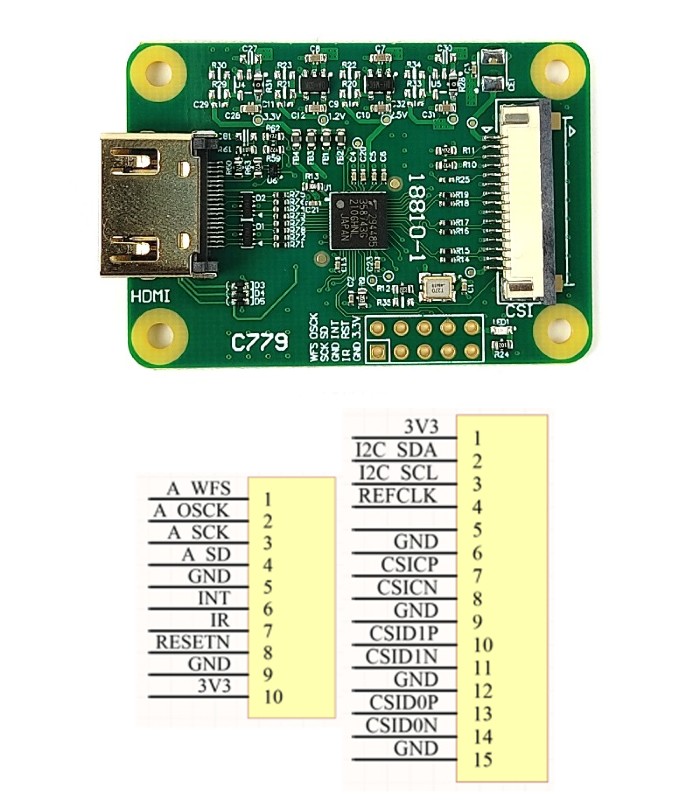
Features
- Input signal: HDMI
- Output signal: CSI
- HDMI Input:
- 720p50
- 720p60
- 1080i50
- 1080p25
- Function: HDMI to CSI-2
- Limitation: HDMI input supports up to 1080p25fps
- Usage: Same as standard Raspberry Pi camera
- Chip: Toshiba TC358743XBG
- Compatible with Raspberry Pi-based KVM over IP.
Compatible with
- Raspberry Pi 5 (would need different FFC cable for Pi 5)
- Raspberry Pi 4B
- Raspberry Pi 3 Model B,
- Raspberry Pi 3 Model B+
- Raspberry Pi 2
- Raspberry Pi Zero (would need different FFC cable for Pi Zero)
Dimensions
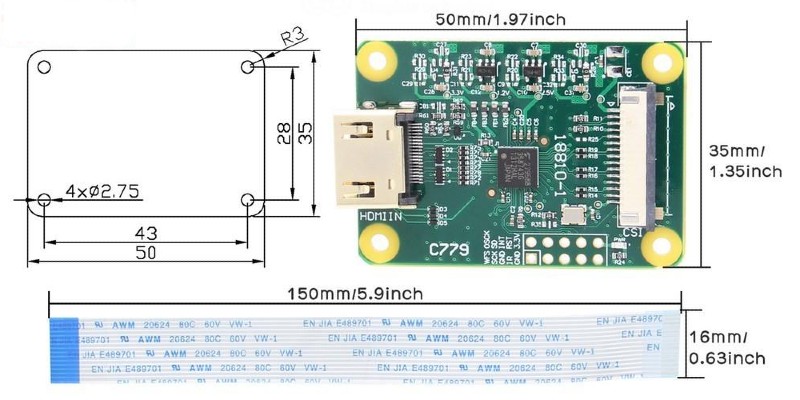
What's in the box?
1 x Pi-KVM V2 HDMI to CSI adapter with standard CSI FFC
Resources
- Toshiba TC358743XBG datasheet, pdf file
- Pi-KVM.org, Open and cheap DIY IP-KVM on Raspberry Pi
- Github, by Pi-KVM.org
- https://youtu.be/9YhPWjWv5gw
- https://youtu.be/plP9Y1likRg
Motion 2350 Pro - Advanced Robotics Controller for Beginners
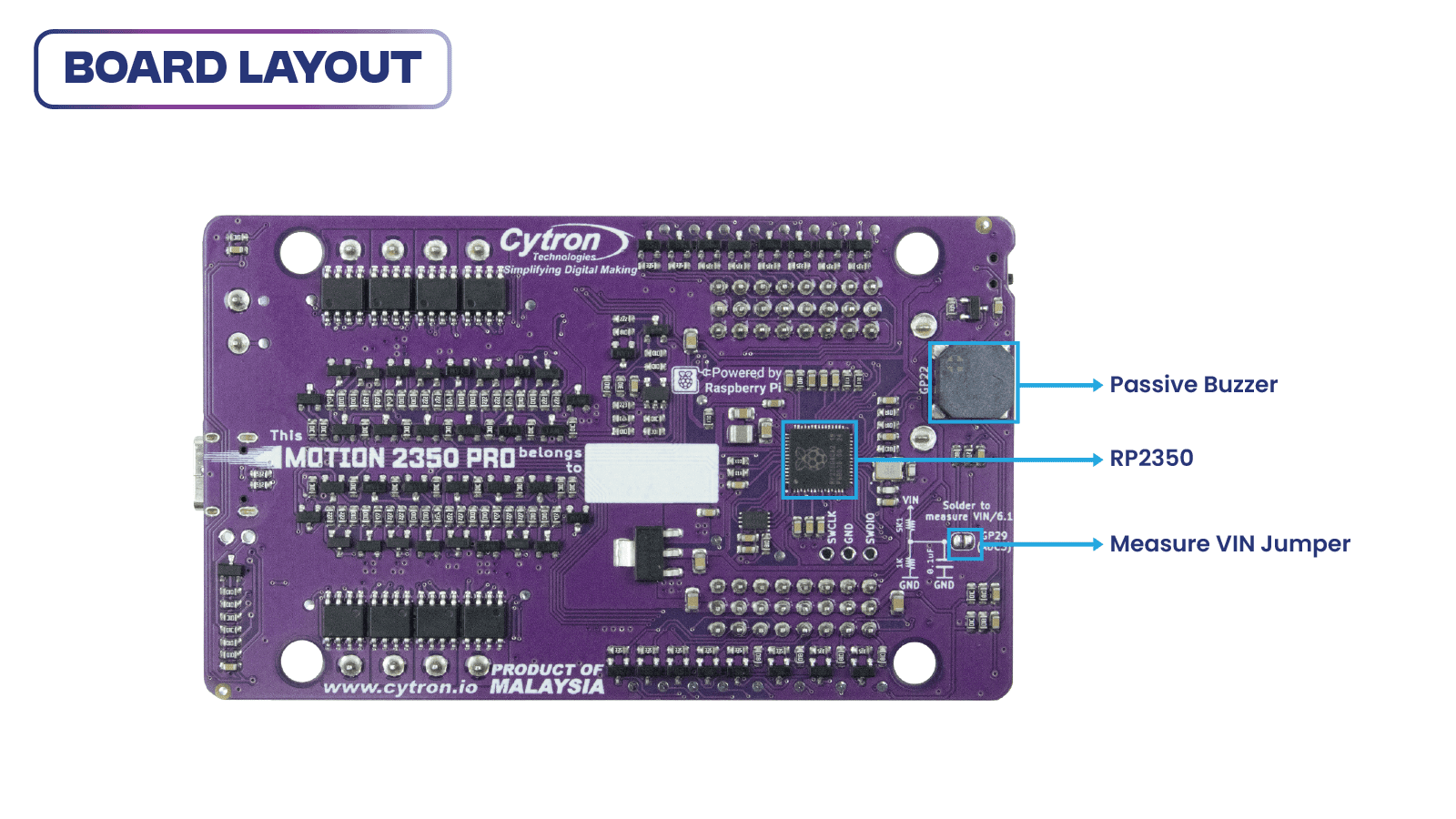
It has been a few years since the first microcontroller by Raspberry Pi, the RP2040, was launched. Now, Raspberry Pi has introduced the latest upgraded processor, the RP2350. Introducing MOTION 2350 Pro, designed by Cytron, leveraging the new RP2350 processor. Built for beginner and intermediate users to experience the Pro version of the board. Ideal for those who want to build an advanced robot, minimize efforts on electronics, and focus on mechanics.
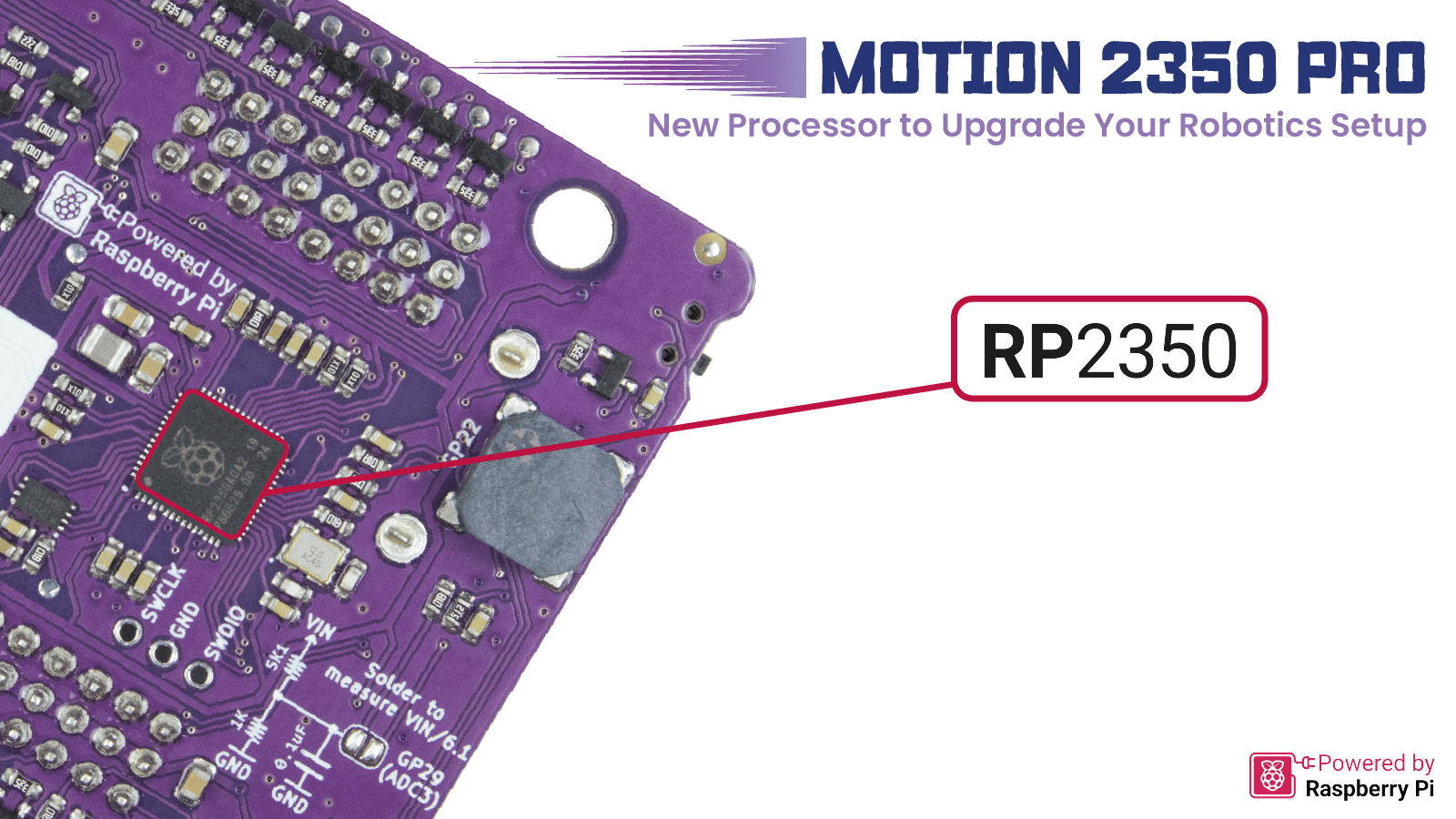
More Power, More Ports, More Connectivity
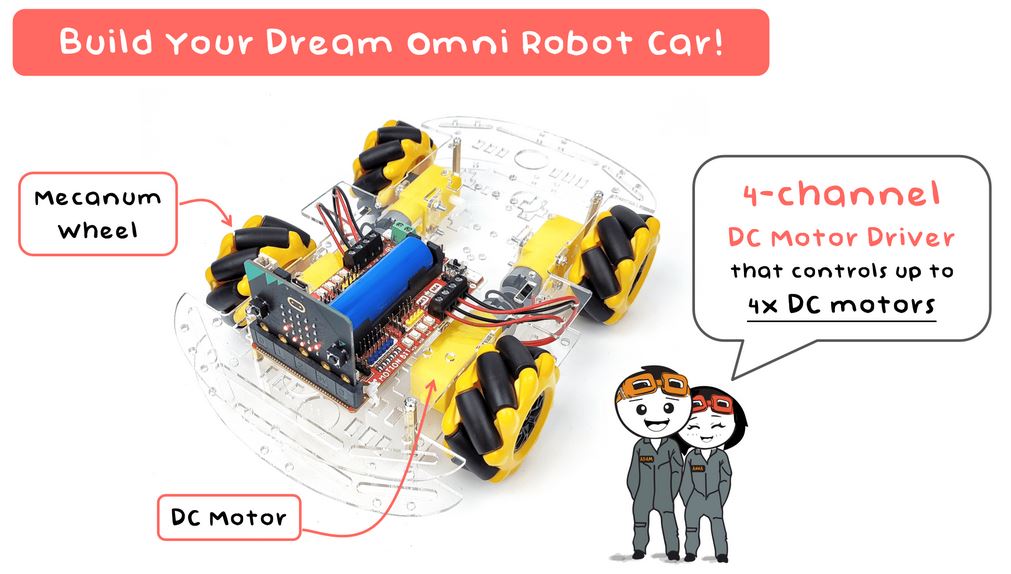
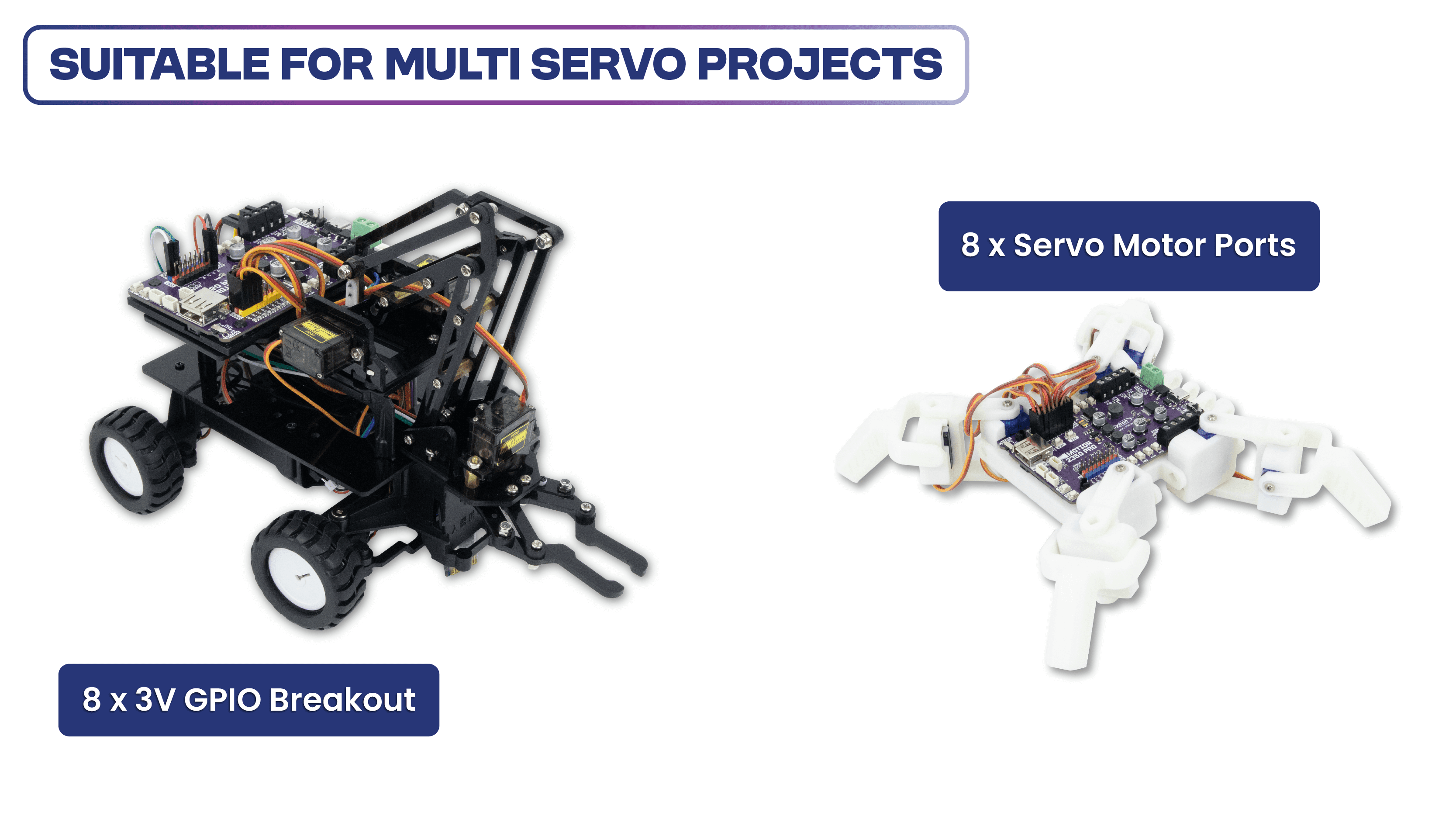
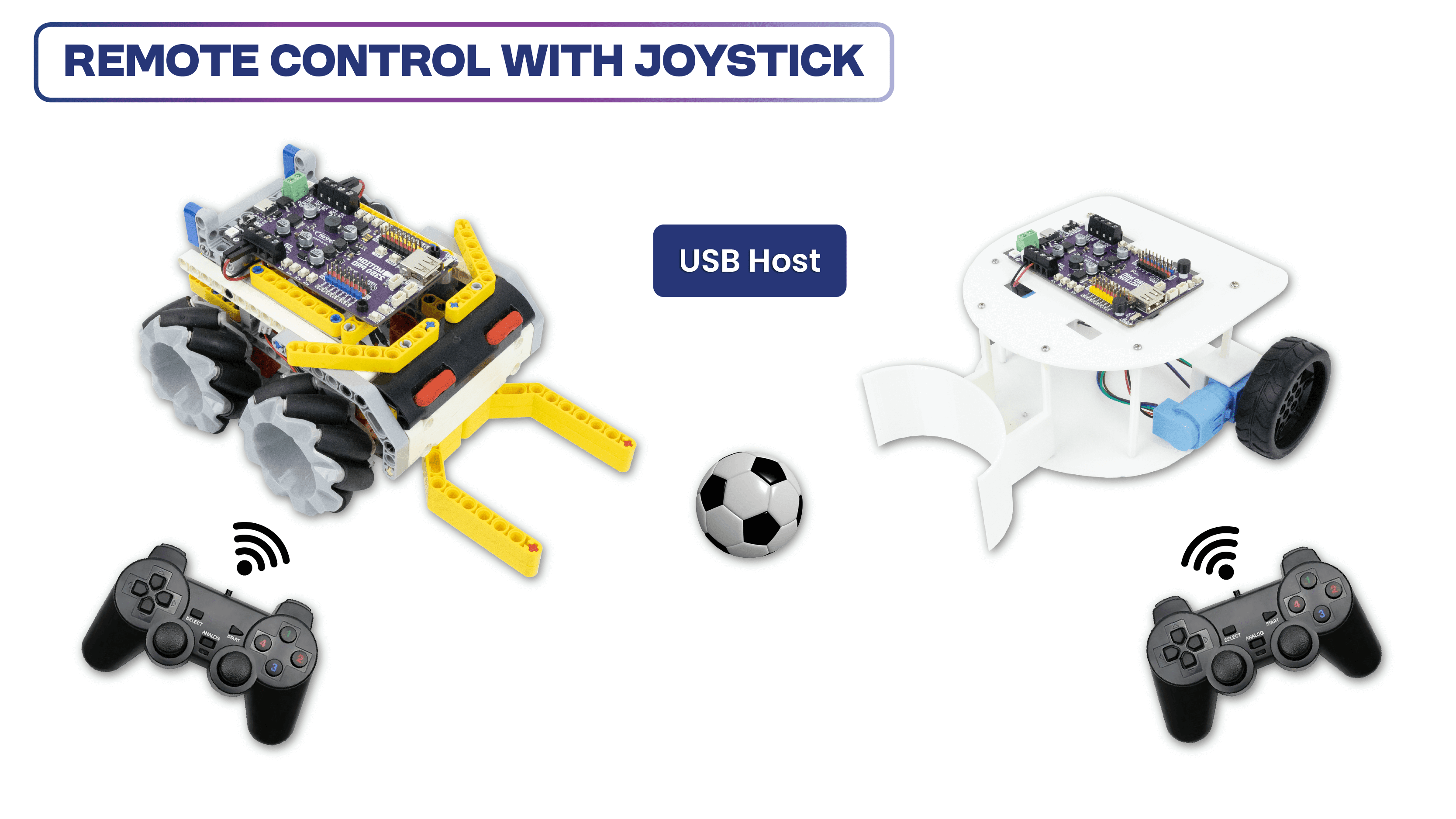
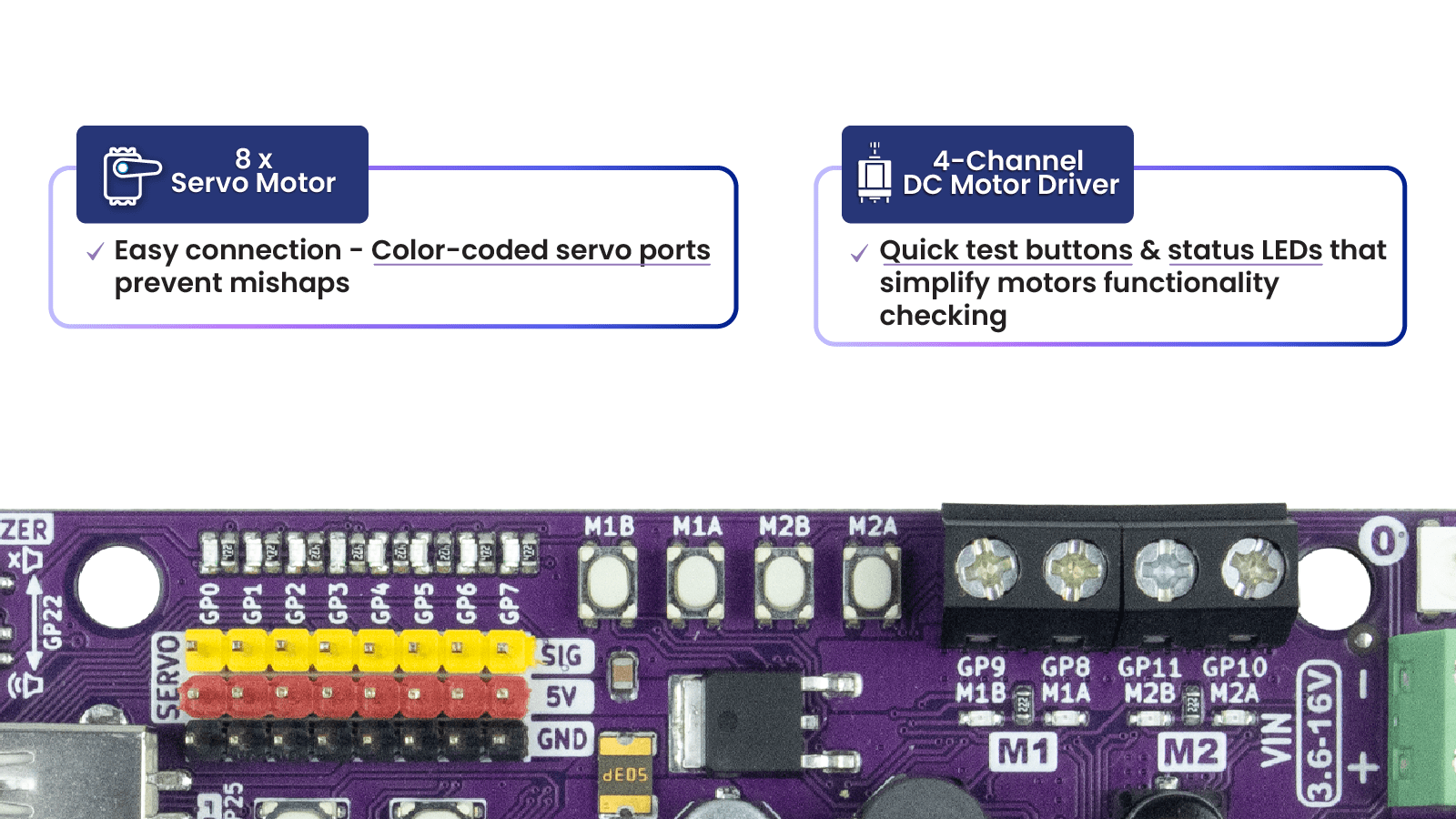
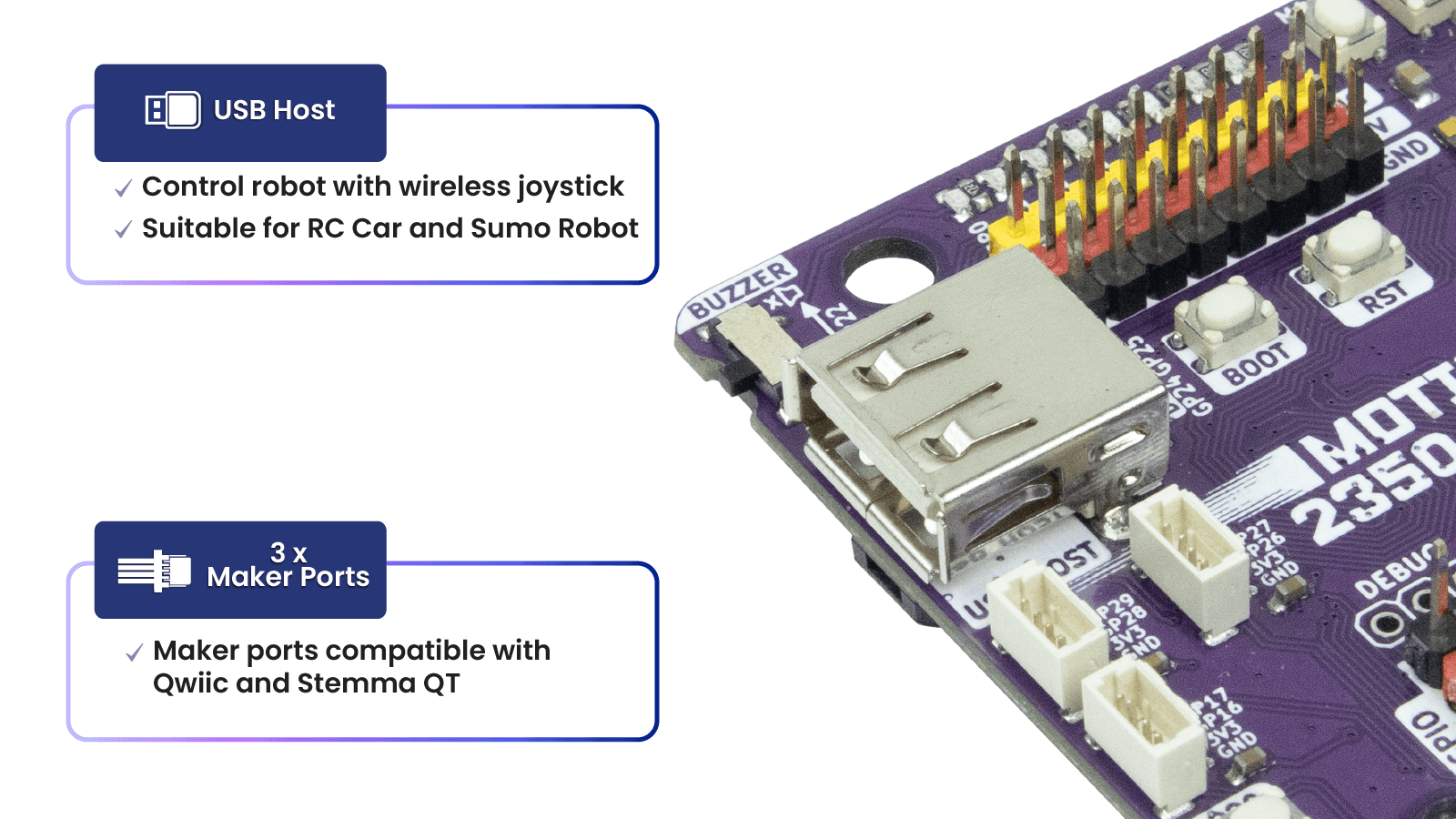
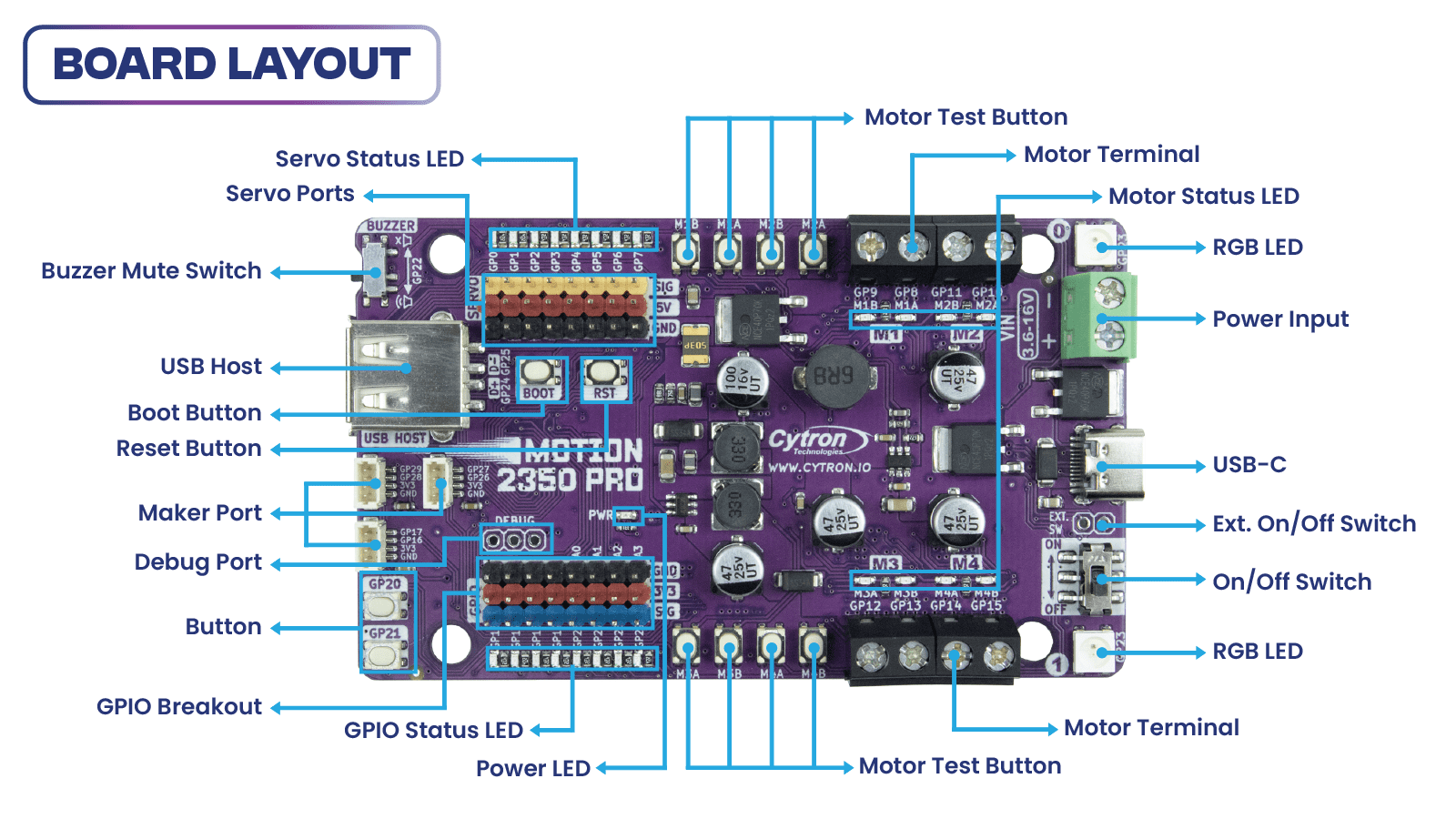
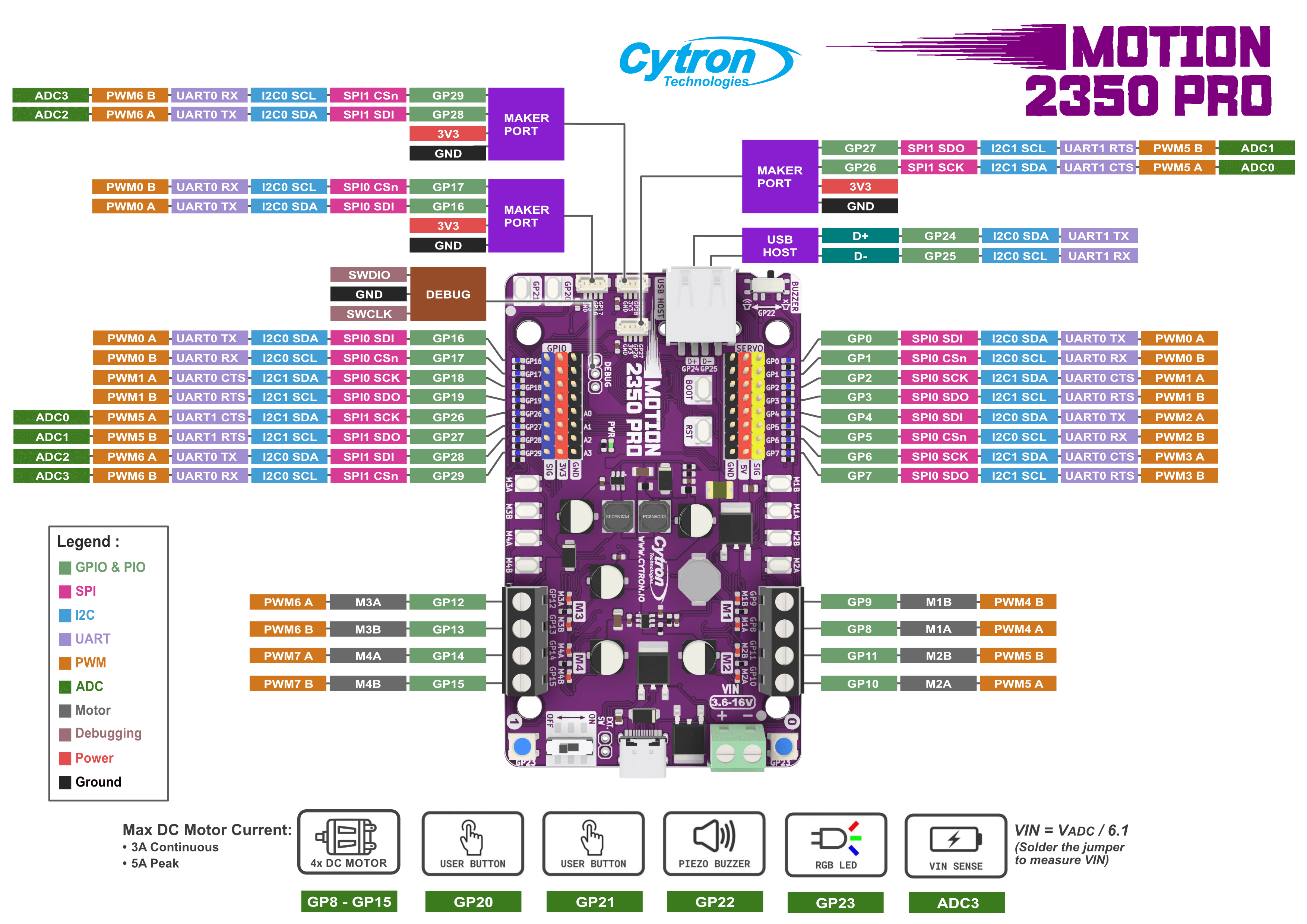
The Motion 2350 Pro features an advanced DC motor driver capable of controlling up to 4 brushed DC motors (3A Max each channel), with voltage ratings from 3.6V to 16V. Building a powerful robot with mecanum wheels has never been easier, thanks to this robust 4-channel driver! Additionally, the controller is equipped with 8-channel 5V servo ports, 8-channel GPIO breakout, and 3 Maker Ports, enabling you to connect a wide array of components and sensors. The highlight? The Motion 2350 Pro comes with a direct USB host for a USB joystick/gamepad, ensuring true plug-and-play convenience.
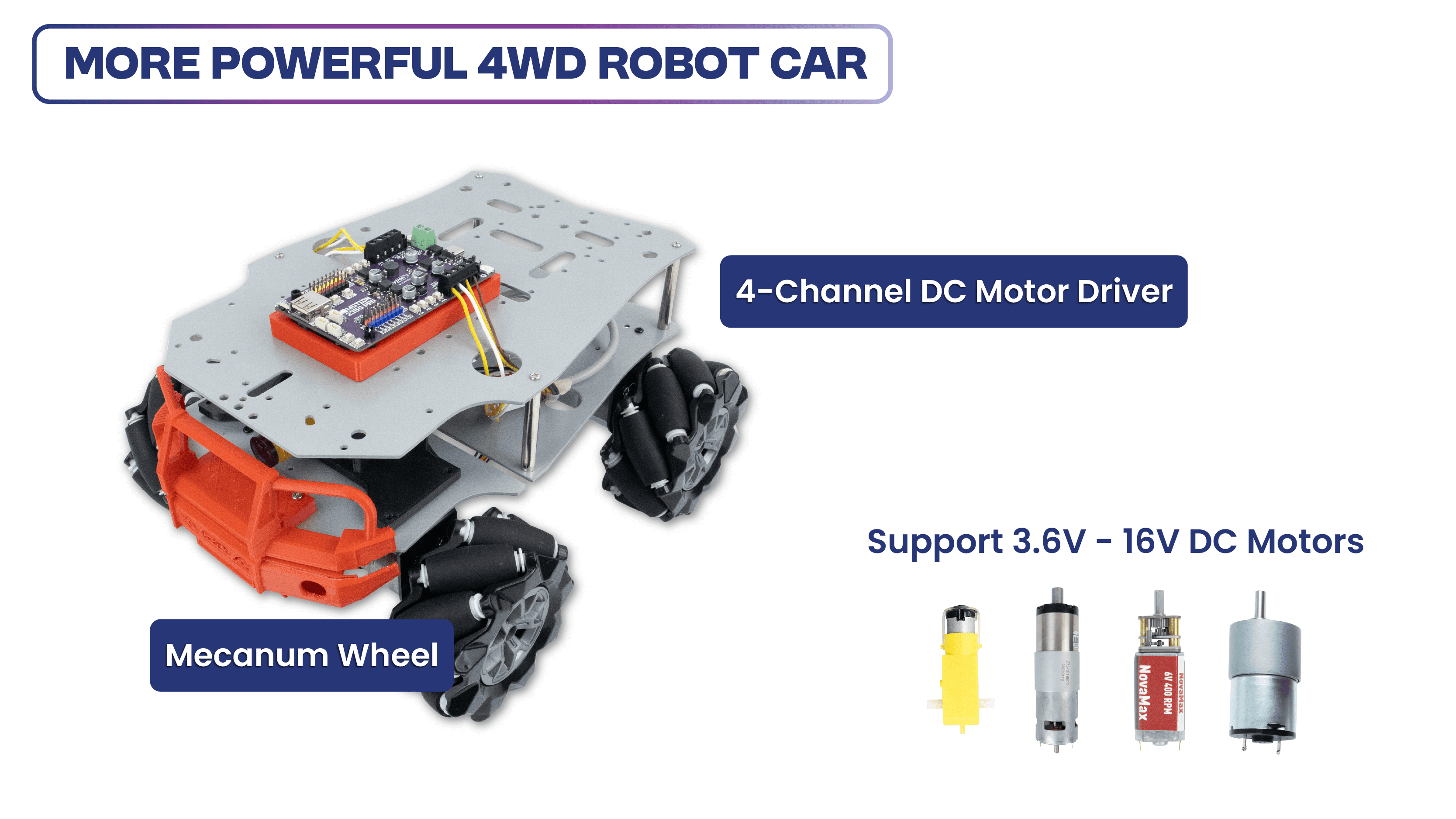
Favourable Maker Features
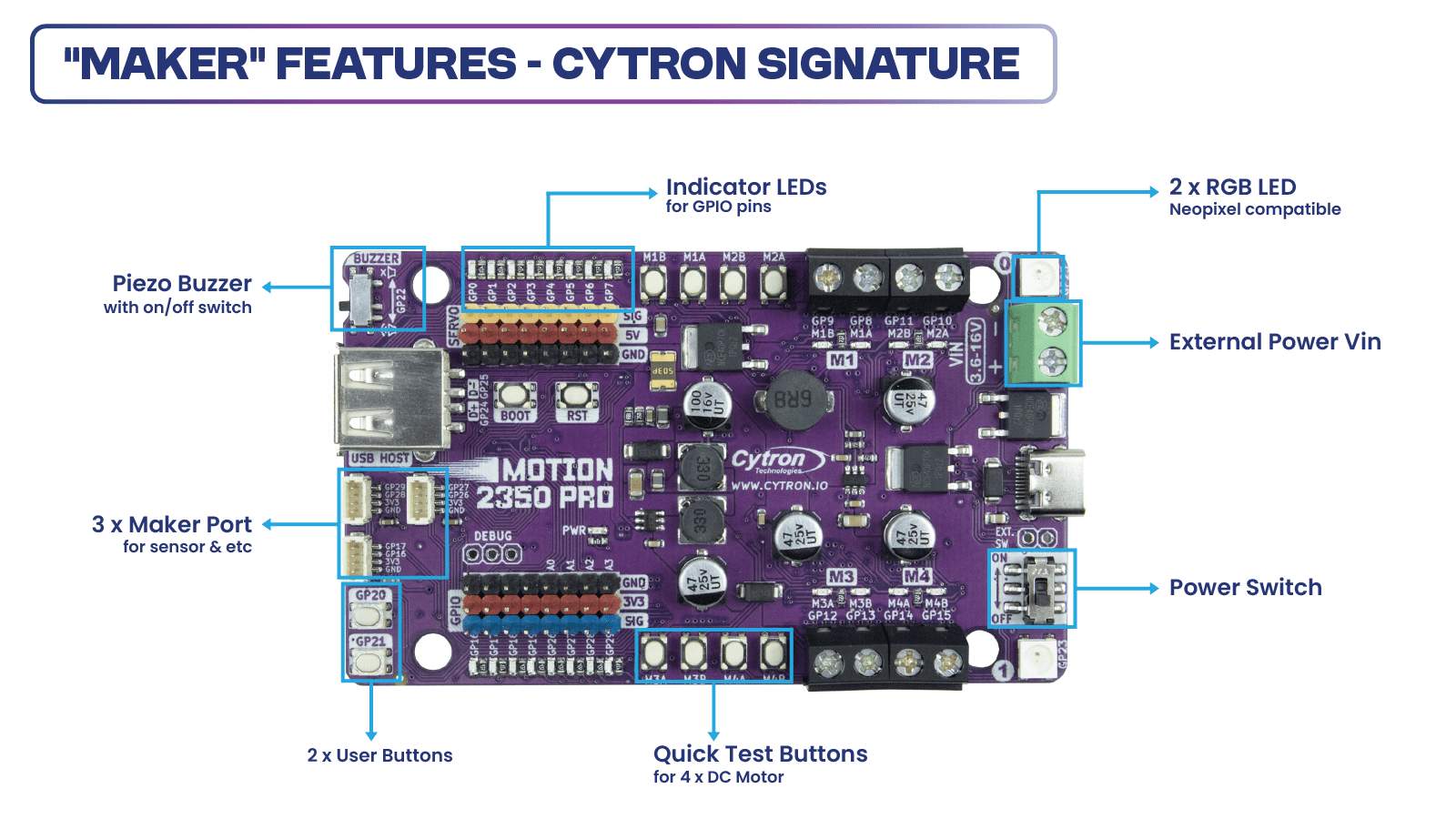
“Maker” features have been a signature of Cytron products. GPIO references printed on the silkscreen and colored headers help beginners connect components to the correct GPIO pins. The built-in quick test buttons and motor output LEDs allow for quick and convenient functional testing of the motor driver without writing any code. The user buttons and piezo buzzer are also beneficial for running simple commands, eliminating the need for extra wiring! Of course not to forget the LED indicator for each Digitial IO pin.
The MOTION 2350 Pro combines the Raspberry Pi Pico 2, the benefits of the Maker series, an advanced robot controller, and other useful features. Therefore, this board is compatible with the existing Raspberry Pi Pico ecosystem. Software, firmware, libraries, and resources developed for Pico should work seamlessly with the MOTION 2350 Pro allowing users to program in familiar environments such as Python (MicroPython, CircuitPython), C/C++, and Arduino IDE (coming soon).
CircuitPython is preloaded on the MOTION 2350 Pro, running a simple demo program right out of the box. Connect it to your computer via a USB-C cable and turn it on. You will be greeted by a melody tune and running LED lights. Press the GP20 and GP21 push buttons to run another demo code. With this demo code and quick test buttons, you can test the board the moment you receive it!
Specifications
- Powered by Raspberry Pi RP2350
- Dual-core Arm Cortex-M33 processor
- 520KB internal RAM
- 150MHz Frequency Clock
- 2MByte Flash
- Robot Controller Board
- 4 x DC Motor Driver (with quick test buttons)
- 8 x Servo Motor
- 8 x 3V GPIO Breakout
- Input Power
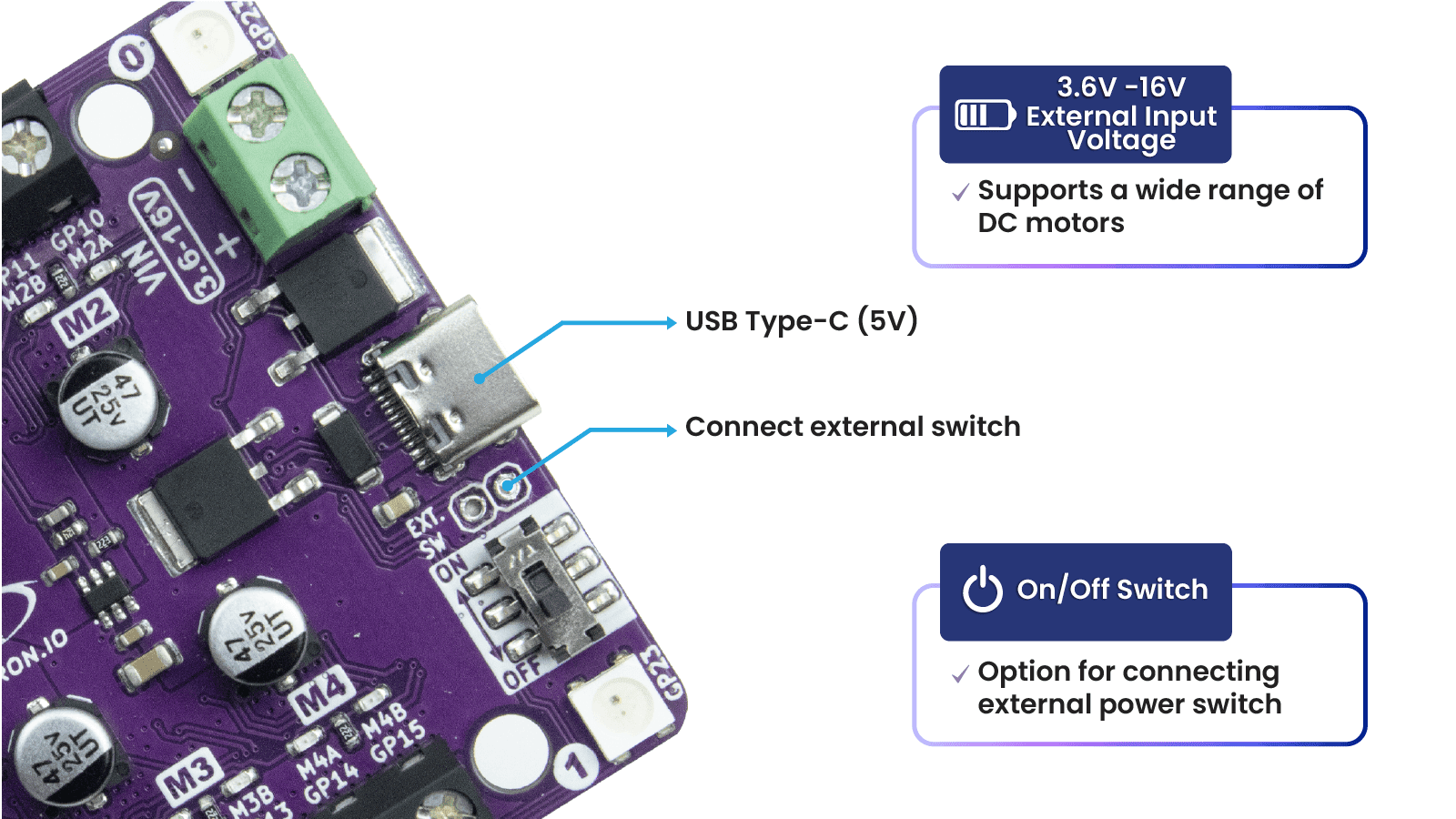
- VIN Terminal: 3.6V - 16V
- USB Type-C: 5V
- Maximum DC Motor Current, each channel
- Continuous: 3A
- Peak: 5A
- 24 x Status indicator LEDs
- 8 x for Servo Port
- 8 x for 3V GPIO Breakout
- 8 x for DC Motor Driver
- 12 x Push Button
- 8 x Quick Test Button for DC Motor
- 2 x User Button
- 1 x BOOT Button
- 1 x RST Button, for reset
- 3 x Maker Port
- 2 x RGB LED (Neopixel Compatible)
- 1 x USB Host
- 1 x Piezo Buzzer (with mute switch)
- 1 x On/Off Switch (with MOSFET Shock-Proof Circuit)
- Preloaded with CircuitPython by default
- Programming Language
- CircuitPython
- MicroPython
- C/C++
- Arduino (coming soon)
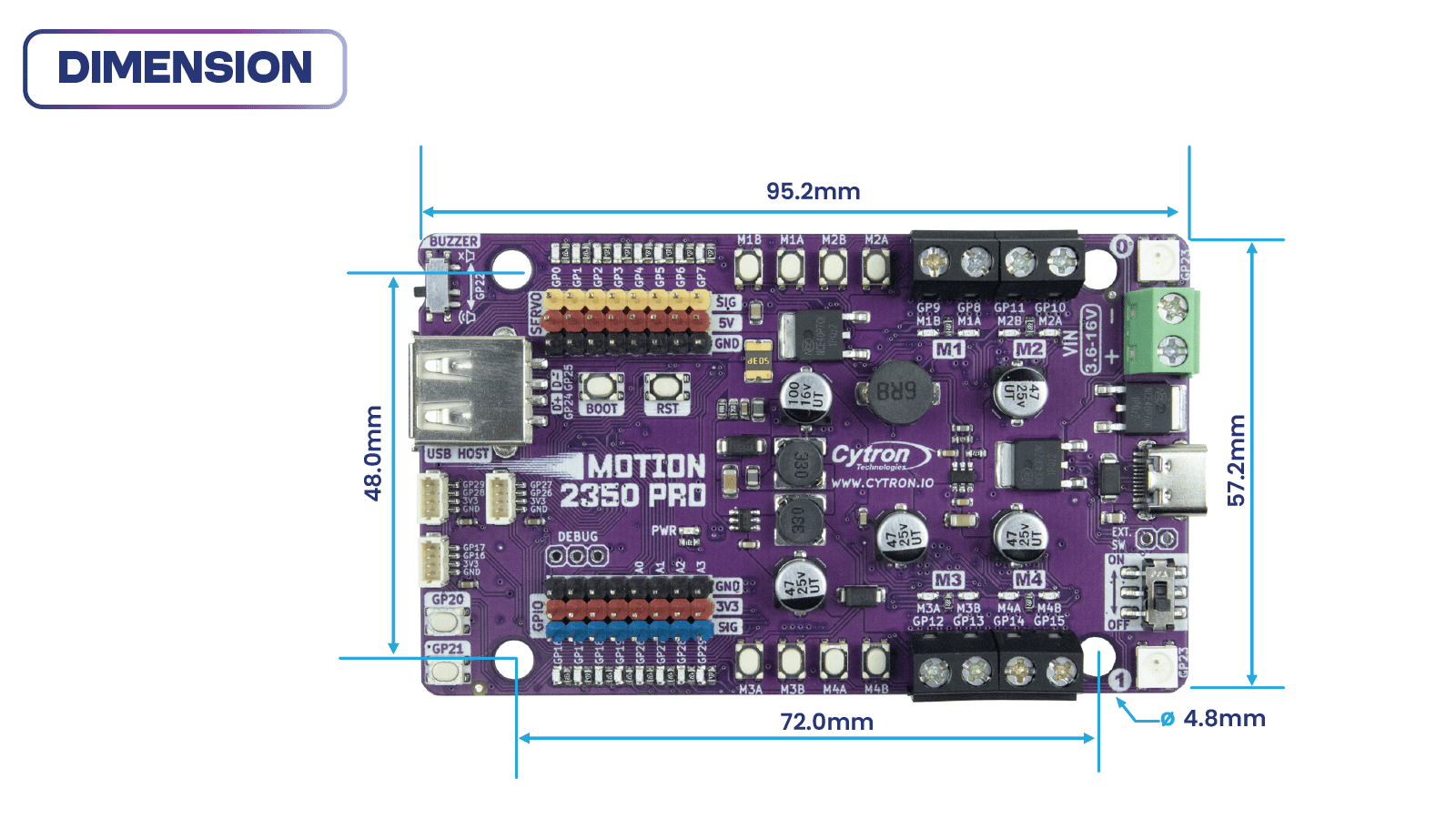
- Board Dimension: 95.2 x 57.2 x 8 (height) mm
What's in the box?
1 x MOTION 2350 Pro
1 x STEMMA QT / Qwiic JST SH 4-pin Cable with Female Sockets (150mm)
2 x Grove to JST-SH Cable (200mm)
1 x Set of Silicone Bumper
4 x Building Block Friction Pin
1 x Mini Screwdriver
Resources
RP2350 Datasheet (pdf), by Raspberry Pi
Getting Started with MOTION 2350 Pro, tutorial by Cytron Technologies
SDK C/C++, from Raspberry Pi
Article by CNX Software

"TT" gearbox motors have been popular since we carried the TT motor + wheel kit back in 2018, many have feedback for us to carry the motor itself, so here you are the yellow "TT" motor. This is a TT DC Dual Axis Plastic Gearbox Motor with a gear ratio of 1:48, which will provide nearly double the speed of the Blue metal TT motor that has a 1:90 gear ratio. Of course, you can always control the speed via PWM from Arduino or any microcontroller with a suitable motor driver. These motors are being used in building mobile robots, for example, Bocobot:
You can power these motors with 3VDC up to 6VDC, they'll of course go a little faster at the higher voltages. We grabbed one motor and found these stats when running it from a bench-top supply
- At 3VDC we measured 150mA @ 120 RPM no-load, and 1.1 Amps when stalled
- At 4.5VDC we measured 155mA @ 185 RPM no-load, and 1.2 Amps when stalled
- At 6VDC we measured 160mA @ 250 RPM no-load, and 1.5 Amps when stalled
Note: These are very basic motors, and have no built-in encoders, speed control or positional feedback. Voltage goes in, rotation goes out! There will be variation from motor to motor, so a separate feedback system is required if you need precision movement.
You will need a suitable motor driver to drive this motor as microcontroller cannot drives it directly! Here are some of our recommedation:
- Maker Drive - Vmotor from 2.5V to 9.5VDC, 1.0 A continuous output current per channel, dual channel
- L9110S 0.8A Dual Mini Motor driver
- Rated Voltage: 3~6V
- Continuous No-Load Current: 150mA +/- 10%
- Min. Operating Speed (3V): 90+/- 10% RPM
- Min. Operating Speed (6V): 200+/- 10% RPM
- Torque: 0.15Nm ~0.60Nm
- Stall Torque (6V): 0.8kg.cm
- Gear Ratio: 1:48
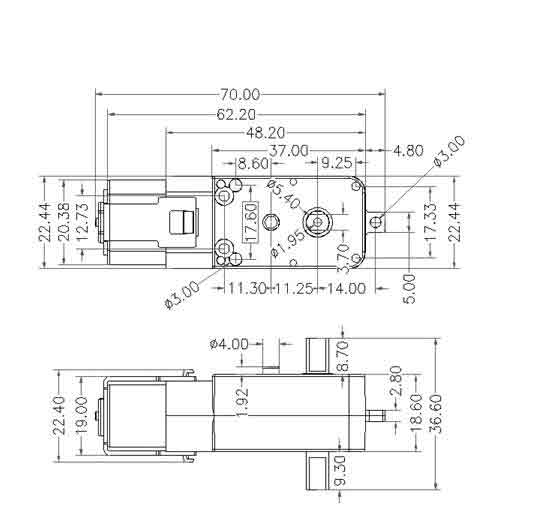
- Body Dimensions: 70 x 22 x 18mm
- Wire Length: 15cm
- Weight: 30.6g
What's in the box?
1 x Dual Axis TT Plastic Gear Motor
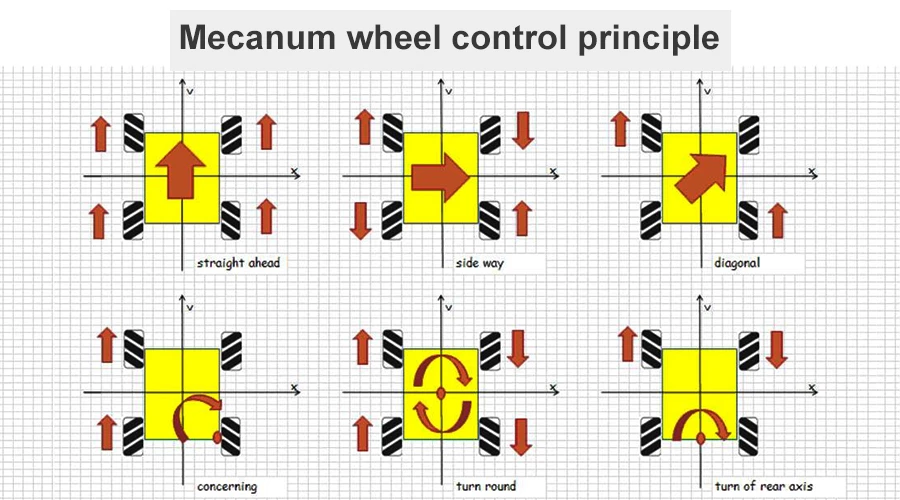
Mecanum wheels are unique as they are able to roll freely in two directions. It can either roll like a normal wheel or roll laterally using the wheels along its circumference. These wheels allow a robot to convert from a non-holonomic to a holonomic robot. A non-holonomic robot that uses normal wheels has only 2 out of 3 controllable degrees of freedom which are, moving forward/backward and rotating. Not being able to move sideways makes a robot slower and less efficient in reaching its given goal. The holonomic Omni-directional wheels are able to overcome this problem, as it is highly maneuverable. Unlike normal non-holonomic robots, the holonomic Omnidirectional robot can move in an arbitrary direction continuously without changing the direction of the wheels. It can move back and forth, sideways, and rotates at the same position.

Check out the video on The Ultimate Guide To Mecanum wheels by Kepler Electronics:
Example of a robot with Mecanum wheels:
Working principle:
These Mecanum wheels compatible with normal TT Motors and LEGO shafts. These are some of the motors that we have that are compatible with this mecanum wheels:
TT Motor - Dual Metal Shaft
3 Wire Geek Servo 360 degree Motor
- Allows your robots to move in Omni-direction (back and forth, sideways and rotates at the same position).
- Made of high‑quality ABS and rubber materials for smooth running and better gripping.
- Compatible with TT motor.
What's in the box?
1 x Right Mecanum Wheel (with chosen outer diameter)
1 x Left Mecanum Wheel (with chosen outer diameter)
Resources
https://www.cytron.io/tutorial/control-omni-robot-car-with-motion:bit-using-bluetooth-app

The FS90R continuous rotation servo converts standard RC servo position pulses into continuous rotation speed. The default rest point is 1.5 ms, but this can be adjusted by using a small screwdriver to turn the middle-point adjustment potentiometer. Pulse widths above the rest point result in counterclockwise rotation, with speed increasing as the pulse width increases; pulse widths below the rest point result in clockwise rotation, with speed increasing as the pulse width decreases.
Features and Spec:
- Analog continuous rotation RC Servo
- Operating voltage: 4.8V to 6.0V
- Lead Length: 200mm
- Max Speed @ 6 V: 130 RPM
- Max Speed @ 4.8 V: 100 RPM
- Stall torque @ 6 V: 1.5kg/m
- Stall torque @ 4.8 V: 1.3kg/m
- Wiring:
- Orange for RC Signal
- Red for VCC (positive of power)
- Brown for GND (negative of power)
- Weight: 9g.
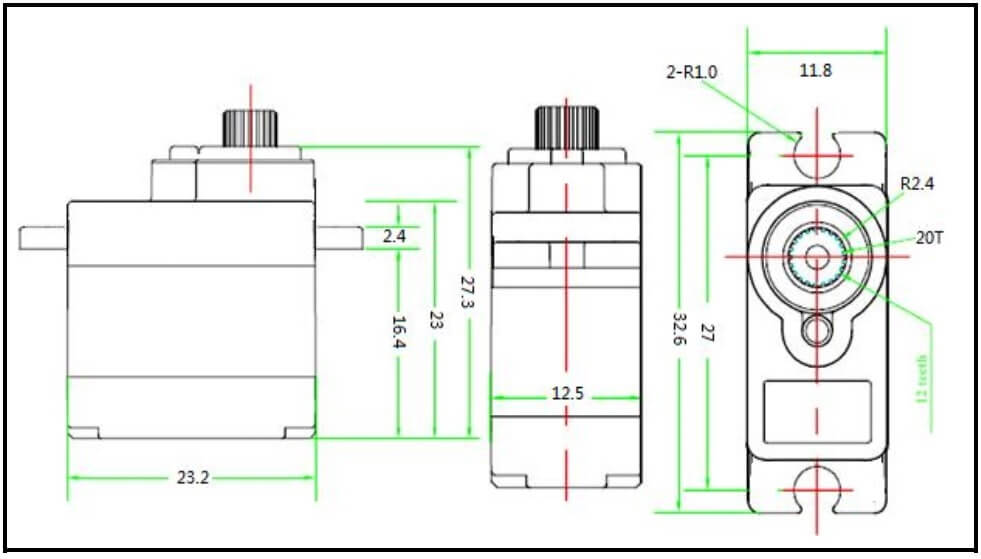
- Size: 23.2mm x 12.5mm x 22mm.
What's in the box?
1 x Micro 360 Degree Continuous Rotation Servo

Well, detecting air quality is getting more important as we need to take care the only Earth that we have. And with the increasing air and environmental pollution, this MQ135 Air Quality Sensor Module will be a good assistant and provide useful information about the surrounding air.
This is sensor module based on MQ135 gas sensor uses in clean air low conductivity tin oxide (SnO2). It comes with basic components to enable the sensor to function properly and hook up easily to any controller that you preferred. When the sensor is kept in their environment, the conductivity in the sensor increases with the air pollution in gas concentration increases.
By using a simple circuitry converts the conductivity changes to analog voltage corresponding to the gas concentration. MQ135 Air Quality Sensor Module for ammonia, sulfide , benzene vapor high sensitivity of the smoke and other harmful monitor is also very good. This sensor can be used to measure a variety of harmful gases and also a low-cost sensors for a variety of applications .
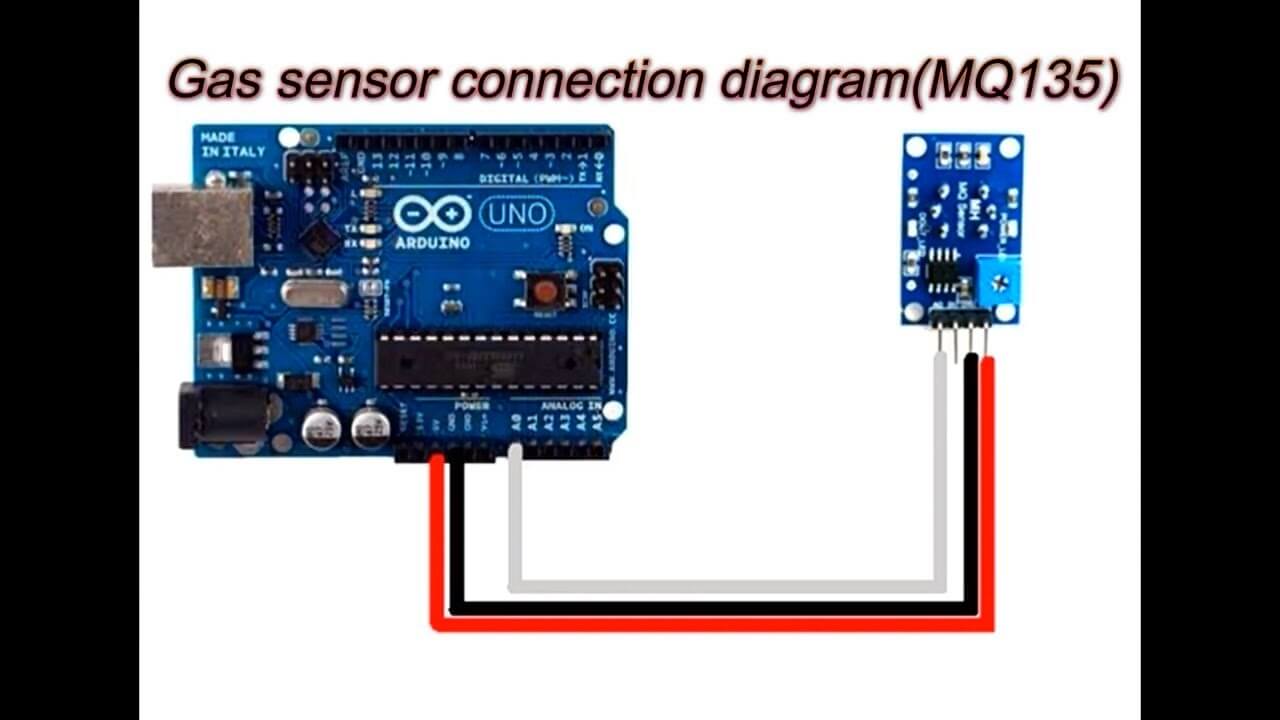
For Arduino, connect DO to any digital pin (if you want it in digital input). Connect AO at analog pin (if you want it in analog input).
MQ135 Spec:
- Detection of gas: Ammonia /Sulfide/ Benzene vapor
- Detection of Concentration:10-1000ppm
- Input voltage: DC 5V
- Power consumption (current): 150mA
- AO output: 0.1-0.3V (relatively non-polluting), the highest concentration voltage is about 4V
Note: After the sensor is energized, it needs to be preheated for about 20S, and the measured data is stable. The heating of the sensor is a normal phenomenon, because there is a heating wire inside.
- Wide detecting scope
- Fast response and High sensitivity
- Stable and long life
- Operating Voltage is +5VDC
- Detect/Measure NH3, NOx, alcohol, Benzene, smoke, CO2, etc.
- Analog output voltage: 0V to 5V
- Digital output voltage: 0V or 5V (TTL Logic)
- Preheat duration 20 seconds
- Can be used as a digital or analog sensor
- The Sensitivity of digital output can be adjusted using on board potentiometer
- The TTL output valid signal is low. (When the output is low, the signal light is on, it can be directly connected to the MCU or relay module)
- The voltage of the analog output, the higher the concentration, the higher the voltage.
- Arduino compatible
- Comes with 4 mounting screw holes (M3 or 3mm size)
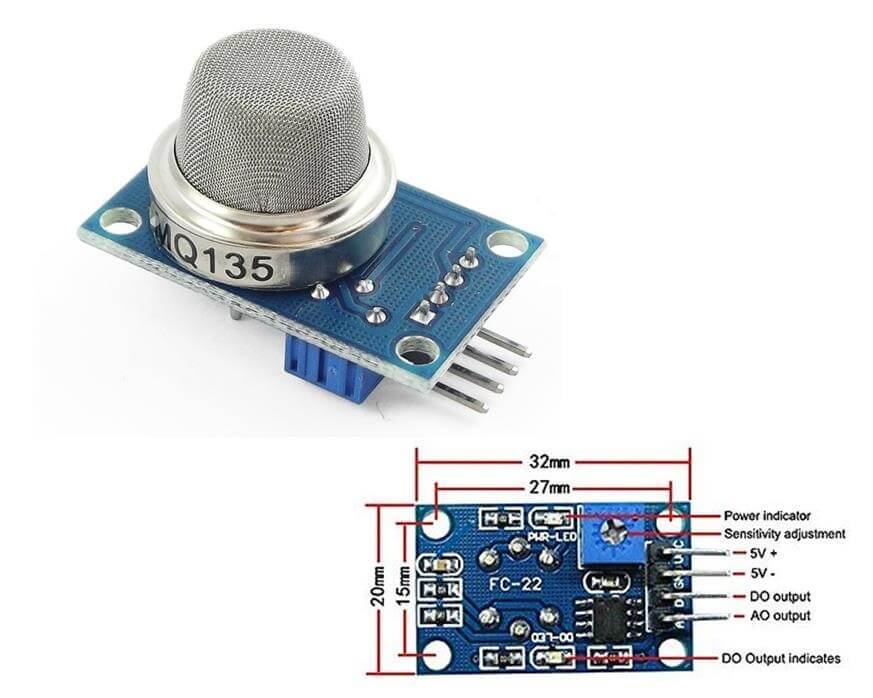
- Product dimensions: 32 (L) * 20 (W) * 22 (H)
What's in the box?
1 x MQ135 Air Quality Sensor Module

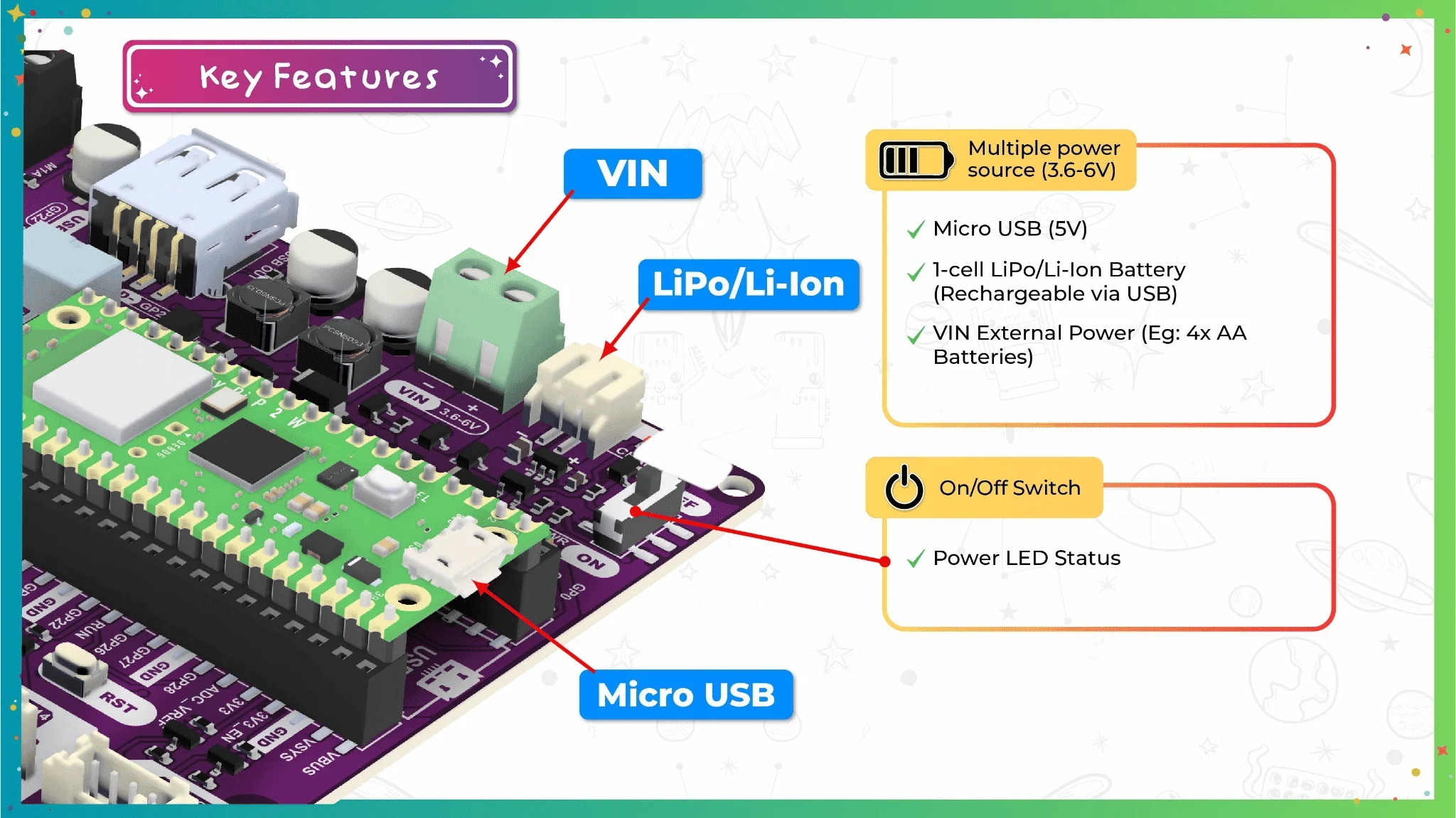
Unlock the next generation of Raspberry Pi Pico 2 W with our EDU PICO V2 Project and Innovation Kit—an all-in-one evolution designed to supercharge creativity, foster advanced learning, and fuel high-performance innovation. Whether you're a student, educator, or maker, this kit is your high-speed gateway to the cutting edge of embedded systems and programming using CircuitPython.
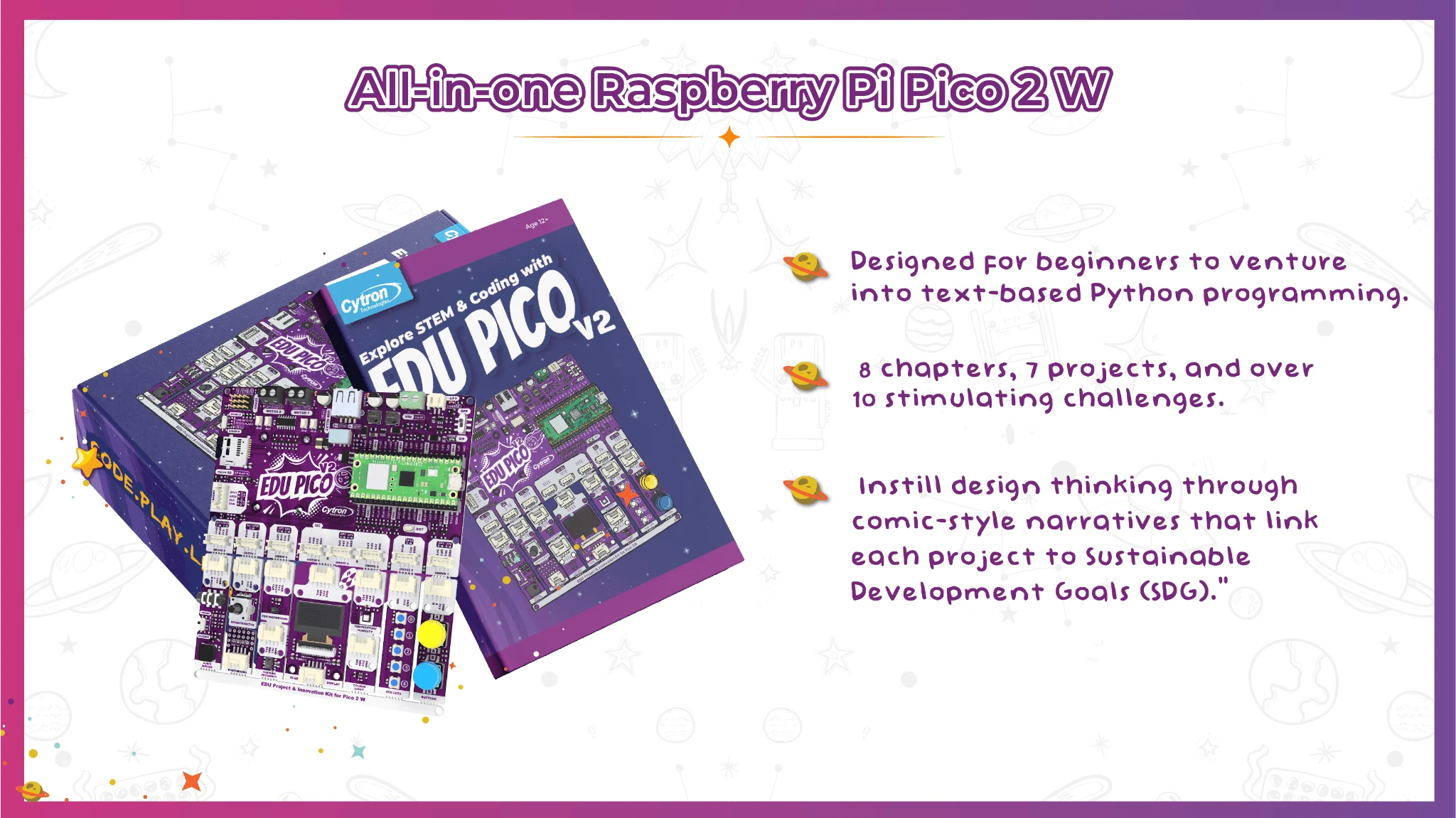
Tired of getting bogged down by slow processing or complicated setups? We get it. Our kit is designed for innovators who want to focus on the fun, not the fuss. Now powered by the Pico 2 W, featuring the faster and more capable RP2350 chip, you get more processing muscle in the same easy-to-use package. Plug, play, and let the high-speed magic happen.
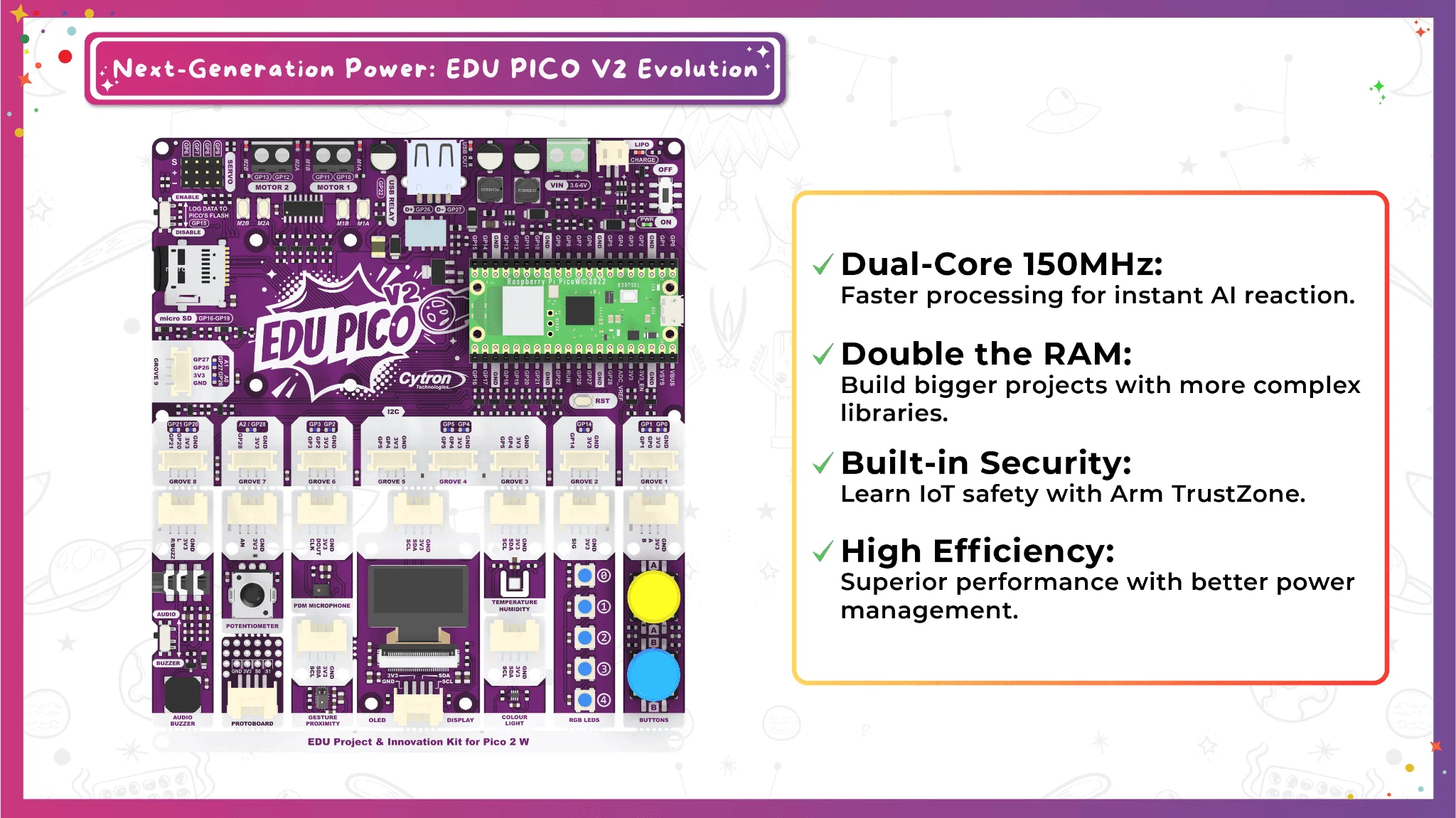
Unleash Your Creativity: Modular Freedom for Real Projects
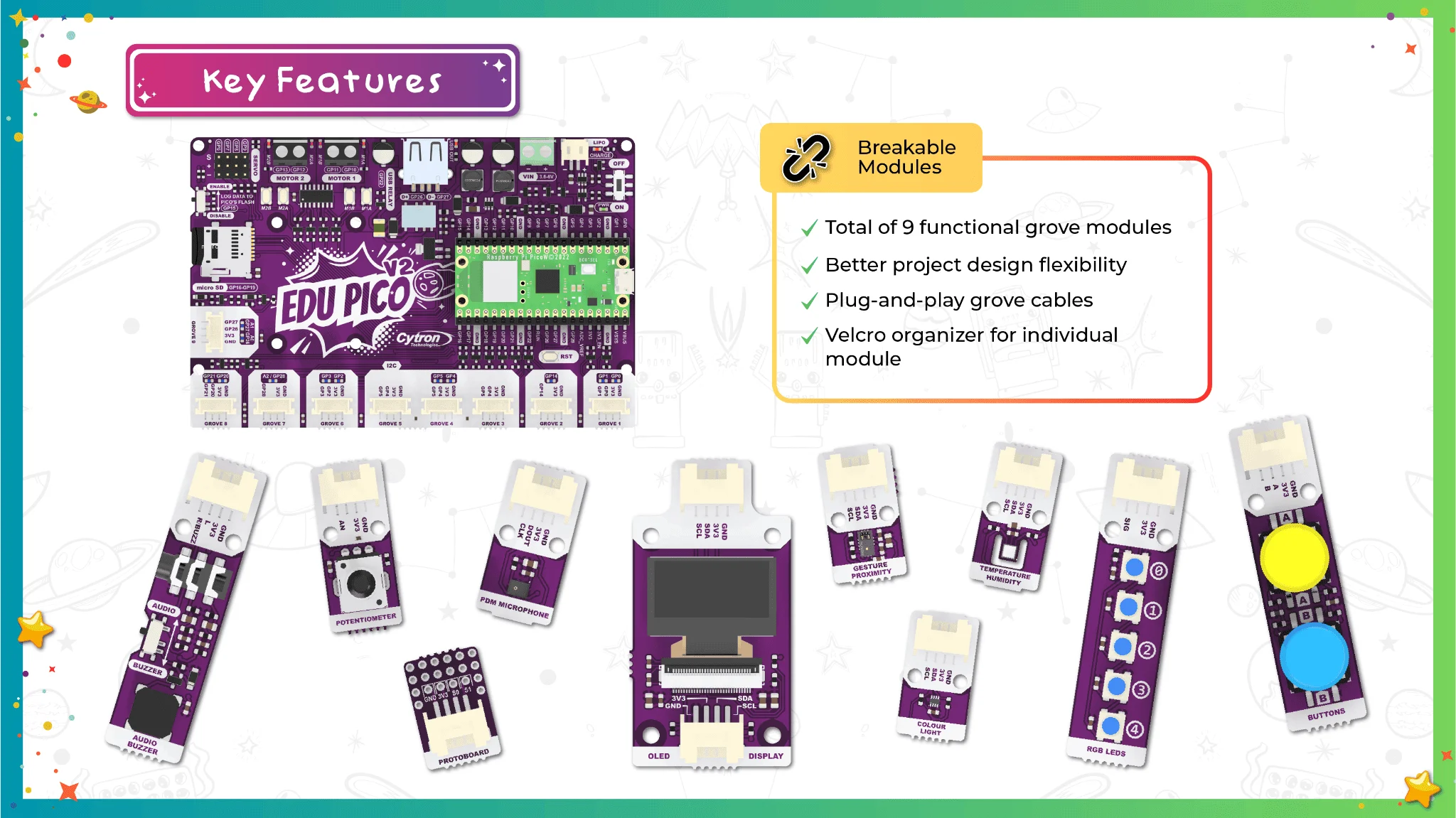
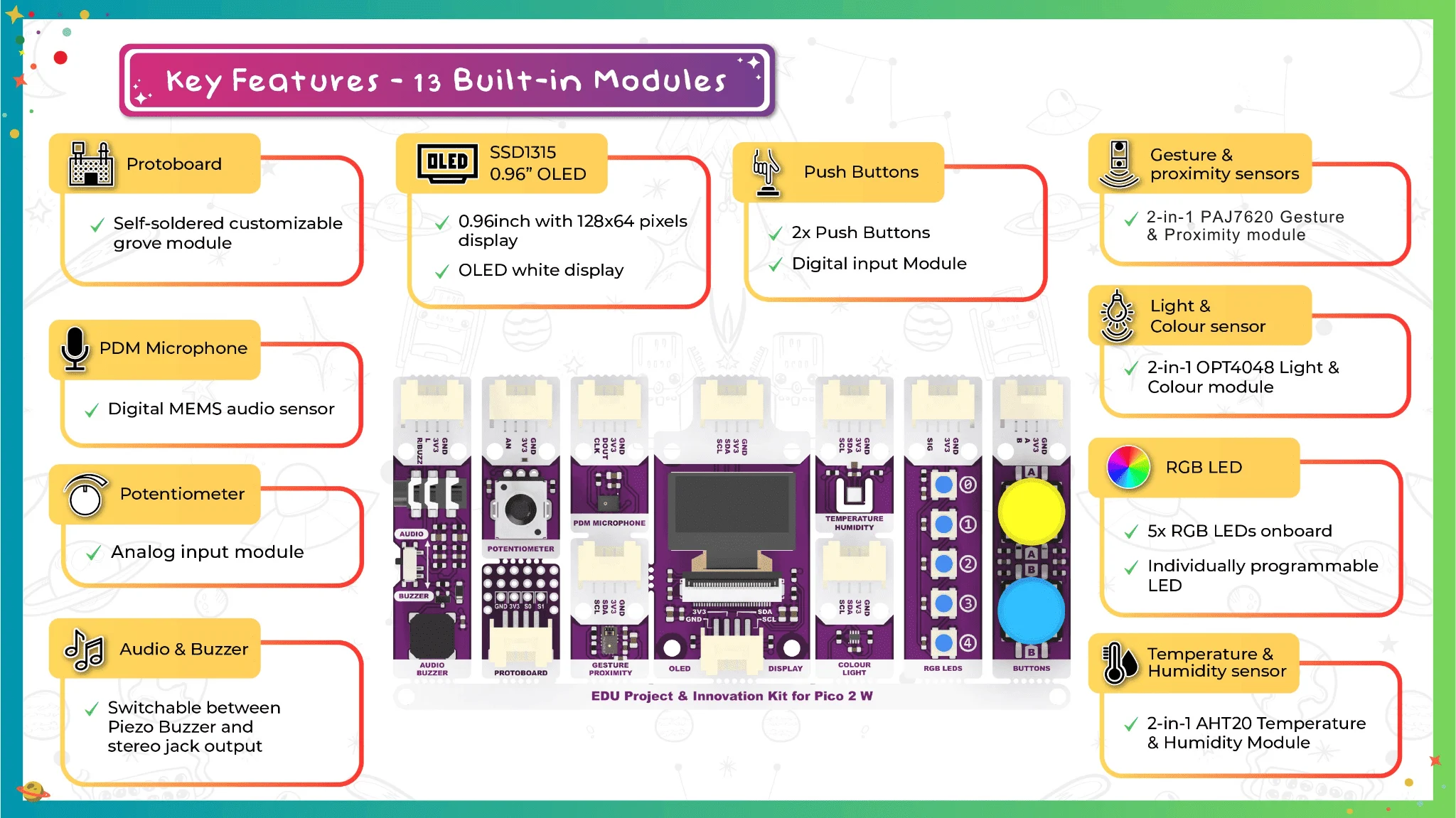
Dive into a hands-on adventure where the best way to learn is by doing. We have evolved the EDU PICO V2 to give you more physical and creative freedom by splitting our sensors into two dedicated, high-precision modules:
Dedicated Gesture Engine (PAJ7620): Faster, more responsive tracking.
Detects complex moves: clockwise, anti-clockwise, and depth (moving in/out).
High-Resolution Colour & Light (OPT4048): Professional-grade accuracy.
Zero interference for superior performance in any lighting.
Why the Split? Less Interference: Isolating light from gesture sensors means more stable data.
Code Optimization: Initialize only the driver you need, saving memory for your big ideas.
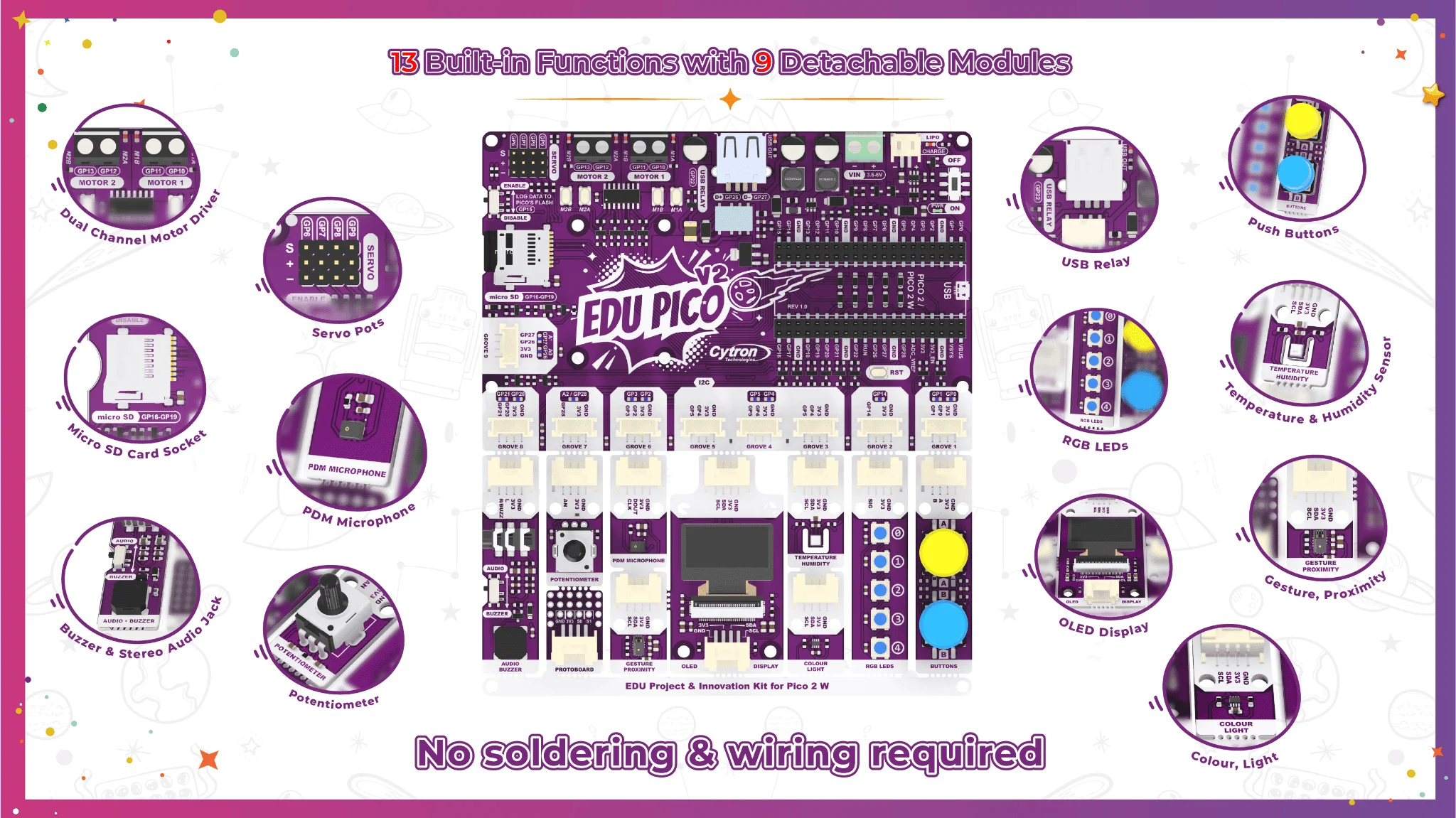
Ready to set sail? Break off the modules and integrate them directly into your own custom inventions!
Our kit comes with an updated EDU PICO V2 Guidebook, which now features AI prompting for more innovative projects. Learn how to use generative AI to innovate, troubleshoot, and expand your code using our custom prompt frameworks.
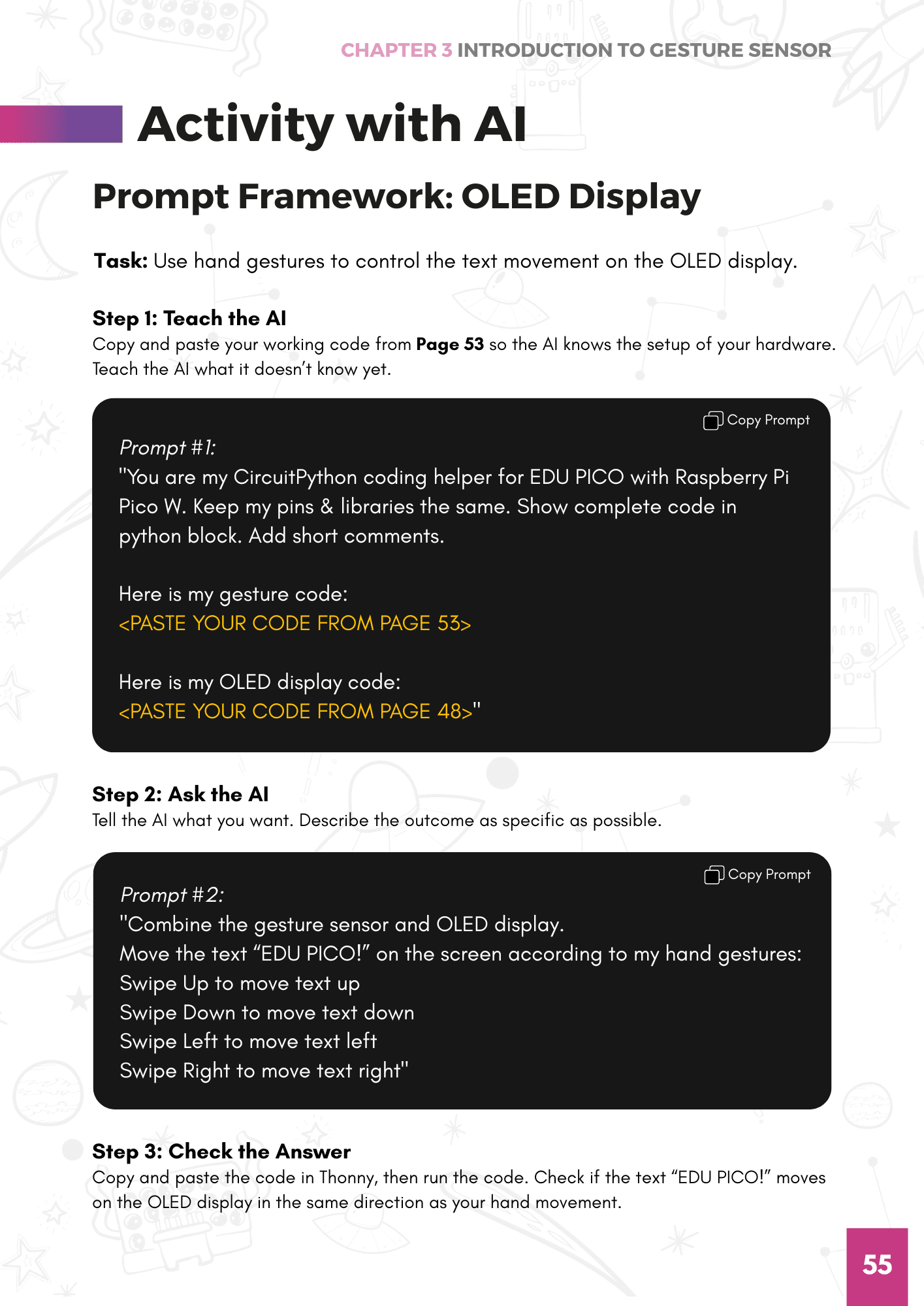
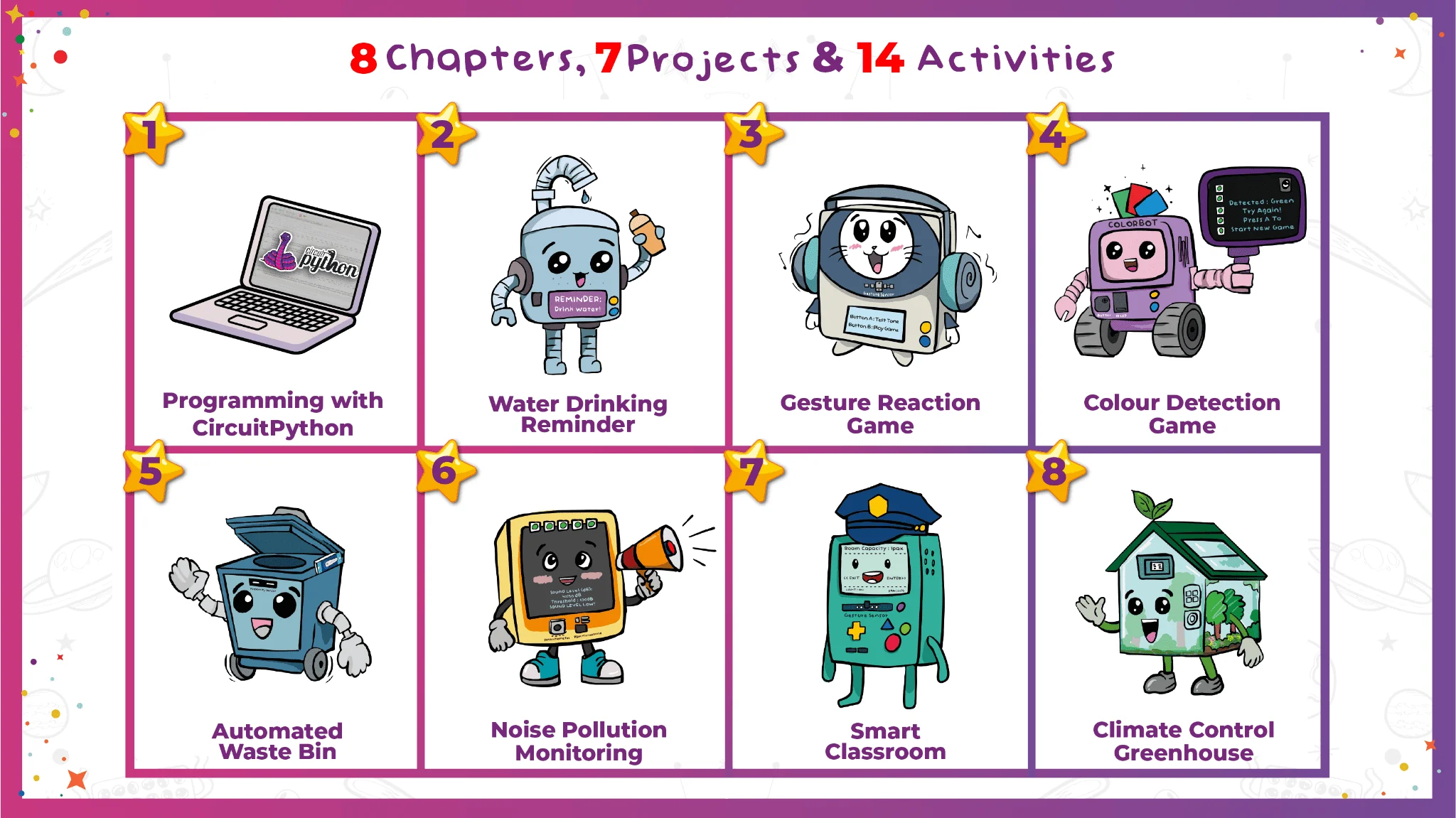
Ready to set sail on building your innovative projects? Break off the modules on the EDU PICO V2 board and start your journey with the most powerful EDU kit yet!
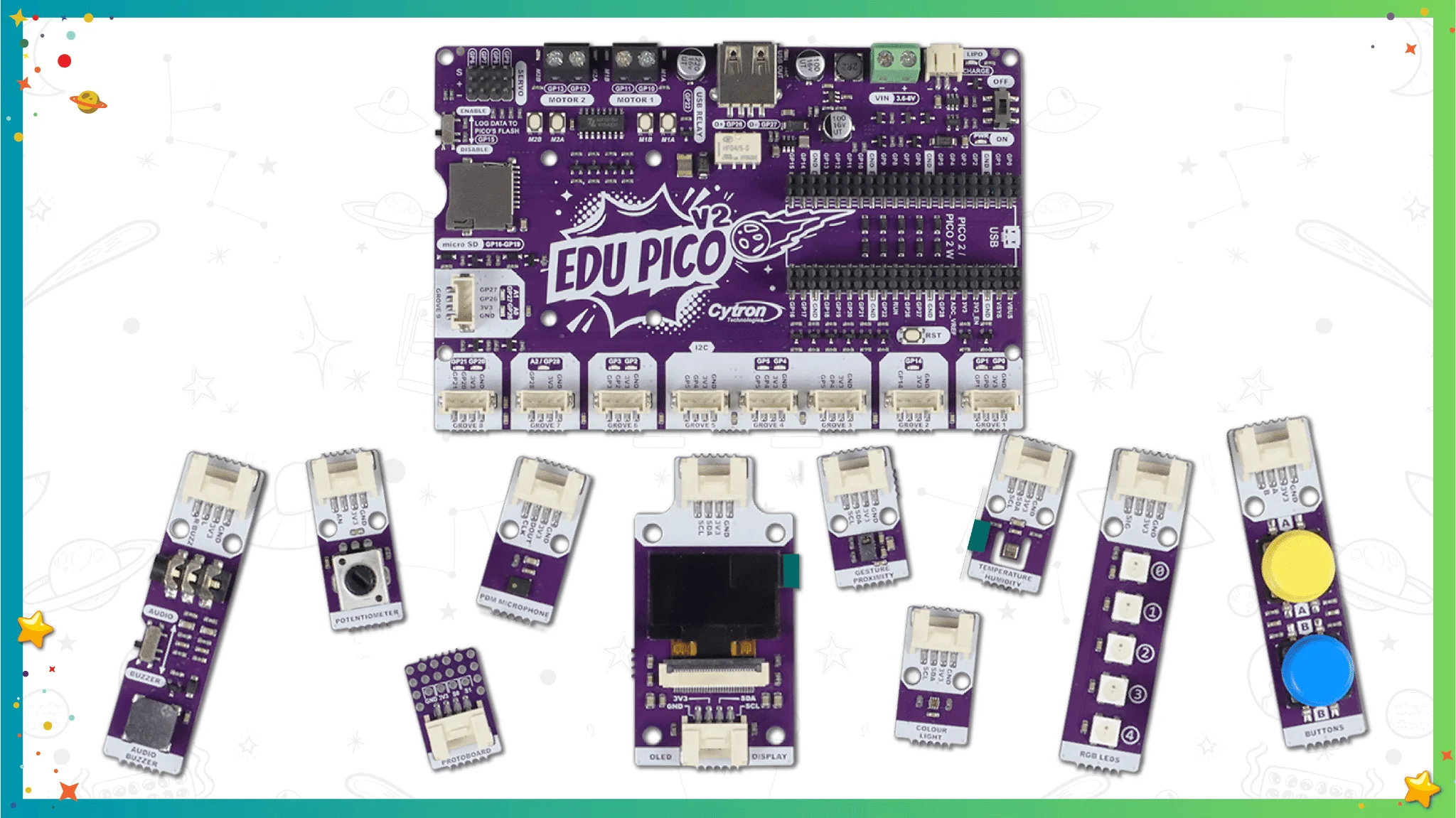
What's in the box?
1 x EDU PICO 2: Project & Innovation Kit (without Pico 2W)
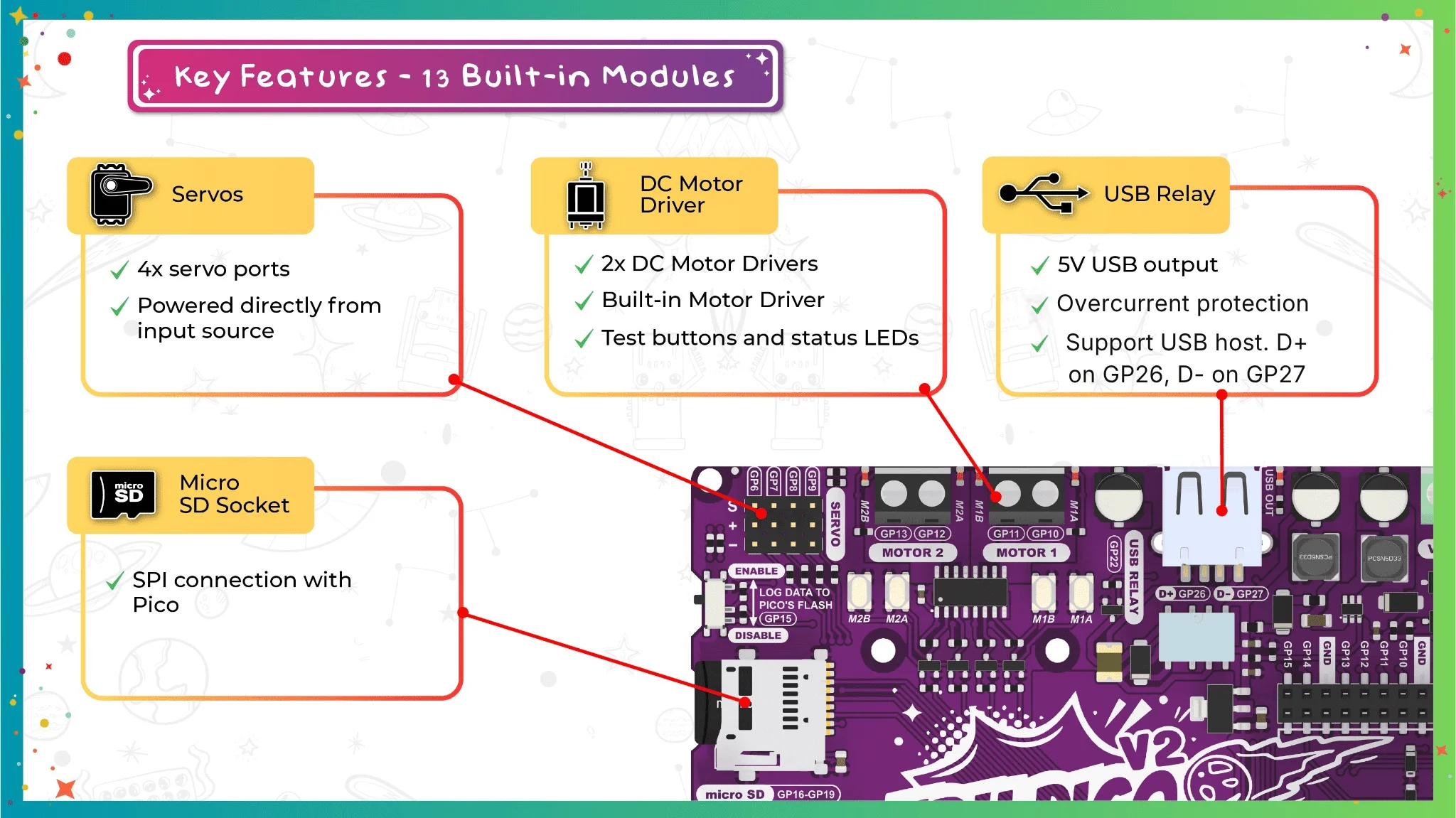
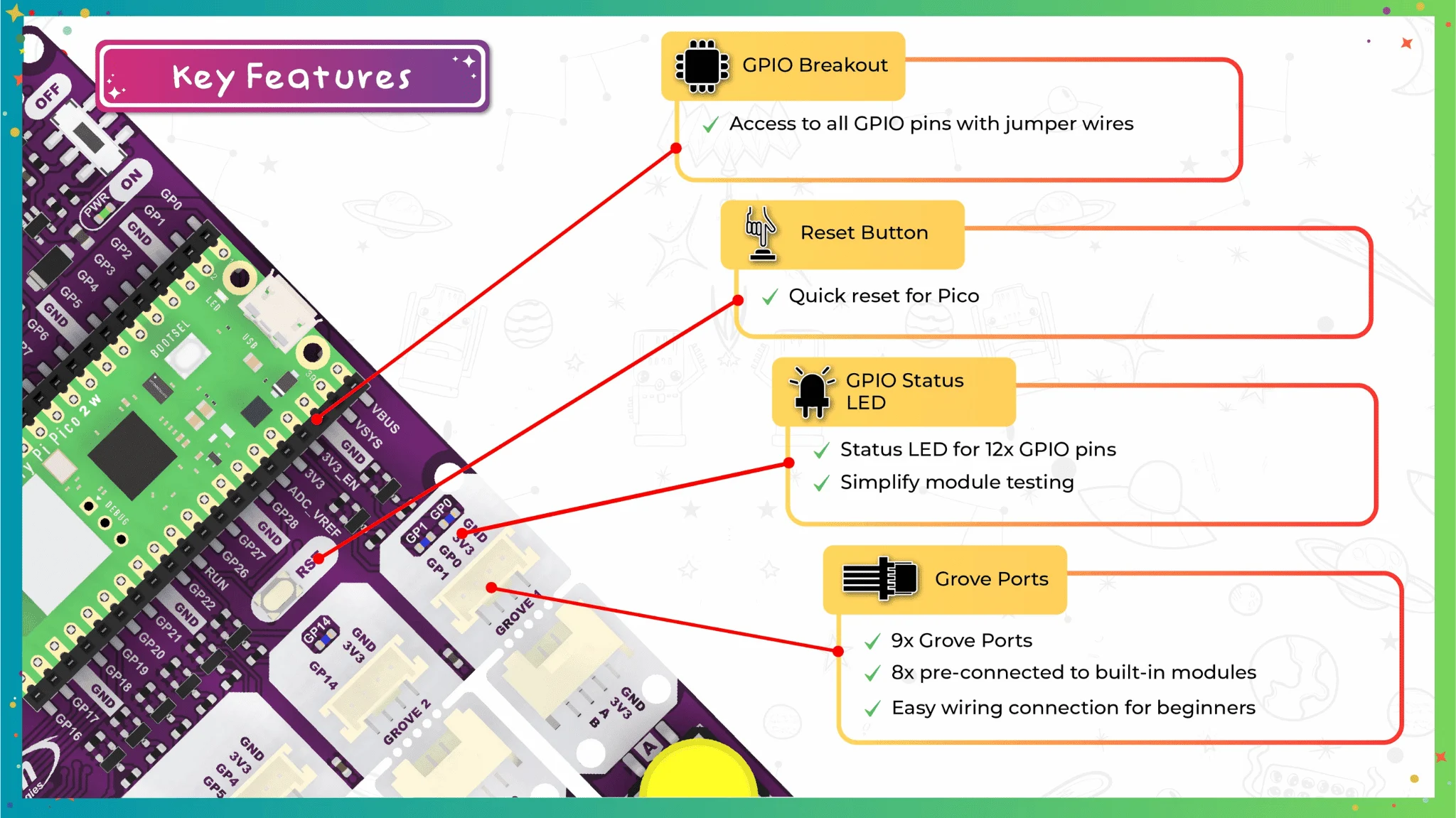
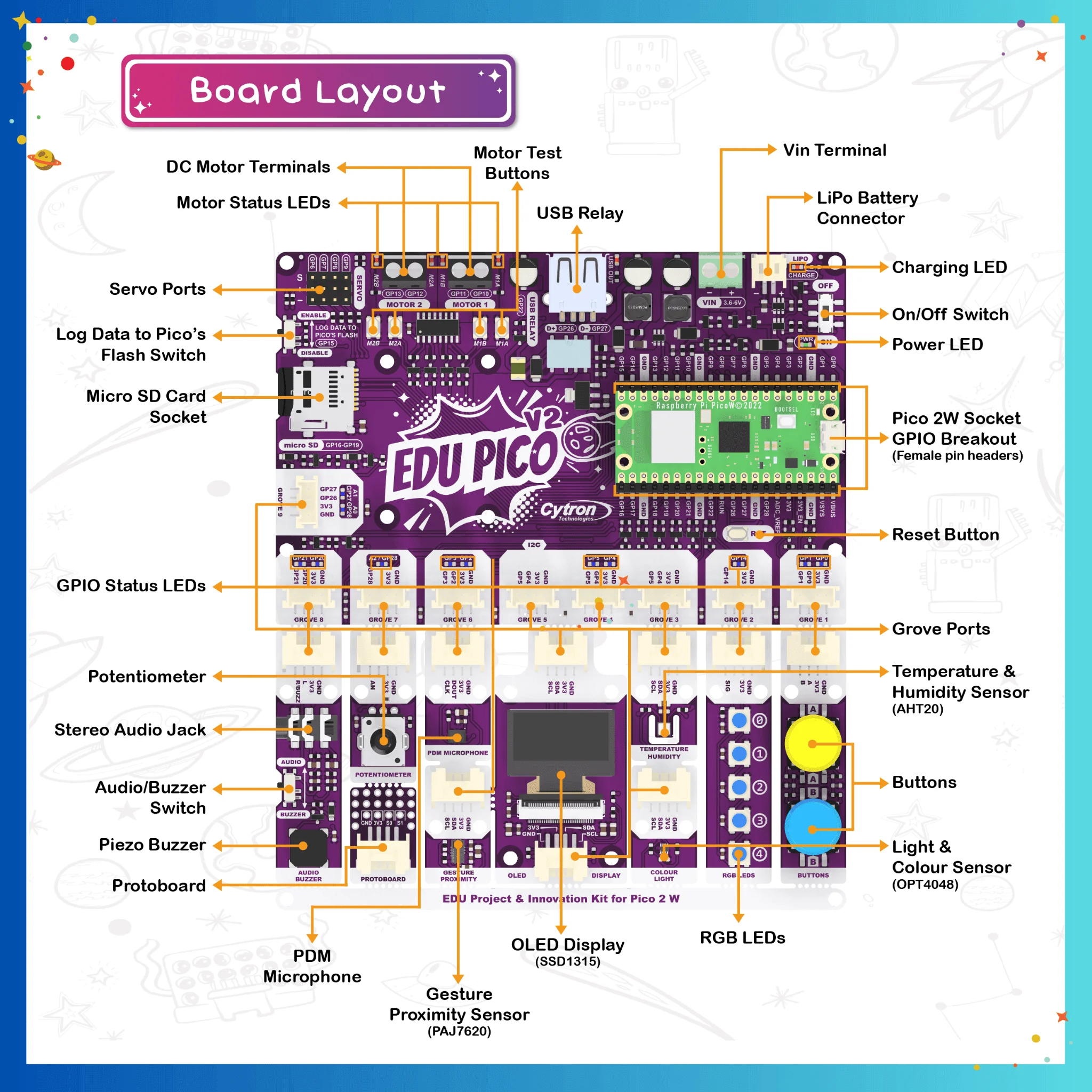
What's on the board?
1 x Pi Pico Socket with GPIO breakout
1 x Power LED
1 x On/Off Switch
1 x Pi Pico Socket with GPIO breakout
1 x Power LED
1 x On/Off Switch
1 x LiPo Battery Connector
1 x Charge LED
1 x VIN Terminal
1 x USB Relay
2 x DC Motor Terminals
4 x Motor Test Buttons
4 x Motor Status LEDs
4 x Servo Ports
1 x Micro SD Card Socket
1 x Log Data to Pico's Flash Switch
9 x Grove Ports
12 x GPIO Status LEDs
1 x Reset Button
1 x Piezo Buzzer
1 x Stereo Audio Jack
1 x Audio/Buzzer Switch
1 x Potentiometer
1 x PDM Microphone
1 x Protoboard
1 x SSD1315 OLED Display
1 x AHT20 Temperature & Humidity Sensor
1 x OPT4048 Light & Colour Sensor
1 x PAJ7620 Proximity & Gesture Sensor
5 x RGB LEDs
2 x Push Buttons
Resources

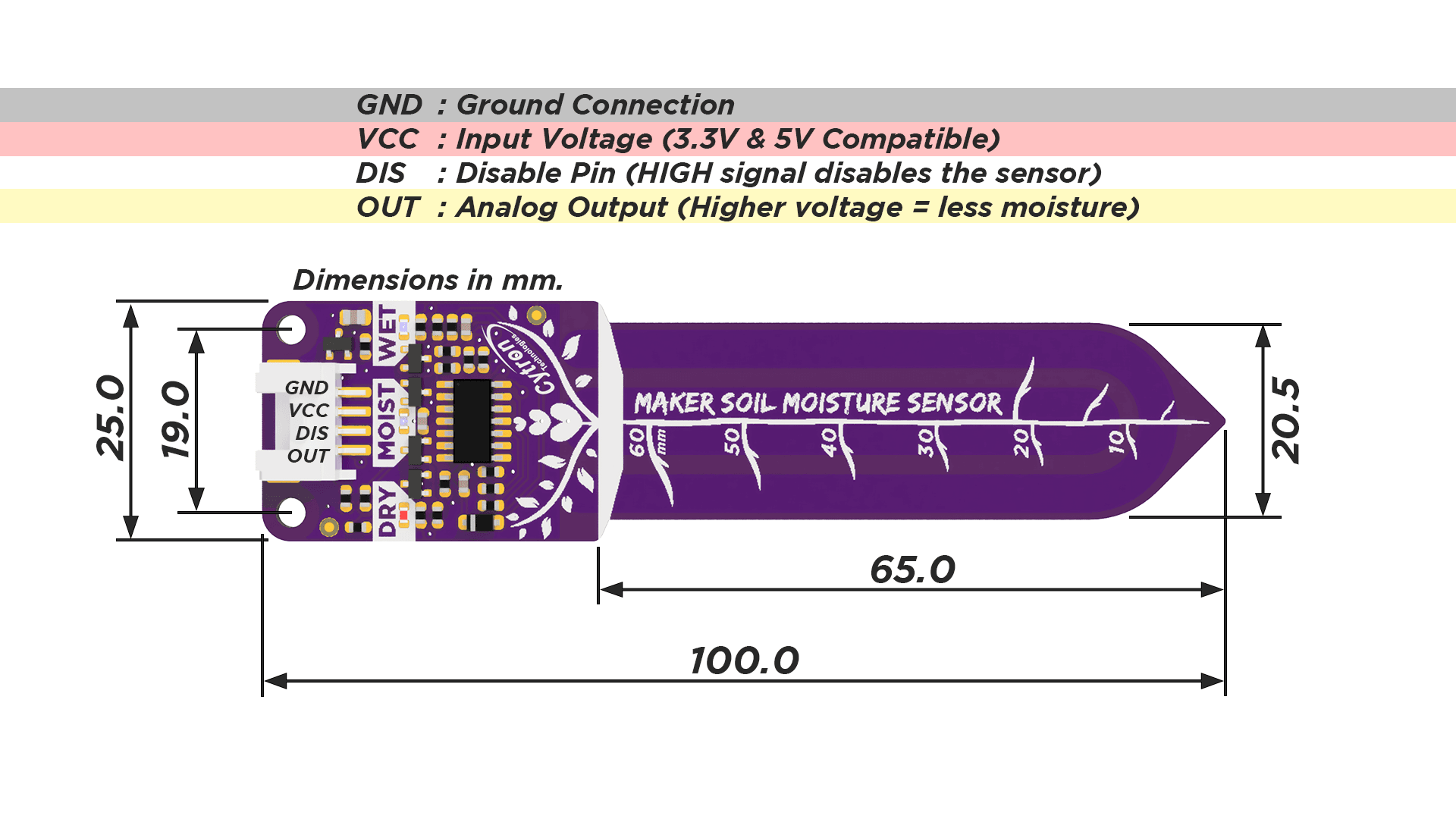
Maker Soil Moisture Sensor measures soil moisture by capacitive sensing, where the presence of water in the soil will increase the probe capacitance. The output of the sensor is analog output; higher moisture levels will produce lower output voltage. Being part of the Maker Series, the sensor is equipped with many features to further simplify digital making for beginners and experts alike.
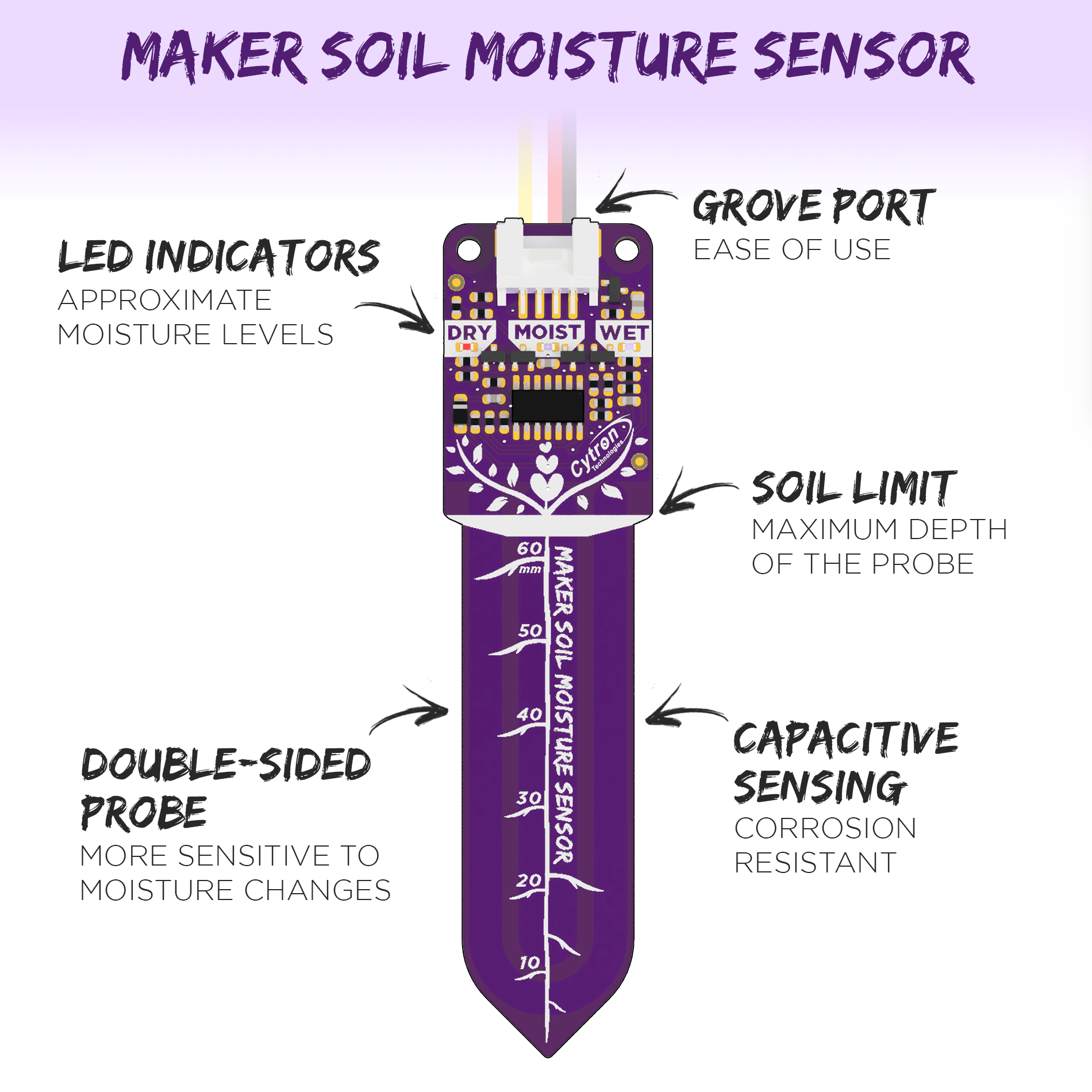
The Maker Soil Moisture Sensor is easy to use. It only needs a power supply, if the LED indicators alone are enough for your application. Make sure that the voltage level of the power supply is within the sensor specifications. Note that the LED indicators only indicate approximate moisture levels and might fluctuate depending on the power supply, since the sensor does not have a voltage regulator on board.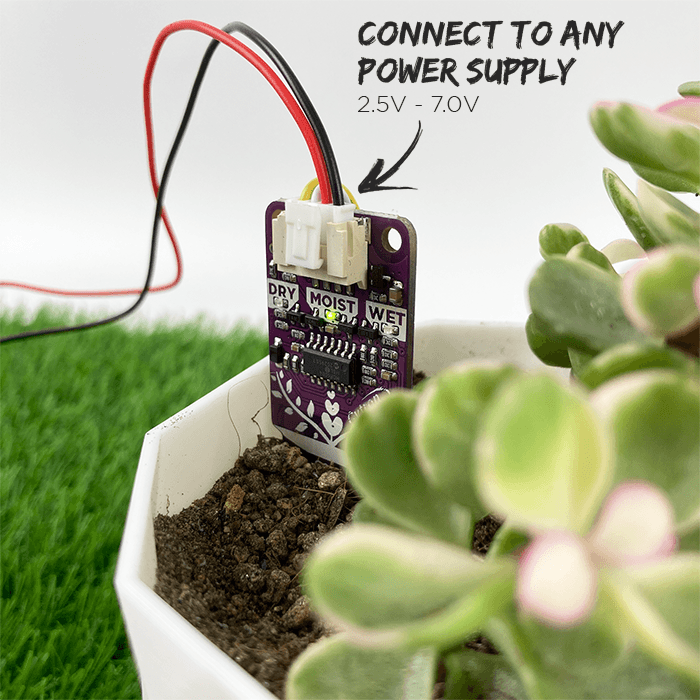
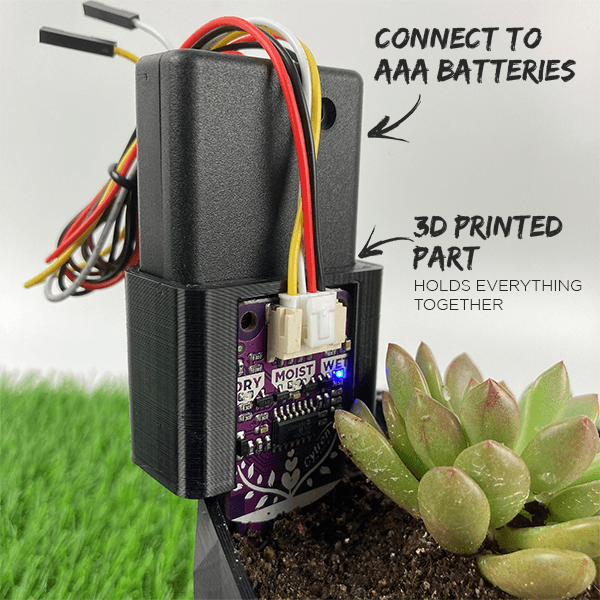
Full Tutorial: Battery Powered Maker Soil Moisture Sensor
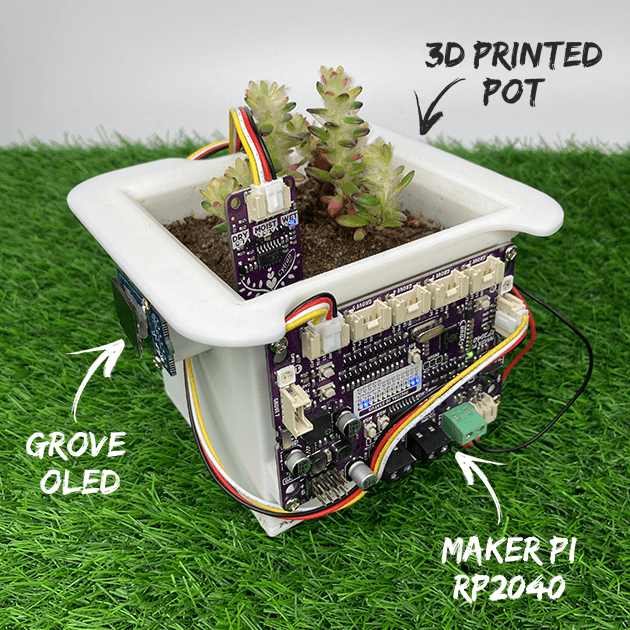
Full Tutorial: Self Watering Pot Featuring Maker Soil Moisture Sensor
Features
- Operating Voltage: 2.5V - 7.0V.
- Output: Analog Voltage (Higher moisture = lower voltage)
- Grove port.
- LED indicators for dry/moist/wet soil moisture levels.
- Soil Limit (Maximum depth of the probe)
- Double-sided probe (More sensitive to moisture changes)
- Capacitive sensing probe (Corrosion resistant)
- Disable pin (Power-saving application)
Example Applications
- Soil moisture detection
- Automatic Plant Watering System
- Smart/IoT Gardens
What's in the box?
1 x Sensor
1 x 50 cm Grove cable
Resources
The Relay breakout board is a convenient board to be used with 5V microcontrollers such as SK40C, SK28A, Arduino, SKds40A, SK18B. You can easily use 5V signal to control the relay. Three inputs:
- VCC = 5V is needed
- GND = Common Ground, 0V
- IN = Control signal need to be
5V0V to activate the Relay (Active Low)
The relay terminals (COM, NO, and NC) are brought out using a 3-way screw terminal. On-board relay is rated at 10A. It can be used in many applications: controlling high voltage, high current loads such as motor, solenoid valves, lamps, and AC load. It also comes with 2 LEDs to indicate the status power (VCC) and the status of the relay.
Note: This is an active-high active-low device, which means logic high (5V) low (0V) at pin IN will trigger the relay.
- Digital output controllable
- Compatible with any 5V microcontroller, SK40C, SK28A, SK18B, SKdsPIC, Arduino
- Single relay board
- Maximum switching voltage: 250VAC/110VDC
- Control signal: TTL level
- Contact Capacity (Res. Load): 10A 125VAC
- Max. switching current: 10A
- Max. Allowable Power Force: 800VAC/240W
- Logic: Active Low (Feb 2020 onwards)
What's in the box?
1 x Single Channel 5V Relay Breakout Board