Special Offers

Want to build your own weather station? This sensor kit has a cup anemometer and wind vane to measure wind speed and direction and a tipping bucket style rain gauge, together with associated mounting hardware.
The sensors in this kit are active mechanical sensors that work by physically interacting with the wind and rain. They use magnets, reed switches and moving parts to produce simple signals that a microcontroller or single board computer can use to calculate wind speed, wind direction and rainfall.
The sensor cables are terminated in RJ11 connectors (each sensor only uses two wires though, so if you wanted you could snip off the ends and connect the wires to a different kind of connector). Armatures to mount the sensors are included, as well as a short metal mast that can be lashed to the top of a suitable pole with the included jubilee connectors.
Please note that this kit contains the mechanical wind and rain sensors only, and doesn't include any electronic components. You'll likely want to hook these sensors up to something like a Weather HAT (for Raspberry Pi), a weather:bit (for micro:bit) or a Weather Shield (for Arduino).
Features
- Three mechanical sensors: rain gauge, anemometer, and wind vane
- Passive electronics with sealed magnetic reed switches—no complex libraries required
- Rain gauge measures 0.011" (0.2794 mm) increments per bucket tip
- Anemometer detects wind speed with one switch closure per rotation (1.492 MPH = 1 closure/second)
- Wind vane reports direction as variable voltage; reliably resolves 8 cardinal directions
- Compatible with Arduino, ESP32, and other microcontrollers
- RJ11-terminated cables for clean, modular connections
- Minimal assembly required with standardized connectors
- Direct access to raw sensor data without proprietary protocols
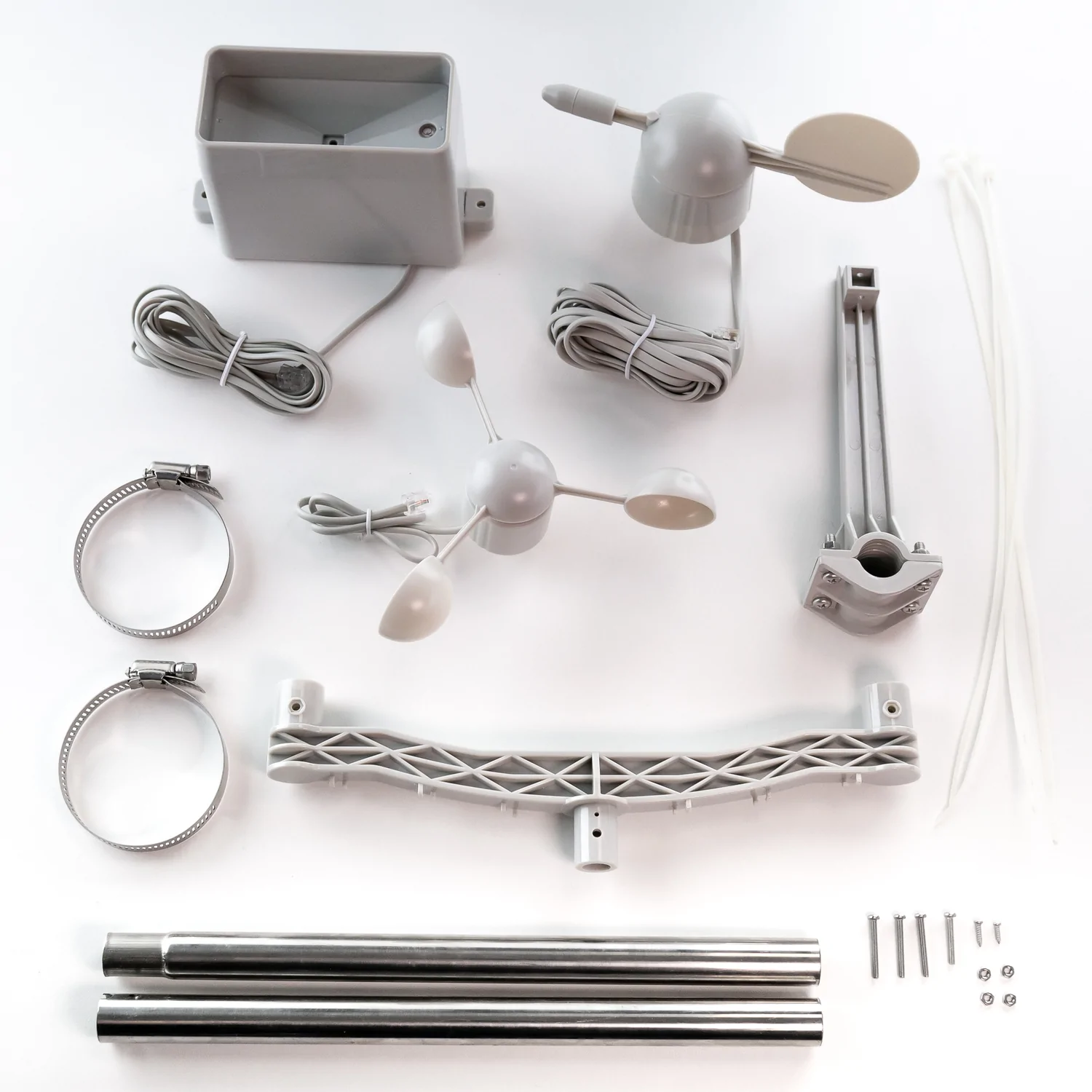
What's in the box?
1 x Wind Vane
1 x Anemometer
1 x Tipping Bucket Rain Gauge
1 x Two-Part Mounting Mast
1 x Rain Gauge Mounting Arm
1 x Wind Meter Mounting Bar
2 x Mounting Clamps
4 x Zip Ties
Resources
Getting Started with Weather HAT
This comprehensive guide from RPi contains loads of detail on how to DIY your own weather station (it also contains lots of info about how these sensors work and how you can write code for them).
If you need pictures of how everything goes together, check out SparkFun's excellent hookup guide!

A meteorologically minded Raspberry Pi HAT designed to make hooking up weather sensors a breeze (or a squall, or a gale).
Weather HAT is a tidy all-in-one solution for hooking up climate and environmental sensors to a Raspberry Pi. It has a bright 1.54" LCD screen and four buttons for inputs. The onboard sensors can measure temperature, humidity, pressure and light. The sturdy RJ11 connectors (remember those?) will let you easily attach wind and rain sensors. It will work with any Raspberry Pi with a 40 pin header (that's most of them except the really old ones).
You could install it outside in a suitable weatherproof enclosure (like a waterproof junction box or even a Tupperware container) and connect to it wirelessly - logging the data locally or piping it into Weather Underground, a MQTT broker or a cloud service like Adafruit IO. Alternatively, you could house your weather Pi inside and run wires to your weather sensors outside - making use of the nice screen to display readouts.
Please note: the wind and rain sensors are sold separately.
Features
- 1.54" IPS LCD screen (240 x 240)
- Four user-controllable switches
- BME280 temperature, pressure, humidity sensor (datasheet)
- LTR-559 light and proximity sensor (datasheet)
- Nuvoton MS51 microcontroller with inbuilt 12-bit ADC (datasheet)
- RJ11 connectors for connecting wind and rain sensors (sold separately)
- HAT-format board
- Fully-assembled
- Compatible with all 40-pin header Raspberry Pi models
- Python library
- Schematic
What's in the box?
1 x Weather HAT
2 x 10mm standoffs
Raspberry Pi and accessories are sold separately
Software
We've put together a Python library to give you easy access to all Weather HAT's functions, together with straightforward examples to help you learn how to read the sensors and use all the individual parts. There's also a weather station example that shows you how it's possible to combine all the functions into an application.
Our Getting Started tutorial contains a thorough walkthrough of Weather HAT's functionality plus beginner friendly instructions for installing the Python library and running the examples.
Notes
- Want to add on more I2C sensors? No problem, there's an solderless I2C header located on the back of the HAT that you can poke jumper / DuPont wires in to.
- If you'd like to hook up more analog sensors (3.3v max) we've broken out some extra ADC channels on the front of the board, as well as a convenient 3v3 power and ground.
- We've found two standoffs at the GPIO edge to be sufficient to keep this HAT firmly in place, but if you're attaching it to a full-size Pi and want to add standoffs at every corner you can pick up some more.
- Dimensions: 65 x 56.5 x 19 mm (L x W x H, including header and connectors)

Do you want to build an auto plant watering system but don’t know where to start?
Or you are a teacher and wanted to help your students to build the auto plant watering system in the most effective way?
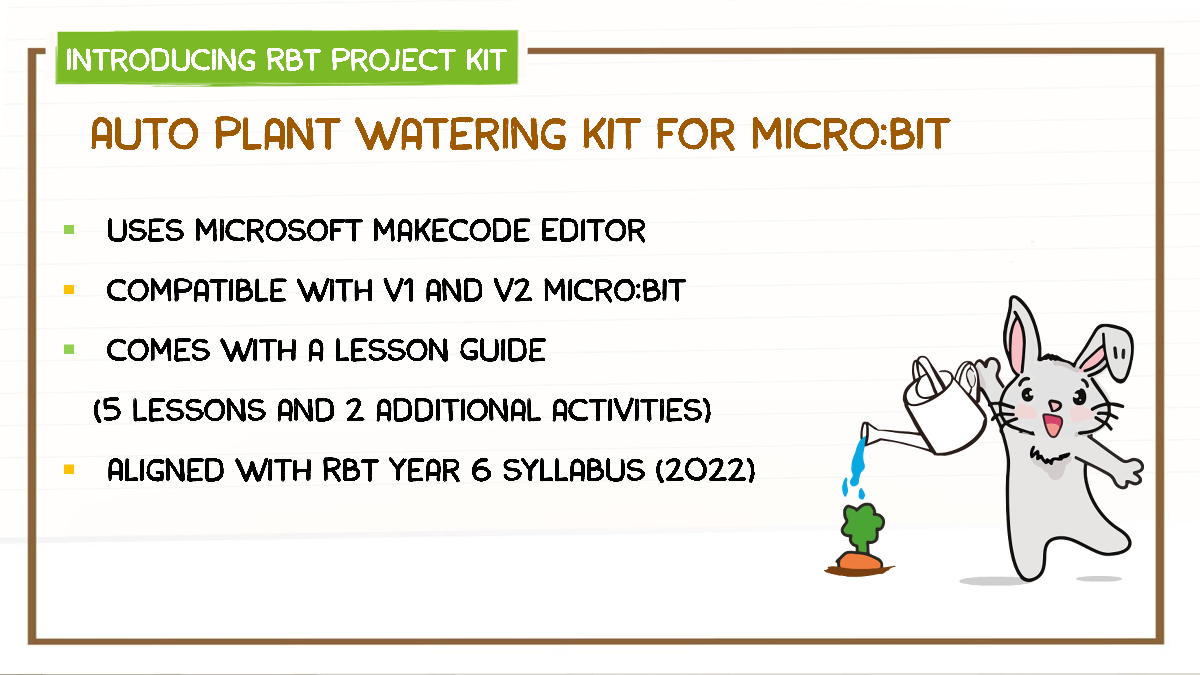
This project kit comes with the new Maker Soil Moisture Sensor.
A capacitive moisture sensor which measures the soil moisture level by changing the probe capacitance and does not erode the sensor probe easily.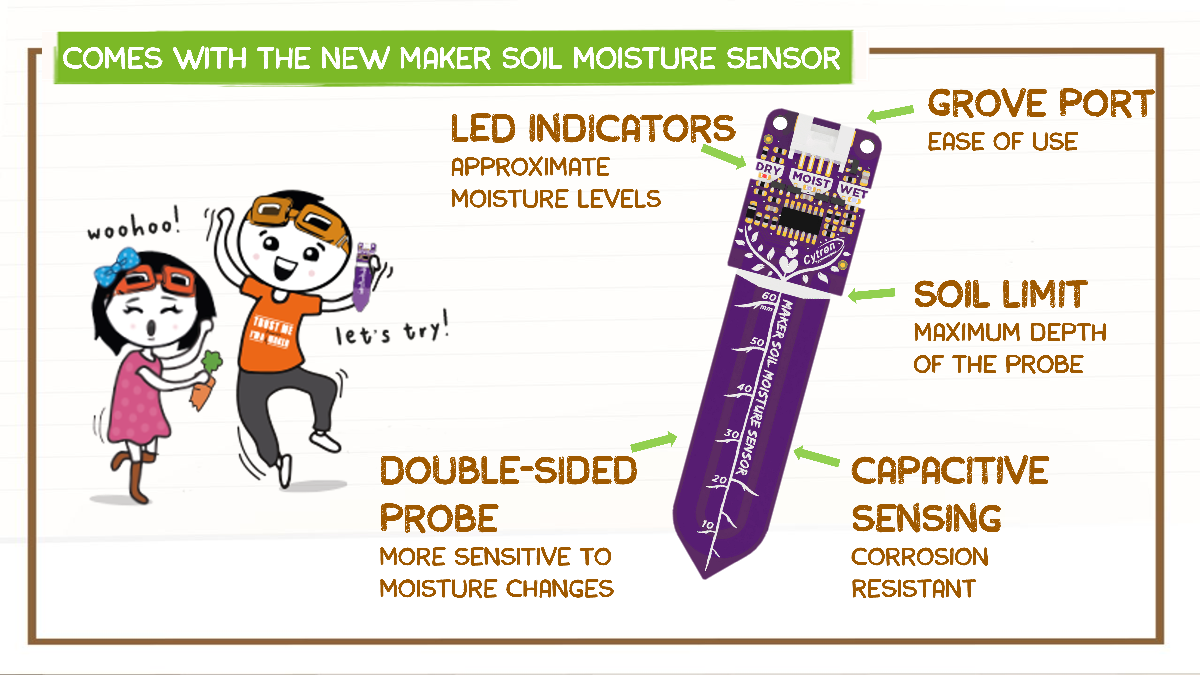
The Lesson Guide is written in simple language and comes with a step-by-step guide to make an auto plant watering system.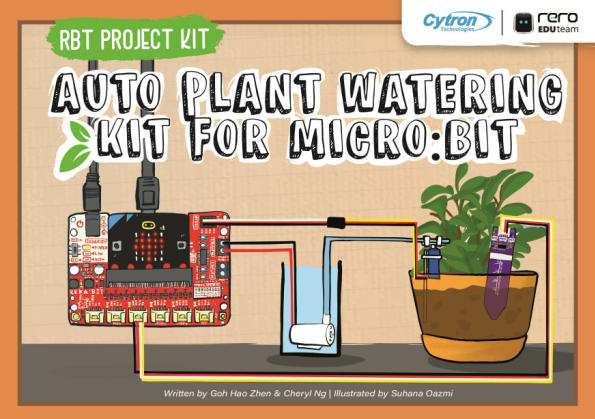
Click here to download PDF English Version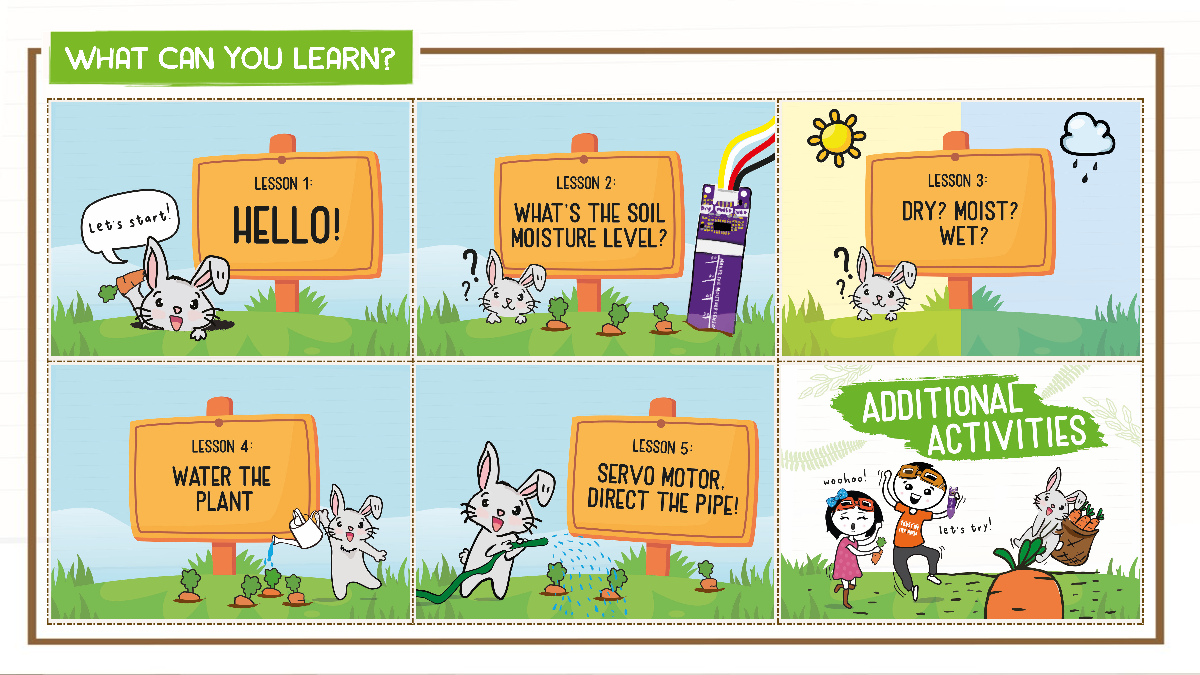
Lesson 1 : Hello!
- Introduction to micro:bit and MakeCode.
Lesson 2 : What’s the Soil Moisture Level?
- Display soil moisture level through micro:bit by using Maker Soil Moisture Sensor.
Lesson 3 : Dry? Moist? Or Wet?
- Monitor the soil moisture level and differentiate it between dry, moist and wet.
Lesson 4 : Water the Plant
- Turn on the water pump to water the plant when the soil is dry.
Lesson 5 : Servo Motor, Direct the Pipe!
- Control the direction of the water pipe by using a servo motor to water the plant thoroughly.
Additional Activities: Visualize Soil Moisture Level, Music On
- Plot a bar graph to show the soil moisture level and make the auto plant watering system to play melodies and sound notifications.
What’s in the box?
1 x Lesson guide (English Version)
1 x Maker Soil Moisture Sensor
1 x REKA:BIT (without micro:bit V2)
1 x Micro Submersible Water Pump DC 3V-5V with Pipe
1 x Analog Micro Servo 9g (3V-6V) with servo horns and screws
1 x Grove 4 Pin Buckled 50cm Cable
1 x Servo Male - Female Extension Cable 30cm
1 x 4xAA battery holder with DC plug
4 x PKCELL Heavy Duty AA Battery
1 x Tiny Phillips Screwdriver - Transparent
2 x Popsicle stick
3 x Cable Ties
2 x Double Sided Tapes

This SD card to SD card extension cable is perfect for protecting your SD card port! The flat flex cable is 45cm long, so it's perfect for mounting your SD card separately for easy access.
SD to SD Extension Cable Features:
- SD Card Male to SD Card Female
- Flex Cable ~ 45cm
- Supports SD Card Sizes: 16GB, 32GB 64GB 128GB
- Supports SD/SDHC/SDXC Cards
What's in the box?:
1 x SD Extension Cable

Finally available following public demand after so many of you spotted this mug on Raspberry Pi Tweets and images, this Black Design Raspberry Pi mug is the ultimate holder of coffee, tea and other late-night project beverages!
With a 330ml capacity for your favourite brew combined with superb styling, this mug is a great companion for Raspberry Pi makers and fans across the planet. Get dipping those biccies!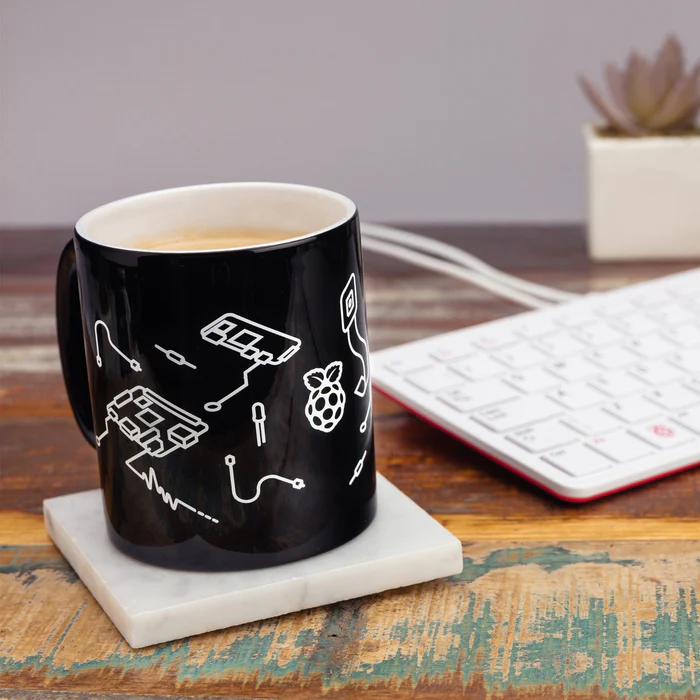
We also stock the original red design! Don't forget to grab a coaster whilst you're at it
Features:- Black colour with White Raspberry Pi designs
- Dishwasher safe
- 80mm diameter x 90mm tall
- 330ml capacity
- Bright and colorful!
The team at Raspberry Pi Foundation has extensively tested these mugs and can confirm that they are tea-, coffee-, and hot chocolate-compatible. They can also be used for cold drinks if that's your preference.
Note: While tested to over 1,000 domestic dishwasher cycles, it is recommended that you hand-wash this mug to keep it in tip-top condition.
What's in the box?1 x Raspberry Pi Black Ceramic Mug

This module adopts an 8-bit MCU as the main control chip, it can be applied in distance measurement, testing the performance of the HC-SR04 ultrasonic module. Plus, you can use this module in two ways since it supports Serial Port Display and Digital Tube Display.
Specifications
- Integrated STM8S103 High-Performance Microprocessor
- Interfaces:
- Digital Tube Display
- Serial Port Data Output
- Input Voltage: 5V
- LiPo Connector: 2.54mm socket (5V power supply)
- Measuring Distance: 3cm - 400cm
- Plate Size: 25mm x 35mm
- Weight: 7g
How To Use
Measured distance can be displayed via the digital tube or serial port:
- Digital Display: directly connect ultrasonic sensor and provide 5V power supply (using wire jumpers or LiPo battery).
- Serial Port Output: connect the display module pins (VCC, TX, RX, GND) to USB to TTL converter pins (5V, RX, TX, GND) respectively. Select 9600 baud transmission rate and the output format is "D: XXX", where XXX represents the distance in centimeters.
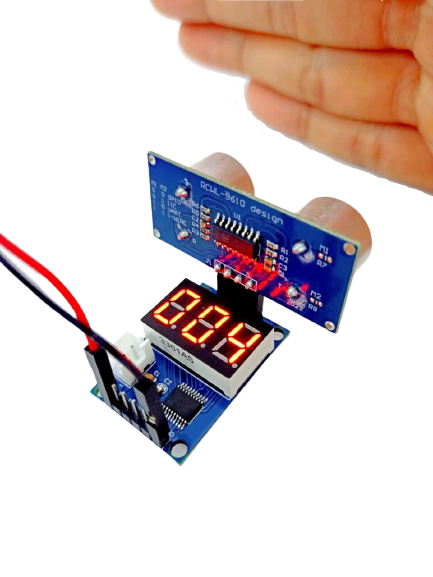
Note: No code is required to use this module! Plug and play, very easy to use for beginners.
Additional Notes
When measuring the distance, the area of the measured object should not be less than 0.5 square meters, and it should be smooth and have strong reflectivity. Failure to do so will affect the test result.
Valid measuring distance: 3-400cm. If it is longer than this range, it will result in incorrect data or shows a 000 screen.

Duracell Plus Power batteries – long lasting power guaranteed. These multi-purpose batteries are ideal for reliably powering everyday devices. Duracell Plus Power batteries give you the freedom to enjoy the use of your appliances by giving you a product you can rely on. The Duracell Plus Power batteries are best used when you are looking for reliable, long-lasting power in your every-day devices such as motorized toys, flashlights, portable games consoles, remote controls, CD players, etc. Duralock technology keeps unused Duracell batteries fresh and powered for up to 10 years in ambient storage.
Features
- Long-lasting power, guaranteed
- Duralock
- Leakage prevention
- Suitable for everyday devices
- Long-lasting power, guaranteed
- 1.5V Alkaline
What's in the box?
2 x CR2025 Duracell batteries

A wireless environmental monitoring board to keep track of inside conditions in your home, office or other habitat. Onboard sensors can measure temperature, humidity, pressure, gas and light.
The top of the range BME688 sensor on Enviro Indoor can measure temperature/humidity/pressure with a high degree of precision, and the gas scanner will react to changes in volatile organic compounds (VOCs), volatile sulfur compounds (VSCs) and the presence of carbon monoxide and hydrogen to give a general measure of air quality. The BH1745 light sensor can tell you the luminance and colour of light, so you could use it to detect unrestful blue light or adjust your lighting's intensity/hue depending on the time of day.
Want to add more sensors to this board? A CO2 sensor breakout (plugged into the Qw/ST connector) would make a nice addition, so you could keep an eye on ventilation levels and cognition impairing carbon dioxide build-up.
Enviro x Pico W Aboard
Our new Enviro (Pico W Aboard) range is designed with environmental monitoring / logging in mind. We wanted to make a range of Pico/RP2040-powered, all-in-one sensor boards that are compact, easy to install in places and straightforward to program. The wireless capability of Raspberry Pi Pico W lets Enviro integrate with other systems - so you could post your data into databases, home automation systems, or online citizen science efforts - the Internet's your lobster!
Because the least fun thing about adding lots of sensors to your environment is figuring out how supply power to everything without tons of trailing wires, they are all designed to work well off battery power. Each Enviro board has an onboard RTC (Real Time Clock), so that they can periodically wake up from deep sleep, take a reading (and, optionally, connect to wifi) and then go back to sleep - giving you months of untethered battery life.
We've also put together some handy accessory kits to go with our Enviro boards, that include an appropriately sized AA or AAA battery pack, a USB cable and other essentials for each board, so you can get going super quick.
Enviro Features
- Raspberry Pi Pico W Aboard
- Dual Arm Cortex M0+ running at up to 133Mhz with 264kB of SRAM
- 2MB of QSPI flash supporting XiP
- Powered and programmable by USB micro-B
- 2.4GHz wireless
- Deep sleep/wake function using RTC
- 1 x POKE (user) button
- Reset button (because we're not monsters)
- Battery connector (JST-PH connector, 5.5V max voltage)
- User/activity LED (dimmable via PWM, can only be lit when board is awake)
- Warn LED (attached to RTC)
- Qw/ST connector for attaching breakouts
- Fully assembled
- No soldering required.
- Enviro firmware
- Schematic
Enviro Indoor Features
- BME688 4-in-1 temperature, pressure, humidity and gas sensor (datasheet)
- BH1745 light (luminance and colour) sensor (datasheet)
Software
Enviro ships with some super slick provisioning software that makes it really easy to set it up and connect to things, even if it's your first foray into environmental logging/IoT. Power it up and connect to the network called 'Enviro Indoor Setup' with your phone, tablet or other wi-fi enabled device - your Pico W will walk you through the rest!
Connecting Breakouts
The Qw/ST connectors on Enviro boards make it super easy to connect up I2C Qwiic or STEMMA QT breakouts. If your breakout has a QW/ST connector on board, you can plug it straight in with a JST-SH to JST-SH cable.
Breakout Garden breakouts that don't have a Qw/ST connector can be connected using a JST-SH to JST-SH cable plus a Qw/ST to Breakout Garden adaptor.
- List of breakouts currently compatible with our C++/MicroPython build.
Notes
- Measurements: 69 x 36 x 9.9 mm (L x W x H, approx)
- Enviro boards can enter a deep sleep mode where the Pico W, on board sensors and sensors connected via Qw/ST are completely powered down. The only thing left running on the board is the RTC which can wake up the board again at a set date and time or on a timer. You can also wake up the board via the POKE button, or by connecting the USB cable (the board will never sleep if connected to USB power).
- The RTC can also be used to keep track of the time and date (which means we don't need to waste power by making a wireless call to find out the time/date each time we log a sensor reading!)
- The Warn LED is connected to the RTC, so it can be lit even during deep sleep to notify you of problems. It is limited to three states - on, off, or 1hz blink (it's not possible to control the brightness).
- Most Enviro boards can be powered by a 2 x AAA battery pack, which fits neatly behind the board. Any battery pack that can supply between 2V and 5.5V will work though - 2 or 3 alkaline AA or AAA cells, 4 rechargeable NiMH cells or a single cell LiPo. If you're using a LiPo, bear in mind there's no battery charging included on Enviro boards, so you'll need a separate LiPo battery charger (like a LiPo Amigo) to be able to charge it.
About Pico W Aboard
Our new Pico W Aboard products come with a built in Raspberry Pi Pico W. This means you get all the advantages of a RP2040 microcontroller - a speedy fast dual-core ARM processor, a dynamic, growing ecosystem and a choice of different programming methods to experiment with. Most excitingly though, Pico W has wireless connectivity, so your Pico/RP2040 devices can communicate with each other, and the internet!
What's in the box?
1 x Enviro Indoor

Low power, wide viewing angle, paper-like effect without electricity
Ideal for price tags, shelf labels, industrial instruments...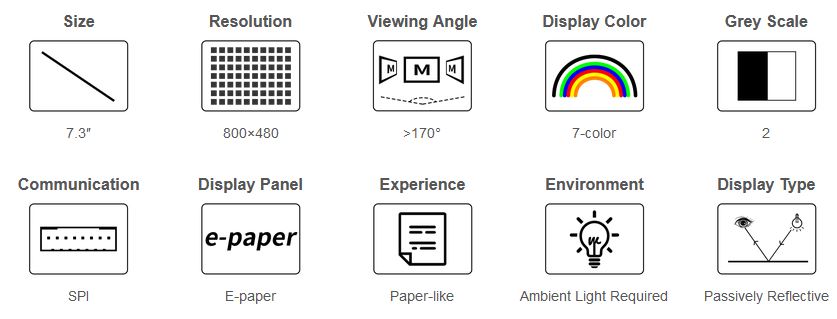
- Advanced Color ePaper (ACeP) technology, supports 7-Color display
- No backlight, keeps displaying last content for a long time even when power down
- Ultra low power consumption, basically power is only required for refreshing
- Standard Raspberry Pi 40PIN GPIO extension header, supports Raspberry Pi series boards, Jetson Nano
- SPI interface, for connecting with controller boards like Raspberry Pi/Jetson Nano/Arduino/STM32, etc.
- Onboard voltage translator, compatible with 3.3V/5V MCUs
- Comes with development resources and manual(driver board schematic, examples for Raspberry Pi/Arduino/STM32)
Specifications
| operating voltage | 3.3V/5V | display color | 7-Color |
|---|---|---|---|
| interface | 3-wire SPI, 4-wire SPI | grey scale | 2 |
| outline dimensions | 170.2 × 111.2mm | full refresh time | 35s |
| display size | 160 × 96mm | refresh power | <49.4mW (typ.) |
| DOT PITCH | 0.2 × 0.2 mm | standby current | <0.01uA (almost none) |
| RESOLUTION | 800×480 pixels | viewing angle | >170° |
Advantages of EINK
E-paper display utilizes microcapsule electrophoretic technology for displaying, the principle is: charged particles suspended in clear fluid will move to sides of microcapsule when electric field is applied, making the microcapsule become visible by reflecting ambient light, just as traditional printed paper.
E-paper display will clearly display images/texts under lamplight or natural light, requires no backlight, and features nearly up to 180° viewing angle. It is usually used as e-reader due to its paper-like effect.
Compatible With Raspberry Pi Series Boards, Jetson Nano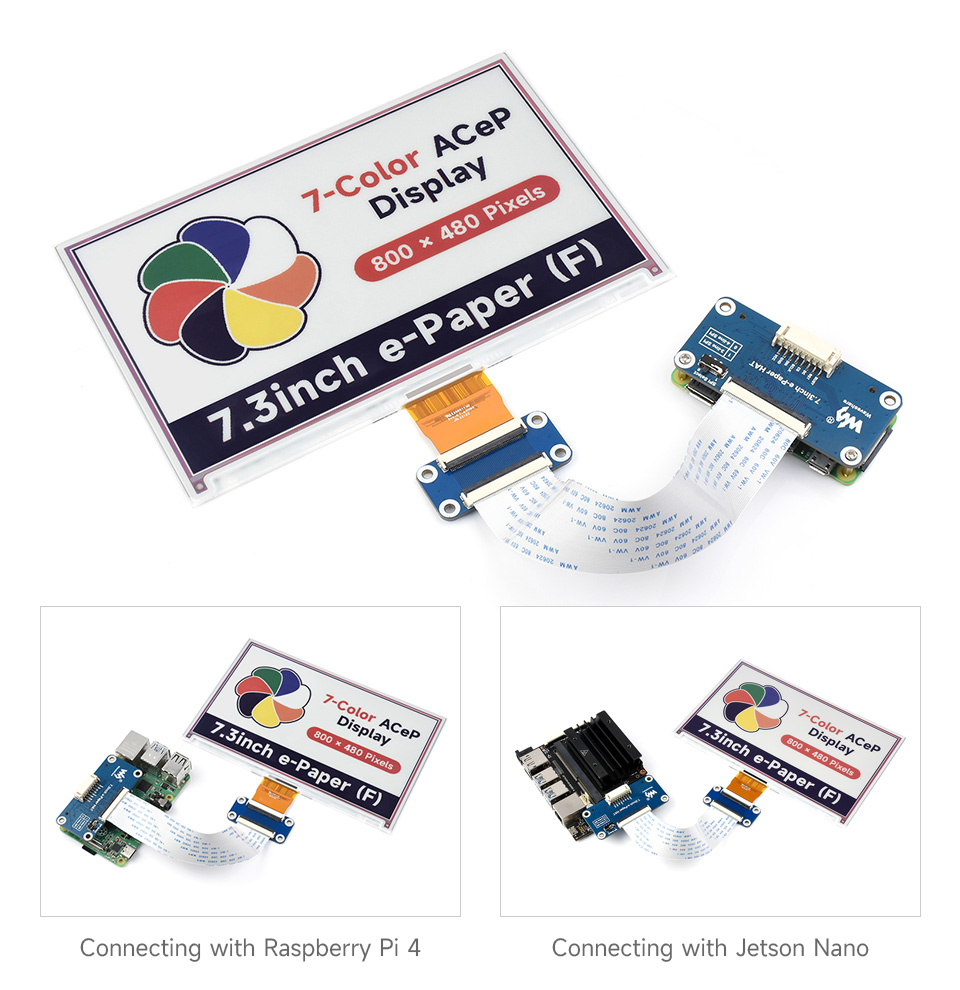
For Use With Controller Boards Like Raspberry Pi/Jetson Nano/Arduino/STM32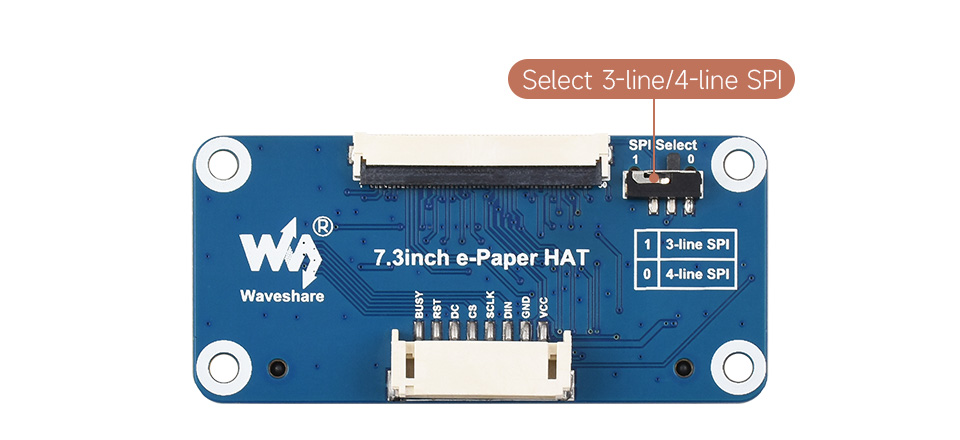
| VCC | Power (3.3V / 5V input) |
|---|---|
| GND | Ground |
| DIN | SPI MOSI pin |
| SCLK | SPI SCK pin |
| CS | SPI chip selection, low active |
| DC | Data/Command selection (high for data, low for command) |
| RST | External reset, low active |
| BUSY | Busy status output pin |
Application examples
Suitable for price Tags, asset/equipment Tags, shelf labels, conference name tags...
Outline dimensions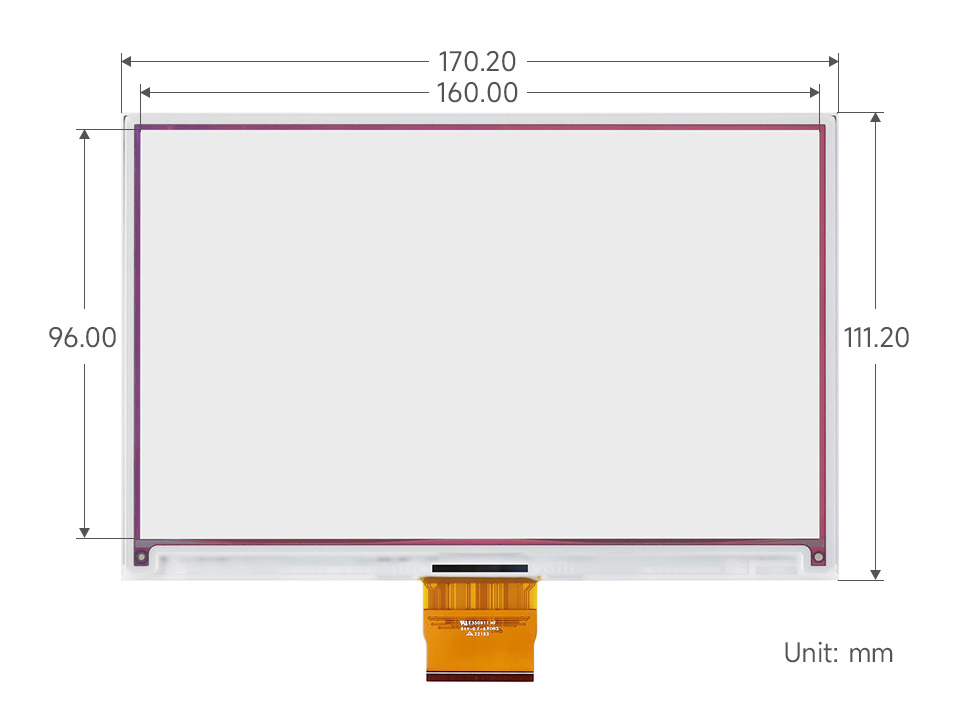
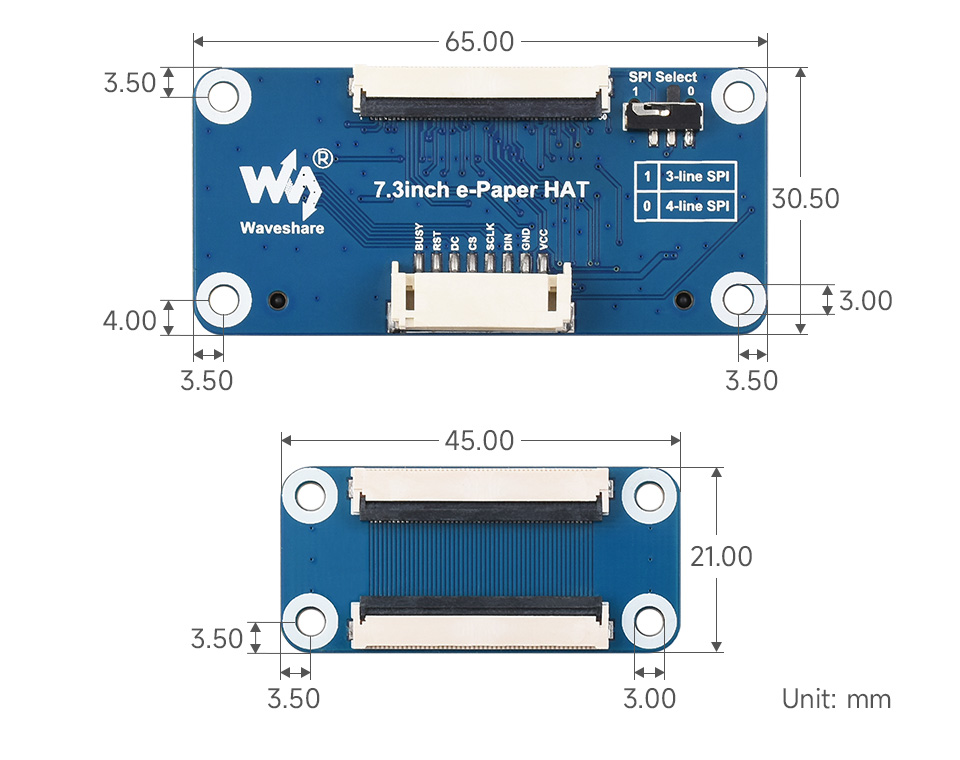
What's in the box?
1 x 7.3inch e-Paper (F)
1 x Driver Board and FFC cable
1 x PH2.0 20cm 8Pin
1 x RPi screws pack (2pcs)
Resources

Specifications
Resolution: 5MP
Aperture: F2.4
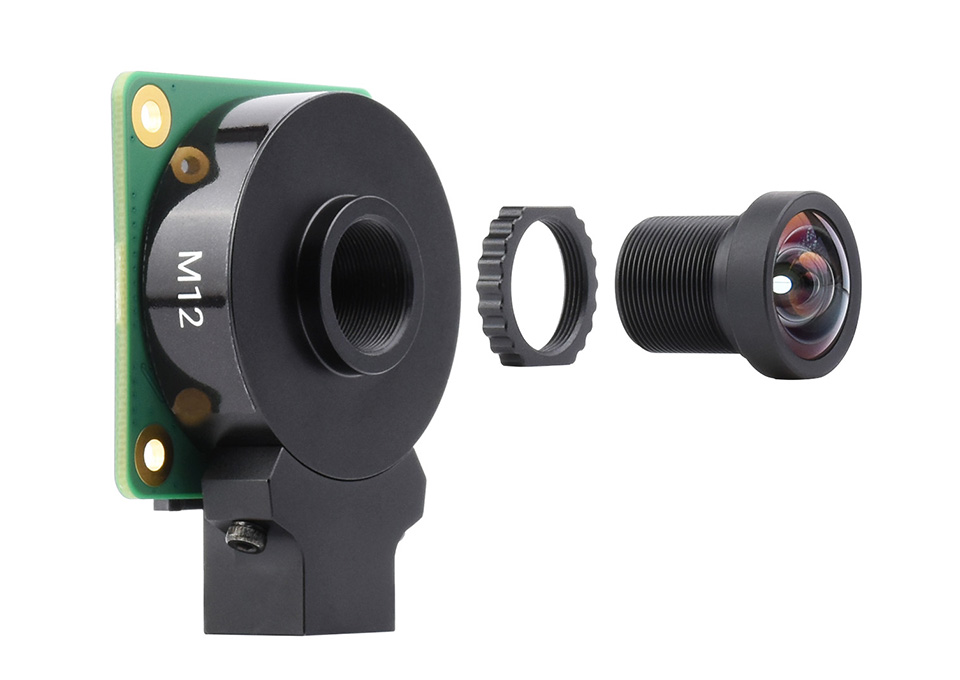
Mount: M12
Focal Length: 25mm
Image Format: 1/2"
FOV(D/H/V): 18.3°/14.7°/11.1°
What's in the box?
1 x M12 lens

Specifications
Resolution: 12MP
Aperture: F2.5
Mount: M12
Focal Length: 2.7mm
Image Format: 1/2.3"
FOV(D/H/V): 184.6°/140°/102.6°
What's in the box?
1 x M12 lens

Suitable for M12 mount camera module such as Raspberry Pi HQ Camera M12
| Model |  WS1842714 |  WS1053516 |  WS1132712 |  WS1603212 |  WS0698012 | ||||||||
|---|---|---|---|---|---|---|---|---|---|---|---|---|---|
| Resolution | 14M | 16M | 12M | ||||||||||
| Focal length | 2.72mm | 3.56mm | 2.7mm | 3.2mm | 8mm | ||||||||
| Aperture (F/NO) | 2.5 | 2.5 | 2.8 | 2.0 | 1.8 | ||||||||
| Back focus length | 3.06mm | 5.92mm | 4.97mm | 6.14mm | 10.02mm | ||||||||
| DISTORTION | <-21% | <-17.6% | <-1.5% | <-64% | <-15.68% | ||||||||
| Mount | M12*P0.5 | ||||||||||||
| Operating temperature | -30 ~ +75°C | -30 ~ +70°C | -40 ~ +105°C | -20 ~ +60°C | |||||||||
| Construction | 8G+IR | 4G3P+IR | 5G2P+IR | 8G+IR | |||||||||
| Weight | 9g | 7g | 6g | 28g | 12g | ||||||||
| Field of view | IMAGE FORMAT | 1/2.3" | 1/2.3" | 1/2.5" | 1/2.3" | 1/2.5" | 1/2.8" | 1/1.7" | 1/1.8" | 1/2.8" | 1/1.8" | 1/2.5" | 1/3.0" |
| Diagonal | 184.6° | 105.0° | 98.2° | 113.0° | 108.0° | 101.0° | 160.0° | 153.6° | 136.0° | 69.5° | 50.7° | 43.0° | |
| Horizontal | 140.0° | 88.0° | 87.7° | 100.0° | 97.0° | 92.8° | 131.0° | 129.0° | 113.5° | 55.6° | 44.4° | 34.7° | |
| Vertical | 102.6° | 70.0° | 53.3° | 82.7° | 67.0° | 60.3° | 99.0° | 88.0° | 83.0° | 40.3° | 32.6° | 26.4° | |
Working with Raspberry Pi
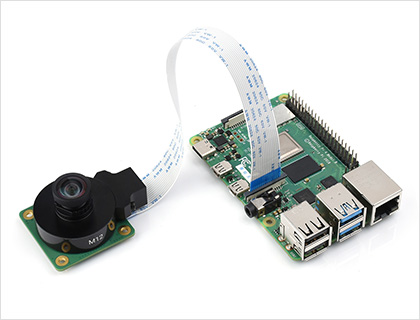
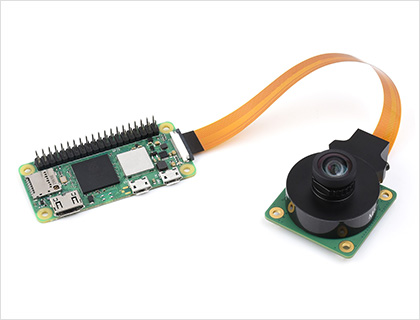
- Raspberry Pi boards, FFC cable and Raspberry Pi HQ Camera M12 in the photos are NOT included
- To use with Raspberry Pi Zero or Zero 2W, you need to buy an additional Raspberry Pi Zero v1.3 Camera Cable
What's in the box?
1 x M12 lens

Looking for a solution to introduce robotics and coding to your kids? Get this kit for them (or yourself!) to build this cute micro:bit robot car. Zip zip Zoom!
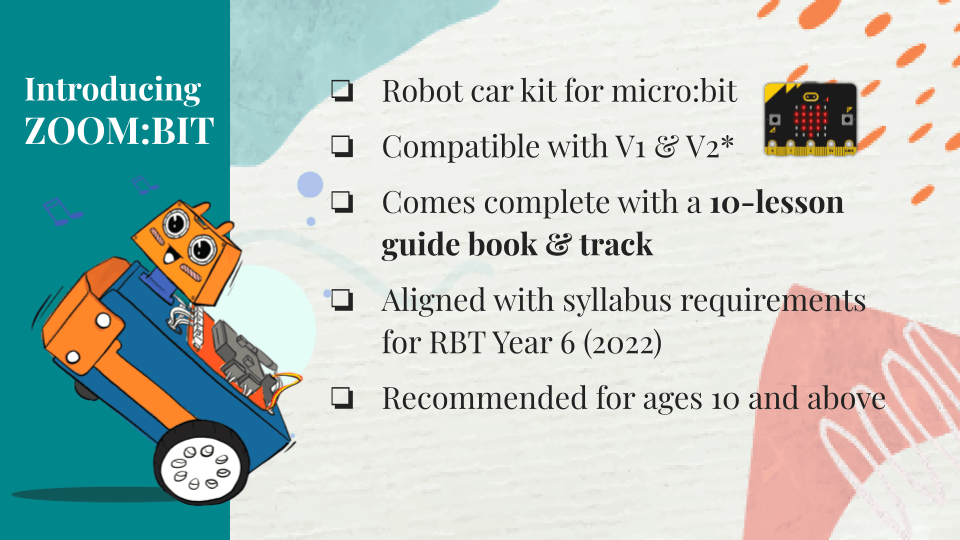
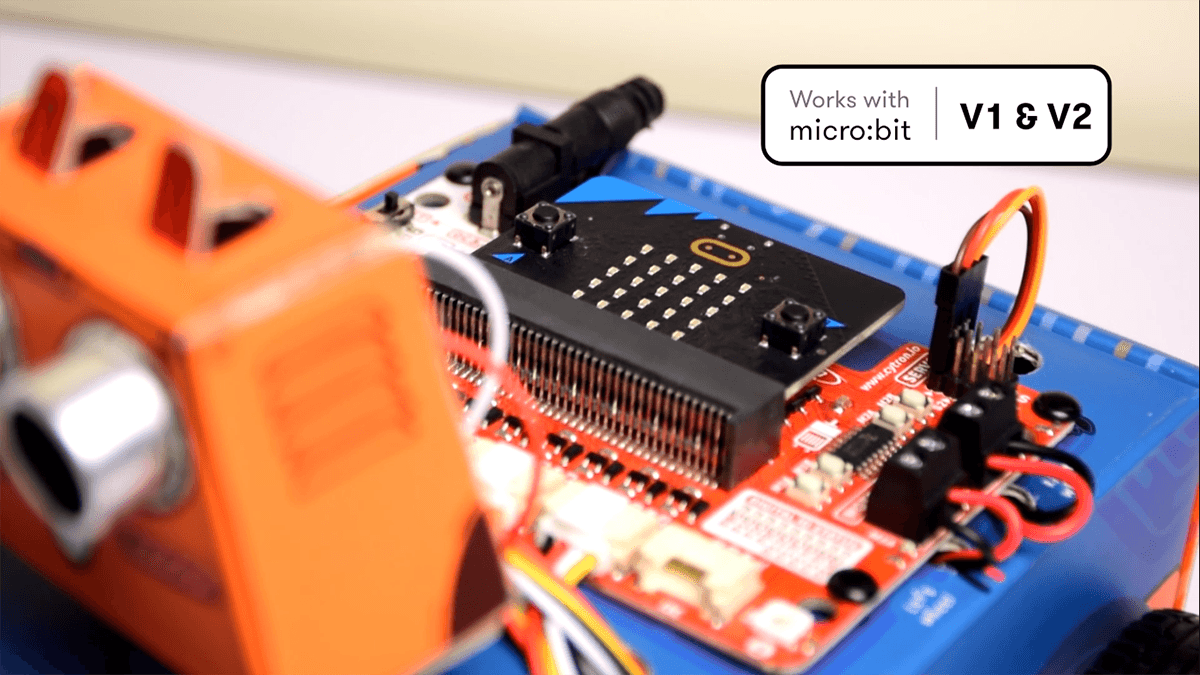
This kit comes with a step-by-step building guide written in simple language and a generous dose of graphics to help young learners to follow along. Download a PDF copy of the book here for FREE. If you prefer video tutorials, visit our Youtube playlist here.
Follow the detailed & illustrated instructions to build your own robot and explore programming basics in a fun and engaging manner.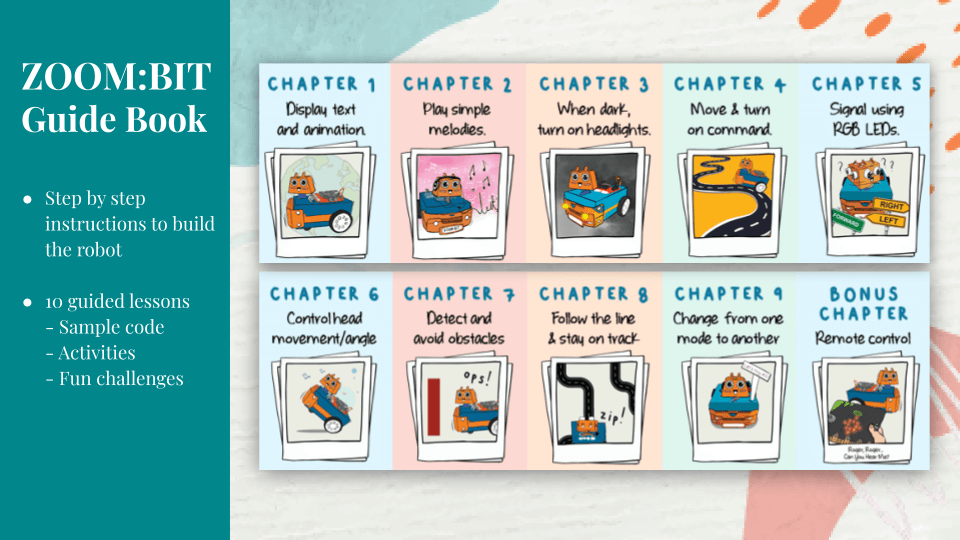
You can easily program ZOOM:BIT using open-sourced Microsoft MakeCode Editor. Just add ZOOM:BIT Extension and you’re good to go. If you’re a beginner, you can start with the Block programming mode; simply drag, drop and snap the coding blocks together. For more advanced users, you can easily switch into JavaScript or Python mode on MakeCode Editor for text-based programming.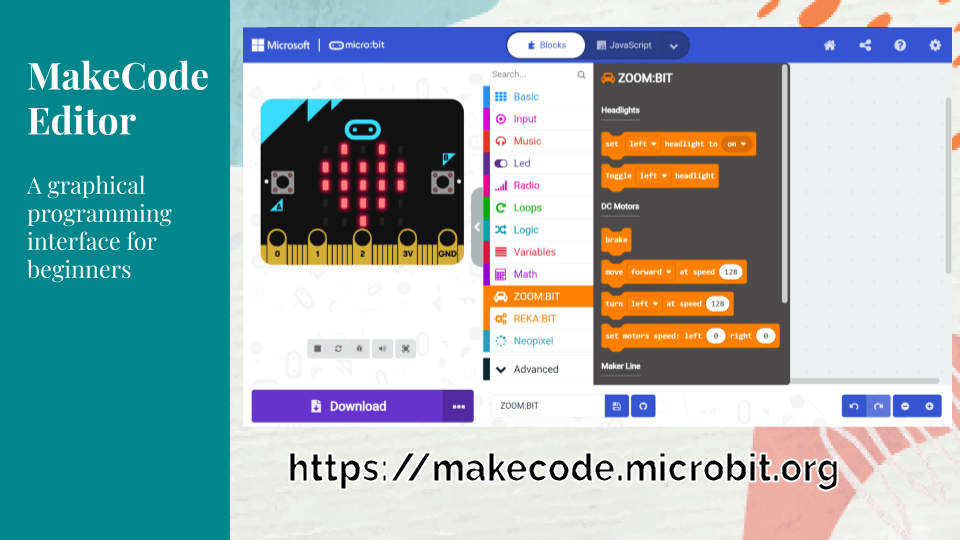
New to coding? Don’t worry. This kit comes with a 10-lesson guide book, complete with sample code and helpful tips. You can also access additional resources from ZOOM:BIT Online Resource Hub. Join Telegram ZOOM:BIT Community for technical support and the latest updates.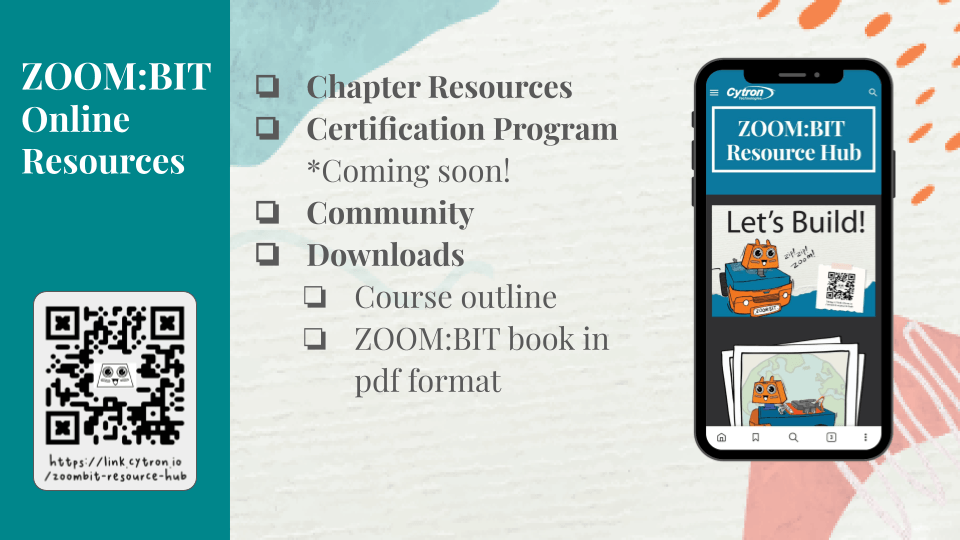
Features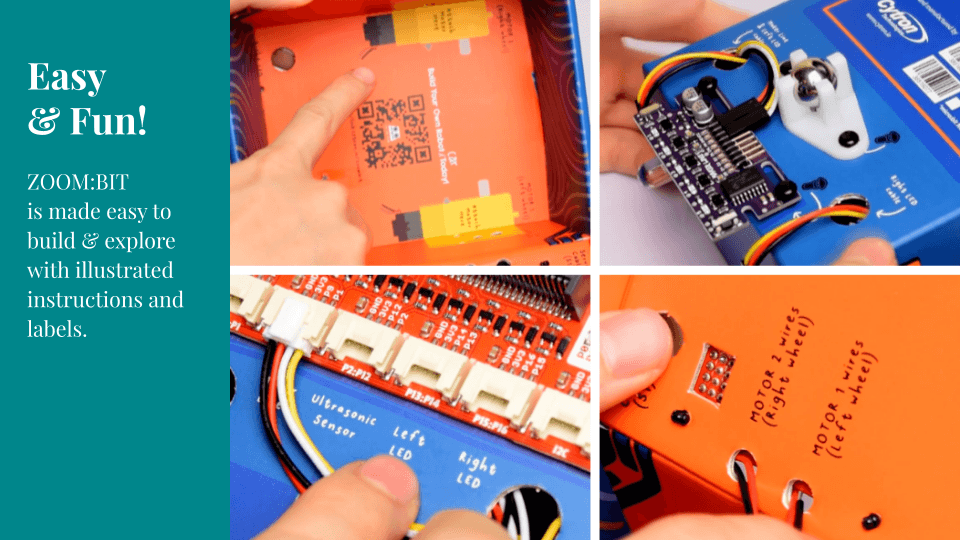
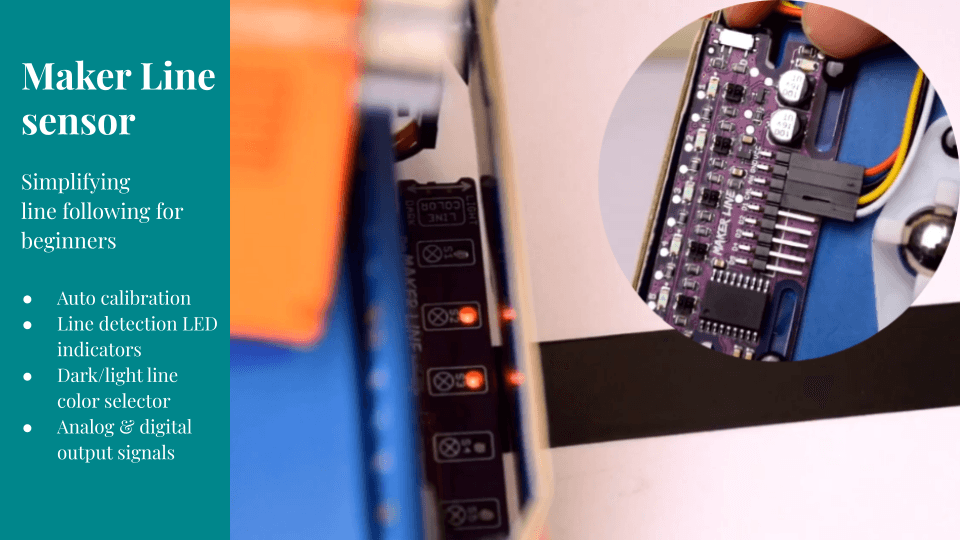
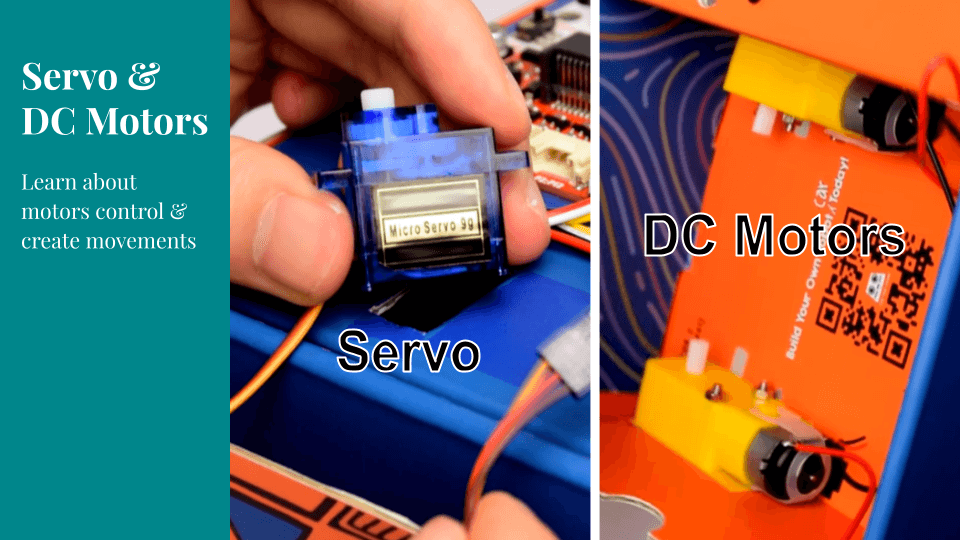
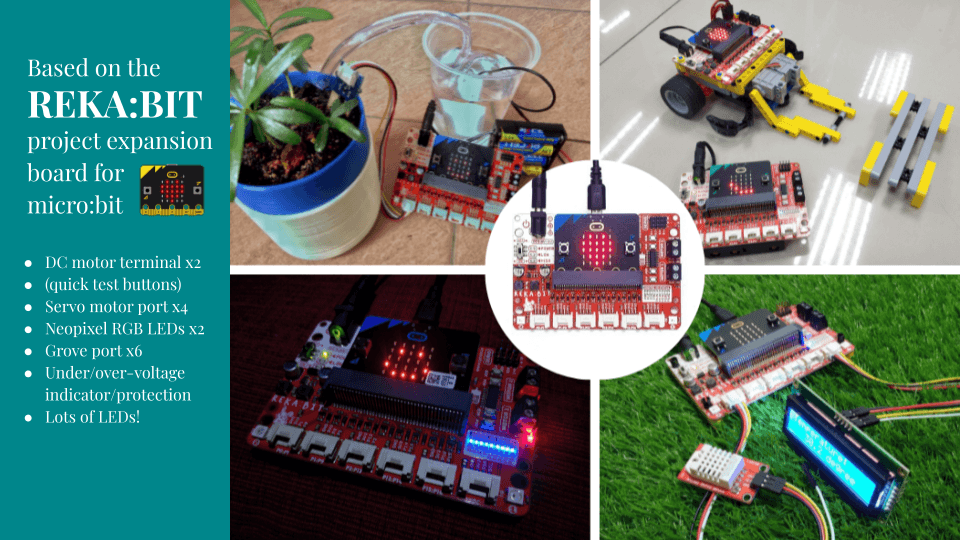
Bonus for ZOOM:BIT fans. If you are a Telegram user, grab ZOOM:BIT's sticker pack here: https://t.me/addstickers/itsZoombit. Have fun~
Every kit comes with all the materials needed (except the micro:bit board) to complete ZOOM:BIT Robot Car, as well as a printed guide book with detailed instructions and a line following track.
What's in the box?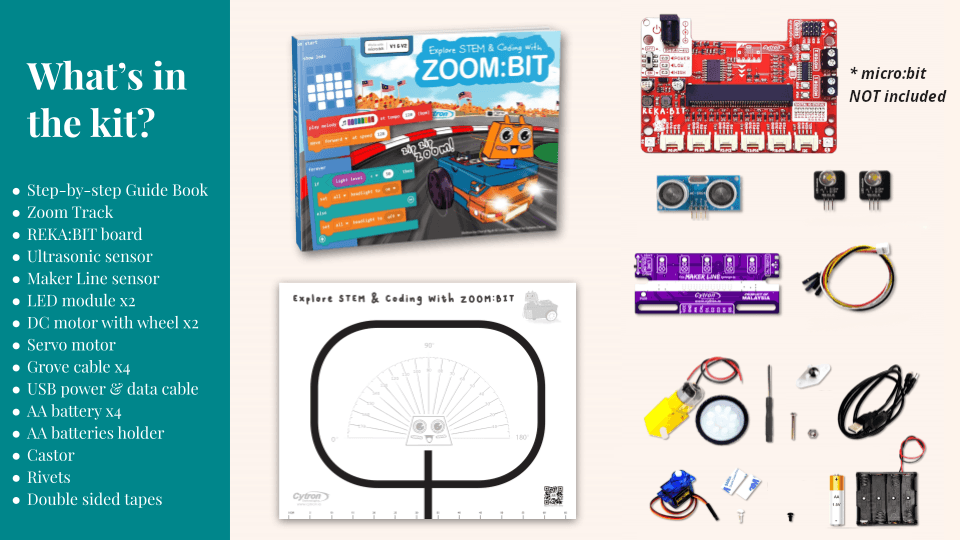
1 x micro:bit board Note: This product does NOT include a micro:bit board.
1 x REKA:BIT expansion board
1 x USB power and data cable1 x 9+1 lessons quick start guide book
1 x Zoom track
1 x Maker Line sensor
1 x Ultrasonic sensor
2 x 10mm LED module
2 x DC motor with wheel
1 x Micro servo motor
4 x Grove to female header cable
1 x 4xAA battery holder with DC plug
4 x AA battery
1 x Castor
1 x Mini screwdriver
Rivets
Double-sided tape

This beginner-friendly micro:bit kit is specially designed to encourage kids to explore STEAM and learn coding.
You can easily program EDU:BIT using open-sourced Microsoft MakeCode Editor. Just add EDU:BIT MakeCode Extension and you’re good to go. If you’re a beginner, you can start with the block programming mode; simply drag, drop and snap the coding blocks together. For more advanced users, you can easily switch into JavaScript or Python mode on MakeCode Editor for text-based programming.
New to coding? Don’t worry. This kit comes with a booklet covering 10+1 hands-on coding lessons, which have been creatively structured to introduce programming basics in a fun and engaging manner. Each chapter features a classic childhood game such as Rock Paper Scissors, Snakes and Ladders, Twister, and Simon Says. Follow the step-by-step guide to build the games and then have fun playing with your friends! *Game accessories are provided in this kit.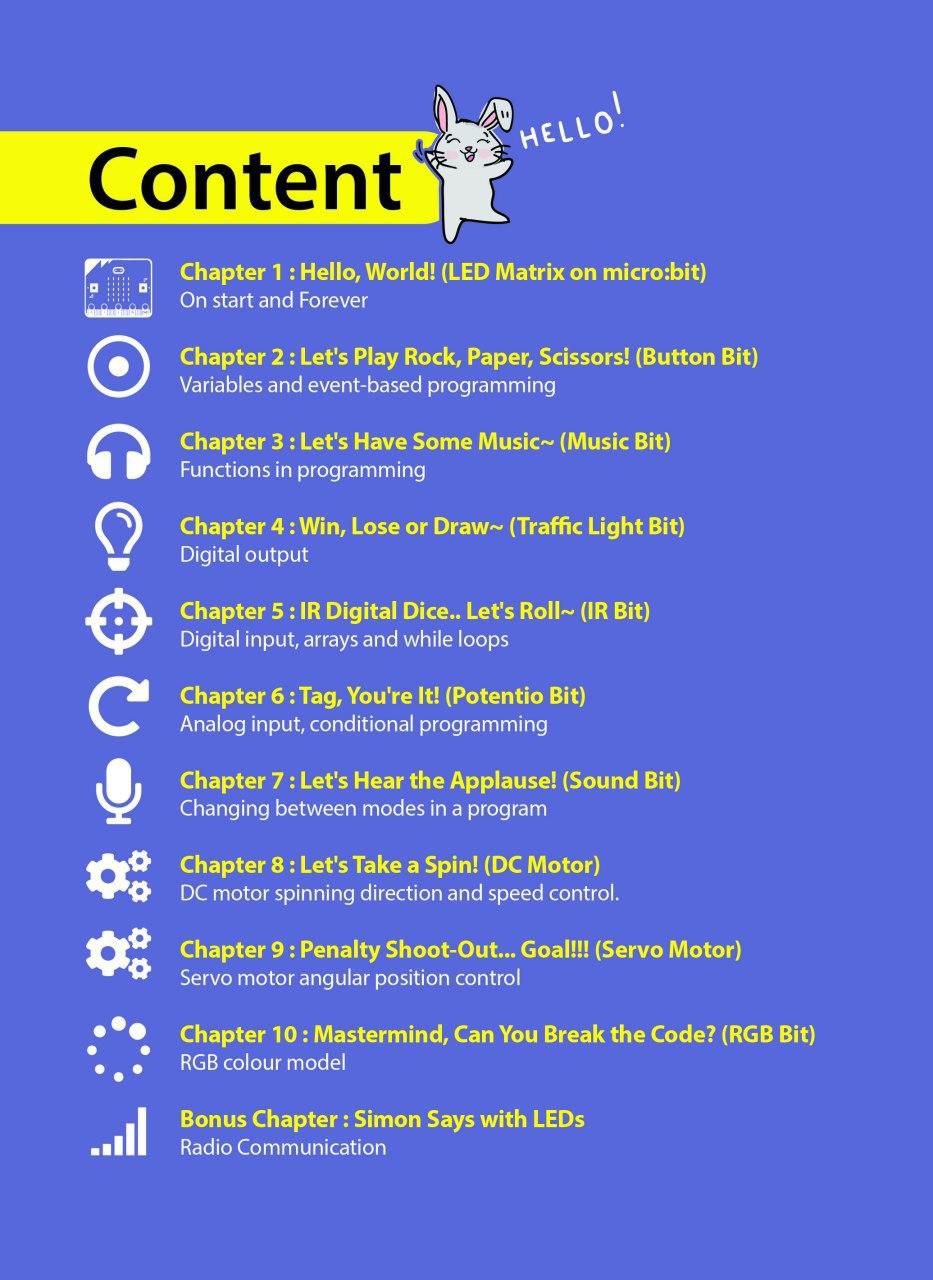
At the end of each chapter, there is a challenge which requires you to apply what you’ve learned to build a useful application for your classroom. Give it a try and if you’re stuck, we’re always here to help you. You can go to our online Resource Hub for sample codes and extra resources.
SPECIAL FEATURES
Start having fun with EDU:BIT right out of the box. Start coding right away and see your board lights up and plays melody with the press of a button. No wiring required when used as a training kit.
Cannot control servo motor and play music at the same time on your micro:bit? Servo motor refuses to move correctly? Worry no more! EDU:BIT takes care of these issues with its dedicated controller and power supply. It can even support up to 3 servo motors and 2 DC motors to actuate any creative projects you will build.
Each feature and its associated micro:bit IO pin is clearly labeled on the board for easy reference. In addition, indicator LEDs are built in on EDU:BIT to ease troubleshooting for both digital and analog IO pins.
Ready to build your own projects? You can break off the modules on EDU:BIT board for more flexibility in your project design. Plug-and-play cables are provided for you to connect the broken off Bits to the main board.
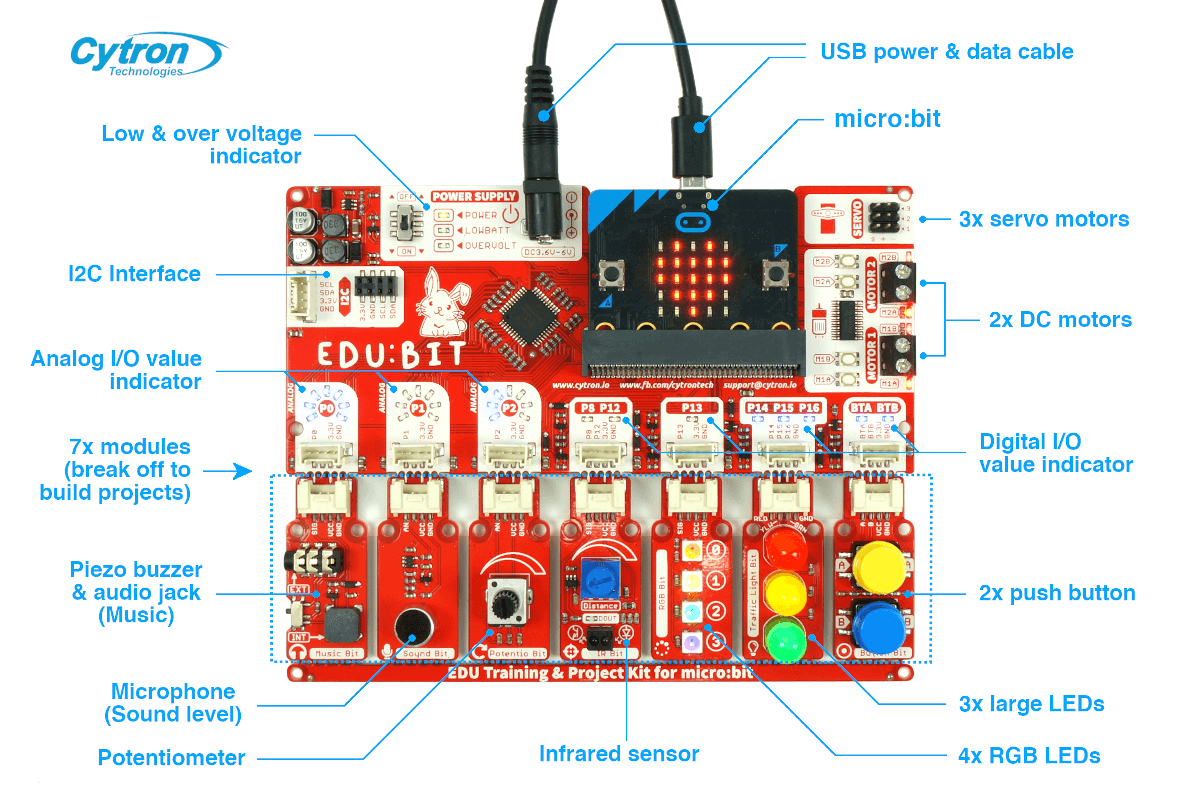
EDU:BIT Specifications
- 1x Piezo buzzer with audio jack
- 1x Sound sensor
- 1x Potentiometer
- 1x IR sensor
- 4x Programmable RGB LEDs
- 3x Big LEDs (traffic light module - red, yellow green)
- 2x Push buttons
- 3x ports for servo motors
- 2x ports for DC motors
- 1x port for I2C Interface (3.3V)
- Dimension: 157.50 mm x 124.50 mm x 19.00 mm
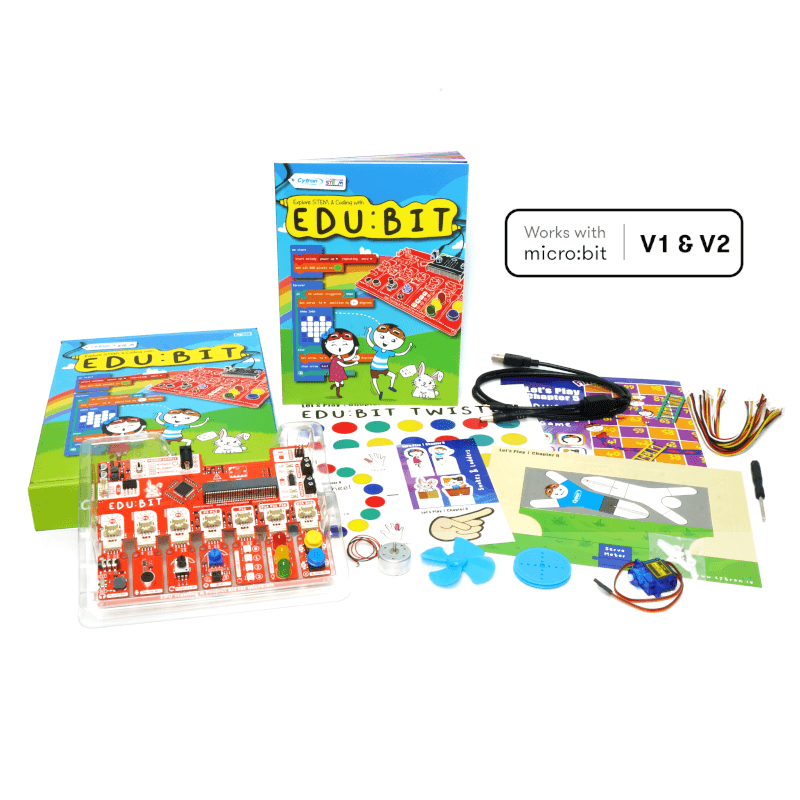
1 x Step-by-step Guide Book
1 x USB power and data cable
2 x Game maps
2 x Game accessories
7 x Grove cables
1 x Servo motor
1 x DC motor
1 x Pulley wheel
1 x Fan blade
You will also need a battery holder and some batteries
- EDU:BIT Resource Hub (with sample codes and extra resources)
- EDU:BIT Out-of-the-box Demo Code
- micro:bit Getting Started Guide (by microbit.org)
- MakeCode Online Editor
- MakeCode Offline Editor
- EDU:BIT Schematic, PCB Layout and PIC16F1937 Co-Processor Source Code
- MicroPython library for EDU:BIT
Visit our Blog for demo videos and more!

Simple ON and OFF switch. This is a panel-mount SPDT (single pole double throw) toggle switch.
This 3 pins toggle switch is great for any project where you have two options to select between. Maybe you'll be selecting between two voltages? Two audio outputs? Two sensor inputs? It's up to you! It's short, sweet, blue, and to the point! The part is marked at 3A 250VAC and 6A 125VAC but we haven't tested it at such high current/voltages and don't recommend it for more than 2A at 24V.
- SPDT 3 Terminal ON-ON 2 - Position Latching Toggle Switch.
- Each switch is assembled with two hex nuts, a flat and a locking washer.
- Easy installation, fits into any 6mm hole.
- Stated Electrical Spec: 3A 250VAC or 6A 125VAC, but we recommend using it at 2A at 24V

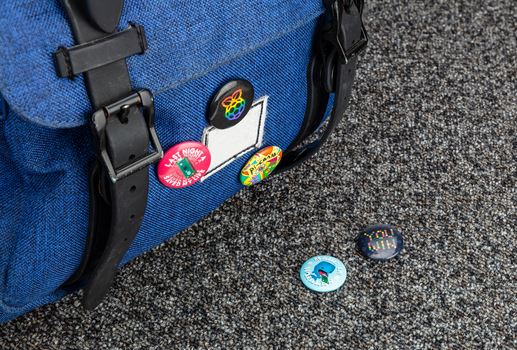
What's in the box?
5 x badges

11.2mm x 300mm glue sticks
For use with this glue gun
What's in the box?
5 x glue sticks

It is very suitable to cut holes in a variety of materials including steel, brass, wood, plastic, etc

100 x cable ties

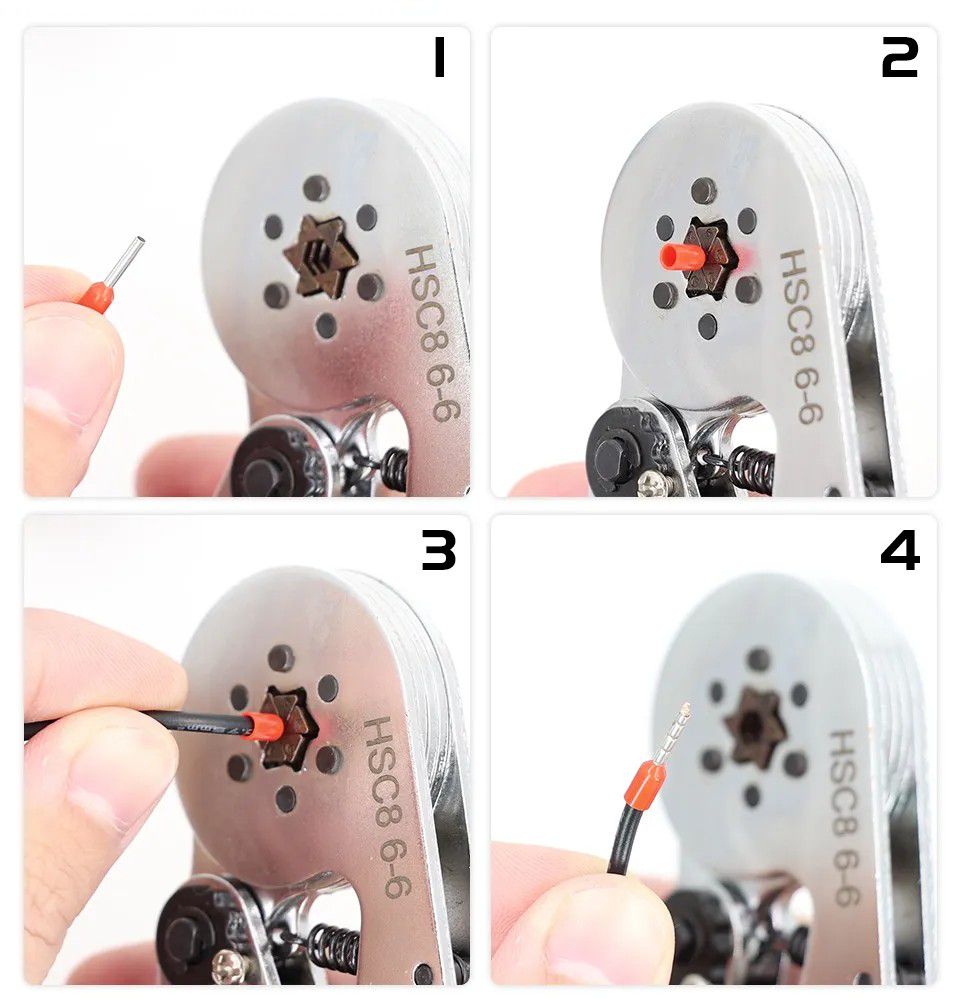
To use the Ferrule Kit, you need to use a Crimping Plier. You can use this HSC6-6 Crimping Plier with your Ferrule Kit. This crimping plier comes with a hexagonal crimper and adjustable pressure regulator. It is also designed to have a soft ergonomic handle for a comfortable grip.
You will find our bootlace ferrules here
What's in the box?
1 x HSC6-6 Crimping Plier
Resources