
Learn how to pixel paint mini works of art on your Unicorn HAT using your Pi and a web browser.
Beginner / Unicorn HAT
Special Offers

Mobile robot development platform, compatible with Raspberry Pi/Arduino
LG 20MK400H 19.5inch monitor with HDMI and D-Sub (LG 19.5 20MK400H)
React Faster to The Action
Dynamic Action Sync mode allows you to instantly react to your opponents and attack them without any display lag. It synchronizes your senses with real-time scenes in fast-paced games by minimizing input lag.
Offers Stable Image
Reducing the flicker level to almost zero, Flicker Safe helps you protect your eyes from exhausting flickers.
Protect Eyes with Reader Mode
Reducing blue light to help lessen eye fatigue, Reader Mode provides optimal condition for reading. With easy joystick control, you can more comfortably read your monitor screen.
Specifications
FEATURES
SW APPLICATION
OnScreen Control (LG Screen Manager): Yes
CONNECTIVITY
POWER
MECHANICAL
DIMENSIONS/WEIGHT
What's in the box?
1 x LG 20MK400H monitor
Dynamic Action Sync mode allows you to instantly react to your opponents and attack them without any display lag. It synchronizes your senses with real-time scenes in fast-paced games by minimizing input lag.
Offers Stable Image
Reducing the flicker level to almost zero, Flicker Safe helps you protect your eyes from exhausting flickers.
Protect Eyes with Reader Mode
Reducing blue light to help lessen eye fatigue, Reader Mode provides optimal condition for reading. With easy joystick control, you can more comfortably read your monitor screen.
Specifications
- Size (Inch): 19.5Inch
- Size (cm): 49.4cm
- Resolution: 1366 x 768
- Panel Type: TN
- Aspect Ratio:16:9
- Pixel Pitch: 0.3177 x 0.3070 mm
- Brightness (Min.): 160 cd/m²
- Brightness (Typ.): 200 cd/m²
- Colour Gamut (Typ.): NTSC 72% (CIE1931)
- Colour Depth (Number of Colors): 16.7M
- Contrast Ratio (Min.): 360:1
- Contrast Ratio (Typ.: 600:1
- Response Time: 2ms (GtG at Faster)
- Viewing Angle (CR≥10): 90˚(R/L), 65˚(U/D)
- Surface Treatment: Anti glare, 3H
FEATURES
- Flicker safe: Yes
- Reader Mode: Yes
- Color Weakness: Yes
- Super Resolution : Yes
- Black Stabilizer: Yes
- Dynamic Action Sync: Yes
- Crosshair: Yes
- Smart Energy Saving: Yes
SW APPLICATION
OnScreen Control (LG Screen Manager): Yes
CONNECTIVITY
- D-Sub: Yes (1ea)
- D-Sub: (Max. Resolution at Hz) 1366 x 768 at 60Hz
- HDMI: Yes (1ea)
- HDMI: (Max. Resolution at Hz) 1366 x 768 at 60Hz
- Headphone out: Yes
POWER
- Type: External Power (Adapter)
- AC Input: 100 - 240Vac, 50/60Hz
- Power Consumption (Typ.): 13.0W 15.0W
- Power Consumption (Sleep Mode): Less than 0.3W
- Power Consumption (DC Off): Less than 0.3W
MECHANICAL
- Display Position Adjustments: Tilt
- Wall Mountable :75 x 75 mm
DIMENSIONS/WEIGHT
- Dimension with Stand (W x H x D) 463.8 x 366.5 x 181.9 mm
- Dimension without Stand (W x H x D) 463.8 x 276.4 x 38.4 mm
- Weight with Stand 2.3kg
- Weight without Stand 2.0kg
What's in the box?
1 x LG 20MK400H monitor

Industrial Gigabit PoE Splitter Metal Case protection 5V 2.5A Type-C Out (WS industrial poe splitter)
Industrial Gigabit PoE Splitter, 5V 2.5A Type-C power output. IEEE 802.3af/at-compliant Gigabit Ethernet
Features at a glance
Specifications
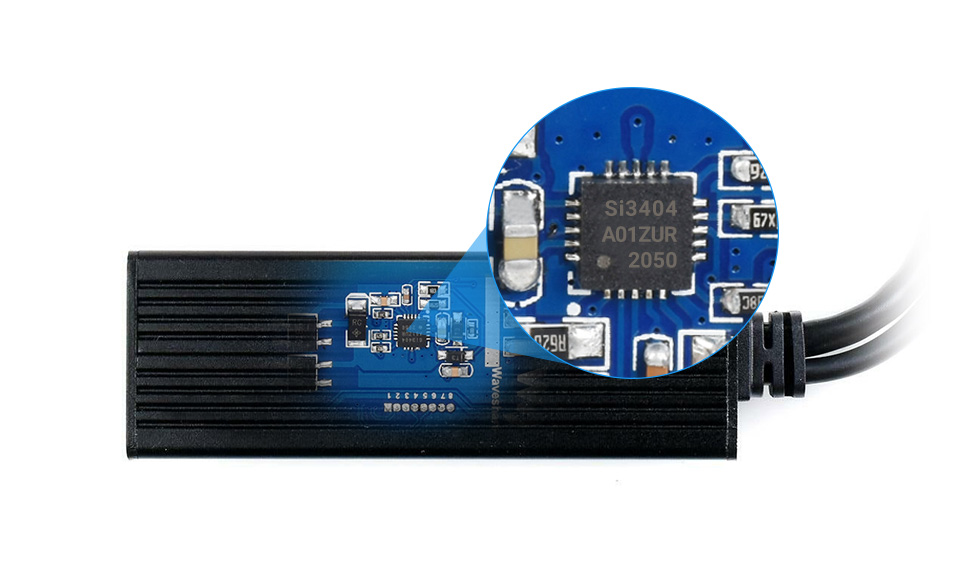
Original chip solution
Incorporates Si3404, high-integration, high-efficiency, more safe and reliable
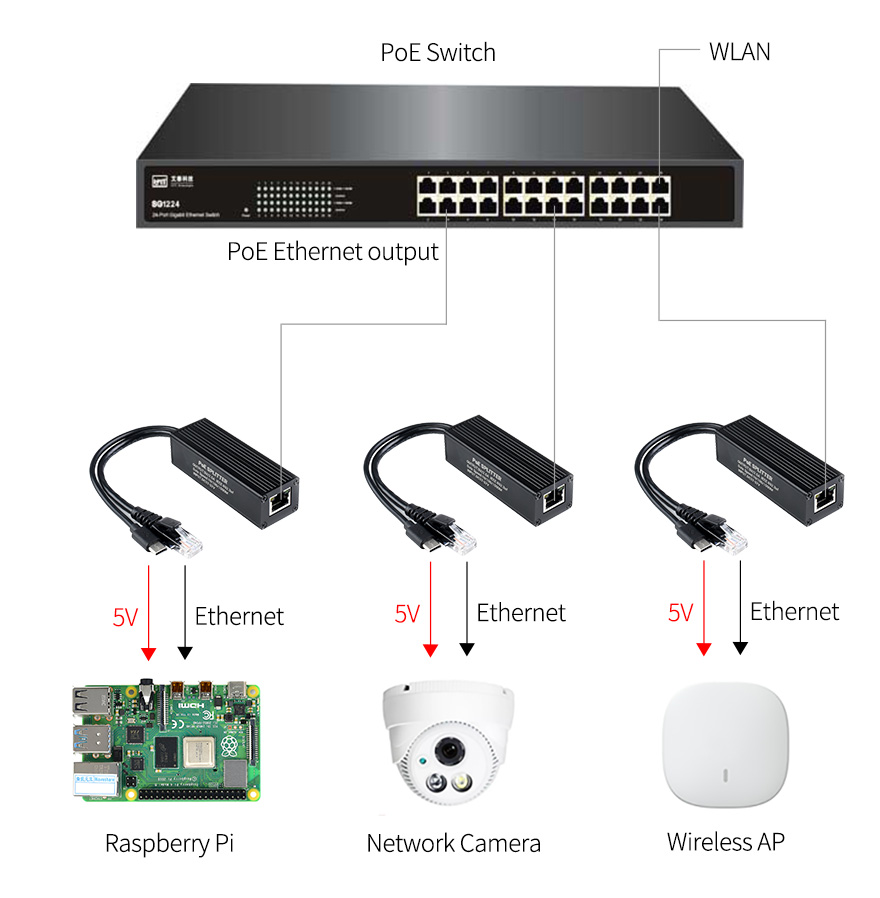
for reference ONLY, Raspberry Pi and switch are NOT included.
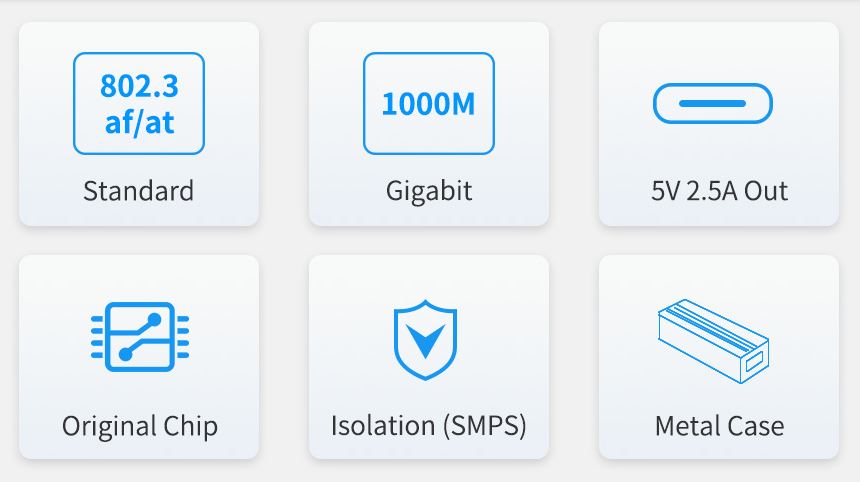
Features at a glance
- Incorporates original chip Si3404, high-efficiency, high-safety, stable-performance
- 10/100/1000Mbps auto-negotiation Ethernet port
- 802.3af/at-compliant PoE (Power over Ethernet) standard
- Isolated SMPS (Switching Mode Power Supply), effectively protecting the powered device
- 5V DC output, suitable for powering Raspberry Pi and other small-scale network devices
- Black dull-polish metal case, sturdy and rugged, higher protection level, better heat dissipation
Specifications
| Power supply | supports 1/2(+); 3/6(-); 4/5(+); 7/8(-) powering |
|---|---|
| PoE input voltage | 37V ~ 57V |
| Type-C output | 5V 2.5A (MAX) |
| Cable | Cat-5 UTP |
| Standard | IEEE 802.3 af/at PoE Ethernet |
| Data rate | 10/100/1000Mbps |
| LED indicator | PoE power input indicator |
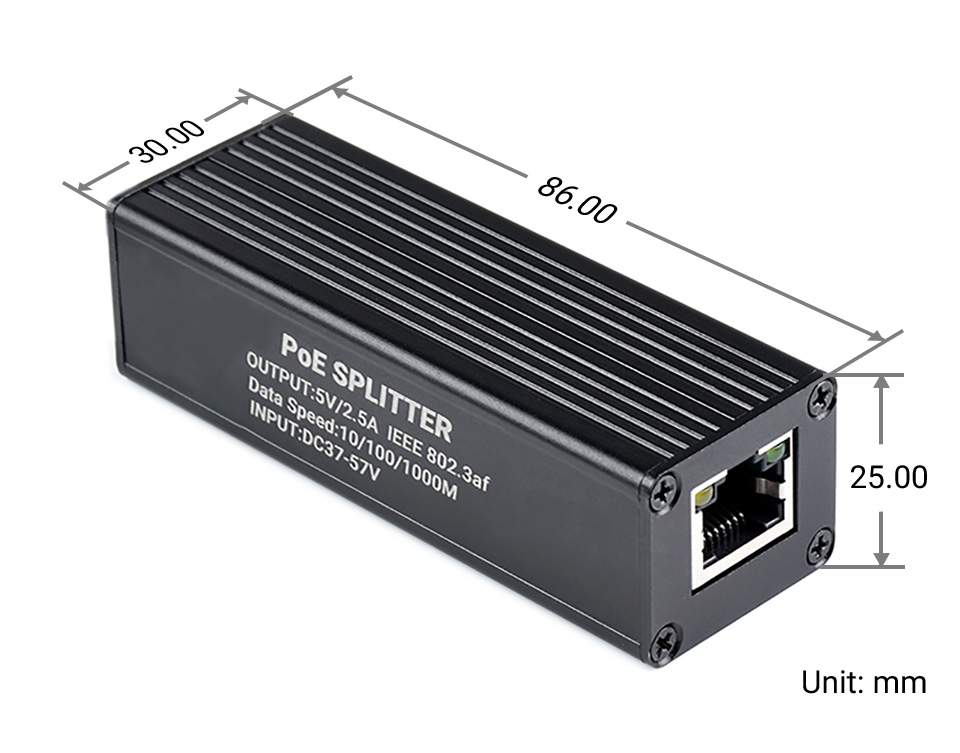
| Dimensions | 86 × 30 × 25mm (l × w × h) |
| Operating temperature | -40℃ ~ 85℃ |
Original chip solution
Incorporates Si3404, high-integration, high-efficiency, more safe and reliable
Switching Mode Power Supply (SMPS)
Isolated circuit protection, effectively protecting the powered device
Industrial grade protection case
aluminum alloy case, sturdy and rugged, higher protection level, better heat dissipation 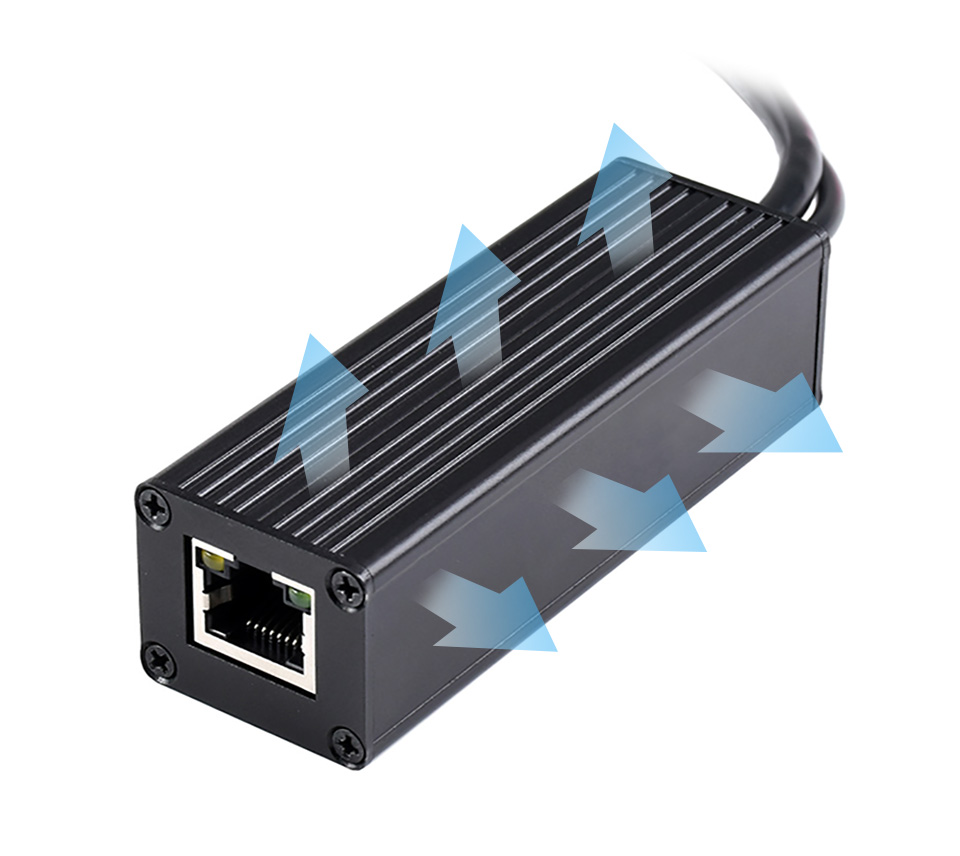
Application examples
Powering the Raspberry Pi or other 5V-powered network devices by PoE switch
for reference ONLY, Raspberry Pi and switch are NOT included.

Unicorn pHAT (Unicorn pHAT)
Description:
What's going to protect your beloved Raspberry Pi from an onslaught of rainbow-coloured fusion? That's right, it's Unicorn pHAT.
Sporting a matrix of 32 (8 x 4) RGB LEDs and powered directly from the Pi, this is the most compact pocket aurora available.
Unicorn pHAT provides a wash of controllable colour that is ideal for mood-lighting, pixel art, persistence of vision effects, status indications, or just blasting colour into your surroundings.
Features
- 32 RGB LEDs (SK6218 - 3.5mm x 3.5mm)
- LED data driven via DMA over PWM
- Unicorn pHAT pinout
- Compatible with Raspberry Pi 3, 2, B , A , Zero, and Zero W
- Python library
- Female header requires soldering
Software
Unicorn pHAT uses the same Python library as Unicorn HAT, so it's super-easy to use, should automatically detect that you're using the pHAT and includes some examples written specially for Unicorn pHAT.
Notes
- Warning: SK6218 LEDs are bright enough to cause eye pain, do not look at them directly when brightly lit. We recommend using Unicorn pHAT at lower brightness levels.
- Photo-sensitivity warning: flashing, strobing, and patterns of lights may cause epileptic seizures. Always take care and immediately stop using if you feel unwell (dizziness, nausea, affected vision, eye twitching, disorientation).
- Power: Unicorn pHAT works best with a >2A microUSB power supply for your Pi. We recommend the official Raspberry Pi power supply.
- Compatibility (audio): as Unicorn pHAT uses PWM and GPIO18, it will interfere with analogue audio playback (random colour patterns and flickering). HDMI should work just fine! :D
Tutorials & Projects
Getting Started with Unicorn Paint Getting Started with Unicorn pHAT Learn how to install and get started with your Unicorn pHAT
Beginner / LEDs
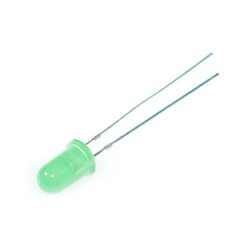
10Pcs 5mm Led Flashing Green Diffused (10Pcs 5mm led flash green)
These are general purpose 5mm Flashing Green LED with diffused lens and good brightness.
Specifications
What's in the box?
10 x Flashing LEDs
Specifications
- Brand: CHANZON
- Lens Size: 5mm Diameter
- Lens: Colour Lens
- Emitting Colour: Green Flash
- Viewing Angle: 20 Degree (Colour Lens)
- Forward Voltage: 3.0-3.2V
- Current: 20mA
- Frequency: 1.5HZ
- Flicker Frequency: 90 Times / Minutes
- Polarity: Anode (Longer Leg) | Cathode (Shorter Leg)
What's in the box?
10 x Flashing LEDs
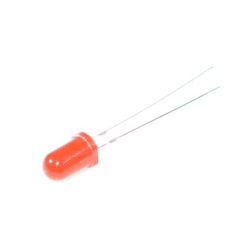
10Pcs 5mm Led Flashing Red Diffused (10Pcs 5mm led flash red)
These are general purpose 5mm Flashing RED LED with diffused lens and good brightness.
Specifications
What's in the box?
10 x Flashing LEDs
Specifications
- Brand: CHANZON
- Lens Size: 5mm Diameter
- Lens: Colour Lens
- Emitting Colour: Red Flash
- Viewing Angle: 20 Degree (Colour Lens)
- Forward Voltage: 3.0-3.2V
- Current: 20mA
- Frequency: 1.5HZ
- Flicker Frequency: 90 Times / Minutes
- Polarity: Anode (Longer Leg) | Cathode (Shorter Leg)
What's in the box?
10 x Flashing LEDs

PiBorg - Motor Controller (Piborg motor controller)
What's in the box?
1 x PiBorg - Motor Controller
The PicoBorg is an ultra compact motor controller for the Raspberry Pi!
With PicoBorg, you can turn on and off fans, motors, solenoids or relays from your Raspberry Pi. There are 4 low side drivers, so you can turn on and off 4 devices, and one device is connected to the Pi's PWM pin, so you can vary the speed of that motor! Motor control is accessed via a simple GUI, which can be installed by following the PicoBorg installation instructions.
Motor power is not taken directly from the Raspberry Pi, so there's no risk of your Pi dropping out. Instead, the PicoBorg utilises a battery pack to drive the motors; meaning you're not restricted to 5V motors, in fact you can drive ANY motors up to 20V!
The PicoBorg is perfect for any small motor project, for example:
- 4 fans on/off control over all and vary speed on one fan
- 4 solenoids
- 4 DC motors (on / off control over all and vary speed on one motor)
- Control one 6 wire stepper motor in both directions
- Rover project!
The PicoBorg Features:
- Drive 4 x DC Motors (on/off) or 1 x 6-Wire Stepper motor (Bi-Direction)
- Allows speed control on 1 x Motor
- Max 20V recommended 12V or less
- Max current 2.5A (stall) or less
- Primarily designed to be used with large resistance, low inductance motors and for learning and experimenting purposes.
What's in the box?
1 x PiBorg - Motor Controller
Warnings:
- As there are no pull up or pull down resistors on the inputs, the picoBorg expects the Pi to be controlling the pins when the power is applied. Power the Pi first, run the software and then apply power to the PicoBorg.
- There is no thermal shutoff, keep an eye on temperature of the FETs and diodes
- There is no current limiting, you must observe current restrictions
- There is no short circuit or reverse voltage protection
- For commercial applications and control of larger motors and lower resistance coils etc, PiBorg or PiBorg nano may be a better solution
- If you are new to electronics and getting started, we recommend you don't use a battery, rather a low current <100mA power supply as this can be more forgiving if you get things wrong
- Be very careful of connections and soldering as mistakes could potentially hurt your picoBorg and Raspberry Pi.

PIR Camera Case for Raspberry Pi 4 (Pi4 cam case pir)
Please note:
Only compatible with the official Raspberry Pi Camera Module Raspberry Pi and camera module not included!
Mounted PIR and Camera Module
The case comes with the PIR module and wires included. The PIR module is neatly mounted to the front of the case and the three PIR wires connect directly to the Raspberry Pi GPIO pins (5V, GND and GPIO 17). The camera module (not included) is also mounted to the front of the case, and connected in the usual way (CSI connector), with the ribbon cable neatly tucked into the case. A clear lens ring protects your camera from any unexpected knocks or bumps.
Easy to Code
Coding the project is super-simple, and to help you get started we've created a GitHub repository dedicated to this case. The GitHub repository takes you through setup, basic commands and full Python project examples showing the PIR module and camera working together.
You can expand on these however you like, adding other functions such as cloud storage upload, video effects, alerts and more!
The PIR Camera Case makes it easy to create a motion-sensing camera project with your Raspberry Pi 4.
It's the perfect case for anyone wishing to make an indoor security camera, pet monitor, baby monitor, office cam or any other project where you'd like to use a camera module to record whoever (or whatever!) moves in front of your camera. The case comes with the PIR module and wires.Please note:
Only compatible with the official Raspberry Pi Camera Module Raspberry Pi and camera module not included!
Mounted PIR and Camera Module
The case comes with the PIR module and wires included. The PIR module is neatly mounted to the front of the case and the three PIR wires connect directly to the Raspberry Pi GPIO pins (5V, GND and GPIO 17). The camera module (not included) is also mounted to the front of the case, and connected in the usual way (CSI connector), with the ribbon cable neatly tucked into the case. A clear lens ring protects your camera from any unexpected knocks or bumps.
Easy to Code
Coding the project is super-simple, and to help you get started we've created a GitHub repository dedicated to this case. The GitHub repository takes you through setup, basic commands and full Python project examples showing the PIR module and camera working together.
You can expand on these however you like, adding other functions such as cloud storage upload, video effects, alerts and more!
Please remember PIR sensors can be temperamental (and can also be impacted by WiFi, heat and other interference) so will need some tweaking to reduce excessive false triggers.
Compatibility
We include two sets of side panels to make this case compatible with both the Raspberry Pi 4.
In the box
- Case panels
- Lens protector ring
- Fixings pack
- PIR sensor
- PIR cable
Example Scripts and Resources
- GitHub Repository
- Assembly guide
- Preparing your Raspberry Pi
- Example code
- Downloading the example scripts to your Raspberry Pi
Case Assembly Guide
Features
- Compatible with the Raspberry Pi 4
- Laser-cut high quality "stealth" matt black perspex
- PIR module and wires included
- Camera protection ring
- Example code available
- Easy assembly
- Enables access to all Raspberry Pi ports
- Includes all required fixings
- Manufactured in the UK
Please note: Raspberry Pi and Camera Module not included. Wall mounting bracket not included.

Pico Proto PCB (pico proto pcd)
Prototyping board designed for the Raspberry Pi Pico with the Pico pinout marked on the PCB.
What's in the box?
1 x Pico Proto PCB
Resources
Instructions
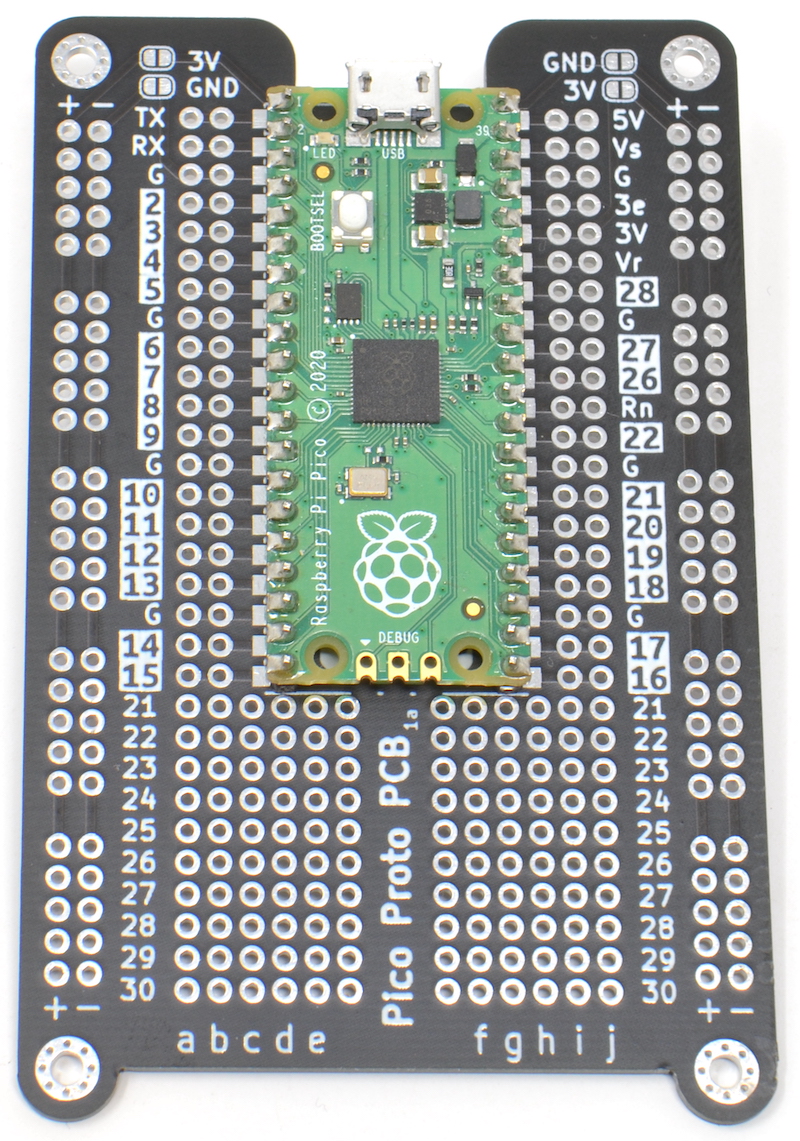
If you done using a breadboard for Pico and are ready to take your prototype to solder, you will love this board.
It can be tricky to work out which pin is which when using a Raspberry Pi Pico
with prototyping board. The MonkMakes Pico Proto PCB solves this problem by
labeling the Pico pins on the PCB.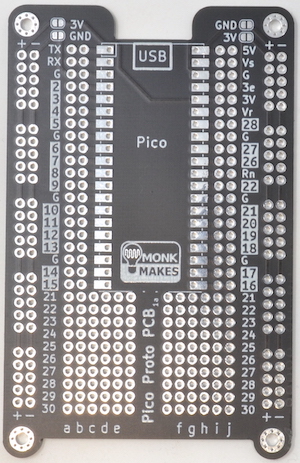
The MonkMakes Pico Proto PCB makes it easy to make soldered prototypes using the Raspberry Pi Pico. You can solder the Pico to the prototyping board using the castelations around the edge of the board, or using header pins, or even solder header sockets onto the Pico Proto PCB so that you can easily swap out the Pico.
Specifications
The layout of the Pico Proto PCB is modelled on a 400-point breadboard, and after the Pico is soldered to the PCB, there are 10 more rows, that can be used for through hole components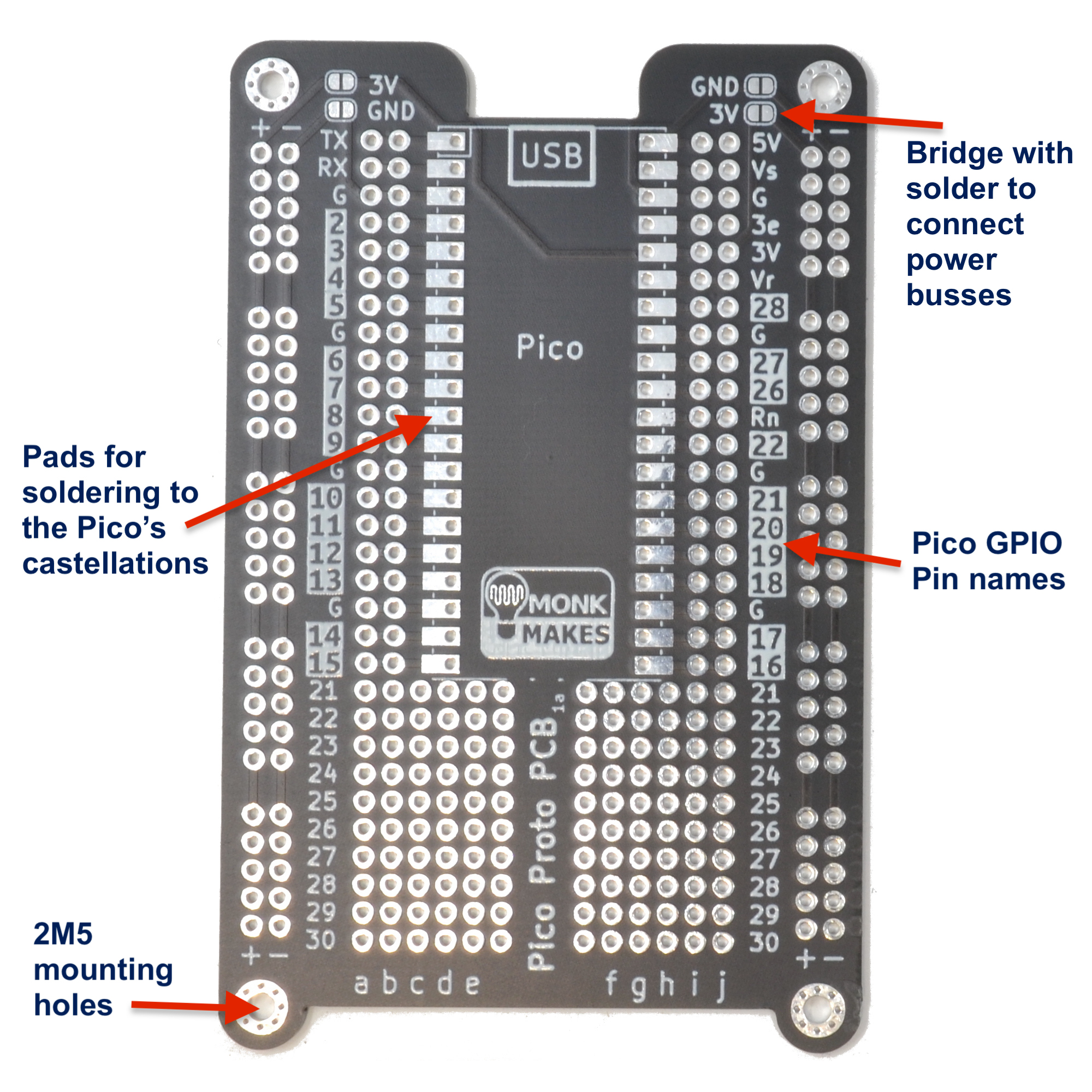
WARNING: Low voltage, low current usage only. Maximum 50V at 3A.
What's in the box?
1 x Pico Proto PCB
Resources
Instructions

16 in 1 Building:bit Programmable Building Block Kits (building:bit building block kit)
16 in 1 Building:bit Programmable Building Block Kits
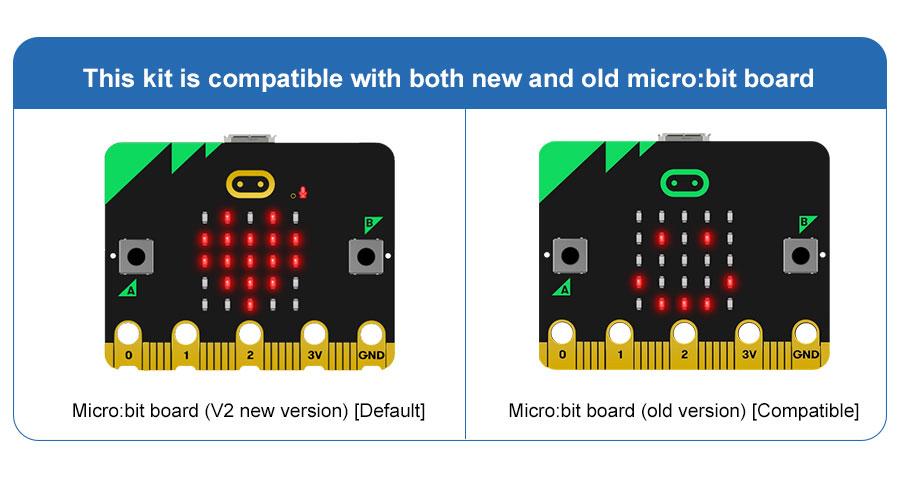
The Building:bit comes with the Super:bit Expansion board and it works with both micro:bit V1 and micro:bit V2(micro:bit not included)

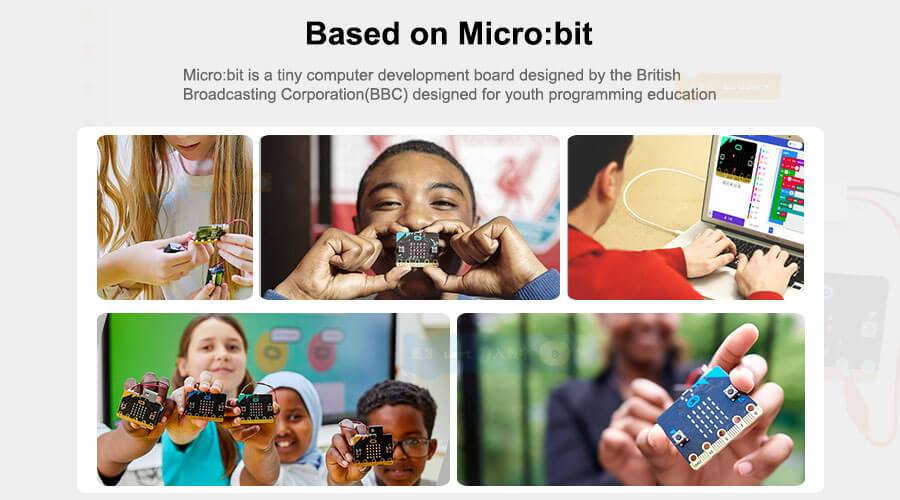
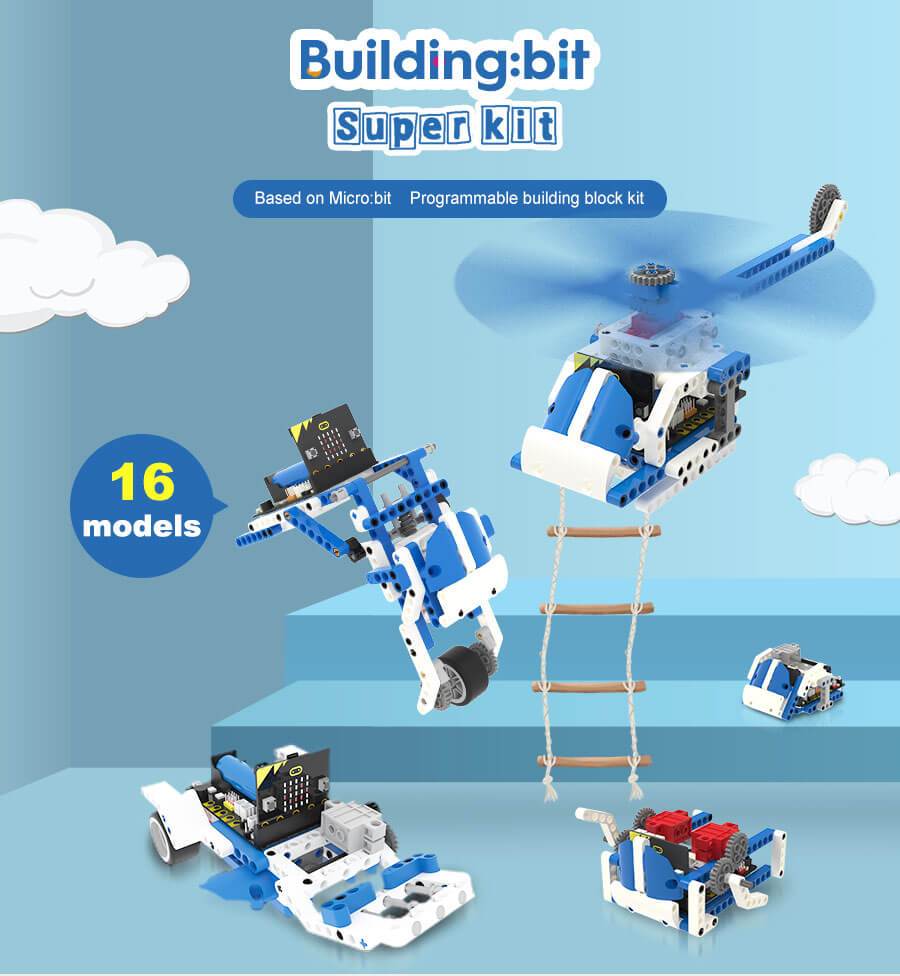
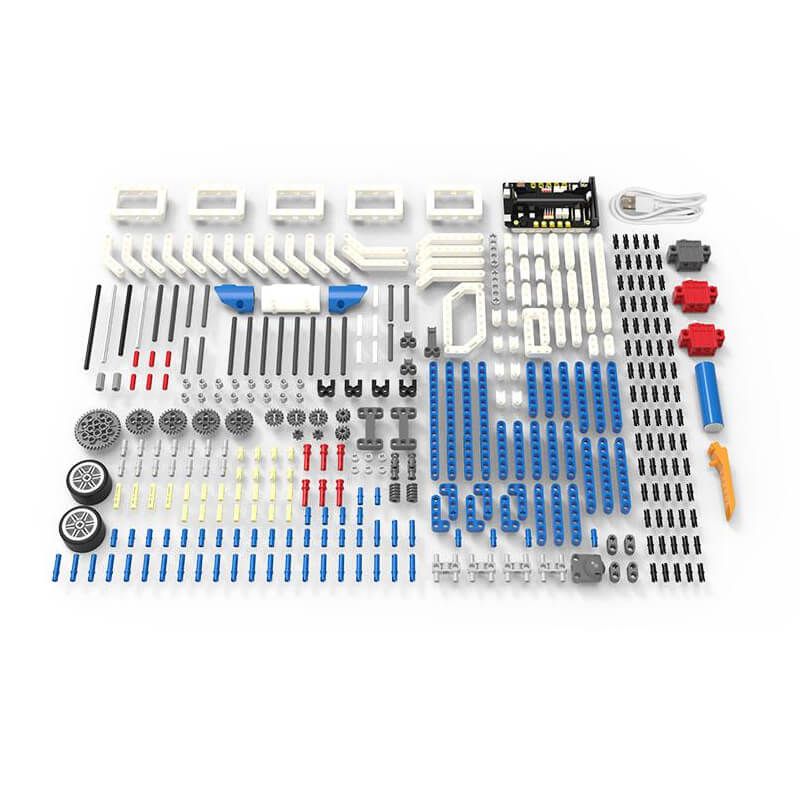
16-in-1 superkit programmable building block kit is designed based on BBC micro:bit, which is composed of Super:bit expansion board, building block servo, Building block motor, battery, and 358 building block parts.
We combine building blocks with electronic devices to bring your building blocks to life, and they can also play music and realize colorful lights. On the one hand, it allows children to learn to program. On the other hand, it can also cultivate children's practical ability and stimulate creativity by assembling building blocks.
Specifications
What's in the box?
1 x 16 in 1 Building:bit kit
16 in 1 Building:bit Programmable Building Block Kits
The Building:bit comes with the Super:bit Expansion board and it works with both micro:bit V1 and micro:bit V2(micro:bit not included)
16-in-1 superkit programmable building block kit is designed based on BBC micro:bit, which is composed of Super:bit expansion board, building block servo, Building block motor, battery, and 358 building block parts.
We combine building blocks with electronic devices to bring your building blocks to life, and they can also play music and realize colorful lights. On the one hand, it allows children to learn to program. On the other hand, it can also cultivate children's practical ability and stimulate creativity by assembling building blocks.
Features
- Compatible with both micro:bit V1.X and V2.
- The building:bit kit is designed based on BBC micro:bit, equipped with Super:bit professional expansion board.
- The most popular microcontrollers for children are suitable for STEAM education.
- Super:bit expansion board specially designed for micro:bit can perfectly integrate with building blocks, build any shape, and drive building block servo, motor, RGB lights and other devices.
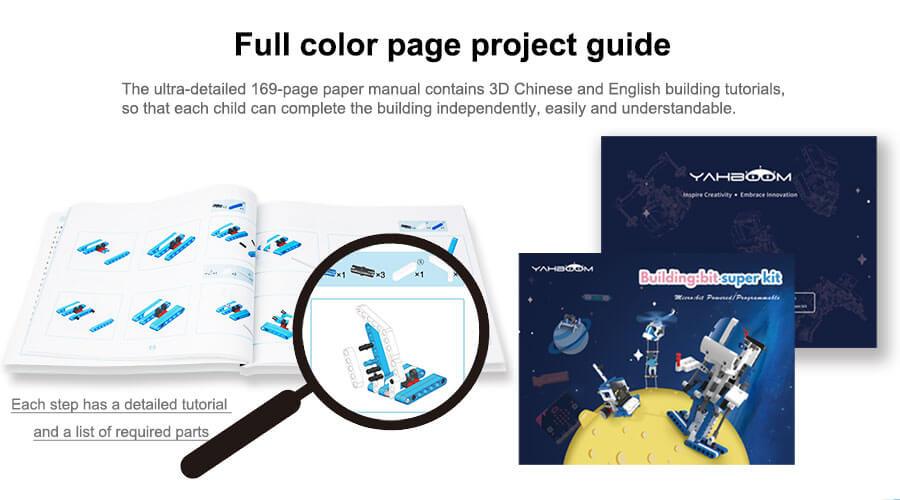
- 16 kinds of building block models full-color printing project instruction manual
- The building block parts of this kit are dominated by blue and white, the whole is full of science and technology, which can be assembled into N models.
- The manual includes assembly steps of 16 kinds of models and basic instruction content for programming.
- MakeCode programming Python programming, suitable for users of different ages.
- MakeCode programming: It can effectively reduce the learning threshold and improve children's interest in learning by dragging and splicing colorful building blocks
- Python programming: A string of character commands control the building blocks, writing a wonderful chapter belonging to the Makers and building block enthusiasts.
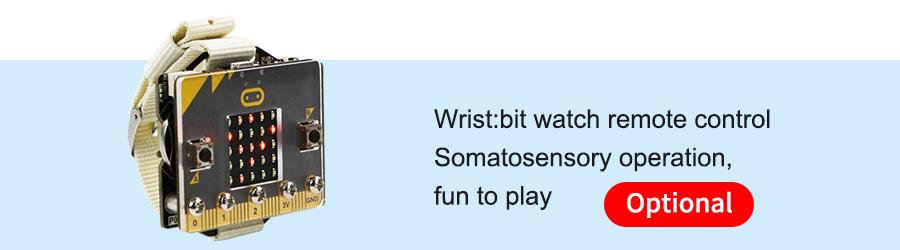
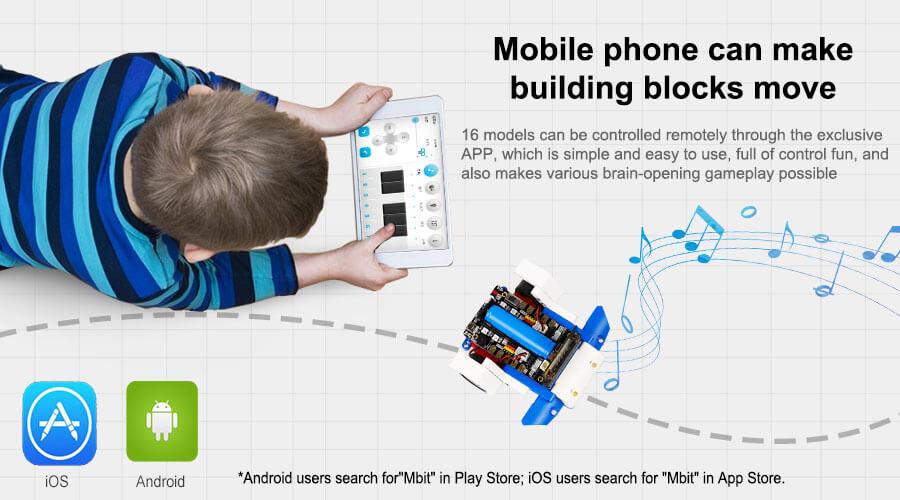
- Support App/game handle remote control
- When using different equipment to interact with the building blocks, the user can experience the fun brought by technology.
- Compatible with Lego building block, various gameplays
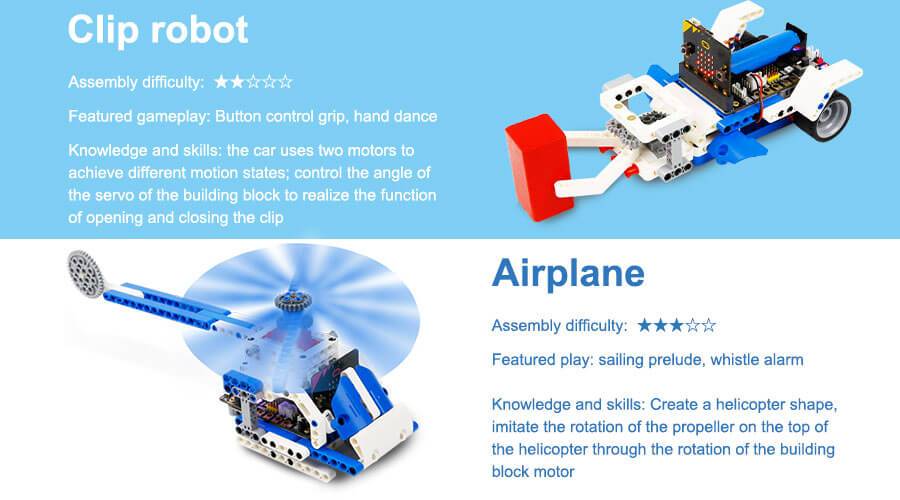
- 16 kinds of models with up to 80 gameplays, such as spider walking, helicopter propeller rotation, car wriggling, cannonball shooting, etc.
- Users can also expand through more Lego bricks and build more interesting shapes.
- Programming language: MakeCode graphical programming / Python programming
Specifications
- Remote control method: APP/micro:bit gamepad
- Main material: ABS
- Package Weight: about 1400g
- Packing box size: 288 * 213 * 68mm
- Battery type: Rechargeable lithium battery
- Lifetime: 120 minutes
- Battery energy: 3.7V / 1200mAh
- Working temperature: 4 ~ 40 ℃
- Onboard function: RGB lights, buzzer, etc.
- Number of building blocks: 358 high-precision building blocks
- Motor / Servo: 2 motors, 1 servo
What's in the box?
1 x 16 in 1 Building:bit kit
Resources
- Yahboom Building:bit superkit tutorial
- Superbit hardware interface manual, pdf file
- APP(Android) download
- Bluetooth communication protocol, pdf file
- Assembly Instructions, zipped file, extract to get jpeg files
- Makecode offline software

Creality CR-200B 3D Printer (CR-200B)
Creality CR-200B 3d printer, high cost-effective consumer 3D printer. 200 x 200 x 200 mm is what you'll get to print into with this new CR-200B.
An exquisite 3D printer is always with high performance. Not only does the Creality CR-200B 3d printer have the best features, but it also has a really smart, elegant design.
Features
See more at https://youtu.be/YAaXZ5y70kc
A transparent chamber with multi-style optional: The exclusive structure with classical Creality color and multi-style optional realizes your endless creativity.
Completely enclosed chamber meets high-temp filaments: The enclosed chamber with 200x200x200mm features a large print size. Match with a standard cover. It supports high-temperature filaments.
Quality wide voltage power supply with a safety system: The universal power supply with stability and quality gives you a safe and friendly environment.
Brand new and excellent performance nozzle kit: New nozzle kit with excellent thermal conductance features wear-resistance and stability, smoothly filament-pushing. The dual fan provides a great heat dissipation environment.
Large size color touch screen: Capacitive color screen with a new UI interface and sensitive screen stands up to wear and tear.
Smart filament runout sensor: Whenever there is a possible accident like filament run-out or filament breakage, the smart sensor forces the machine to suspend printing. Printing will automatically resume after the new filament feed-in.
Product Parameters
An exquisite 3D printer is always with high performance. Not only does the Creality CR-200B 3d printer have the best features, but it also has a really smart, elegant design.
Features
- Minimalist industrial
- Completely enclosed chamber
- Filament breakage sensor
- Large-size color touch screen
- Internal LED light
See more at https://youtu.be/YAaXZ5y70kc
A transparent chamber with multi-style optional: The exclusive structure with classical Creality color and multi-style optional realizes your endless creativity.
Completely enclosed chamber meets high-temp filaments: The enclosed chamber with 200x200x200mm features a large print size. Match with a standard cover. It supports high-temperature filaments.
Quality wide voltage power supply with a safety system: The universal power supply with stability and quality gives you a safe and friendly environment.
Brand new and excellent performance nozzle kit: New nozzle kit with excellent thermal conductance features wear-resistance and stability, smoothly filament-pushing. The dual fan provides a great heat dissipation environment.
Large size color touch screen: Capacitive color screen with a new UI interface and sensitive screen stands up to wear and tear.
Smart filament runout sensor: Whenever there is a possible accident like filament run-out or filament breakage, the smart sensor forces the machine to suspend printing. Printing will automatically resume after the new filament feed-in.
Product Parameters
- Molding technology: FDM
- Number of nozzle:1
- Print size: 200x200x200mm
- Machine dimension: 411x435x503mm
- Package dimension: 533x499x605mm
- Hotbed temperature: ≤100°C
- Nozzle temperature: ≤260°C
- Layer thickness: 0.1-0.4mm
- Supported filament: PLA/ABS
- Printing precision: ±0.1mm
- Power supply: Input 115-235V Output 24V
- Diameter of nozzle: 0.4mm

Retro Gaming with Raspberry Pi 2nd edition (book retro gaming 2nd)
Description
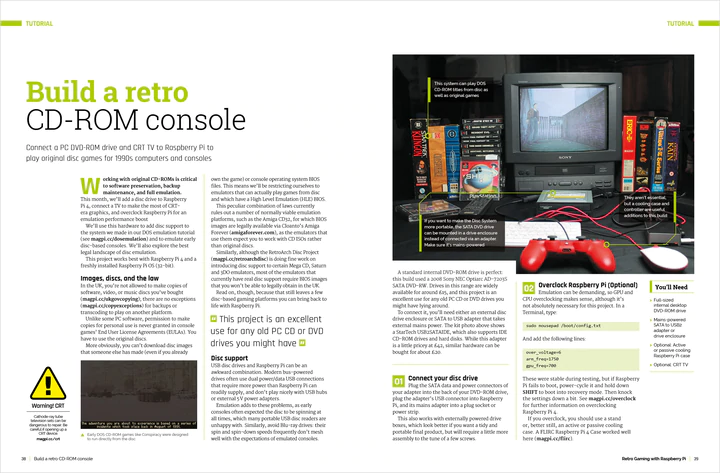
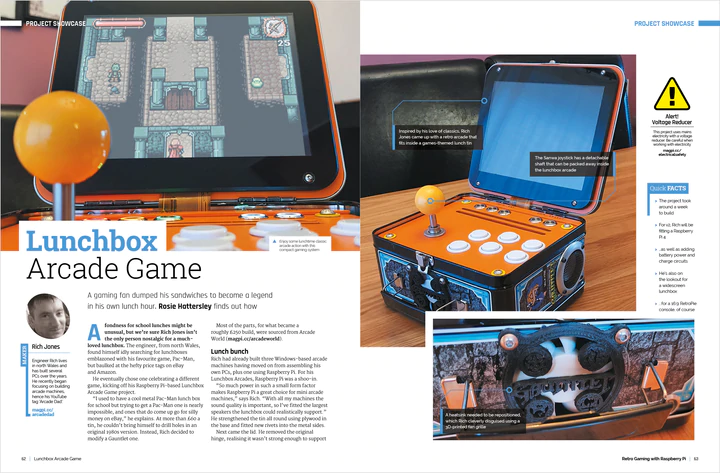
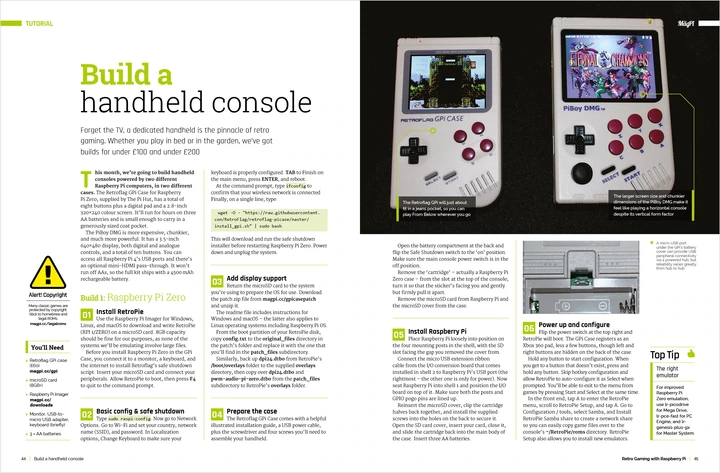
Discover how to set up Raspberry Pi to play classic games in the brand new version of our retro gaming guide.
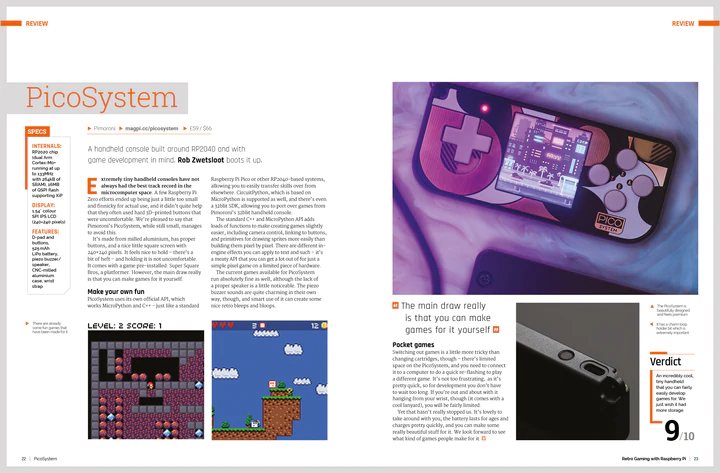
In this 164-page book, you’ll learn how to build a portable games machine, assemble a full-sized arcade cabinet, and emulate classic computers and consoles. Our step-by-step guides make each build easy! Plus you’ll even learn to program your own versions of classic arcade games using Python and Pygame.
What's in the box?
1 x retro gaming 2nd edition book
Discover how to set up Raspberry Pi to play classic games in the brand new version of our retro gaming guide.
In this 164-page book, you’ll learn how to build a portable games machine, assemble a full-sized arcade cabinet, and emulate classic computers and consoles. Our step-by-step guides make each build easy! Plus you’ll even learn to program your own versions of classic arcade games using Python and Pygame.
- Set up Raspberry Pi for retro gaming
- Emulate classic computers and consoles
- Learn to program retro-style games
- Build a portable console, arcade cabinet, and pinball machine
- And much, much more!
What's in the box?
1 x retro gaming 2nd edition book

The Official Raspberry Pi Handbook 2023 (RPi handbook 2023)
1 x RPi 2023 Handbook
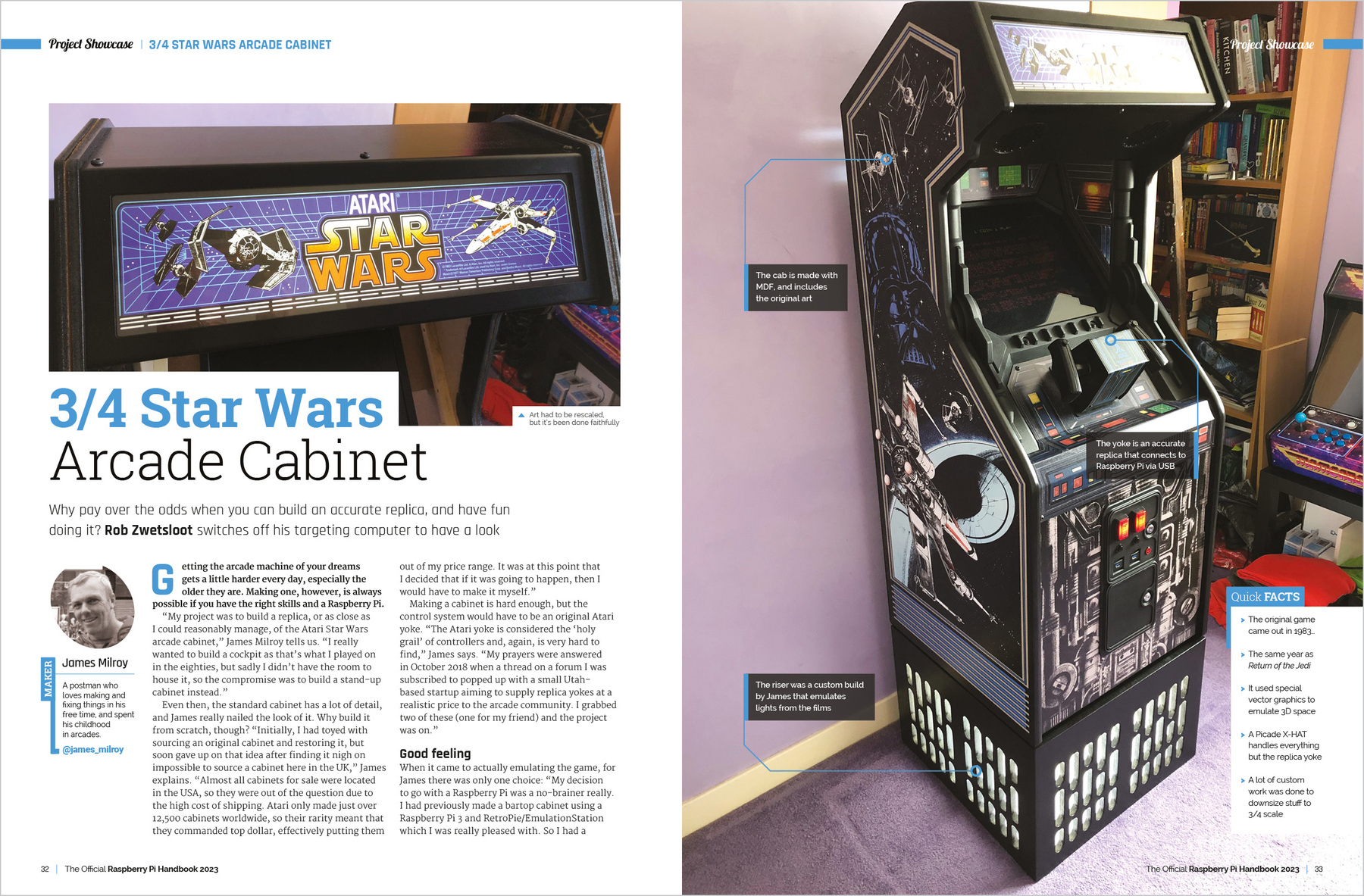
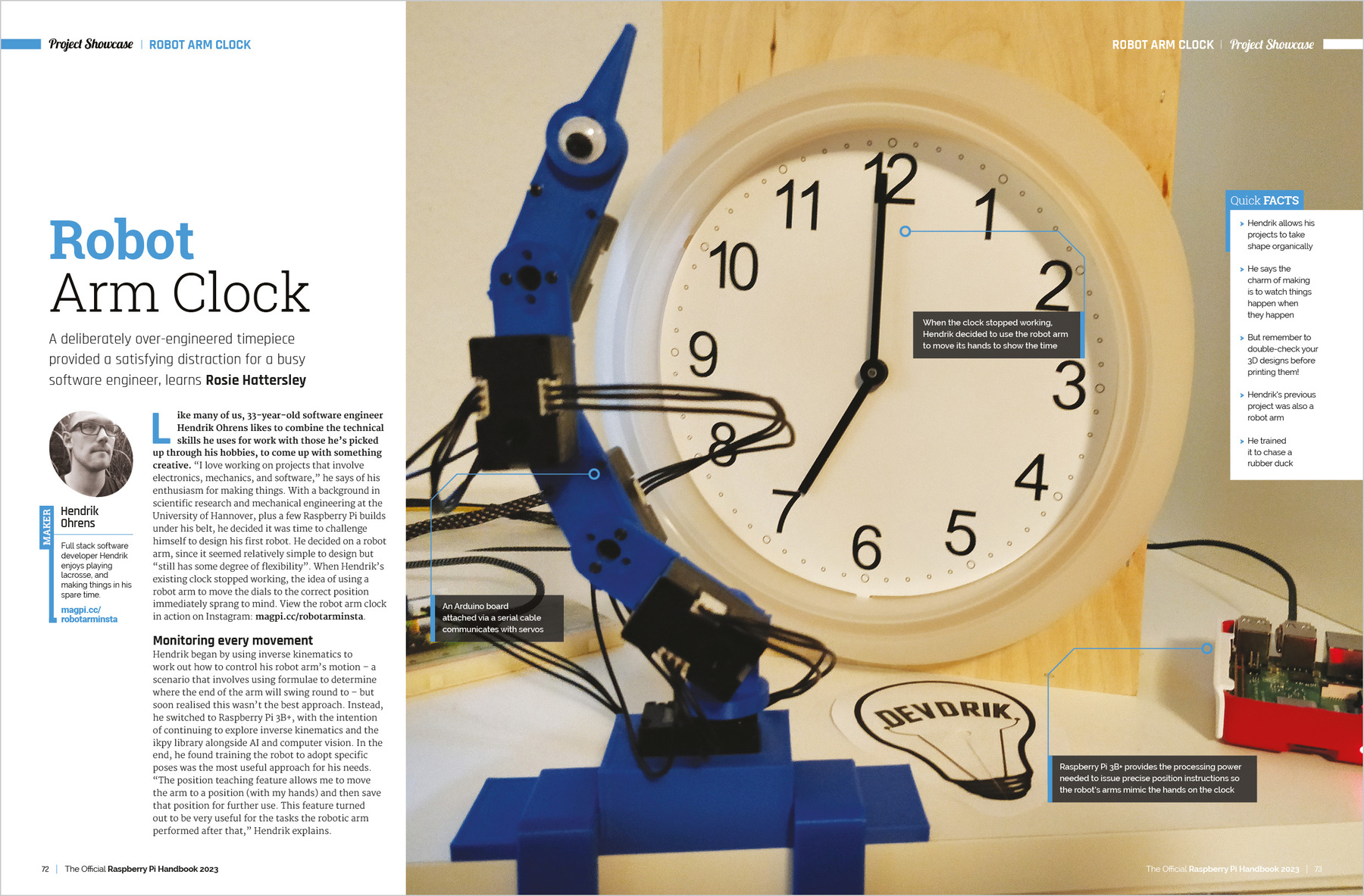
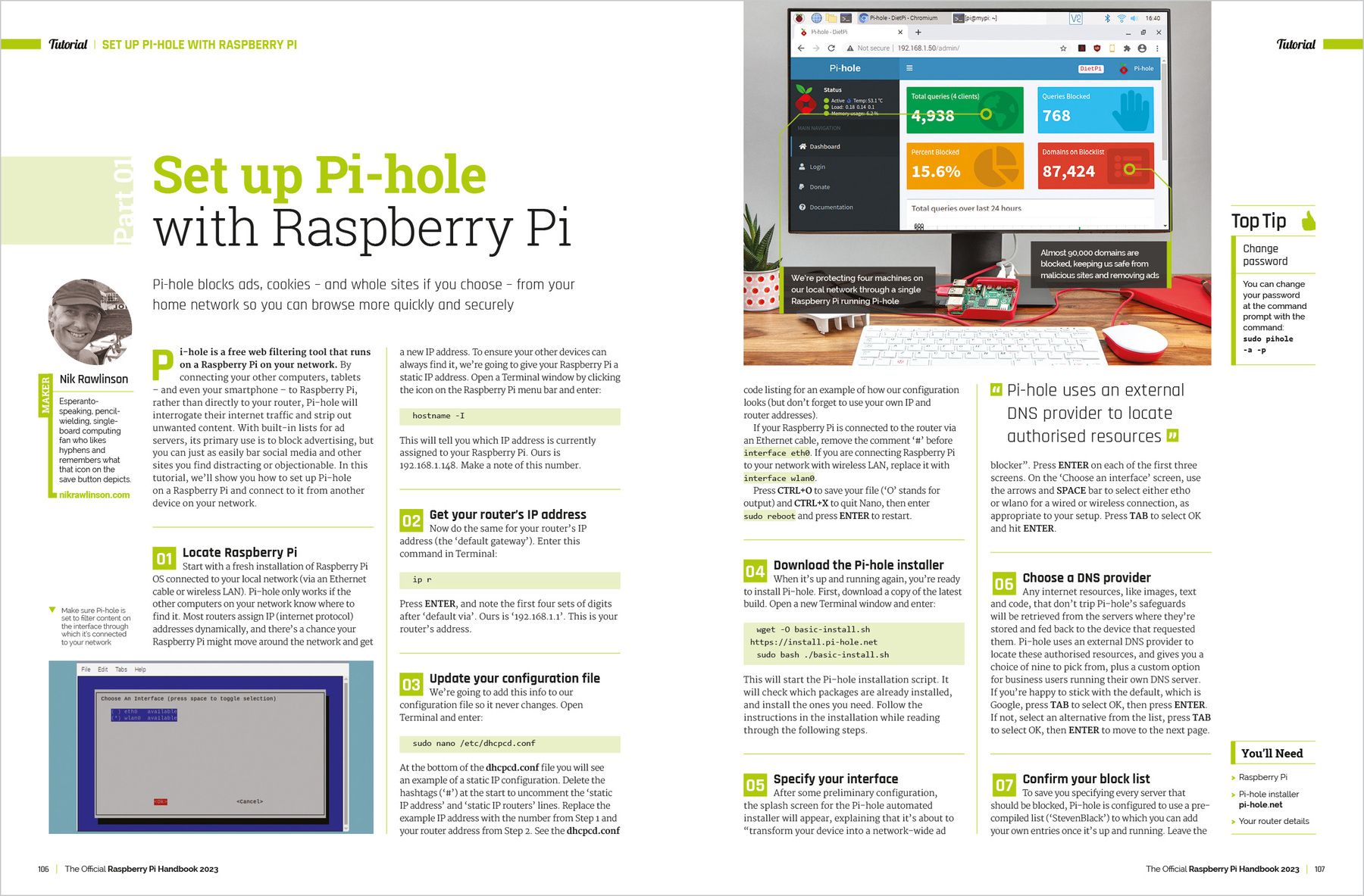
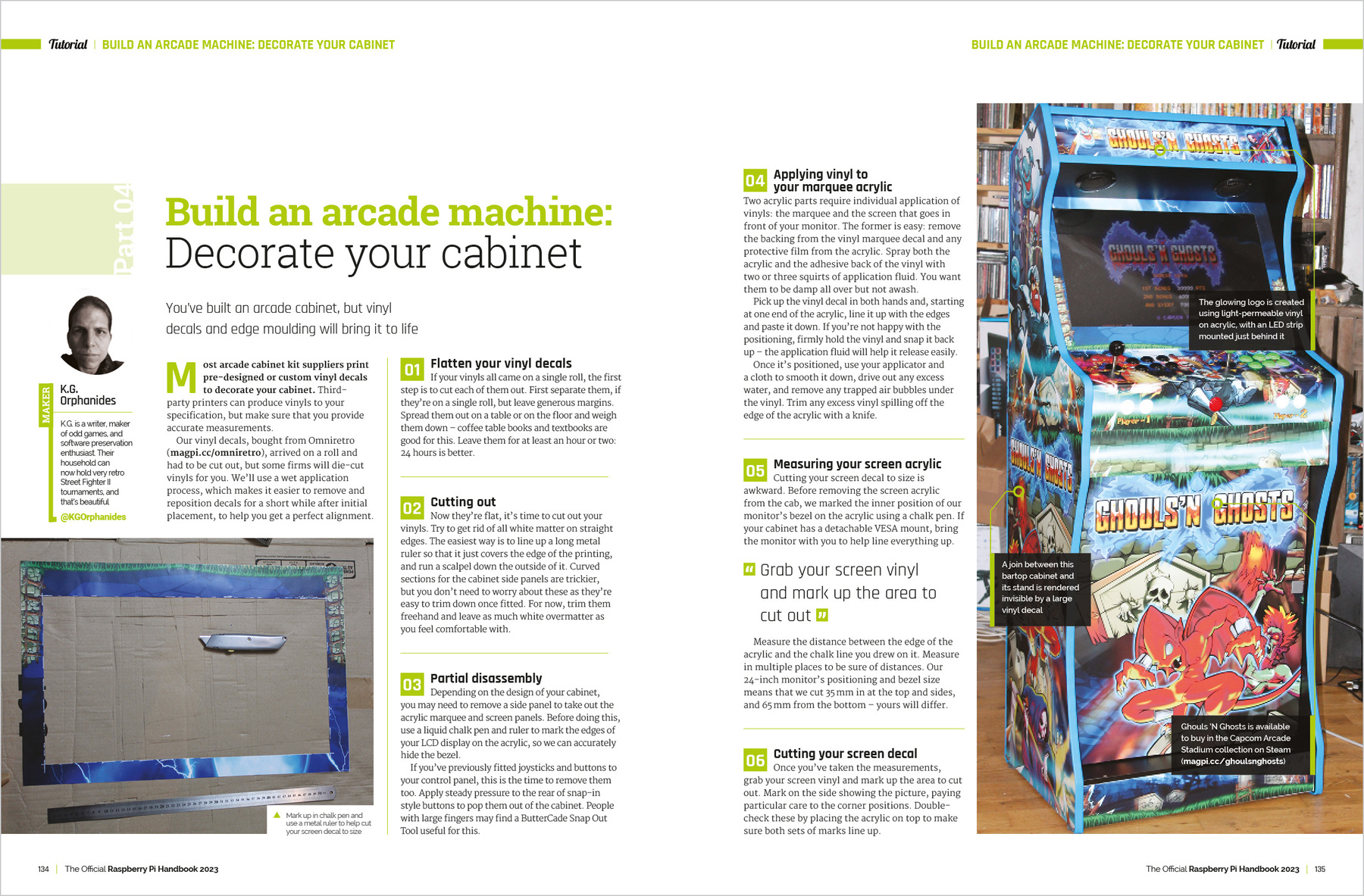
Discover the true potential of Raspberry Pi with the new, official Handbook 2023. With over 200 pages of amazing projects, fun tutorials, practical guides, and clear reviews, it has everything you need to master Raspberry Pi!
Inside The Official Raspberry Pi Handbook 2023
- QuickStart guide to setting up your Raspberry Pi computer
- Make stuff with Raspberry Pi Pico W
- Incredible projects built by the global Raspberry Pi community
- Find the right kit and products for your dream builds
- Get creating with our comprehensive tutorials and guides
- Over 200 pages of essential advice!
1 x RPi 2023 Handbook
AlphaBot, Mobile robot for Raspberry Pi or Arduino (alphabot robot pi/arduino)
What's on the AlphaBot Mainboard
What's in the box?

Resources
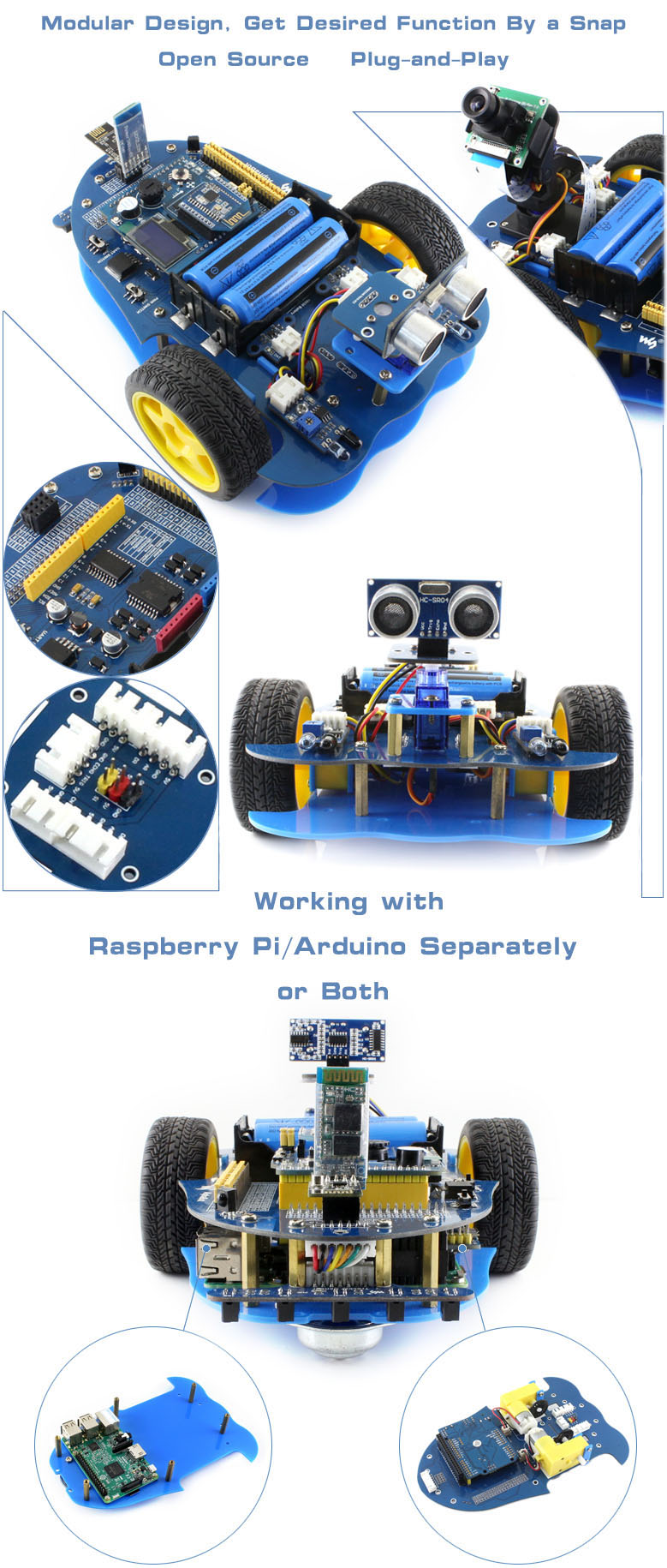
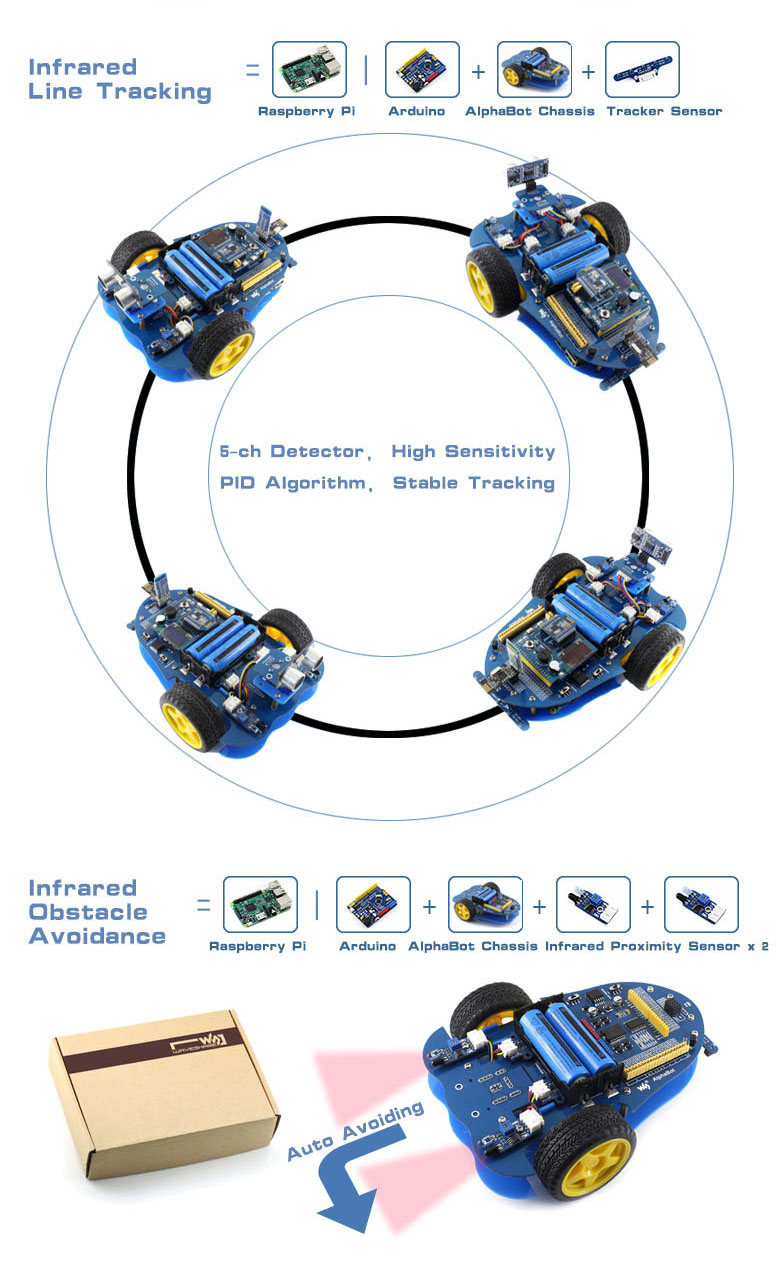
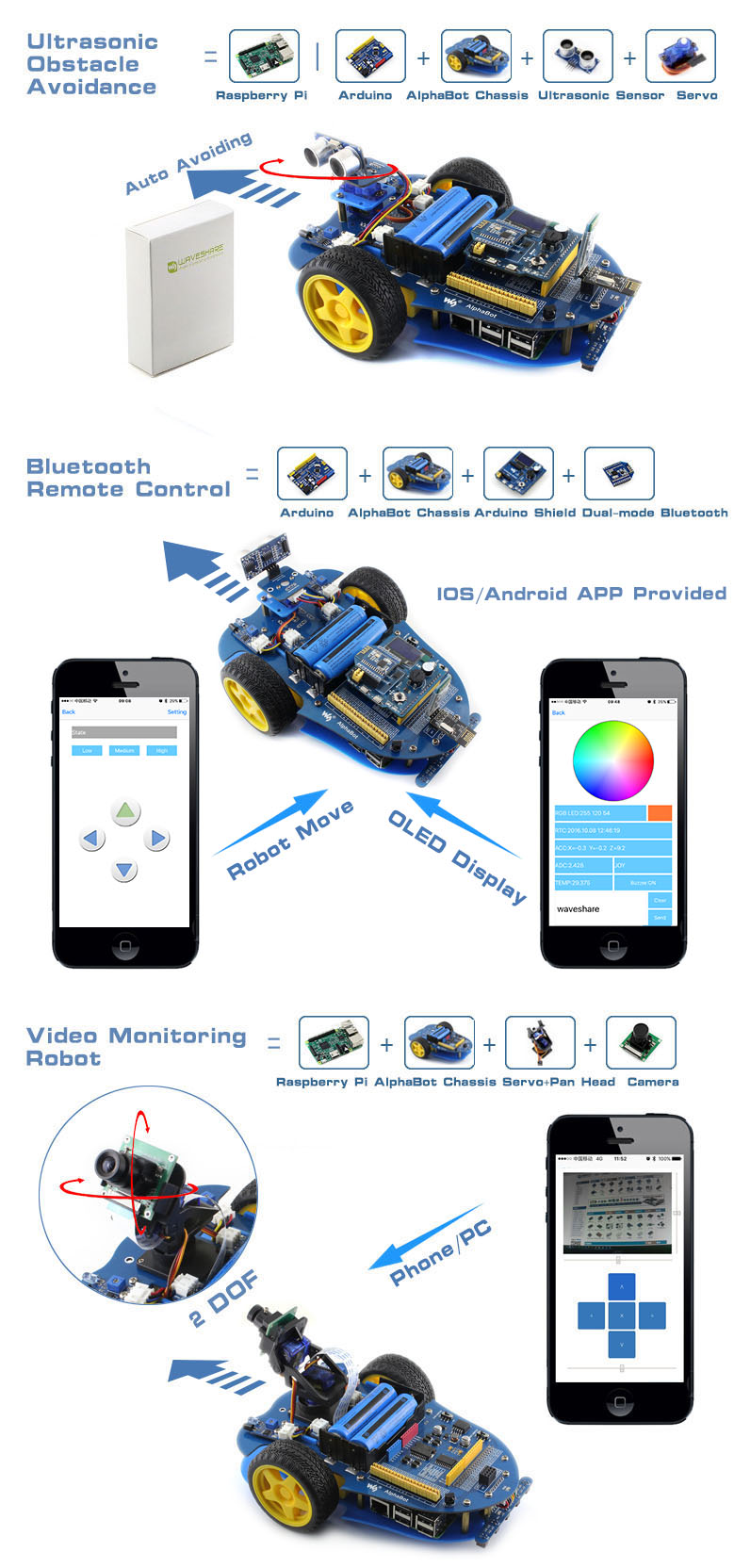
AlphaBot is a robotic development platform compatible with Raspberry Pi and Arduino. It consists of the AlphaBot mainboard, the mobile chassis, and everything required to get it moving.
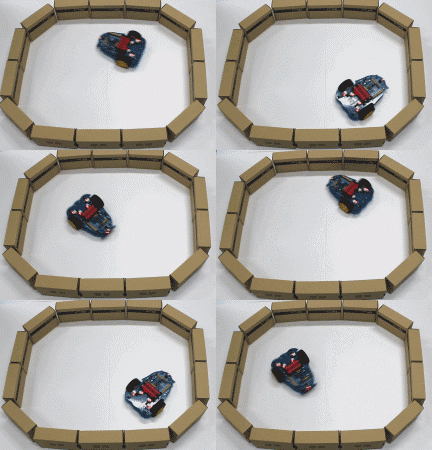
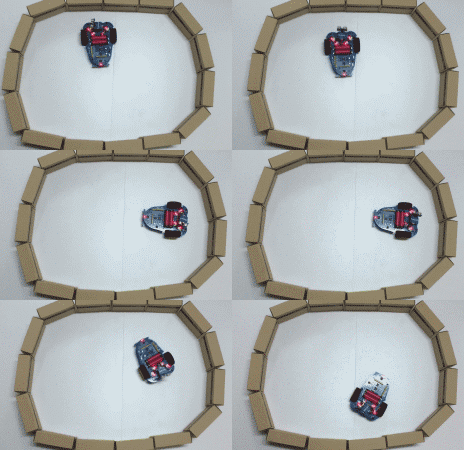
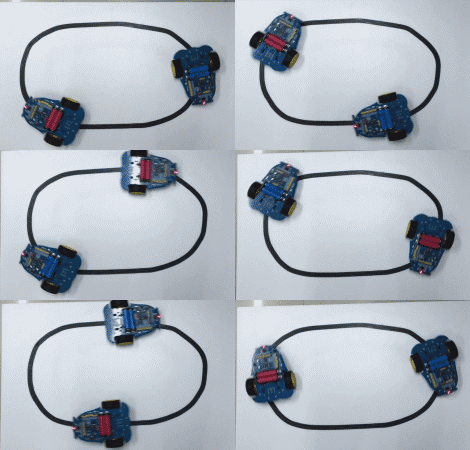
Just connecting a controller board, Raspberry Pi or Arduino, and combined with our open source example code, now it's all ready to start your robotic exploration: line tracking, obstacle avoidance, video monitoring, WiFi/Bluetooth/ZigBee/Infrared remote control, etc.
- Raspberry Pi/Arduino interfaces, works with either one separately, or both
- Arduino extend header, supports Arduino shields
- Modular design, plug-and-play modules like line tracking, obstacle avoidance, speed measuring, etc. eliminating the trouble of connecting mess wires.
- LM298P motor driver with diode protection circuit, more safety
- LM2596 voltage regular, provides stable 5V power to the Raspberry Pi/Arduino
- TLC1543 AD acquisition chip, allows the Pi to use analog sensors
What's on the AlphaBot Mainboard
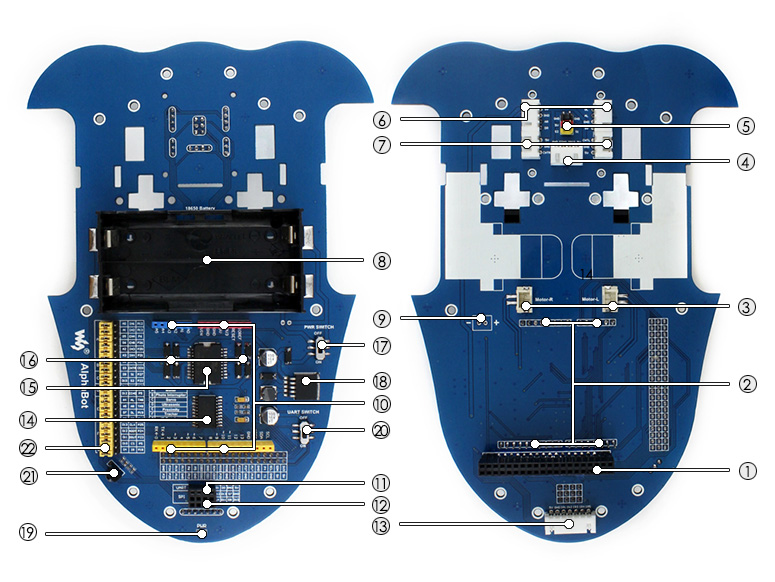
- Raspberry Pi interface: for connecting Raspberry Pi
- Arduino interface: for connecting Arduino
- Motor interface
- Ultrasonic module interface
- Servo module interface
- Obstacle avoidance module interface
- Speed measuring interface
- Battery holder: supports 18650 batteries
- Reserved power input (not soldered): for connecting other external power supply
- Arduino expansion header: for connecting Arduino shields
- UART interface: for connecting Bluetooth module, to control the robot remotely via Bluetooth
- SPI interface: for connecting NRF24L01 wireless module
- Line tracking module interface
- TLC1543: 10-bit AD acquisition chip, allows the Pi to use analog sensors
- LM298P: dual H bridge motor driver chip, up to 2A current
- Anti-reverse diode
- Power switch
- LM2596: 5V regulator
- Power indicator
- UART switch: turn on to enable serial communication between Raspberry Pi and Arduino
- IR receiver: control the robot remotely via infrared
- Raspberry Pi/Arduino selection: select the Raspberry Pi or Arduino to control the robot peripherals
What's in the box?
The 18650 batteries are NOT included.
Please note that the battery length SHOULD be less than 67mm, some batteries with protection plate in the market are NOT supported
Please note that the battery length SHOULD be less than 67mm, some batteries with protection plate in the market are NOT supported
- AlphaBot mainboard x1
- Tracker Sensor x1
- Photo Interrupter Sensor x2
- Infrared Proximity Sensor x2
- Motor with gearbox 2PCS x1
- AlphaBot wheel 2PCS x1
- AlphaBot acrylic chassis x1
- Motor mounting plate 4PCS x1
- omni-direction wheel x1
- 20-slots encoder disk 2PCS x1
- IR remote controller x1
- XH2.54 4cm 4Pin 2PCS x1
- XH2.54 4cm 3Pin 2PCS x1
- XH2.54 4cm 7Pin x1
- AlphaBot screws x1
Resources
Mobile robot development platform, compatible with Raspberry Pi/Arduino

3 in 1 Clip-On Camera Lens Set (camera lens clip-on kit)
Description
This lovely little lens set is the best way to easily expand the field of view of your Raspberry Pi camera!
This lens kit means that you can use your camera module in many exciting ways:
- 1x Wide-angle lens: Ideal for capturing those landscape shots/night sky time-lapses
- 1x Macro lens: Beautiful close-up images of anything from insects to circuit boards
- 1x Fish-eye lens: Security systems and crazy 180° FOV shots
Perfect for taking shots from anywhere from your desk to the edge of space this lens comes with a back splint which means you can also use it with other camera devices such as your mobile phone.
Each lens screws into the clip which fits perfectly onto your camera module.
Features
- Compatible with the known universe *
- High-class glass lens, high clarity.
- No vignetting or dark circle.
- Lens covers to protect the camera lenses
- Material: ABS & aluminum alloy
- Compatible with most of the official Raspberry Pi Camera Modules
What's in the box?
1 x camera clip
3 x screw on lenses

2-Channel Isolated CAN FD Expansion HAT for Raspberry Pi, Multi Protections (CAN fd hat for pi)
The 2-CH CAN FD HAT is a 2-Channel CAN bus expansion HAT designed for Raspberry Pi, supports CAN FD (CAN with Flexible Data-Rate). It will enable CAN bus for your Raspberry Pi, not only the original CAN 2.0 protocol, but also the CAN FD extension, with higher data throughput.
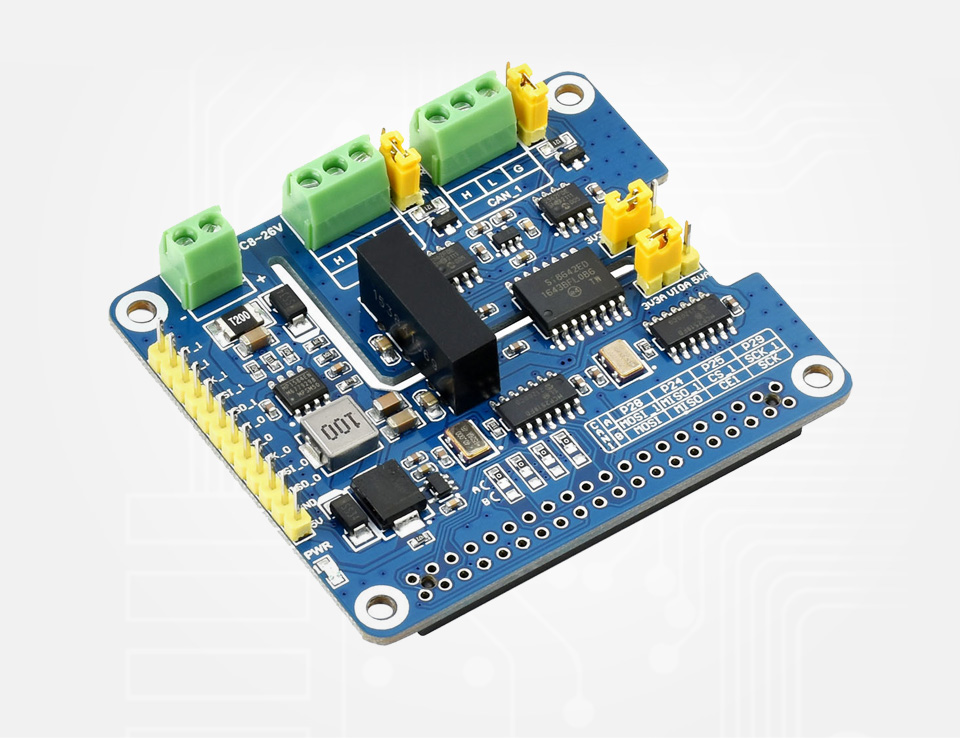
Thanks to multi onboard protection circuits, including 500W lightningsurge, ESD protection, short circuit protection, and electrical isolation, it make the communication more safe and more reliable.
Specifications
What Can It Do?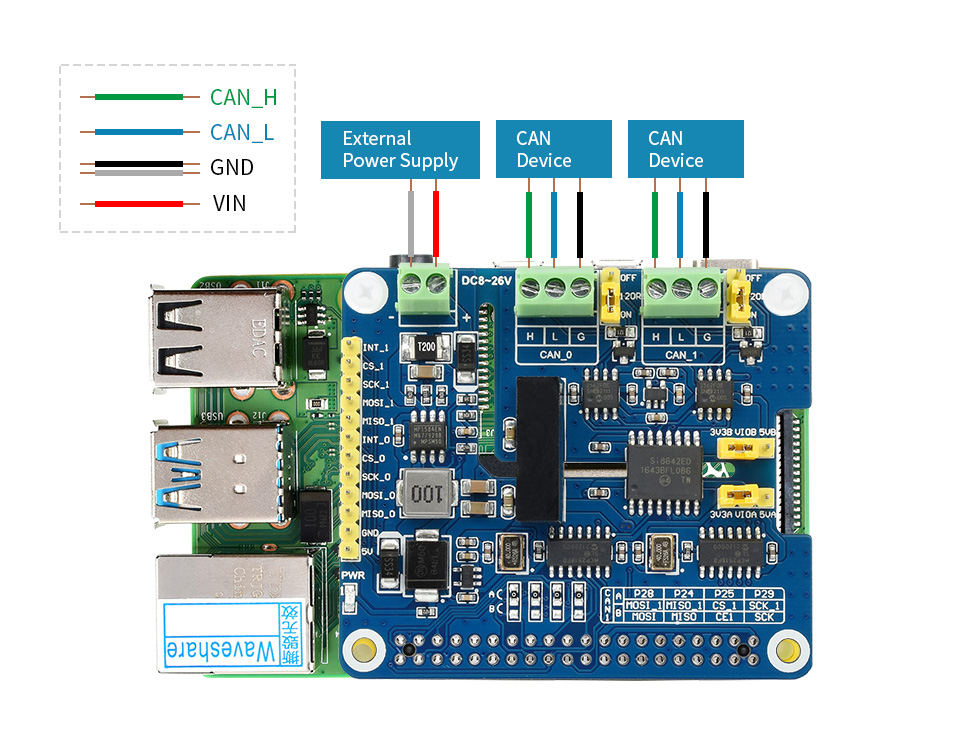
Designed For Raspberry Pi Series
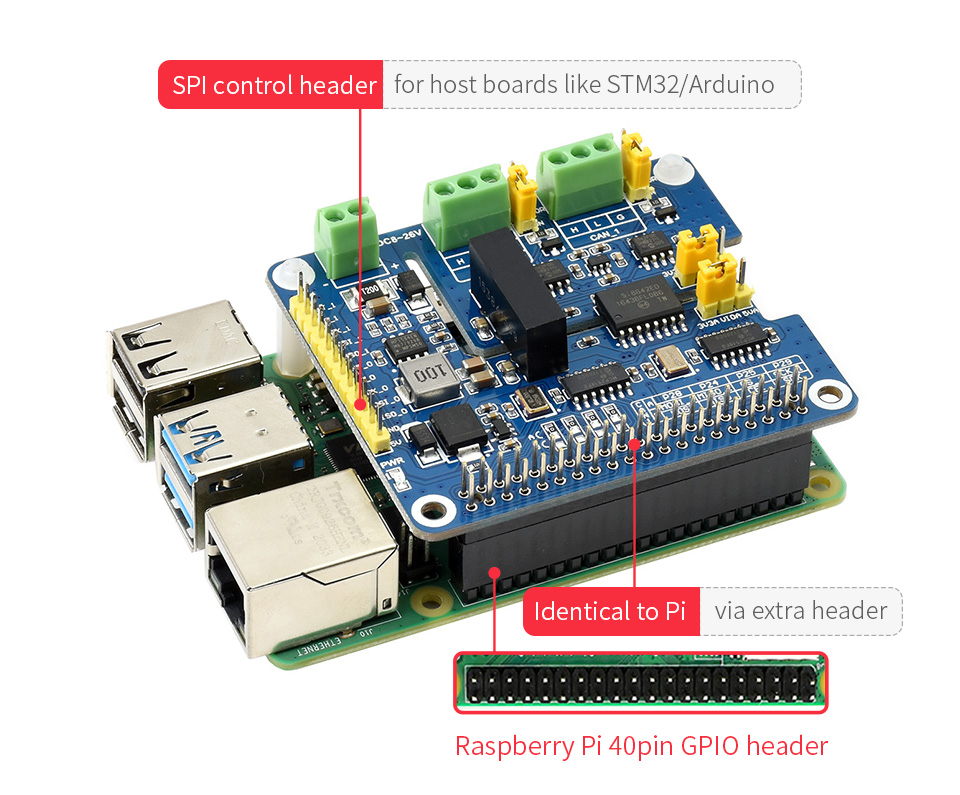
Standard Raspberry Pi 40PIN GPIO Header, Customized For Raspberry Pi Series Boards
2-Channel CAN Support
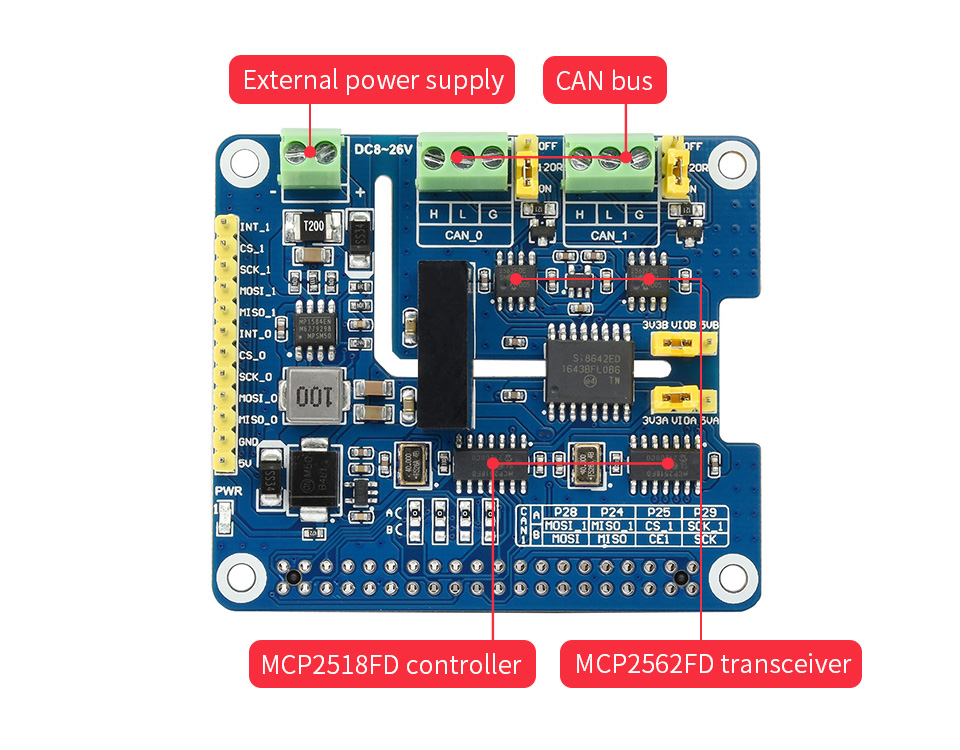
MCP2518FD CAN Controller MCP2562FD CAN Transceiver
Electrical Isolation Circuitry Safe & Stable
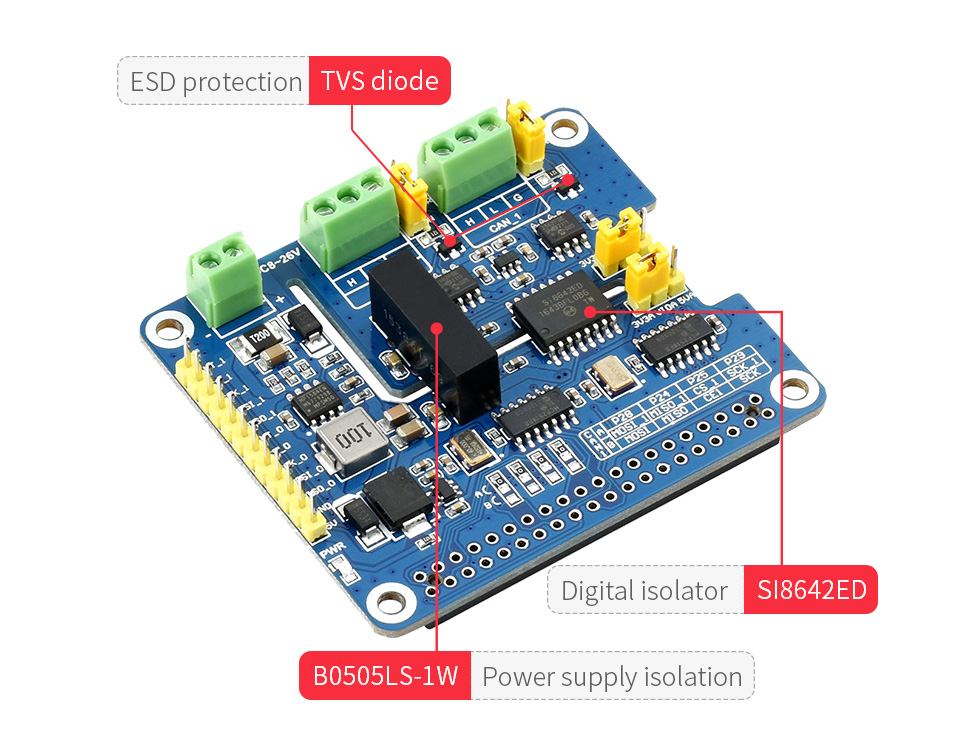
SM24CANB TVS Diode, ESD Protection, Transient Peak Voltage Protection
Flexible With Handy Jumpers
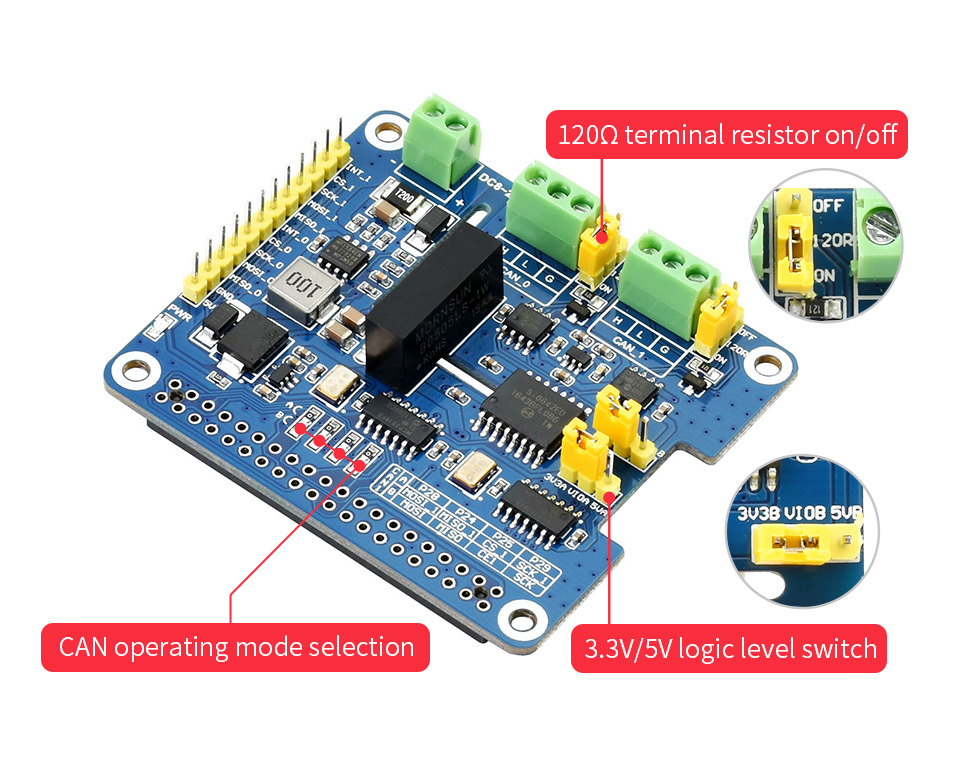
Easily Select 3.3V / 5V Operating Voltage, Or Enable/Disable 120Ω Terminal Resistor, Via Onboard Jumpers
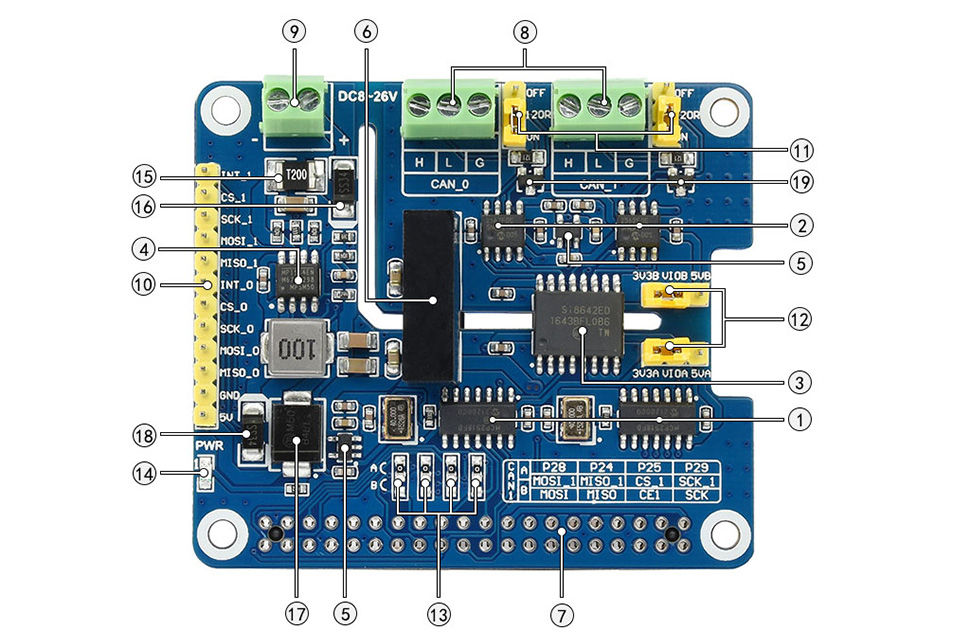
What's On Board?
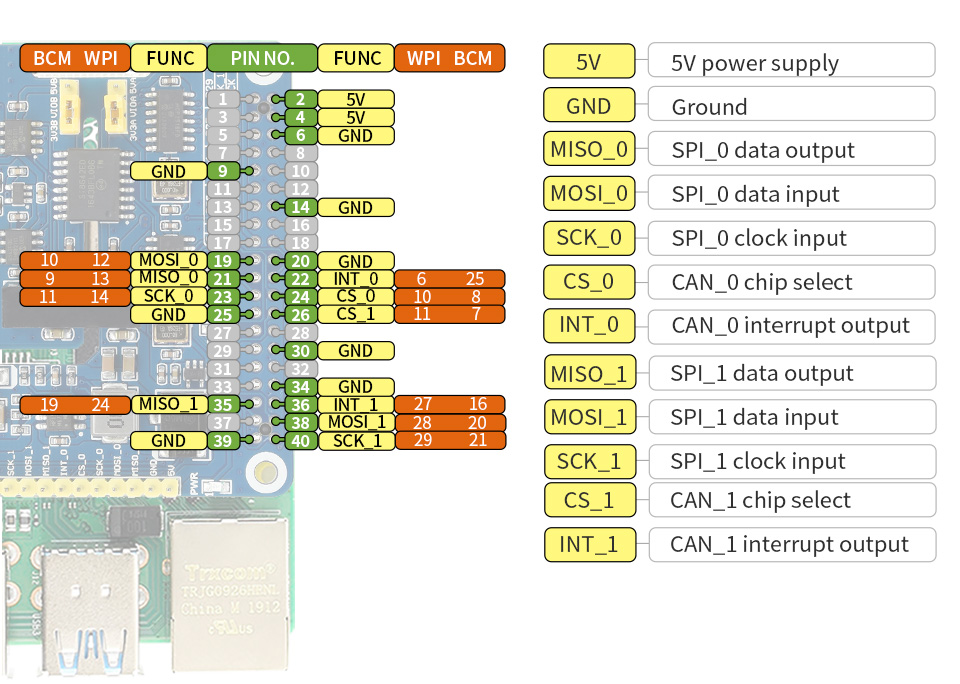
Pinout Definition
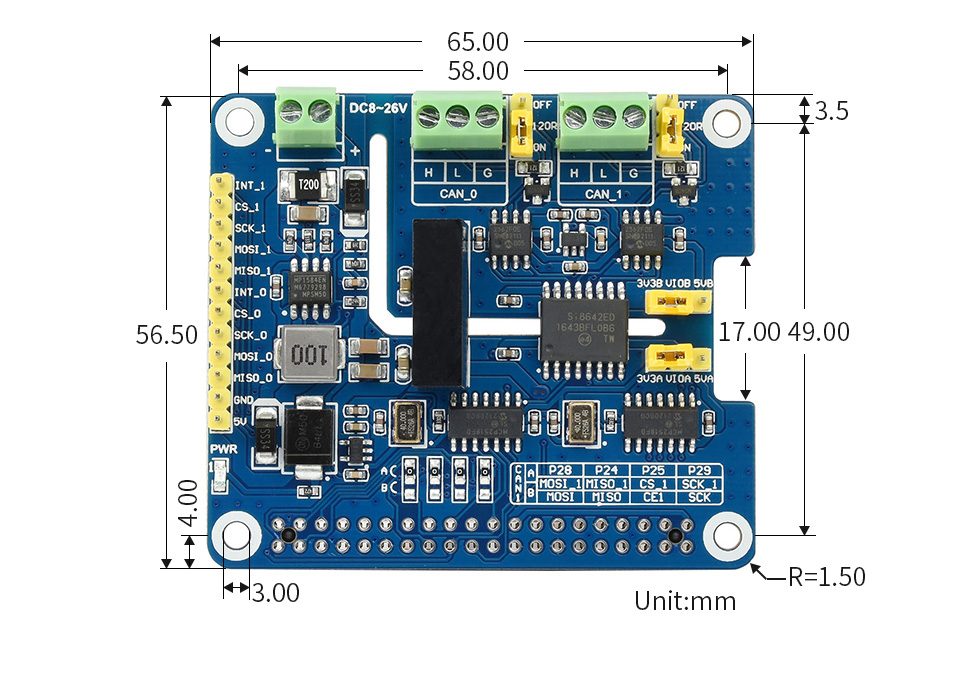
Outline Dimensions
What's in the box?
1 x CAN FD Expansion HAT for Raspberry P
Resources
Thanks to multi onboard protection circuits, including 500W lightningsurge, ESD protection, short circuit protection, and electrical isolation, it make the communication more safe and more reliable.
- Standard Raspberry Pi 40PIN GPIO extension header, supports Raspberry Pi series boards, Jetson Nano
- Supports both traditional CAN2.0 and CAN FD protocols
- Breakout SPI control pins, for connecting with host control boards like STM32/Arduino
- Onboard electrical isolation, up to 5KV isolated voltage, stable operation, higher anti-interference capability
- Onboard lightningproof, ESD protection, short circuit protection, more safe communication
- Onboard voltage translator, select 3.3V/5V operating voltage by jumper
- Onboard 120Ω terminal resistor, configured by jumper
- Comes with development resources and manual (examples for Raspberry Pi/Arduino)
Specifications
- CAN CONTROLLER: MCP2518FD
- CAN TRANSCEIVER: MCP2562FD
- CONTROL BUS: SPI
- POWER SUPPLY: External power supply terminal OR Raspberry Pi
- SCREW TERMINALINPUT VOLTAGE: DC 8~26V
- OPERATING VOLTAGE: 5V
- LOGIC LEVEL: 3.3V/5V
- DIMENSIONS: 65.0 × 56.5mm
What Can It Do?
Enable Isolated And Stable CAN FD Capability For Your Raspberry Pi
Designed For Raspberry Pi Series
Standard Raspberry Pi 40PIN GPIO Header, Customized For Raspberry Pi Series Boards
2-Channel CAN Support
MCP2518FD CAN Controller MCP2562FD CAN Transceiver
Electrical Isolation Circuitry Safe & Stable
SM24CANB TVS Diode, ESD Protection, Transient Peak Voltage Protection
Flexible With Handy Jumpers
Easily Select 3.3V / 5V Operating Voltage, Or Enable/Disable 120Ω Terminal Resistor, Via Onboard Jumpers
What's On Board?
- MCP2518FD controller
- MCP2562FD transceiver
- SI8642ED digital isolator
- MP1584EN power chip
- RT9193-33 power chip
- B0505LS-1W power supply isolation module
- Standard Raspberry Pi 40PIN GPIO header
- CAN bus screw terminal
- External power supply terminal
8~26V DC input - MCU control pins
for use with host boards like Arduino
- 120Ω terminal resistor switch
- 3.3V/5V logic level switch
- CAN operating mode selection
A: CAN_0 and CAN_1 use two separated SPI (default)
B: CAN_0 and CAN_1 share a single SPI - Power indicator
- 2A fast resettable fuse
- Power supply reverse-proof diode
- Power supply flow backward proof diode
- Freewheeling diode
- SM24CANB TVS diode
Pinout Definition
Outline Dimensions
What's in the box?
1 x CAN FD Expansion HAT for Raspberry P
Resources
WIKI: 2-CH_CAN_FD_HAT

MK8 0.4mm Copper M6 Thread Extruder Nozzle For 3D Printer 5 pack ((5x) MK8 print nozzle 0.4mm)
1. Material: Copper
2. Size: 13mm x 6mm
3. Weight: 2g
4. Nozzle thread: M6
5. Nozzle accuracy: 0.4mm
What's in the box?
5 x 0.4mm Nozzle
2. Size: 13mm x 6mm
3. Weight: 2g
4. Nozzle thread: M6
5. Nozzle accuracy: 0.4mm
What's in the box?
5 x 0.4mm Nozzle

D-Link DGS-F1006P-E 250M 6-Port 10/100/1000 Switch with 4 PoE Ports and 2 Uplink Ports (DGS-F1006P-E 6 port switch)
The D-Link DGS-F1006P-E 6-Port 10/100/1000 Switch with 4 PoE Ports enables you to connect Power over Ethernet (PoE) devices such as wireless access points (APs), IP cameras, and IP phones to the network. Built with home and small business users in mind, the DGSF1006P-E is compact and operates silently, making it ideal for most rooms and offices.
Features
What's in the box?
1 x 6-port D-link switch
Features
- 6x 10/100/1000 Mbps Ethernet ports
- 2x Uplink ports
- 4x PoE ports
- IEEE 802.3af/at Power Over Ethernet (PoE) enables installation in hard to reach locations
- 60 W total power budget
- Up to 30 W power output per PoE port
What's in the box?
1 x 6-port D-link switch

Creality 3D Printer Tool Box Kit (creality 3D Tool kit)
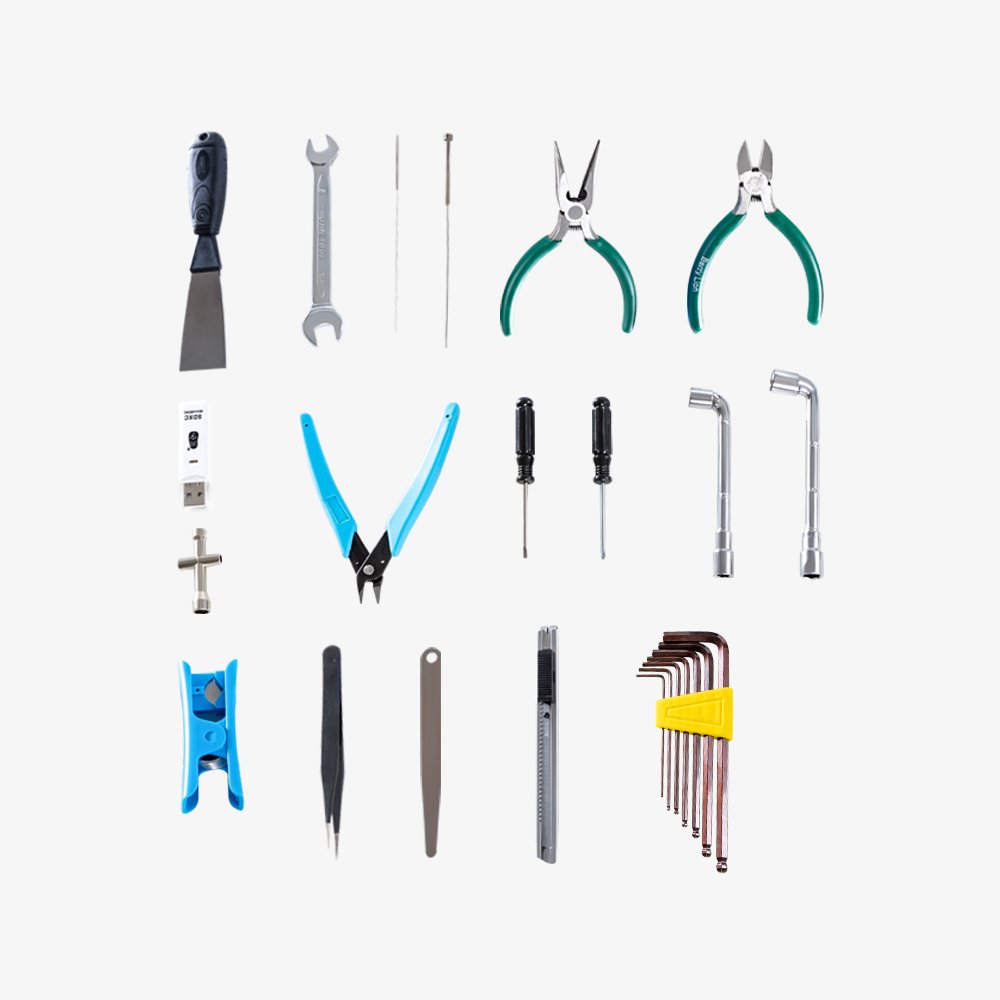
This kit includes
What's in the box?
1 x 3D printer toolbox
- Tool Kit for 3D Printing Beginners
- ABS Box, Heat and Impact Resistance
- 18 PCS Set: Wrench, scissors, casing and others
- Strong Practicality, Durable
This kit includes
- Spatula
- Wrench
- 0.38mm needle
- Feeler gauge
- 1.0mm needle
- Needle nose pliers
- Side cutters large
- PTFE cutters
- SD card reader
- Cross socket wrench
- Box cutter
- Side cutters small
- Flathead screwdriver
- Phillips screwdriver
- M6 socket wrench
- M8 socket wrench
- Tweezers
- Allen key kit
What's in the box?
1 x 3D printer toolbox

SONOFF waterproof enclosure IP66 132.2mm x 68.7mm x 50.1mm (Sonoff IP66 enclosure)
Sonoff IP66 is a high quality waterproof case that can be used with Sonoff Basic/RF or the PCBA board of Sonoff Pow/TH10/TH16/G1 in the outside environment.
What's in the box?
1 x waterproof enclosure
- The waterproof level of the waterproof box is IP66.
- 132.2mm x 68.7mm x 50.1mm
- ABS Grey
What's in the box?
1 x waterproof enclosure

Trust Me T-Shirt - Black XXXL (Trust me black XXXL)
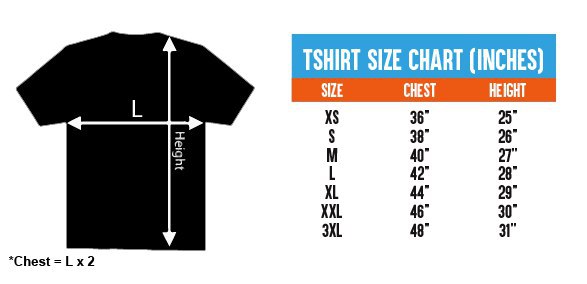
100% cotton Unisex T-shirt from the Cytron for every maker that loves making stuff. Simple yet comfortable!
Comes in black color with the slogan of TRUST ME I'M A MAKER
There are several sizes of this T-shirt to accommodate everyone :) Please choose the preferred size next to the main photo. It is Unisex T-shirt so it is suitable for both male and female maker :)
- XS (Extra Small) Size
- S (Small) Size
- L (Large) Size
- M (Medium) Size
- XL (Extra Large) Size
- XXL (Double Extra Large) Size
- XXXL (Triple Extra Large) Size
Features:
- Coming from makers to makers :)
- 100% cotton, super comfortable
- The black color with:
- Front: Slogan: TRUST ME I'M A MAKER
- Back: Cytron Logo
- Available Sizes:
- Extra Small (XS):
- 36" or 91.44cm for the Chest (Chest = 2 x L)
- 25" or 63.5cm for Height
- Small (S):
- 38" or 96.52cm for the Chest (Chest = 2 x L)
- 26" or 66.04cm for Height
- Medium (M):
- 40" or 101.6cm for the Chest (Chest = 2 x L)
- 27" or 68.58cm for Height
- Large (L):
- 42" or 106.68cm for the Chest (Chest = 2 x L)
- 28" or 71.12cm for Height
- Extra Large (XL):
- 44" or 111.76cm for the Chest (Chest = 2 x L)
- 29" or 73.66cm for Height
- Double Extra Large (XXL):
- 46" or 116.84 cm for the Chest (Chest = 2 x L)
- 30" or 76.2 cm for Height
- Triple Extra Large (XXXL):
- 48" or 121.92 cm for the Chest (Chest = 2 x L)
- 31" or 78.74 cm for Height
- Extra Small (XS):